GPS Attendance vs. Traditional Attendance: Which Is Better?
GPS Attendance vs. Traditional Attendance: Which Is Better?
Employee attendance is an important part of workforce management. Accurate attendance records help businesses manage working hours, shifts, leave, overtime, payroll, and employee productivity.
For many years, businesses have relied on traditional attendance methods such as paper registers, spreadsheets, punch cards, and fixed biometric machines. These methods can work well in certain workplaces, but they can become difficult to manage when employees work across multiple locations or spend significant time in the field.
GPS attendance offers a mobile and location-based alternative. Employees can use a smartphone application to mark attendance, while the system can associate the attendance event with available location information.
So, GPS attendance vs. traditional attendance—which is better?
The answer depends on the business. However, for organizations managing field employees, multiple locations, remote teams, or mobile workforces, GPS attendance can provide greater flexibility and visibility.
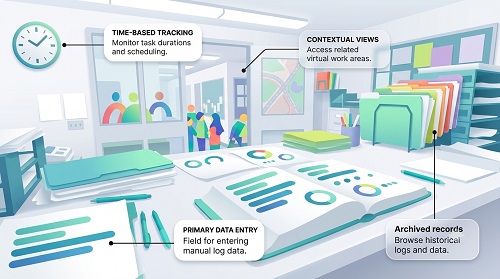
What Is Traditional Attendance?
Traditional attendance refers to methods that record employee presence using physical or manually maintained systems.
Common examples include:
- Paper attendance registers
- Excel spreadsheets
- Punch cards
- Manual timesheets
- Fixed biometric machines
- Fixed fingerprint devices
- Manual supervisor records
In a conventional office, employees may report to one location and mark attendance using a fixed device.
For example:
Employee Arrives → Punches/Scans → Attendance Recorded
The method is relatively straightforward when employees work from the same location every day.
However, challenges can arise when employees work at customer sites, project locations, branches, or other locations.
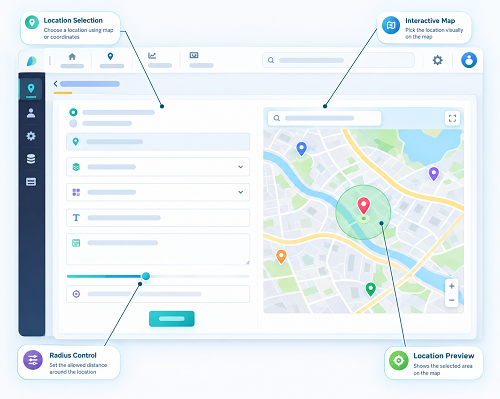
What Is GPS Attendance?
GPS attendance uses location capabilities available on a mobile device to support employee attendance management.
When an employee marks attendance through a mobile application, the software can obtain relevant location information according to the organization's configuration and device permissions.
A typical process is:
Employee → Mobile App → Check-In → Location Verification → Attendance Recorded
GPS attendance can be particularly useful for:
- Field employees
- Sales teams
- Service technicians
- Construction workers
- Delivery teams
- Remote employees
- Employees working at multiple locations
- Project-based teams
GPS Attendance vs. Traditional Attendance: Key Differences
| Feature | GPS Attendance | Traditional Attendance |
|---|---|---|
| Attendance method | Mobile app | Register, spreadsheet, punch card, or fixed device |
| Location verification | Available with GPS-enabled workflows | Usually limited |
| Field employees | Well suited | Can be difficult |
| Multiple locations | Easier to manage digitally | More manual |
| Real-time visibility | May be available depending on software | Usually limited |
| Manual work | Lower | Often higher |
| Digital records | Yes | Depends on method |
| Geo-fencing | Can be supported | Usually unavailable |
| Mobile workforce | Strong fit | Less flexible |
| Reporting | Automated reports may be available | Often requires manual work |
| Payroll integration | Common in modern software | May require manual data transfer |
| Scalability | Suitable for distributed teams | Can become difficult at scale |
1. Location Verification
One of the biggest differences between GPS and traditional attendance is location information.
Traditional attendance may simply record:
Employee: Present
GPS attendance can associate the attendance event with relevant location information.
For example:
Employee → Check-In → Location Captured → Attendance Record
This can help managers understand where an attendance event occurred.
2. Flexibility for Field Employees
Traditional attendance systems are usually designed around a fixed workplace.
This can create problems for employees who spend their working day outside the office.
For example, a service technician may visit three customers in one day.
A fixed attendance machine may not be practical.
GPS attendance allows businesses to support mobile attendance workflows.
Technician → Customer Site → Mobile Check-In → Location Verification → Attendance
This makes GPS attendance particularly useful for field-based organizations.
3. Multi-Location Attendance
Businesses with multiple branches may have employees working at different locations.
Traditional attendance can require separate registers or attendance devices for each workplace.
GPS-enabled software can provide centralized management of multiple locations.
For example:
Head Office → Location A
Branch → Location B
Factory → Location C
Project Site → Location D
Employees can be assigned to the appropriate workplace according to company policy.
This can simplify attendance management for distributed teams.
4. Geo-fencing Support
GPS attendance can be combined with geo-fencing.
Geo-fencing creates a virtual boundary around an approved workplace.
For example:
Factory → Geo-fence Created → Employee Arrives → GPS Check → Boundary Verified → Attendance
If the employee is outside the configured boundary, the software may restrict, flag, or route the attendance event for review depending on company rules.
Traditional paper registers and basic punch systems generally do not provide this type of location-based control.
5. Reduced Manual Work
Traditional attendance can involve considerable administrative work.
HR teams may need to:
- Collect attendance sheets
- Check missing entries
- Correct errors
- Calculate working hours
- Prepare reports
- Transfer attendance data to payroll
GPS attendance software can automate many of these processes.
For example:
Mobile Check-In → Attendance Database → Working Hours → Reports → Payroll
The exact level of automation depends on the software.
6. Better Attendance Visibility
Traditional attendance systems may provide limited information beyond check-in and check-out times.
Modern GPS attendance software may provide dashboards and reports showing attendance information by:
- Employee
- Date
- Location
- Shift
- Department
- Workplace
- Attendance status
This can give managers greater visibility into distributed workforces.
7. Support for Remote and Mobile Work
Modern businesses may have employees who work from:
- Customer sites
- Project locations
- Branches
- Home
- Temporary workplaces
- Multiple offices
Traditional fixed attendance systems may not be suitable for all these situations.
GPS-enabled mobile attendance can provide more flexibility when location verification is part of the organization's work process.
8. Attendance Accuracy
Traditional attendance systems can provide accurate records when employees use them correctly.
However, manual systems may be affected by:
- Forgotten entries
- Incorrect times
- Missing signatures
- Manual data-entry errors
- Proxy attendance
- Delayed updates
GPS attendance can add location-based information to the attendance event.
When combined with identity verification and geo-fencing, it can provide additional verification.
For example:
Face Verification + GPS + Geo-fence + Time → Attendance
No attendance system completely eliminates errors or fraud, but multiple verification methods can strengthen the overall process.
9. Payroll Integration
Attendance data is often required for payroll processing.
Businesses may use attendance information to calculate:
- Working hours
- Leave
- Overtime
- Late coming
- Early leaving
- Payable days
Traditional attendance may require HR teams to manually transfer information into payroll systems.
Modern GPS attendance software can integrate attendance data with other HR processes.
For example:
Attendance → Working Hours → Leave/Overtime → Payroll
This can reduce duplicate data entry.
Actual payroll calculations should always follow company policies and applicable employment requirements.
10. Reporting and Analytics
Traditional attendance records may require manual preparation of reports.
Digital GPS attendance systems can provide automated reports depending on the software.
Managers may be able to analyze:
- Attendance patterns
- Late check-ins
- Early check-outs
- Working hours
- Location exceptions
- Employee attendance
- Branch-wise attendance
- Shift attendance
These reports can help HR teams identify patterns and make better workforce-management decisions.
GPS Attendance vs. Biometric Attendance
GPS attendance and biometric attendance solve different problems.
| GPS Attendance | Biometric Attendance |
|---|---|
| Usually mobile-based | Usually fixed at a physical location |
| Uses device location | Uses biometric identity verification |
| Suitable for field employees | Suitable for fixed workplaces |
| Can support multiple locations | Requires biometric devices at locations |
| Can support geo-fencing | Usually location-independent |
| Convenient for mobile workers | Strong identity verification |
Businesses can also use both technologies in different situations.
For example, fixed office employees may use biometric attendance while field employees use GPS-enabled mobile attendance.
GPS Attendance and Face Recognition
Some modern attendance systems combine GPS with face recognition.
The process can be:
Employee Opens App → Face Verification → GPS Location Check → Geo-fence Verification → Check-In → Attendance Recorded
This can provide two important types of verification:
- Who is checking in? → Face verification
- Where is the attendance event occurring? → GPS and geo-fencing
Businesses should ensure that facial and location information is handled securely and transparently.
Which Is Better for Small Businesses?
For small businesses with employees working from one fixed office, traditional attendance may still be sufficient.
However, GPS attendance can be useful if the business has:
- Field employees
- Multiple locations
- Remote workers
- Sales teams
- Service technicians
- Flexible working arrangements
The right choice depends on workforce structure rather than company size alone.
Which Is Better for Field Employees?
For field employees, GPS attendance is generally more practical than a fixed attendance system.
Consider a sales employee visiting customers throughout the day.
A traditional biometric machine requires the employee to return to a fixed location.
A mobile GPS attendance system can support attendance from approved locations according to company policy.
This provides greater flexibility for mobile teams.
Which Is Better for Multiple Branches?
GPS attendance can simplify centralized attendance management across multiple locations.
A business can configure different workplaces and employee assignments.
For example:
Branch A → Employees A
Branch B → Employees B
Branch C → Employees C
Managers can review attendance from a centralized dashboard rather than collecting separate manual reports.
Which Is Better for Construction Companies?
Construction companies often operate at temporary or changing project sites.
Traditional fixed attendance systems may not be practical for every project.
GPS attendance can support mobile attendance at approved project locations.
With geo-fencing, businesses can also establish virtual boundaries around project sites.
For example:
Project Site → Geo-fence → Employee Arrives → Location Verified → Attendance
This can make attendance management more suitable for distributed construction teams.
Cost Considerations
The cost of attendance management depends on the chosen technology and business requirements.
Traditional methods may have:
- Low initial costs
- Lower technology requirements
- Higher manual administration
- Limited automation
GPS attendance software may involve:
- Software subscription costs
- Mobile devices
- Internet/data usage
- Implementation and training
- Integration costs
Businesses should evaluate the total cost of attendance management, including HR time, manual processing, errors, reporting, and payroll administration—not only the software price.
Limitations of GPS Attendance
GPS attendance also has limitations.
Location accuracy can be affected by:
- Indoor environments
- Buildings
- Device hardware
- GPS signal availability
- Mobile network conditions
- Device settings
- Location permissions
Therefore, businesses should not assume that every location mismatch represents attendance fraud.
A practical exception process can allow employees and managers to resolve legitimate issues.
Employee Privacy Considerations
GPS attendance involves employee location information.
Businesses should clearly communicate:
- Why GPS information is collected
- When location is checked
- What information is stored
- Who can access it
- How long records are retained
Businesses should avoid unnecessary tracking outside legitimate work requirements.
GPS attendance does not automatically mean continuous employee monitoring. In many cases, location verification can be limited to relevant attendance events.
Organizations should collect only the information necessary for legitimate business purposes and follow applicable privacy and employment requirements.
How to Choose Between GPS and Traditional Attendance
Businesses can consider the following questions:
Do employees work from one fixed location?
If yes, traditional attendance may be sufficient.
Do employees work in the field?
If yes, GPS attendance may provide greater flexibility.
Does the business have multiple branches?
GPS-based software can simplify centralized management.
Does the company need location verification?
GPS and geo-fencing may be useful.
Does HR spend significant time managing attendance manually?
Automated attendance software may reduce administrative work.
Does the business need payroll integration?
A digital attendance system may provide better integration options.
Best Practices for Implementing GPS Attendance
If a business chooses GPS attendance, it should:
- Define clear attendance policies.
- Explain the system to employees.
- Configure approved work locations.
- Use practical geo-fence boundaries where required.
- Test location accuracy.
- Provide an exception process.
- Protect employee location information.
- Restrict system access to authorized users.
- Integrate attendance with shifts, leave, overtime, and payroll where appropriate.
- Review the system regularly.
Conclusion
So, GPS attendance vs. traditional attendance—which is better?
There is no single answer for every business.
Traditional attendance can work well for organizations where employees report to a fixed workplace and attendance requirements are relatively simple. However, GPS attendance offers greater flexibility for field employees, remote teams, construction workers, sales representatives, service technicians, and businesses with multiple locations.
GPS attendance can provide location-based verification, mobile check-ins, centralized records, geo-fencing support, automated reporting, and integration with broader workforce-management processes.
For businesses moving toward digital workforce management, a combination of GPS attendance, geo-fencing, face verification, shift management, leave, overtime, and payroll integration can provide a more connected approach to employee attendance.
The best solution is the one that matches the organization's workplace structure, employee needs, operational requirements, privacy responsibilities, and attendance policies.
Compared with registers or fixed devices, InnBuilt GPS Attendance allows authorised employees to check in from verified work locations using mobile phones. Businesses gain greater flexibility, real-time data, and stronger controls for remote and field teams.