10 Things to Look for When Buying Attendance Software in Singapore
10 Things to Look for When Buying Attendance Software in Singapore
Managing employee attendance accurately is essential for businesses operating in Singapore. Whether an organisation employs office staff, shift workers, retail employees, factory workers, healthcare professionals, or field teams, it needs a reliable way to record working hours, monitor absences, manage overtime, and maintain accurate attendance records.
Traditional attendance methods, such as paper registers, spreadsheets, and manual timesheets, can become difficult to manage as the workforce grows. They may also create challenges when employees work across multiple locations, follow rotating shifts, or operate under flexible working arrangements.
Attendance software helps businesses automate these activities through biometric devices, mobile applications, web-based clock-ins, access control systems, and integrations with payroll and HR platforms.
However, not every attendance solution is suitable for every Singapore business. Some platforms focus on basic time tracking, while others offer advanced shift scheduling, leave management, geolocation, payroll integration, and workforce analytics.
Choosing the right system requires evaluating both current operational needs and future workforce requirements.
This article explains 10 important things to look for when buying attendance software in Singapore, including essential features, compliance considerations, security requirements, integrations, implementation, and vendor evaluation.
1. Accurate and Flexible Employee Time Tracking
The first requirement when purchasing attendance software is accurate employee time tracking.
The system should record when employees start work, finish work, take breaks, and complete their scheduled shifts. It should also support different attendance methods depending on the organisation's working environment.
Singapore businesses may have employees working from offices, retail outlets, warehouses, factories, construction sites, hospitals, and customer locations. A single attendance method may not be suitable for all these employees.
Important time-tracking methods
- Biometric attendance: Employees use fingerprint or facial recognition devices to record attendance.
- Mobile attendance: Employees clock in and out through a smartphone application.
- Web-based attendance: Employees record working hours through a browser.
- RFID or access cards: Employees use authorised cards or badges.
- PIN-based attendance: Employees enter a unique identification number.
- QR code attendance: Employees scan a designated QR code to record their attendance.
What Singapore businesses should check
Evaluate whether the software supports multiple attendance methods and whether these methods can be assigned to different employee groups.
For example, office employees may use web-based attendance, while warehouse employees use biometric devices and field employees use mobile applications.
Also verify whether the system can identify duplicate punches, missing clock-ins, early departures, late arrivals, and unusual attendance patterns.
Buying tip: Ask the vendor to demonstrate how the system records attendance across different devices and whether all records are synchronised into one central dashboard.
2. Shift Scheduling and Roster Management
Businesses operating in Singapore's retail, hospitality, manufacturing, logistics, healthcare, and security sectors often depend on shift-based work.
Their employees may work morning shifts, evening shifts, night shifts, rotating shifts, split shifts, or weekend schedules.
Attendance software should therefore support flexible shift scheduling rather than relying only on fixed office timings.
Essential shift management features
- Multiple shift configurations.
- Rotating shift schedules.
- Overnight shift handling.
- Weekly and monthly rosters.
- Flexible working hours.
- Employee shift assignments.
- Shift swaps and change requests.
- Weekly rest-day configuration.
- Public holiday scheduling.
- Shift exception alerts.
Example
A Singapore retail business may operate three shifts:
| Shift | Working hours |
|---|---|
| Morning | 7:00 AM – 3:00 PM |
| Afternoon | 3:00 PM – 11:00 PM |
| Night | 11:00 PM – 7:00 AM |
The attendance system should correctly recognise employees working across midnight and assign attendance records to the appropriate scheduled shift.
It should also identify employees who report late, leave early, or work beyond their assigned schedules.
Questions to ask the vendor
- Can the system manage multiple shifts across different locations?
- Can managers create recurring rosters?
- Can employees request shift changes?
- Can managers approve shift swaps?
- Does the system handle overnight shifts correctly?
- Can shift schedules be updated without affecting historical attendance records?
Buying tip: Test a complete weekly roster with morning, evening, overnight, and rotating shifts before selecting the software.
3. Overtime Tracking and Working-Hour Calculations
Overtime management is an important consideration for Singapore employers, particularly in sectors where employees regularly work beyond their scheduled hours.
Attendance software should identify additional working hours accurately and provide a process for reviewing and approving overtime.
However, recording extra hours and calculating legally payable overtime are not necessarily the same activity. The applicable Employment Act provisions, employee classification, salary level, contractual terms, and other relevant conditions must be considered.
Overtime features to look for
- Automatic identification of overtime hours.
- Configurable overtime rules.
- Pre-approval and post-approval workflows.
- Employee overtime requests.
- Manager approval and rejection.
- Weekday and rest-day tracking.
- Public holiday work tracking.
- Overtime summaries by employee.
- Payroll-ready overtime reports.
- Audit history for changes and approvals.
What to test
Ask the vendor to demonstrate how the software handles employees who:
- Work beyond scheduled daily hours.
- Work on a scheduled rest day.
- Work on a public holiday.
- Complete an overnight shift.
- Receive approval for additional working hours.
- Submit a correction to their attendance records.
The system should allow businesses to configure applicable policies rather than applying one universal overtime calculation to every employee.
Buying tip: Confirm whether overtime calculations are configurable and whether the software distinguishes between attendance-based extra hours and legally payable overtime.
4. Leave Management and Absence Tracking
Attendance software should help businesses manage employee leave and absences alongside daily time records.
Singapore organisations may have employees entitled to different leave arrangements depending on their employment terms and applicable statutory requirements. The software should allow HR teams to configure relevant leave policies and monitor employee balances.
Essential leave management features
- Annual leave tracking.
- Sick leave and hospitalisation leave records.
- Unpaid leave management.
- Public holiday calendars.
- Leave application and approval workflows.
- Leave balance calculations.
- Half-day and partial-day leave.
- Leave cancellation and modification.
- Absence and no-show tracking.
- Leave reports by department or location.
What to test
Ask the vendor to demonstrate how an employee applies for leave through the system and how the manager approves or rejects the request.
Check whether approved leave automatically updates the employee's attendance calendar and whether relevant information can be transferred to payroll.
For example, if an employee takes approved unpaid leave, the system should record the absence and make the relevant information available for payroll processing.
Buying tip: Check whether leave entitlements, accrual rules, carry-forward policies, and approval workflows can be configured separately for different employee groups.
5. Mobile Attendance and Geolocation Capabilities
Mobile attendance is particularly useful for Singapore businesses with employees who work outside a central office.
Field sales representatives, delivery personnel, maintenance technicians, construction workers, and service teams may need to record attendance from different work locations.
A mobile attendance application can allow employees to clock in and out using their smartphones.
Mobile features to look for
- Mobile clock-in and clock-out.
- GPS-based location capture.
- Geofencing.
- Location-based attendance restrictions.
- Employee identity verification.
- Photo-based attendance, where appropriate.
- Mobile shift schedules.
- Attendance correction requests.
- Offline attendance capture, if supported.
- Automatic synchronisation.
Understanding geofencing
Geofencing allows employers to define a virtual geographic boundary around an authorised work location.
For example, a company may configure an attendance boundary around its Singapore office or warehouse. Employees can then be permitted to clock in through the mobile application when they are within the approved area.
During testing, check whether the system can:
- Configure multiple work locations.
- Assign different locations to different employees.
- Record the location associated with a clock-in.
- Flag attendance recorded outside an authorised area.
- Handle employees who work at changing customer locations.
- Identify location-related exceptions.
GPS information should be collected only for clearly defined business purposes, with appropriate transparency and access controls. Businesses should also consider whether continuous location tracking is necessary or whether location capture at clock-in and clock-out is sufficient.
Buying tip: Ask the vendor to demonstrate mobile attendance using an actual employee account and test it at different locations and under different network conditions.
6. Payroll Integration and Attendance Data Accuracy
Attendance information directly influences payroll calculations.
Late arrivals, unpaid leave, overtime, additional working hours, and shift-related payments may need to be considered when preparing monthly salaries.
Attendance software should therefore integrate with payroll applications or provide structured reports that can be used by payroll teams.
Important integration features
- Automatic attendance data transfer.
- Overtime information transfer.
- Approved leave synchronisation.
- Unpaid absence records.
- Employee shift information.
- Payroll period configuration.
- Salary-related attendance reports.
- API and CSV integration.
- Exception reporting.
- Integration error notifications.
Example
A Singapore company employs 100 workers across three locations. At the end of each month, HR needs to consolidate attendance records and send approved information to payroll.
Without integration, administrators may need to export spreadsheets, check employee IDs, correct missing records, and manually calculate working hours.
With an integrated system, approved attendance information can be transferred automatically or through a controlled export process.
What to verify
Ask the vendor to demonstrate how the system handles:
- Missing attendance punches.
- Approved overtime.
- Unpaid leave.
- Shift changes.
- Public holiday work.
- Employee transfers between departments.
- Payroll cut-off dates.
The system should also provide a reconciliation process so that payroll administrators can identify missing or inconsistent information before salary processing.
Buying tip: Do not assume that a product advertised as payroll-integrated supports your existing payroll application. Confirm the exact integration method, supported fields, update frequency, and any additional charges.
7. Singapore Employment Act Support and Record-Keeping
Businesses should evaluate whether attendance software can support the working-hour and record-keeping requirements relevant to their employees in Singapore.
The Employment Act contains provisions concerning hours of work, overtime, rest days, and employment records. However, not all provisions apply equally to every employee.
For example, Part 4 provisions on hours of work and overtime generally apply to eligible non-workmen earning a monthly basic salary of up to SGD 2,600 and workmen earning up to SGD 4,500. Managers and executives are not covered by Part 4. Employers should verify employee coverage and current requirements before configuring the system.
Important capabilities to evaluate
- Daily working-hour records.
- Weekly working-hour summaries.
- Overtime hour tracking.
- Rest-day records.
- Meal and rest break information.
- Public holiday attendance.
- Leave records.
- Employee attendance history.
- Downloadable employment records.
- Audit trails for attendance corrections.
For employees covered by the relevant provisions, businesses should pay particular attention to how the system records normal working hours, overtime, and rest days.
For example, eligible employees may be subject to a maximum of 72 overtime hours per month, subject to applicable exemptions. The software should be able to flag configured thresholds and provide reports for review.
Employment record retention
Singapore's Ministry of Manpower requires employers to maintain detailed employment records for employees covered by the Employment Act. The required information includes working hours, meal and tea breaks, public holidays, leave taken, overtime hours, overtime pay, and salary details.
MOM specifies that records for current employees must generally be kept for the latest two years. For former employees, the last two years of records must be retained for one year after the employee leaves.
When evaluating attendance software, ask whether records can be retrieved for the required periods and exported for inspection or internal review.
Buying tip: Look for configurable compliance reports and reliable record retrieval, but do not assume that software automatically makes an employer compliant. HR teams should validate the configuration against current MOM guidance and the employee's applicable employment terms.
8. Data Security, Privacy, and Biometric Protection
Attendance software collects employee information that may include names, identification details, attendance history, photographs, location information, and biometric data.
Businesses should evaluate how the vendor collects, stores, processes, and protects this information.
This is especially important when using fingerprint or facial recognition systems.
Essential security features
- Role-based access controls.
- Secure employee authentication.
- Multi-factor authentication for appropriate accounts.
- Encryption during data transmission.
- Encryption of stored information.
- Attendance audit logs.
- Restricted access to biometric records.
- Secure data backup.
- User access management.
- Data retention and deletion controls.
- Security incident reporting procedures.
Singapore PDPA considerations
Singapore's Personal Data Protection Act (PDPA) establishes obligations concerning the collection, use, disclosure, and protection of personal data.
Businesses should understand the purpose for collecting attendance information and ensure that appropriate notification, protection, access, and retention practices are in place.
Biometric attendance deserves particular attention because fingerprint and facial information can be sensitive in practical terms and difficult to replace if compromised.
The Personal Data Protection Commission's guidance on biometric data discusses how organisations should handle biometric information and relevant PDPA obligations. Employers should assess the applicable requirements rather than assuming that biometric attendance is automatically appropriate in every workplace.
Questions to ask the vendor
- Where is employee attendance data hosted?
- Is biometric information stored in the device or cloud?
- Can administrators restrict access to employee records?
- Are attendance changes recorded in audit logs?
- How does the vendor protect information during transmission?
- Can employee data be exported or deleted when required?
- Does the vendor use third-party service providers?
- What is the process for reporting a data breach?
Buying tip: Review the vendor's security documentation, data processing terms, hosting arrangements, and data retention policies before purchasing the system.
9. Reporting, Analytics, and Attendance Dashboards
Attendance software should provide more than a digital record of employee clock-ins and clock-outs.
Managers and HR teams need reports that help them understand workforce attendance patterns, identify recurring issues, and make better staffing decisions.
A good reporting dashboard should make it easy to review attendance across employees, departments, shifts, and locations.
Important attendance reports
| Report | Business purpose |
|---|---|
| Daily attendance report | Monitor employees present and absent |
| Late arrival report | Identify recurring lateness |
| Early departure report | Monitor employees leaving before scheduled time |
| Overtime report | Review additional working hours |
| Absence report | Track employee absenteeism |
| Leave report | Monitor leave usage and balances |
| Shift attendance report | Compare scheduled and actual attendance |
| Location-wise report | Review attendance across branches |
| Exception report | Identify missing punches and unusual records |
| Monthly summary | Analyse overall attendance patterns |
Advanced analytics to consider
Some attendance platforms provide dashboards that highlight:
- Frequent late arrivals.
- Repeated absenteeism.
- High overtime levels.
- Shift understaffing.
- Attendance discrepancies.
- Department-wise attendance trends.
- Workforce utilisation patterns.
These insights can help managers identify scheduling problems and take corrective action.
For example, if one Singapore retail outlet consistently records high overtime, management can review shift coverage and staffing levels instead of relying on overtime reports alone.
Buying tip: Ask the vendor to generate reports using sample data and verify whether users can filter information by date, employee, department, shift, and location.
10. Scalability, Implementation, Training, and Vendor Support
The final consideration is whether the attendance software can support the organisation as its workforce and operational requirements change.
A solution that works for 30 employees may not be suitable for a company with 500 employees across several branches.
Businesses should evaluate the vendor's ability to support future expansion, additional attendance devices, new work locations, and changing workforce policies.
Scalability features
- Support for increasing employee numbers.
- Multiple branch and location management.
- Centralised attendance monitoring.
- Multiple administrator accounts.
- Flexible user permissions.
- Additional biometric device integration.
- API connectivity.
- Cloud-based access.
- Custom reporting.
- Integration with HR and payroll systems.
Implementation requirements
Before purchasing, ask the vendor to explain its implementation process.
A typical implementation may include:
- Business requirement assessment.
- Attendance policy configuration.
- Employee data import.
- Shift and roster setup.
- Biometric device installation, if applicable.
- Mobile application configuration.
- Payroll integration.
- User acceptance testing.
- Administrator training.
- Employee onboarding and go-live support.
Training and customer support
Attendance software is used by employees, HR administrators, managers, and sometimes IT teams. Each group needs appropriate training.
Check whether the vendor provides:
- Administrator training.
- Manager training.
- Employee user guides.
- Video tutorials.
- Online support.
- Email and telephone assistance.
- Technical troubleshooting.
- Device maintenance support.
- Software update notifications.
- Dedicated account management, where required.
Also review the vendor's service-level agreement (SLA), including support hours, issue escalation, response commitments, system availability, and maintenance notifications.
Buying tip: Request a clear implementation plan, training schedule, support agreement, and pricing breakdown before signing the contract.
Comparing Attendance Software Features Before Purchasing
A structured comparison helps businesses avoid selecting software based only on price or the number of advertised features.
The following scorecard can be used when evaluating vendors.
| Evaluation criterion | Suggested weight |
|---|---|
| Time tracking accuracy | 15% |
| Shift and roster management | 10% |
| Overtime tracking | 10% |
| Leave and absence management | 10% |
| Mobile attendance and geolocation | 10% |
| Payroll integration | 10% |
| Singapore employment record support | 10% |
| Data security and privacy | 10% |
| Reporting and analytics | 5% |
| Scalability, implementation, and support | 10% |
| Total | 100% |
Rate each vendor from 1 to 5:
- 1 – Poor: The feature is unavailable or unsuitable.
- 2 – Limited: The feature requires substantial manual work.
- 3 – Acceptable: The feature meets basic requirements.
- 4 – Good: The feature meets most business requirements.
- 5 – Excellent: The feature provides strong functionality and usability.
Calculate the weighted score for each vendor and compare the results.
However, do not rely only on the final score. Some requirements, such as accurate attendance records, appropriate access controls, and reliable data retrieval, may be mandatory regardless of the overall rating.
Common Mistakes to Avoid When Buying Attendance Software in Singapore
Businesses can make costly purchasing mistakes when they focus only on basic attendance features.
Choosing software based only on price
A low-cost system may lack shift scheduling, mobile attendance, payroll integration, or reliable customer support.
Compare the total cost of ownership, including implementation, devices, training, integrations, and ongoing support.
Ignoring overnight shifts
Businesses operating night shifts should test how the system records attendance across midnight and assigns hours to the correct shift.
Overlooking employee experience
A complicated mobile application or clock-in process may lead to employee frustration and inaccurate records.
Ask employees and managers to participate in the software demonstration.
Assuming every employee follows the same overtime rules
Overtime eligibility and calculations depend on applicable legislation and employment arrangements. Configure the system according to the relevant employee categories.
Ignoring privacy requirements
Biometric and location-based attendance features should be assessed carefully. Collecting more personal information than necessary can create avoidable privacy and security risks.
Not testing payroll integration
Attendance data should be accurate and usable by payroll teams. Test the complete process from clock-in to approved payroll input.
Skipping the pilot phase
A software demonstration may not reveal every operational issue. Test the platform with a representative group before deploying it across the organisation.
Conclusion
Choosing the right attendance software in Singapore requires careful evaluation of employee time tracking, shift scheduling, overtime management, leave administration, mobile attendance, payroll integration, security, and reporting.
Businesses should also consider the employment record requirements relevant to their workforce and ensure that the software can maintain accurate, accessible attendance information.
The best attendance solution is not necessarily the one with the largest feature list. It is the platform that fits the organisation's working arrangements, provides a convenient employee experience, integrates with existing business systems, and supports reliable attendance management as the company grows.
Before purchasing, request a live demonstration, test realistic attendance scenarios, compare vendors using a weighted scorecard, and conduct a pilot with selected employees.
By evaluating these 10 areas, Singapore businesses can make a more informed investment in attendance software and build a dependable foundation for workforce management.
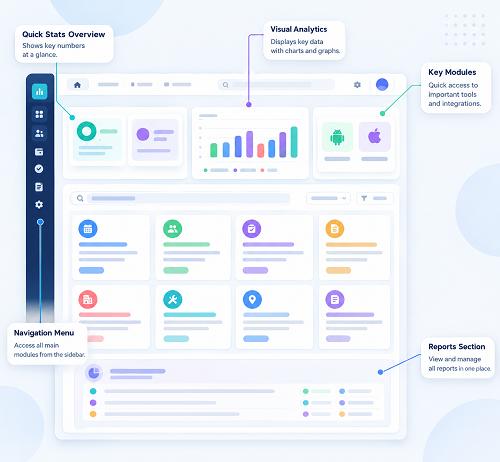
A buyer checklist for Singapore employers covering check-in methods, shift rules, payroll links, privacy, reporting and support. Compare InnBuilt Attendance Software with shortlisted vendors using your own workflows.