How Can Attendance Software Track Working Hours and Rest Days in Singapore?
How Can Attendance Software Track Working Hours and Rest Days in Singapore?
Attendance software plays an important role in helping Singapore employers record employee working hours, monitor rest days, manage shift schedules, and prepare accurate payroll information. For businesses with office employees, shift workers, retail staff, manufacturing teams, and field employees, manually tracking working time can become difficult as the workforce grows.
A well-configured attendance system can automate time recording, identify late arrivals and early departures, calculate working-hour totals, flag potential overtime, and maintain records of weekly rest days. It can also help HR teams review attendance patterns and identify scheduling issues before they affect payroll.
However, Singapore employers must understand how attendance tracking relates to the Employment Act. Working-hour and overtime provisions under Part 4 apply only to eligible employees, and statutory rest-day requirements should not be applied indiscriminately to every employee. Attendance software should therefore support configurable rules based on employee eligibility, employment terms, and work arrangements.
1. Understanding Working Hours and Rest Days in Singapore
Before configuring attendance software, employers should understand the difference between working hours, break periods, non-working days, and statutory rest days.
Under Singapore's Employment Act, working hours generally refer to the time employees are required to perform their assigned duties. Rest and meal intervals are excluded from working hours.
For employees covered under Part 4 of the Employment Act, the following general rules apply:
- Employees working five days or fewer per week may have normal working hours of up to nine hours per day or 44 hours per week.
- Employees working more than five days per week may have normal working hours of up to eight hours per day or 44 hours per week.
- Certain alternative arrangements, including qualifying shift arrangements, use averaging periods.
- Employees are generally not allowed to work more than 12 hours per day, subject to specified exceptions and approved exemptions.
- The general monthly overtime limit is 72 hours, subject to applicable exemptions.
Part 4 applies to workmen earning a monthly basic salary of up to SGD 4,500 and non-workmen earning up to SGD 2,600, excluding managers and executives. Employees outside Part 4 are generally governed by their employment contracts for these working-hour and rest-day arrangements.
Employers should configure attendance rules according to the employee's actual eligibility and employment terms rather than applying one set of statutory limits to everyone.
2. Recording Employee Clock-In and Clock-Out Times
The foundation of working-hour tracking is accurate attendance recording. Attendance software captures the time employees begin and finish work, creating a record that can be used to calculate daily working hours.
Singapore businesses can use different attendance methods depending on their workforce and operational requirements.
Common methods include:
- Biometric attendance devices using fingerprint or facial recognition.
- RFID cards and employee access cards.
- PIN-based attendance terminals.
- Mobile applications.
- Web-based employee attendance portals.
- QR-code attendance systems.
When an employee clocks in, the software records the employee ID, date, time, and relevant attendance location or device information. The same process records the employee's clock-out time.
For example, an employee working from 9:00 a.m. to 6:00 p.m. may have the following attendance record:
| Attendance detail | Recorded time |
|---|---|
| Scheduled start | 9:00 a.m. |
| Actual clock-in | 8:55 a.m. |
| Scheduled finish | 6:00 p.m. |
| Actual clock-out | 6:10 p.m. |
| Recorded attendance span | 9 hours 15 minutes |
The attendance span is not automatically the same as payable working time. The system must account for applicable meal breaks, rest intervals, and company policies before calculating the final working hours.
Employers should also test how the system handles missing punches, duplicate entries, forgotten clock-outs, and manual corrections.
3. Calculating Daily Working Hours Automatically
Attendance software can calculate daily working hours by comparing clock-in and clock-out times and deducting eligible break periods.
A basic calculation is:
Net working hours = Clock-out time − Clock-in time − Unpaid break time
For example, consider an employee who works from 9:00 a.m. to 6:00 p.m. and takes a one-hour unpaid lunch break.
| Detail | Time |
|---|---|
| Clock-in | 9:00 a.m. |
| Clock-out | 6:00 p.m. |
| Total attendance span | 9 hours |
| Unpaid lunch break | 1 hour |
| Net working hours | 8 hours |
The software should calculate eight working hours rather than nine.
Employers should check whether the system supports different break arrangements for different employee groups. Some employees may have a fixed lunch break, while others may take scheduled breaks at different times.
A useful system should also allow administrators to configure paid and unpaid breaks separately, rather than automatically deducting the same break duration from every employee.
4. Tracking Weekly Working Hours
In addition to daily attendance, software should calculate total working hours over the relevant week.
This helps employers monitor employee workloads, identify potential overtime, and review whether working schedules are consistent with applicable employment requirements.
For employees covered under Part 4, the system should support the relevant normal-hours arrangements and averaging periods.
For example, an employee working a standard five-day schedule may have the following attendance summary:
| Day | Net working hours |
|---|---|
| Monday | 8 hours |
| Tuesday | 8 hours |
| Wednesday | 8 hours |
| Thursday | 8 hours |
| Friday | 8 hours |
| Saturday | Rest day |
| Sunday | Non-working day |
| Total | 40 hours |
The software should automatically total the daily working hours and display the weekly summary.
Employers should verify that the system can handle alternative schedules, including:
- Five-day working weeks.
- Six-day working weeks.
- Rotating shift schedules.
- Compressed working arrangements.
- Part-time schedules.
- Flexible working hours.
- Qualifying shift arrangements with averaging periods.
A system that only calculates weekly hours using a fixed Monday-to-Friday schedule may not be suitable for businesses with complex workforce arrangements.
5. Monitoring Overtime Based on Actual Working Hours
Attendance software can compare recorded working hours with an employee's normal schedule and identify potential overtime.
For example, if an eligible employee is scheduled to work eight hours but records nine hours of working time after excluding unpaid breaks, the system can flag the additional hour for review.
However, employers should distinguish between additional attendance time and legally payable overtime. The applicable calculation depends on the employee's statutory eligibility, normal hours, employment terms, and relevant circumstances.
Important overtime features to test include:
- Automatic identification of additional working hours.
- Employee-wise overtime summaries.
- Configurable overtime eligibility.
- Manager approval workflows.
- Separate tracking of work on rest days and public holidays.
- Overtime reports by department and location.
- Payroll integration for approved overtime hours.
For employees covered under Part 4, overtime is generally payable at not less than 1.5 times the hourly basic rate for qualifying overtime work.
The system should also help employers monitor the general 72-hour monthly overtime limit for eligible employees, while allowing authorised handling of applicable exemptions.
Employers should not assume that every hour recorded beyond a scheduled shift automatically qualifies for statutory overtime. The software should support appropriate rule configuration and approval checks.
6. Tracking Weekly Rest Days Automatically
Rest-day management is another important function of attendance software.
For employees covered under Part 4, employers must generally provide one rest day per week. The rest day can be Sunday or another day determined by the employer.
A statutory rest day is one whole day, from midnight to midnight, and is unpaid. For shift workers, a continuous period of 30 hours can count as a rest day under the applicable rules.
The software should allow HR administrators to assign rest days according to employee schedules and applicable requirements.
How attendance software tracks rest days:
- HR creates the employee's weekly or monthly work schedule.
- The system identifies the employee's designated rest day.
- The rest day appears on the employee's attendance calendar.
- The system recognises that no ordinary attendance punch is expected on that day.
- If attendance is recorded on the rest day, the system flags it for review.
- Approved rest-day work is transferred to the relevant attendance and payroll reports.
For example, a retail employee may work from Monday to Saturday and have Sunday as the designated rest day. The attendance calendar should identify Sunday correctly and should not mark the employee absent when no work is scheduled.
Employers should ensure that the system distinguishes statutory rest days from ordinary non-working days. A day off under a five-day work schedule is not automatically a statutory rest day.
7. Managing Rest-Day Rosters for Employees Working on Different Days
Not every Singapore employee has Sunday as a rest day. Retail, hospitality, healthcare, logistics, security, and manufacturing businesses often use different weekly schedules.
Attendance software should therefore support rest-day assignments that vary across employees and departments.
For example:
| Employee | Working schedule | Designated rest day |
|---|---|---|
| Employee A | Monday to Friday | Sunday |
| Employee B | Tuesday to Saturday | Monday |
| Employee C | Wednesday to Sunday | Tuesday |
| Employee D | Rotating shifts | Based on approved roster |
For employees covered by Part 4 whose rest day is not Sunday, employers should prepare a monthly roster and inform employees of their rest days before the beginning of the month.
The system should allow HR teams to:
- Assign individual rest days.
- Generate monthly rest-day rosters.
- Update schedules when operational needs change.
- Notify employees about roster changes.
- Record who approved each change.
- Identify scheduling conflicts.
- Monitor the interval between rest days.
For eligible employees, the maximum interval allowed between two rest days is 12 days. Employers should check whether the system can flag schedules that may exceed this interval.
A good attendance platform should also preserve previous roster versions so HR can review what schedule was originally communicated to employees.
8. Tracking Rest Days for Shift Workers
Shift-based businesses need more advanced rest-day tracking because employees may work across midnight or move between different shifts.
For shift workers covered by the relevant Part 4 provisions, a rest day can be a continuous period of 30 hours. A 30-hour rest period beginning before 6:00 p.m. on Sunday can count as a rest day within that week, even if it continues into Monday.
Attendance software should be capable of identifying these continuous rest periods rather than relying only on calendar-day labels.
Example: A shift worker finishes work at 12:00 noon on Sunday and is not scheduled to return until 6:00 p.m. on Monday. The continuous period is 30 hours. The system should be able to evaluate the period according to the applicable shift-worker rest-day rules.
Useful features include:
- Overnight shift recognition.
- Continuous rest-period calculations.
- Automatic rest-day identification.
- Shift-wise rest-day calendars.
- Alerts for insufficient rest periods.
- Roster change tracking.
- Rest-day work reporting.
Employers should confirm that the system supports the specific rest-day arrangements used by their organisation. A simple Sunday-based attendance calendar may not be sufficient for rotating shift operations.
9. Identifying Employees Who Work on Rest Days
Sometimes employees may be required or permitted to work on their designated rest days because of operational requirements.
Attendance software should identify this work separately from ordinary scheduled attendance.
For example, an employee normally has Sunday as a rest day but is asked to work for an additional shift because of urgent business requirements.
The system should:
- Recognise Sunday as the employee's designated rest day.
- Record the employee's actual clock-in and clock-out times.
- Flag the attendance as rest-day work.
- Record whether the work was requested by the employer or the employee, where relevant.
- Route the entry for approval.
- Calculate or transfer the relevant rest-day work information to payroll.
- Maintain an audit trail.
For employees covered under Part 4, rest-day pay depends on the amount of work performed and whether the work was done at the employer's request or the employee's request.
The system should therefore capture the necessary details rather than treating all rest-day attendance as ordinary overtime.
Employers should have payroll administrators verify the applicable payment rules and calculations before processing salaries.
10. Managing Breaks and Meal Periods
Break tracking is essential because breaks can affect the calculation of working hours.
Under the MOM guidance for employees covered by Part 4, employees are generally not required to work more than six consecutive hours without a break. Where the nature of the work requires continuous work for up to eight hours, meal breaks of at least 45 minutes must be provided.
Attendance software should support different break arrangements depending on the nature of the work.
Break-management features to consider:
- Fixed lunch break schedules.
- Flexible meal break recording.
- Paid and unpaid break settings.
- Multiple break periods.
- Automatic break deductions.
- Alerts for missing break records.
- Break reports by employee and department.
For example, a factory employee may have two scheduled breaks, while an office employee may have one lunch break.
The software should calculate working hours using the appropriate break configuration.
Employers should avoid using automatic break deductions without checking whether employees actually receive the specified breaks. If a break is interrupted by work, the attendance record may need to be reviewed.
11. Managing Overnight Shifts and Cross-Midnight Attendance
Businesses operating around the clock often schedule shifts that begin on one day and finish on the next.
Examples include:
- 10:00 p.m. to 6:00 a.m.
- 11:00 p.m. to 7:00 a.m.
- 6:00 p.m. to 2:00 a.m.
An attendance system should correctly recognise that these are continuous shifts.
For example, an employee clocks in at 10:00 p.m. on Monday and clocks out at 6:00 a.m. on Tuesday. The system should record the full eight-hour attendance span under the correct shift instead of treating the clock-out as a separate day's attendance without context.
Employers should test whether the system can:
- Link both punches to the same shift.
- Apply the correct break deductions.
- Calculate the actual working hours.
- Identify overtime where applicable.
- Maintain accurate daily and weekly summaries.
- Avoid duplicate attendance records.
- Distinguish a shift crossing midnight from a rest-day assignment.
This is particularly important for businesses with night-shift employees, rotating schedules, and 24-hour operations.
12. Using Attendance Alerts to Prevent Working-Hour and Rest-Day Issues
Attendance software can help HR teams identify potential scheduling problems before they become payroll or compliance issues.
Instead of reviewing every employee's attendance manually, administrators can configure alerts based on operational and statutory rules.
Examples include:
| Alert | Why it is useful |
|---|---|
| Excessive daily working hours | Helps identify unusually long shifts |
| Potential overtime limit exceeded | Supports monitoring of applicable overtime limits |
| Missing clock-out | Highlights incomplete attendance records |
| Employee scheduled on a rest day | Prompts review and approval |
| Long interval between rest days | Helps identify potential roster issues |
| Missing break record | Supports review of break arrangements |
| Unapproved overtime | Prevents unauthorised payroll inputs |
| Roster change not acknowledged | Helps managers confirm schedule communication |
These alerts should be configurable by employee category and working arrangement.
An alert is a management control, not a substitute for reviewing the actual circumstances. HR should investigate exceptions and correct inaccurate records where necessary.
13. Maintaining Working-Hour and Rest-Day Records
Attendance software can help employers maintain organised employee records and retrieve historical information when required.
MOM requires employers to maintain detailed employment records for employees covered by the Employment Act. Relevant records include working hours, meal and tea break durations, dates and details of public holidays and leave taken, and salary information such as overtime hours and overtime pay.
The retention requirements include:
- Current employees: the latest two years of employment records.
- Former employees: the last two years of records, retained for one year after the employee leaves.
Employers should verify that their attendance platform can retain and export the required information for the applicable periods.
Important records to maintain include:
- Daily clock-in and clock-out times.
- Total working hours.
- Meal and tea break durations.
- Weekly working-hour summaries.
- Designated rest days.
- Rest-day work records.
- Overtime hours.
- Attendance correction history.
- Leave and public holiday records.
- Approval details for changes.
Employers should also confirm that records can be exported in practical formats such as Excel, CSV, or PDF and remain accessible if they change software providers.
14. Integrating Working Hours and Rest-Day Records with Payroll
Attendance software becomes more useful when it transfers approved working-hour and rest-day information directly to payroll.
This reduces duplicate data entry and helps payroll teams process salary calculations using consistent attendance records.
Information commonly transferred to payroll includes:
- Total working days.
- Regular working hours.
- Approved overtime hours.
- Rest-day work.
- Public holiday work.
- Unpaid absence.
- Approved leave.
- Attendance-related adjustments.
For example, if an employee works on a designated rest day, the attendance system should identify the date, record the hours worked, and transfer the approved information to payroll.
Payroll administrators can then apply the relevant payment rules based on the employee's eligibility and employment terms.
Employers should test the integration using real-world scenarios, including overnight shifts, approved overtime, rest-day work, and corrected attendance entries.
They should also check whether the software maintains an audit trail when attendance records are updated after payroll data has already been exported.
15. Example: How Attendance Software Tracks Working Hours and Rest Days
Consider a Singapore logistics company employing staff on a six-day working schedule.
An employee works eight hours per day, takes a scheduled unpaid lunch break, and has Sunday as the designated rest day.
The following example shows how attendance software could organise the records.
| Day | Clock-in | Clock-out | Break | Net working hours |
|---|---|---|---|---|
| Monday | 8:00 a.m. | 5:00 p.m. | 1 hour | 8 |
| Tuesday | 8:00 a.m. | 5:00 p.m. | 1 hour | 8 |
| Wednesday | 8:00 a.m. | 5:00 p.m. | 1 hour | 8 |
| Thursday | 8:00 a.m. | 5:00 p.m. | 1 hour | 8 |
| Friday | 8:00 a.m. | 5:00 p.m. | 1 hour | 8 |
| Saturday | 8:00 a.m. | 5:00 p.m. | 1 hour | 8 |
| Sunday | No attendance | No attendance | — | Rest day |
| Weekly total | 48 hours |
The software records 48 working hours for the week and identifies Sunday as the designated rest day.
For an employee covered under Part 4, this schedule would require review because it exceeds the ordinary 44-hour weekly limit for employees working more than five days a week. The employer should verify the applicable arrangement, overtime treatment, and any relevant statutory requirements.
The example demonstrates why attendance software should do more than total hours. It should compare recorded hours with the employee's configured work schedule and applicable rules, then flag exceptions for HR review.
16. What Should Employers Check When Selecting Attendance Software?
Singapore employers should evaluate attendance platforms based on their ability to manage working hours, rest days, shift arrangements, and employment records.
The following checklist can support the selection process.
| Feature | What employers should verify |
|---|---|
| Clock-in and clock-out | Accurate recording through supported devices |
| Daily hour calculation | Automatic calculation after applicable breaks |
| Weekly hour calculation | Support for different working schedules |
| Overtime tracking | Configurable eligibility and approval workflows |
| Rest-day scheduling | Individual and department-level rest-day assignment |
| Monthly roster management | Ability to publish and update rest-day rosters |
| Shift-worker support | Continuous 30-hour rest-period handling where applicable |
| Overnight shifts | Accurate cross-midnight attendance calculation |
| Break management | Separate paid and unpaid break settings |
| Alerts | Notifications for potential working-hour and roster issues |
| Payroll integration | Accurate transfer of approved attendance information |
| Record retention | Historical record access and export capabilities |
| Audit trail | Tracking of attendance changes and approvals |
| Reporting | Daily, weekly, monthly, and employee-wise summaries |
Employers should also request a live demonstration using actual working schedules. Testing a standard office schedule alone may not reveal limitations in a system designed for more complex shift arrangements.
Conclusion
Attendance software helps Singapore employers track working hours and rest days by recording employee clock-in and clock-out times, calculating daily and weekly working hours, managing breaks, identifying overtime, and maintaining employee-specific rest-day rosters.
For businesses with shift-based operations, the system should also support overnight shifts, rotating schedules, and continuous rest-period calculations where applicable. Alerts, approval workflows, payroll integration, and historical reports help HR teams manage attendance exceptions and maintain accurate records.
Singapore employers should pay particular attention to the distinction between statutory requirements under Part 4 of the Employment Act and contractual arrangements for employees outside Part 4. They should also ensure that employment records contain the required working-hour and break information and are retained for the applicable periods.
Ultimately, the value of attendance software depends on accurate configuration and consistent use. Employers should select a platform that reflects their actual working arrangements, provides reliable records, and helps HR and payroll teams identify potential issues before they affect employees or payroll processing.
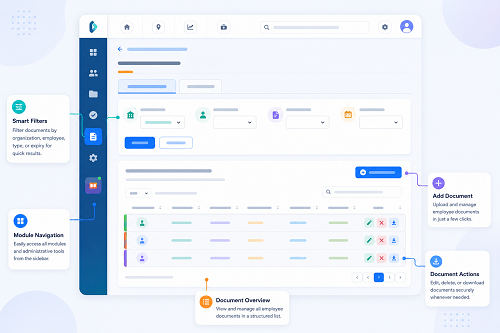
Show how planned and actual hours, rest days and exceptions are recorded. Evaluate whether InnBuilt can reflect your Singapore policies and produce reviewable timesheets.