How to Migrate Employee Pay History Into Singapore Payroll Software
How to Migrate Employee Pay History Into Singapore Payroll Software
Introduction
Moving to a new payroll system involves more than transferring employee names, salaries and bank details. Singapore employers also need to migrate historical pay information so that HR and finance teams can access previous salary records, verify statutory contributions, prepare annual employment income reports and answer employee queries.
Employee pay history may include monthly salary records, allowances, bonuses, overtime payments, deductions, CPF contributions, payslips, leave-related adjustments and final settlements. If this information is incomplete or incorrectly transferred, the new payroll system may produce inaccurate year-to-date figures, duplicate payments or incorrect statutory calculations.
A well-planned migration helps businesses preserve historical records while ensuring that the new system starts with accurate employee information and payroll balances.
This article explains how Singapore employers can migrate employee pay history into payroll software, what information to collect, how to validate the transferred records and which issues to address before running the first live payroll.
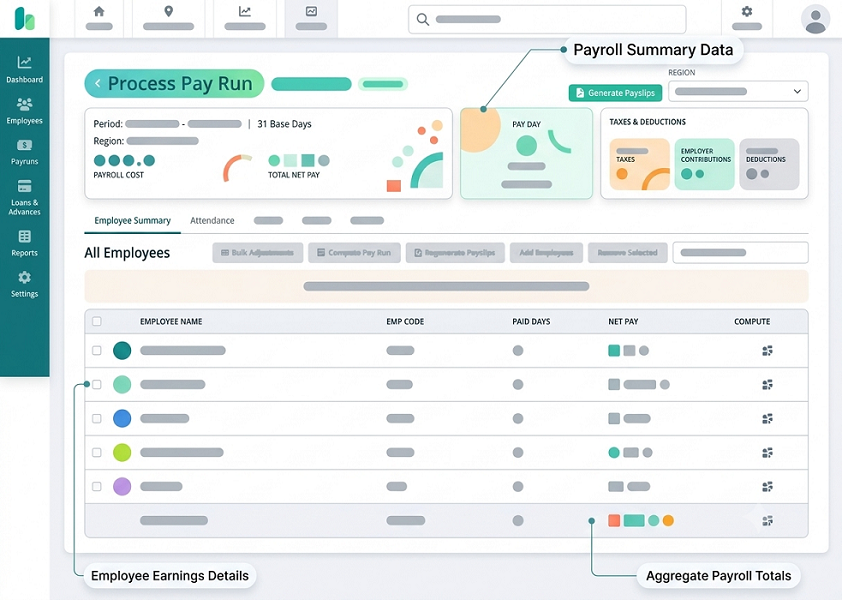
1. Understand What Employee Pay History Includes
Before starting migration, employers should identify the types of historical payroll information that need to be transferred.
Employee pay history is not limited to basic salary. It includes the different payments, deductions and adjustments recorded during an employee's employment.
Typical information includes:
- Basic salary by payroll period.
- Fixed and variable allowances.
- Overtime payments.
- Bonuses and commissions.
- Rest-day and public-holiday payments, where applicable.
- Employee CPF contributions.
- Employer CPF contributions.
- Skills Development Levy (SDL) information.
- Applicable Self-Help Group (SHG) deductions.
- Other permitted salary deductions.
- Gross salary and net salary.
- Salary payment dates.
- Unpaid leave adjustments.
- Salary advances and recoveries, where applicable.
- Final salary settlements.
- Historical payslips.
- Payroll corrections and retroactive adjustments.
The migration scope should also distinguish between historical transactions and current payroll settings.
For example, an employee's current monthly salary of S$5,000 is a master data value, while the monthly salary payments made during the previous year are historical payroll transactions. Both may need to be transferred, but they serve different purposes.
2. Define the Historical Period to Be Migrated
Employers should decide how far back historical payroll information needs to be available in the new system.
The migration period may depend on:
- Statutory record-keeping requirements.
- Financial audit requirements.
- Employee query requirements.
- Tax reporting needs.
- CPF reconciliation requirements.
- Management reporting requirements.
- Internal record-retention policies.
- The availability and quality of historical data.
For example, a business moving to new payroll software in July may decide to migrate the current calendar year's payroll transactions and retain older records in a secure archive.
Another business may choose to migrate several years of payroll history to support long-term reporting and employee enquiries.
It is important to distinguish between the minimum records required by law and the broader historical information the organisation wants to retain.
Under MOM's employment record requirements, employers covered by the Employment Act generally need to retain prescribed records for current employees for the latest two years. For former employees, the last two years of records must be kept for one year after they leave employment. These requirements should not be treated as a general instruction to delete all other payroll or accounting records after that period.
Migration planning tip: Document the required historical period for each type of record instead of applying one migration period to every payroll field.
3. Collect Payroll Data From the Existing System
The next step is to extract historical payroll information from the existing payroll platform.
The migration team should coordinate with the current payroll provider or internal payroll administrator to obtain complete exports.
Important source files may include:
| Source file | Information required |
|---|---|
| Employee master file | Employee IDs, names, departments and employment dates |
| Monthly payroll register | Gross salary, deductions and net salary |
| Salary component report | Basic salary, allowances, bonuses and commissions |
| CPF contribution report | Employee and employer contribution details |
| SDL and SHG report | Applicable levy and deduction information |
| Payslip archive | Employee-level salary statements |
| Bank payment report | Salary transfer amounts and dates |
| Leave report | Historical leave adjustments and balances |
| Overtime report | Approved hours and overtime payments |
| Salary revision report | Previous and revised salary details |
| Final settlement report | Payments and adjustments for former employees |
| Payroll journal | Accounting entries and payroll liabilities |
| Tax reporting records | Annual employment income information and submission history |
The team should confirm that the exported files cover the full migration period and include all employees who were employed during that period, including former employees where records are required.
Do not rely only on a summary spreadsheet if the existing system can provide employee-level payroll transactions.
4. Create a Payroll Data Inventory
Before importing information into the new software, prepare a data inventory.
An inventory helps the migration team understand which records are available, where they are stored and whether they are complete.
A useful inventory may contain:
| Data category | Source | Migration decision |
|---|---|---|
| Employee master data | Existing HR/payroll system | Import current employee details |
| Historical salary transactions | Payroll register | Import selected historical periods |
| Payslips | Existing payslip archive | Import or retain in secure archive |
| CPF history | CPF reports and payroll records | Import for reference and reconciliation |
| Leave balances | Leave management system | Import verified opening balances |
| Bank payment history | Bank statements and payment reports | Import or retain as supporting records |
| Salary revisions | HR documents | Link or archive supporting documents |
| Former employee records | Historical payroll archive | Retain according to applicable requirements |
| Payroll journals | Accounting system | Import or preserve in accounting archive |
The inventory should also identify missing records, duplicate files, inconsistent employee IDs and incomplete payroll periods.
This gives HR and finance teams an opportunity to resolve data issues before migration begins.
5. Standardise Employee IDs and Personal Information
Employee identification is essential when matching historical pay records with employee records in the new payroll system.
The existing system may use employee codes that differ from those in the new platform.
For example:
| Existing employee ID | New employee ID | Employee |
|---|---|---|
| EMP-0012 | SG-10012 | Employee A |
| EMP-0013 | SG-10013 | Employee B |
| EMP-0014 | SG-10014 | Employee C |
The migration team should maintain a mapping table connecting old employee IDs to new employee IDs.
Important fields to standardise include:
- Employee ID.
- Employee name.
- Employment start date.
- Employment end date.
- Department.
- Job title.
- Employment status.
- Salary frequency.
- Relevant CPF employee classification.
- Bank account reference.
- Work pass information, where applicable.
Employee names and identification information should be handled carefully. Different systems may store names in different formats, and the migration team should avoid using names alone as the matching key.
Sensitive identification and bank information should be transferred through secure methods and made accessible only to authorised personnel.
6. Map Historical Salary Components to the New Payroll Structure
Different payroll systems may use different names for the same salary component.
For example, the old system may record a payment as "Transport Allowance", while the new system may use "Monthly Transport Benefit".
The migration team should determine whether the components have the same meaning and payroll treatment before mapping them.
A salary component mapping table can help:
| Existing payroll component | New payroll component | Review required |
|---|---|---|
| Basic Pay | Basic Salary | Confirm salary basis |
| Transport Allowance | Transport Allowance | Review CPF and tax treatment |
| Meal Allowance | Meal Allowance | Review payment classification |
| Sales Incentive | Sales Commission | Confirm calculation and reporting |
| Annual Bonus | Bonus | Review CPF and tax treatment |
| OT Payment | Overtime Pay | Confirm hours and payment period |
| No-Pay Leave | Unpaid Leave Deduction | Verify deduction method |
| Employee CPF | Employee CPF Contribution | Confirm deduction mapping |
| Employer CPF | Employer CPF Contribution | Confirm employer expense mapping |
This step is particularly important because the same payment label does not necessarily mean that the payment has the same CPF or tax treatment.
For example, the CPF Board generally treats basic wages, overtime pay, bonuses, allowances and commissions as wages, subject to the applicable rules. Genuine reimbursement of official business expenses, within the actual expenditure incurred, is treated differently.
The migration team should map components based on their actual nature and supporting records rather than simply copying their old labels.
7. Decide Whether to Migrate Transaction-Level History or Summary Balances
One of the most important migration decisions is whether to import every historical payroll transaction or only selected summary balances.
These two approaches serve different purposes.
Transaction-level migration
Transaction-level migration transfers individual payroll entries for each employee and payroll period.
It may include:
- Basic salary.
- Allowances.
- Bonuses.
- Overtime.
- Employee deductions.
- Employer contributions.
- Gross salary.
- Net salary.
- Payment date.
This approach provides more detailed historical reporting and may allow the new system to display previous payroll periods.
However, it requires more preparation and validation.
Summary-balance migration
Summary migration transfers selected totals instead of every historical transaction.
For example, the system may receive an employee's year-to-date gross salary, CPF contributions and tax-relevant income totals without importing every monthly payslip.
This can simplify migration, but it may limit historical reporting inside the new system.
Which approach should businesses choose?
| Requirement | Recommended approach |
|---|---|
| Detailed historical payslip access | Transaction-level history or secure archive |
| Current-year year-to-date calculations | Verified summary balances |
| Historical payroll trend analysis | Transaction-level history |
| Quick system cutover | Summary balances plus archived source records |
| Detailed audit trail | Preserve source transactions and supporting documents |
| Annual employment income reporting | Verified year-to-date and annual income data |
A practical migration strategy may combine both approaches: import detailed history for the period needed in the new system and retain older records in a secure, searchable archive.
8. Migrate Year-to-Date Payroll Totals Correctly
Year-to-date (YTD) payroll totals are especially important when a business changes payroll systems during the calendar year.
The new system needs accurate cumulative payroll figures so that year-end reporting and payroll-related calculations are not based only on payments processed after migration.
Depending on the software and migration scope, relevant YTD information may include:
- Gross salary paid during the year.
- Basic salary.
- Allowances.
- Bonuses and commissions.
- Overtime payments.
- Employee CPF contributions.
- Employer CPF contributions.
- Taxable employment income.
- Other relevant payroll totals.
- Deductions and adjustments.
For example, suppose an employee received the following gross salary during the first six months of the year:
| Month | Gross salary |
|---|---|
| January | S$4,500 |
| February | S$4,500 |
| March | S$4,500 |
| April | S$4,500 |
| May | S$4,500 |
| June | S$4,500 |
| YTD total | S$27,000 |
If the new payroll system begins processing salaries from July, the verified opening YTD gross salary should reflect S$27,000, in addition to any other applicable payments made during the first six months.
The migration team must also check whether the new system expects gross remuneration, taxable income, CPF wages or another specific cumulative field. These figures are not automatically interchangeable.
Important: Do not import one general gross salary total into every YTD field. Follow the software's field definitions and reconcile each category with its original payroll records.
9. Migrate CPF Contribution History Carefully
CPF history should be treated as a separate migration category because contribution calculations depend on employee eligibility, wage classification, contribution rates and applicable ceilings.
Historical CPF information may include:
- Contribution month.
- Employee CPF account reference.
- Ordinary Wages (OW).
- Additional Wages (AW).
- Employee CPF contribution.
- Employer CPF contribution.
- Total CPF payable.
- Submission reference.
- Payment date.
- Record of Payment.
- Amendments and corrections.
Employers should verify historical CPF figures against CPF submission records and the payroll register.
CPF Board requires employers to declare accurate actual wage information and classify wages correctly as OW or AW. These categories affect contribution calculations and reporting.
When transferring historical CPF information, businesses should avoid recalculating old contributions using current rates. Historical contributions should remain consistent with the applicable rules for the original contribution month.
For example, if an employee's CPF contribution was calculated under an earlier contribution rate, the migration should preserve the historical amount rather than replace it with a figure calculated using the current rate.
The new payroll software should also distinguish between:
- Historical CPF contributions already submitted and paid.
- Current-year CPF amounts carried forward for reporting.
- Future CPF contributions that will be calculated by the new system.
Critical control: Historical CPF records should not be submitted again to CPF Board merely because they have been imported into a new payroll platform. Migration is a record-transfer activity, not a new contribution declaration.
10. Transfer Historical Payslips and Supporting Documents
Historical payslips provide employees and auditors with a record of salary payments and deductions.
Businesses should decide whether payslips will be imported directly into the new payroll system or retained in a separate secure document archive.
If the new platform supports payslip migration, the team should verify:
- Employee matching.
- Salary period.
- Payment date.
- Gross salary.
- Allowances and additional payments.
- Deductions.
- Overtime details, where applicable.
- Net salary.
- Document readability.
- Historical access permissions.
If payslips are stored outside the new payroll platform, the archive should be organised so that authorised users can retrieve documents by employee and salary period.
For example, a company may maintain a secure folder structure organised by year, employee ID and payroll month.
The archive should preserve the original document and its relevant metadata. Avoid modifying historical payslips simply to make them match the new software's format.
MOM requires employers covered by the relevant Employment Act provisions to keep records of itemised payslips. The general retention periods are the last two years for current employees and the last two years, retained for one year after leaving, for former employees.
11. Transfer Historical Leave and Payroll-Related Balances
Payroll migration may also involve balances that affect future salary calculations.
These can include:
- Annual leave balance.
- Unpaid leave adjustments.
- Salary advances.
- Outstanding employee loans.
- Approved deductions.
- Outstanding reimbursements.
- Unpaid commissions.
- Accrued bonuses.
- Other employee-related liabilities.
Not every balance belongs in the payroll transaction history. Some are better maintained in the leave management system, accounting system or employee benefits module.
For example, an employee may have 8 days of unused annual leave at the migration date. The new HR or leave system should receive the verified balance, together with the applicable entitlement and carry-forward rules.
Finance should also review outstanding salary advances and other payroll-related balances to ensure that they are not deducted twice after migration.
Migration tip: Assign a clear owner to each balance category. HR should verify leave entitlements, payroll should verify salary-related balances, and finance should reconcile monetary liabilities.
12. Preserve Former Employee Pay History
Businesses should not restrict migration to current employees only.
Former employee records may be required for:
- Salary verification.
- Final settlement enquiries.
- Employment income reporting.
- CPF reconciliation.
- Financial audits.
- Employment disputes.
- Regulatory requests.
Historical records may include:
- Employment dates.
- Final salary.
- Outstanding leave payments.
- Final CPF contributions.
- Deductions.
- Termination-related payments.
- Payslips.
- Payment confirmation.
- Relevant approvals.
The new payroll platform may not need to create active payroll accounts for every former employee. However, businesses should ensure that required historical information remains accessible through the new system or a secure archive.
MOM's employment record requirements apply to former employees as well as current employees, with the relevant retention periods depending on the type of record.
13. Clean and Validate Historical Payroll Data Before Import
Historical payroll data often contains inconsistencies accumulated over several years.
Common problems include:
- Duplicate employee IDs.
- Missing salary periods.
- Incorrect employee names.
- Inconsistent salary component labels.
- Missing CPF records.
- Incorrect payment dates.
- Negative or unexplained payroll amounts.
- Duplicate transactions.
- Incomplete employee termination dates.
- Inconsistent salary formats.
- Missing supporting documents.
Before migration, the team should clean and standardise the data.
A validation checklist may include:
- Confirm that every employee has a unique migration ID.
- Remove duplicate records only after verifying that they are genuinely duplicated.
- Standardise payroll period formats.
- Check that amounts use the correct currency and decimal format.
- Confirm that salary components are mapped correctly.
- Identify missing payroll periods.
- Verify historical CPF information.
- Check that former employees are included where required.
- Identify transactions with missing supporting documents.
- Reconcile monthly totals with the original payroll system.
Do not automatically delete unusual transactions. A negative adjustment or large bonus may be legitimate. Investigate the underlying record before deciding whether it should be corrected.
14. Map Data Fields to the New Payroll Software
The next stage is to map each source field to its equivalent field in the new payroll system.
Different vendors may use different names, formats and data structures.
For example:
| Existing system field | New payroll field | Mapping consideration |
|---|---|---|
| Staff Code | Employee ID | Maintain old-to-new ID mapping |
| Monthly Basic | Basic Salary | Confirm monthly salary basis |
| Transport | Transport Allowance | Confirm classification |
| Bonus Paid | Bonus | Retain payment date and period |
| OT Amount | Overtime Pay | Retain relevant overtime period |
| Employee CPF | Employee CPF Contribution | Confirm contribution period |
| Company CPF | Employer CPF Contribution | Confirm employer share |
| Net Pay | Net Salary | Verify after deductions |
| Pay Date | Payment Date | Use actual payment date |
| Period From/To | Salary Period | Standardise dates |
| Leave Balance | Opening Leave Balance | Verify with HR records |
The mapping should be reviewed by payroll, HR and finance before the actual import.
Where possible, use a test environment or sample upload to identify formatting errors before transferring the full dataset.
15. Protect Employee Data During Migration
Historical payroll files contain sensitive personal and financial information.
They may include employee identification details, bank account information, salary information, tax-related data and CPF records.
Singapore employers should establish appropriate safeguards throughout the migration process.
Important measures include:
- Restricting migration access to authorised users.
- Encrypting files during transfer and storage.
- Using secure file-sharing channels.
- Avoiding ordinary unprotected email attachments.
- Masking bank and identification details in test files where possible.
- Keeping an access log.
- Maintaining a record of files transferred.
- Confirming the new vendor's security arrangements.
- Removing temporary copies when no longer needed, subject to retention requirements.
- Verifying data protection arrangements if information is transferred overseas.
Under Singapore's PDPA, organisations must make reasonable security arrangements to protect personal data in their possession or under their control. Employers should assess the risks associated with both the migration process and the new payroll provider.
16. Perform a Test Migration Before the Final Import
A test migration helps identify problems before historical payroll information is transferred into the live system.
Instead of importing every employee record immediately, businesses can select a representative sample.
The test group should include:
- Monthly salaried employees.
- Hourly or daily rated employees, where applicable.
- Employees with overtime.
- Employees receiving regular allowances.
- Employees receiving bonuses or commissions.
- Employees with unpaid leave.
- Employees who joined during the year.
- Employees who left during the year.
- Employees with CPF contribution history.
The team should verify whether the new system displays the imported information correctly.
A test migration should check:
- Employee matching.
- Salary component mapping.
- Payroll period mapping.
- Historical gross and net salary.
- CPF information.
- Payslip availability.
- Leave balances.
- YTD totals.
- Payment dates.
- Historical report generation.
If errors are identified, correct the mapping or source data before proceeding to the full migration.
17. Reconcile Migrated Payroll Totals With the Old System
Reconciliation is one of the most important steps in payroll migration.
The team should compare the historical payroll information in the old system with the imported information in the new platform.
The comparison should be performed at multiple levels.
Employee-level reconciliation
Check each employee's:
- Gross salary.
- Allowances.
- Bonuses.
- Deductions.
- Employee CPF.
- Employer CPF.
- Net salary.
- YTD totals.
Monthly reconciliation
Compare totals for each historical payroll period.
| Payroll period | Old system total | New system total | Difference |
|---|---|---|---|
| January | S$180,000 | S$180,000 | S$0 |
| February | S$182,500 | S$182,500 | S$0 |
| March | S$185,000 | S$184,500 | S$500 |
In this example, the March migration has a S$500 difference. The team should investigate whether a transaction is missing, duplicated or mapped incorrectly.
Statutory reconciliation
Compare historical CPF and other relevant statutory figures with their source reports and payment records.
Accounting reconciliation
Verify that the imported payroll history agrees with the relevant accounting records, including payroll expense and liability balances where these are part of the migration scope.
The migration should not be signed off until material differences have been explained and approved.
Conclusion
Migrating employee pay history into Singapore payroll software requires careful planning, accurate data mapping and detailed reconciliation. Employers need to preserve more than basic salary information. Historical allowances, bonuses, overtime, deductions, CPF contributions, payslips, leave adjustments and final settlements may all be important for payroll reporting, employee enquiries and audit preparation.
The most reliable approach is to begin with a complete data inventory, standardise employee and salary records, decide whether to migrate transaction-level history or summary balances, and validate the imported information against the original payroll system.
Singapore employers should pay particular attention to historical CPF records, annual employment income information and statutory employment record retention. These records should be transferred or securely archived without accidentally creating duplicate statutory submissions or losing original supporting evidence.
A successful migration should finish with reconciled payroll totals, verified opening balances, tested payroll calculations and documented approval from HR, payroll and finance.
By following a structured migration process, Singapore businesses can move to new payroll software while maintaining accurate employee pay history, reliable financial records and continuity in payroll operations.
Map employee identifiers and opening pay history before import, then reconcile sample totals. Agree migration responsibilities with InnBuilt before a Singapore rollout.