How to Pilot a Singapore Payroll System With Parallel Pay Runs
How to Pilot a Singapore Payroll System With Parallel Pay Runs
Introduction
Introducing a new payroll system is a significant change for any Singapore business. The software must calculate salaries accurately, handle employee information correctly, support CPF contributions and statutory reporting, generate itemised payslips and integrate with the company's existing HR, attendance and finance processes.
A system that appears to work during a product demonstration may still produce errors when it processes real employee data. Incorrect salary components, incomplete historical records, outdated CPF settings or faulty integrations may only become visible during an actual payroll cycle.
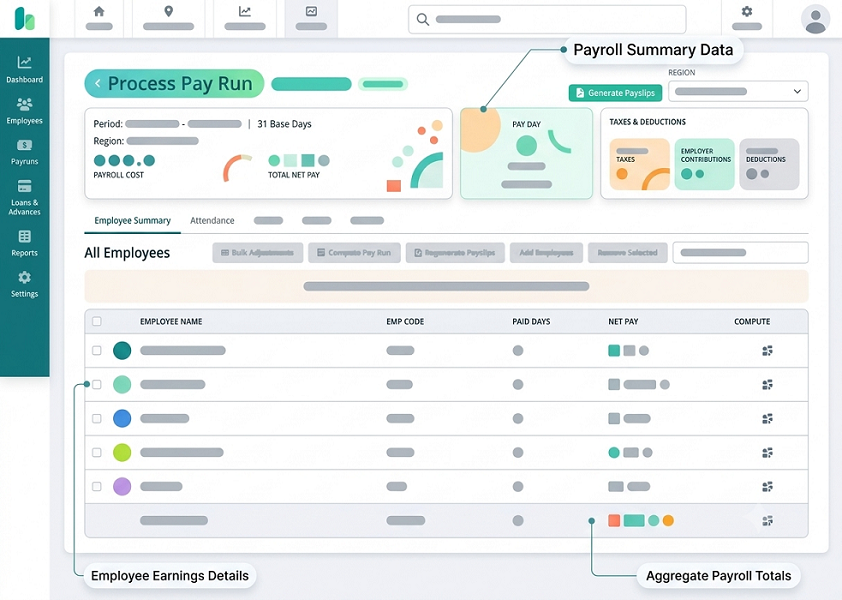
One effective way to reduce implementation risk is to conduct parallel payroll runs before switching to the new system. In a parallel run, the existing payroll system continues to serve as the official production system while the proposed system processes the same payroll inputs independently. The payroll team then compares the results, investigates differences and corrects problems before approving the new system for live use.
For Singapore employers, parallel testing is particularly important because payroll accuracy affects salary payments, CPF contributions, statutory deductions, itemised payslips and annual employment income reporting.
This article explains how to plan, execute and evaluate a parallel payroll pilot when introducing a new Singapore payroll system.
1. Understand the Purpose of Parallel Payroll Testing
Parallel payroll testing involves processing the same employee payroll information through two systems:
- Existing system: The current payroll platform or established payroll process.
- New system: The payroll software being evaluated or implemented.
Both systems receive equivalent employee information, salary inputs, attendance data, leave records and approved payroll changes. Their outputs are then compared to identify differences.
For example, a company currently uses spreadsheets and an outsourced payroll provider but plans to move to a cloud payroll platform. During the pilot, the company processes the same month's payroll through both arrangements.
The comparison may reveal that:
- Basic salary calculations match.
- One employee's unpaid leave deduction differs.
- CPF contributions are incorrect for a Permanent Resident.
- Overtime hours have not transferred from the attendance system.
- A fixed allowance is missing from the new system.
- The bank payment file contains an incorrect net salary.
The purpose is to identify and resolve these issues before the new software becomes the official payroll platform.
Parallel payroll testing is not a statutory requirement in itself. It is an implementation control that helps employers establish confidence in the new system.
2. Define the Scope of the Pilot
Before running payroll in parallel, employers should decide exactly what needs to be tested.
The scope should reflect the company's workforce, payroll complexity and statutory responsibilities.
Consider including the following areas:
| Testing area | What to validate |
|---|---|
| Employee information | Employee details, employment dates and status |
| Salary structures | Basic salary, fixed allowances and variable payments |
| Attendance | Working hours, shifts and timesheet information |
| Overtime | Eligible hours and applicable calculations |
| Leave | Annual leave, sick leave and unpaid leave |
| CPF | Eligibility, contribution rates and wage classification |
| Other deductions | SDL, applicable SHG contributions and authorised deductions |
| Payslips | Salary breakdown and required information |
| Bank payments | Net salary and payment file accuracy |
| Reporting | Payroll registers and finance reports |
| Integrations | HR, attendance, leave and accounting data transfers |
| Access controls | User permissions and approval workflows |
Employers should also identify which employee groups and legal entities will be included.
For example, a business with full-time employees, part-time workers, hourly staff and employees receiving commissions should test each category rather than relying on a small sample of standard monthly-paid employees.
3. Appoint a Payroll Pilot Team
A successful parallel run requires coordination between several departments.
The pilot should have clearly assigned responsibilities.
| Team member | Responsibility |
|---|---|
| HR team | Employee information, employment changes and salary approvals |
| Payroll team | Payroll configuration, processing and result comparison |
| Finance team | Payroll totals, payment files and accounting reconciliation |
| Department managers | Attendance, overtime and leave verification |
| IT team | Data migration, integrations and user access |
| Vendor implementation team | System configuration, troubleshooting and technical support |
| Project owner | Timeline, issue tracking and go-live approval |
One person should be responsible for coordinating the pilot and maintaining a central issue log.
The team should agree on who can approve changes to employee records, who can modify payroll configuration and who has authority to sign off on the final results.
4. Prepare Clean and Complete Employee Data
The quality of employee data directly affects payroll accuracy. Before the first parallel run, employers should review the information being migrated into the new system.
Important employee details include:
- Full name and employee identification details.
- Employment start and end dates.
- Citizenship or Permanent Resident status.
- Permanent Resident status commencement date, where relevant.
- Date of birth.
- Job title and department.
- Employment type.
- Basic salary and salary frequency.
- Fixed allowances.
- Variable pay arrangements.
- Bank account information.
- Leave balances and relevant entitlements.
- CPF-related employee information.
For example, an employee who recently became a Permanent Resident may require a different CPF contribution treatment from an employee who is a Singapore Citizen or a Permanent Resident in a later contribution year.
If the new system contains an incorrect employee status or date, its CPF calculations may differ even when the calculation engine is working as designed.
Before migration, HR and payroll should agree on a single verified employee master file. Duplicate employee records, inconsistent employee IDs and incomplete bank details should be corrected before testing.
5. Map Salary Components From the Existing System
Different payroll systems may use different names and categories for salary components. A mapping exercise ensures that each existing component is assigned to the correct field in the new software.
Common components include:
- Basic salary.
- Transport allowance.
- Meal allowance.
- Shift allowance.
- Commission.
- Performance incentives.
- Annual Wage Supplement (AWS).
- Bonus.
- Overtime pay.
- Rest-day and public-holiday pay.
- Reimbursements.
- Unpaid leave deductions.
- Salary advances and other authorised deductions.
The mapping should document the treatment of each component for payroll calculations, CPF and tax reporting.
For example, a cash allowance may be treated differently from reimbursement of actual business expenses. A component should not be classified as CPF-exempt merely because the old system used that label.
A useful mapping document should include:
| Existing component | New system component | Treatment to validate |
|---|---|---|
| Basic salary | Basic salary | Monthly salary calculation |
| Transport allowance | Transport allowance | Contractual and CPF treatment |
| Shift allowance | Shift allowance | Eligibility and contribution treatment |
| Commission | Commission | Payment period and CPF classification |
| Overtime | Overtime pay | Applicable hours and rate |
| Annual bonus | Additional payment | CPF and tax treatment |
| Expense claim | Reimbursement | Supporting documentation and classification |
| Unpaid leave | Unpaid leave deduction | Correct absence and salary calculation |
Payroll and finance teams should approve the mapping before the first test run.
6. Decide How Many Parallel Payroll Cycles to Run
A single parallel run may reveal basic configuration problems, but it may not expose every payroll exception.
Employers should generally plan for multiple cycles. Two or three cycles can provide a useful starting point, although complex businesses may need more.
A practical approach is:
Cycle 1: Initial validation
- Test migrated employee data.
- Verify salary structures.
- Check basic payroll calculations.
- Identify missing or incorrectly mapped components.
- Record differences between the two systems.
Cycle 2: Correction and expanded testing
- Correct issues from the first cycle.
- Test CPF and statutory calculations.
- Include joiners, leavers and variable payments.
- Validate attendance, overtime and leave integrations.
- Recheck payroll totals and payslips.
Cycle 3: Final readiness validation
- Process a complete payroll population.
- Use the latest approved employee and payroll information.
- Confirm that previous defects have been resolved.
- Test reporting, payment-file generation and approvals.
- Obtain formal sign-off from HR, payroll and finance.
The number of cycles should depend on the risk and complexity of the implementation, not an arbitrary target.
7. Use the Same Payroll Inputs in Both Systems
A fair comparison requires equivalent inputs.
If the existing system receives approved overtime hours but the new system does not, the resulting difference does not necessarily indicate a calculation problem. It may simply reflect incomplete data transfer.
For each parallel run, establish a common data cut-off and ensure both systems receive the same approved information.
The input package should include:
- Employee master data.
- Salary revisions.
- New joiners and leavers.
- Attendance and timesheets.
- Approved overtime.
- Leave and unpaid absence.
- Allowances and variable payments.
- Approved deductions.
- Relevant payroll adjustments.
Record the source and date of every input file.
When an input changes after the initial payroll calculation, the team should record the change and ensure that both systems are updated consistently before comparing results.
8. Test Different Employee Categories
A pilot should cover the actual workforce rather than only the easiest employee records.
Employers should include representative employees from different payroll categories.
Examples include:
- Monthly-rated employees: Test basic salary, allowances and regular deductions.
- Hourly and part-time employees: Test hourly rates, hours worked, applicable leave and overtime calculations.
- Shift employees: Test night shifts, shift allowances, rest days and public-holiday work.
- Commission-based employees: Test variable earnings and payment periods.
- New joiners: Test incomplete-month salary calculations and first payroll processing.
- Departing employees: Test final salary, outstanding payments and applicable deductions.
- Singapore Permanent Residents: Test the applicable CPF contribution category and relevant status information.
- Foreign employees: Test payroll treatment, work-pass-related employee information and applicable tax-clearance workflows.
- Employees with unpaid leave: Test salary deductions and the relevant calculation method.
The objective is to confirm that the new system can handle both routine payroll and less frequent employee scenarios.
9. Compare Basic Salary and Gross Pay
The first financial comparison should focus on the components that make up each employee's gross salary.
For each employee, compare:
- Basic salary.
- Fixed allowances.
- Variable allowances.
- Overtime.
- Commission.
- Bonus and other additional payments.
- Reimbursements.
- Unpaid leave and other deductions affecting gross pay.
For example:
| Salary component | Existing system | New system | Difference |
|---|---|---|---|
| Basic salary | S$4,000 | S$4,000 | S$0 |
| Transport allowance | S$150 | S$150 | S$0 |
| Shift allowance | S$200 | S$180 | -S$20 |
| Overtime pay | S$300 | S$300 | S$0 |
| Gross pay | S$4,650 | S$4,630 | -S$20 |
In this example, the new system has calculated shift allowance incorrectly. The team should investigate the allowance configuration or source data before proceeding.
Comparisons should be performed at both employee and payroll-population levels. Matching the overall company payroll total is not sufficient if individual employees have incorrect amounts.
10. Validate CPF Contributions Carefully
CPF testing should be one of the most important parts of a Singapore payroll pilot.
Employers should verify that the new system correctly handles:
- Employee CPF eligibility.
- Citizenship and Permanent Resident status.
- Age categories.
- Applicable Permanent Resident contribution years.
- Ordinary Wages (OW).
- Additional Wages (AW).
- OW and AW ceilings.
- Employer contribution amounts.
- Employee contribution amounts.
- Applicable rounding rules.
For 2026, the Ordinary Wage ceiling is S102,000. The Additional Wage ceiling is calculated as:
S$102,000 − Total Ordinary Wages subject to CPF for the year.
The applicable contribution rates depend on employee age, citizenship or PR status, PR year and wages. The pilot should use the official rates and rules applicable to the contribution month being tested.
A useful test case is an employee receiving a regular monthly salary and a year-end bonus. The team should check how the new system classifies the payments and calculates the applicable AW ceiling.
Another test case is a Permanent Resident whose status changes during the year. The team should verify that the relevant status and effective date are correctly recorded.
The payroll team should compare the actual wage declarations and calculated contributions separately. CPF ceilings restrict the contribution calculation; they should not be used to reduce the actual wage amounts declared.
11. Test SDL and Applicable Self-Help Group Contributions
The pilot should also validate statutory amounts beyond CPF.
Check whether the new system:
- Calculates Skills Development Levy (SDL) correctly.
- Applies the relevant SDL rules to the employee categories being tested.
- Handles applicable Self-Help Group contributions.
- Uses the correct employee eligibility and contribution settings.
- Produces clear statutory contribution summaries.
- Separates employee deductions from employer-paid amounts where appropriate.
Do not assume that a matching CPF result proves the entire statutory payroll calculation is correct.
The payroll team should compare each statutory component independently and document any differences.
12. Compare Attendance, Overtime and Leave Calculations
When payroll software integrates with attendance or leave systems, the pilot should validate the complete data flow.
For attendance, check:
- Scheduled working hours.
- Clock-in and clock-out records.
- Missing punches.
- Overnight shifts.
- Approved timesheets.
- Rest-day work.
- Public-holiday work.
For overtime, verify employee eligibility, recorded hours, applicable hourly rates and payment periods. Singapore Employment Act Part 4 provisions do not apply identically to every employee, so the system should use the correct employee classification and applicable rules.
For leave, check:
- Approved annual leave.
- Paid sick leave.
- Hospitalisation leave.
- Unpaid leave.
- Partial-day leave.
- Leave balances.
- Salary proration for incomplete months.
For example, if an employee takes two days of approved unpaid leave, both systems should use the appropriate calculation method and the same salary-period working-day information.
The team should also confirm that approved leave is not deducted twice because of overlapping attendance and payroll integrations.
13. Compare Net Salary and Employee Deductions
Net salary is the amount employees receive after applicable deductions.
The calculation should be compared employee by employee.
A simplified illustration is:
Net salary = Gross salary − Employee deductions
The actual payroll calculation may involve additional payment and deduction components depending on the employee's circumstances.
Compare:
- Employee CPF contributions.
- Applicable SHG deductions.
- Approved unpaid leave deductions.
- Salary advances.
- Other permitted deductions.
- Final net salary.
For example:
| Component | Existing system | New system |
|---|---|---|
| Gross salary | S$4,650 | S$4,650 |
| Employee CPF | S$930 | S$930 |
| Other deductions | S$20 | S$20 |
| Net salary | S$3,700 | S$3,700 |
A matching net salary is encouraging, but it does not prove that every component is correct. The team should verify the underlying calculation rather than relying only on the final amount.
14. Review Payslips and Statutory Reports
The new system should produce clear and accurate payroll documents.
Review the generated payslips for:
- Employer name.
- Employee name.
- Payment date.
- Salary period.
- Basic salary.
- Allowances.
- Additional payments.
- Deductions.
- Overtime hours and pay, where applicable.
- Net salary.
For employees covered by the Employment Act, employers must issue itemised payslips with salary payment or, if that is not possible, within three working days after payment. Employers must also retain the prescribed employment and salary records.
The pilot should test whether the new system can generate and retain the necessary information. It should also check whether the system can produce the reports needed for CPF processing, AIS reporting and finance reconciliation.
15. Test Bank Payment Files Without Making Duplicate Payments
Generating salary payment files is an important part of payroll testing, but the pilot must be controlled carefully.
The new system should be able to generate a payment file containing the correct employee bank details and net salary amounts.
Check:
- Employee bank account information.
- Payment amounts.
- Duplicate employee entries.
- Missing payment records.
- File format compatibility.
- Total payment value.
- Payment date and payroll period.
However, the parallel run should not result in two actual salary payments.
The existing payroll system should remain the official payment process until the new system is formally approved. Payment files generated by the new system during testing should be kept in a controlled test environment or clearly marked and prevented from being submitted to the bank.
The same principle applies to CPF submissions. Test calculations and files should not be submitted as duplicate statutory contributions.
16. Test IRAS AIS and Other Reporting Workflows
Annual employment income reporting should also be considered during the pilot.
Employers should check whether the new system can:
- Maintain accurate annual employment income records.
- Capture salary and bonus information.
- Record relevant taxable allowances and benefits.
- Generate the required employment income reports.
- Support applicable IRAS AIS submission workflows.
- Produce reports that can be reconciled with payroll and finance records.
If the vendor supports direct electronic submission through an integration, confirm whether this functionality is available for the company's configuration and subscription.
Singapore's One-Stop Payroll initiative supports the submission of relevant employment and wage-related information to CPF Board, IRAS and MOM through participating payroll software. Employers should verify the exact functionality available from their chosen vendor.
17. Maintain a Payroll Variance and Issue Log
Every difference between the old and new systems should be recorded and investigated.
A useful issue log includes:
| Field | Information to record |
|---|---|
| Issue ID | Unique reference number |
| Employee ID | Affected employee |
| Payroll period | Month or period affected |
| Payroll component | Salary, CPF, overtime or deduction |
| Existing result | Amount or value from current system |
| New system result | Amount or value from pilot system |
| Difference | Financial or data discrepancy |
| Root cause | Configuration, migration, input or software issue |
| Assigned owner | Person responsible for resolution |
| Corrective action | Fix applied |
| Retest result | Whether the issue is resolved |
| Approval status | Reviewer sign-off |
Classify issues according to their severity.
- Critical issues: Incorrect net salary, widespread CPF errors, missing employees, unauthorised payments or serious data-security problems.
- High-priority issues: Incorrect overtime, leave deductions, statutory reports or payment-file data affecting employees.
- Medium-priority issues: Incorrect allowance descriptions, reporting discrepancies or configuration problems with a limited impact.
- Low-priority issues: Minor display or formatting problems that do not affect calculations or compliance.
A defect should not be considered resolved merely because a configuration setting has been changed. The affected payroll scenario must be processed again and the result verified.
18. Define Clear Go-Live Acceptance Criteria
Before the pilot begins, employers should agree on the conditions that must be met before the new system can go live.
Possible acceptance criteria include:
- All active employees are correctly migrated.
- Salary components are mapped and approved.
- Critical payroll calculations match the verified expected results.
- CPF and other statutory calculations have been validated.
- No unresolved critical or high-priority defects remain.
- Attendance, leave and overtime integrations work correctly.
- Payslips contain the required information.
- Payment files have been validated without duplicate payment risk.
- Payroll and finance reports reconcile.
- User access and approval workflows are tested.
- Payroll administrators have completed training.
- Data protection and backup arrangements have been reviewed.
- HR, payroll, finance and management have signed off.
Employers may set a target for the percentage of employees whose net pay matches between systems, but a high overall match rate should not conceal an incorrect calculation affecting an individual employee.
There is no universal statutory match percentage for parallel payroll testing. The employer should establish its own acceptance thresholds based on the risk of its payroll environment and require all material differences to be explained.
Conclusion
Piloting a Singapore payroll system through parallel pay runs helps employers identify calculation, data migration, integration and reporting problems before switching to a new platform.
A successful pilot requires accurate source data, consistent payroll inputs, representative employee scenarios and detailed comparisons between the existing and proposed systems. Payroll teams should validate gross salary, deductions, CPF contributions, net pay, payslips, payment files and statutory reporting independently.
Employers should also maintain a documented issue log, retest every material correction and establish clear go-live acceptance criteria. Test payment files and statutory submissions must remain separate from live transactions to avoid duplicate payments or submissions.
By using a structured parallel payroll approach, Singapore businesses can reduce implementation risk, protect employee confidence and introduce a new payroll system with greater control.
Run the new system alongside an existing pay cycle and investigate differences before switching. Agree InnBuilt pilot criteria for a Singapore payroll rollout.