What Should Singapore Security Firms Check in Attendance Software?
What Should Singapore Security Firms Check in Attendance Software?
Introduction
Security companies in Singapore manage employees across multiple locations, including commercial buildings, residential developments, shopping centres, industrial facilities, hospitals, educational institutions, and construction sites. Security officers may work day shifts, night shifts, rotating schedules, weekends, and public holidays. Some employees are also deployed to different client locations depending on operational requirements.
Managing attendance in this environment can be challenging. Security firms must confirm that officers report to their assigned posts, complete their scheduled shifts, record working hours accurately, and follow the correct check-in and check-out procedures. Manual attendance registers, spreadsheets, and disconnected systems can make it difficult to monitor deployments and identify attendance gaps.
Attendance software can help security companies automate time tracking, monitor shift attendance, manage relief officers, record overtime, and prepare payroll information. However, not every attendance system is suitable for the security industry. Firms should evaluate features such as location verification, multi-site deployment, roster management, mobile attendance, exception alerts, reporting, integration, and data protection.
This article explains what Singapore security firms should check before selecting attendance software and how to evaluate whether a system can support their operational and compliance requirements.
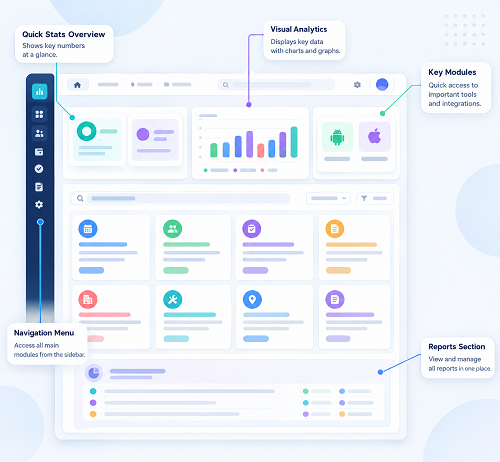
1. Multi-Site Attendance Management
Multi-site attendance management is one of the most important features for security companies. A security firm may deploy officers across dozens of client premises, with different reporting times, shift arrangements, supervisors, and attendance procedures.
The software should allow administrators to create separate site profiles and assign employees to the appropriate locations.
Important capabilities include:
- Create individual profiles for each client location.
- Assign security officers to specific sites and posts.
- Record attendance separately for each location.
- Transfer officers between sites when operational requirements change.
- View attendance across all active contracts from a central dashboard.
- Generate client-wise and site-wise attendance reports.
- Restrict site managers to the locations they are authorised to manage.
For example, a security company managing five commercial buildings and three residential properties should be able to see which officers have reported to each location without combining all attendance records into one manual spreadsheet.
2. GPS-Based Mobile Attendance
Security officers may work at locations where installing biometric devices is difficult or expensive. Mobile attendance applications can provide a flexible alternative.
GPS-enabled attendance allows officers to record their arrival and departure using an authorised smartphone or mobile device. The application can capture the reported device location along with the timestamp.
Security firms should check whether the software can:
- Capture location during check-in and check-out.
- Associate attendance entries with assigned client sites.
- Flag check-ins recorded outside approved locations.
- Display location information to authorised supervisors.
- Support employees assigned to multiple premises.
- Record timestamps accurately.
- Maintain records when mobile connectivity is temporarily unavailable.
GPS data should be treated as supporting evidence rather than absolute proof of attendance. Location accuracy can vary because of device settings, surrounding buildings, and signal conditions. Companies should combine GPS with employee authentication and operational checks where necessary.
3. Geofencing for Client Locations
Geofencing creates a virtual boundary around a designated workplace. Attendance software can use this boundary to check whether a mobile attendance entry was recorded within an approved area.
For security firms, geofencing can help identify whether officers are checking in near their assigned client premises.
For example, a company may configure separate geofences for a shopping mall, office building, and industrial facility. An officer assigned to one location may be required to record attendance within that site's approved boundary.
Check whether the software supports:
- Separate geofences for multiple client locations.
- Configurable boundary sizes.
- Alerts for check-ins outside approved areas.
- Different rules for different employee groups.
- Temporary location changes.
- Location updates when a client contract changes.
The system should also allow authorised exceptions for situations such as mobile patrols, emergency deployments, or temporary relocation.
Geofences should be tested at actual entrances and reporting points. A boundary that is too small may reject genuine attendance entries, while one that is too large may allow check-ins from nearby public areas.
4. Shift Scheduling and Roster Management
Security companies often operate around the clock. Officers may work morning, evening, overnight, weekend, and rotating shifts. Attendance software should support these arrangements without requiring extensive manual adjustments.
A suitable system should provide:
- Fixed and rotating shift schedules.
- Day and night shift configurations.
- Overnight shifts crossing midnight.
- Weekly and monthly roster planning.
- Different schedules for different client locations.
- Employee shift assignments.
- Shift swaps and replacement arrangements.
- Automatic identification of late arrivals and early departures.
- Notifications when roster changes are made.
For example, an officer may be scheduled from 7:00 p.m. to 7:00 a.m. The software should recognise this as one overnight shift rather than incorrectly splitting the attendance into unrelated calendar-day records.
Roster changes should be recorded with details of who made the change and when it was approved.
5. Relief Officer and Replacement Shift Management
Relief officers are important in security operations. When an assigned officer is absent, late, or unavailable, another officer may need to take over the post.
Attendance software should make it easy to record these changes.
Useful features include:
- Assign a replacement officer to an existing shift.
- Record the reason for a replacement.
- Track the original and replacement officer.
- Notify the relevant site supervisor.
- Identify uncovered shifts.
- Record actual reporting and handover times.
- Maintain a history of roster changes.
For example, if an officer cannot report for a night shift, the operations team should be able to assign a relief officer and update the roster before the shift begins.
The system should distinguish between the officer originally scheduled and the person who actually performed the shift. This is important for accurate attendance records, payroll processing, and client reporting.
6. Biometric Attendance and Employee Authentication
Biometric attendance devices can help security firms confirm employee identity at fixed reporting points. Common options include fingerprint and facial recognition systems.
These methods may be useful at larger premises or company-controlled locations where officers report through designated entry points.
Before selecting biometric attendance software, check whether it supports:
- Employee enrolment and authentication.
- Reliable recognition under expected site conditions.
- Integration with attendance records.
- Alternative check-in methods when a device fails.
- Access restrictions for biometric records.
- Secure transmission and storage.
- Device maintenance and replacement arrangements.
Biometric systems should be evaluated carefully because biometric information creates additional privacy and security responsibilities. Under Singapore's Personal Data Protection Act (PDPA), organisations must consider applicable obligations when collecting, using, disclosing, protecting, and retaining personal data.
Security firms should assess whether biometric collection is reasonably necessary for the attendance purpose and whether a less intrusive method can achieve the same result.
7. Real-Time Attendance Monitoring and Alerts
Security operations teams need to know whether officers have reported for duty on time. A missing officer at a critical post can create an operational gap and affect service delivery.
Attendance software should provide real-time or near-real-time visibility of scheduled and actual attendance, depending on the system's connectivity and configuration.
Useful alerts include:
- Officer has not checked in by the scheduled start time.
- Employee checks in outside the assigned site.
- A scheduled post has no recorded attendance.
- Officer checks out before the shift ends.
- Employee has not recorded a check-out.
- Attendance device is offline.
- Replacement officer is assigned.
- Attendance correction is awaiting approval.
For example, if a security officer is scheduled to report at 8:00 a.m. but has not checked in by the configured alert time, the operations manager can receive a notification and arrange a replacement if necessary.
Alerts should be configurable by site, shift, client contract, and operational priority. This prevents managers from receiving excessive notifications for minor exceptions.
8. Mobile Attendance for Patrol and Mobile Security Teams
Not all security officers remain at a fixed post. Some perform mobile patrols, visit multiple premises, or move between designated checkpoints.
Mobile attendance software should support the operational requirements of these employees.
Check whether the application provides:
- Mobile check-in and check-out.
- Multiple location assignments.
- GPS-supported attendance records.
- Checkpoint-based attendance, where appropriate.
- Support for temporary deployment changes.
- Offline attendance capture and later synchronisation.
- Supervisor review of unusual location entries.
For patrol teams, attendance records should be clearly distinguished from patrol activity records. Checking in at a workplace does not automatically prove that an officer completed the required patrol rounds.
Where patrol verification is required, companies should evaluate a separate patrol management or checkpoint monitoring feature rather than assuming standard attendance software provides it.
9. Overtime and Working-Hour Tracking
Security officers may work extended shifts, cover additional duties, or replace absent colleagues. Attendance software should help companies identify additional working time and prepare accurate records for payroll review.
The system should support:
- Scheduled and actual working-hour comparisons.
- Overtime identification.
- Additional shift assignments.
- Rest-day work records.
- Public-holiday work records.
- Break-period configuration.
- Approval workflows.
- Monthly working-hour reports.
- Payroll-ready overtime summaries.
Singapore's Employment Act contains specific provisions on working hours, overtime, and rest days under Part 4. These provisions apply only to employees who meet the relevant statutory coverage conditions. Managers and executives are excluded from Part 4, and salary thresholds and other eligibility requirements must be considered.
For eligible employees, the statutory overtime rate is generally at least 1.5 times the hourly basic rate, subject to the applicable rules. The general monthly overtime limit is 72 hours, although exemptions and specific circumstances may affect its application.
Security firms should configure overtime rules according to employee eligibility and applicable employment arrangements. They should not automatically apply identical statutory calculations to every officer.
10. Public Holiday and Rest-Day Scheduling
Security services continue operating during weekends and public holidays. Attendance software should help companies plan coverage and record work performed on these days.
Important features include:
- Singapore public holiday calendars.
- Employee rest-day schedules.
- Public-holiday shift assignments.
- Rest-day work records.
- Substitute holiday arrangements.
- Approval workflows for additional shifts.
- Separate reports for ordinary working days, rest days, and public holidays.
For example, an officer assigned to a commercial building may work on a public holiday because the client requires continuous security coverage. The system should capture the actual attendance and make the relevant information available for payroll review.
The correct payment or substitute-day treatment depends on applicable statutory provisions, employee coverage, employment terms, and the arrangement made by the employer. Attendance software should record the relevant information without assuming that every public-holiday shift has identical payroll treatment.
11. Breaks and Shift Handover Records
Security officers frequently work in shifts where one employee must hand over responsibilities to another. Attendance software should support accurate recording of working periods and relevant break arrangements.
Useful capabilities include:
- Recording break start and end times where required.
- Configuring different break arrangements by shift.
- Identifying missing or incomplete records.
- Recording actual handover times.
- Managing overlapping shifts during handovers.
- Flagging unexpected gaps between officers.
For example, when an officer completes a day shift and a replacement takes over, the system should retain both officers' attendance records and identify the actual shift transition.
Employers should configure working-hour calculations according to applicable legal requirements and employment arrangements. A system should not automatically treat every period between clock-in and clock-out as payable working time without considering relevant breaks and other rules.
12. Attendance Exception and Correction Management
Attendance records may contain errors because of device failures, forgotten check-ins, emergency deployments, or last-minute roster changes.
Security firms should choose software that provides a structured correction process.
The system should allow:
- Employees to submit missed-punch requests.
- Officers to explain attendance discrepancies.
- Supervisors to verify reported working times.
- Managers to approve or reject corrections.
- HR to review unusual attendance patterns.
- Administrators to maintain original and revised records.
- Audit logs to show who changed a record and why.
For example, if an officer forgets to check out after completing a night shift, the system should allow a correction request supported by the supervisor's verification.
Corrections should never silently overwrite the original attendance record. An audit trail helps companies investigate disputes and maintain reliable records.
13. Client-Wise Attendance Reporting
Security companies often need to demonstrate that the required workforce was deployed at each client location. Attendance software should provide reports that help operations teams review staffing levels and service delivery.
Important reports include:
| Report | What it helps security firms review |
|---|---|
| Daily site attendance | Officers who reported to each client location |
| Shift coverage report | Scheduled shifts compared with actual attendance |
| Missing attendance report | Employees without complete attendance entries |
| Late arrival report | Officers reporting after scheduled start times |
| Early departure report | Officers leaving before scheduled shift completion |
| Relief officer report | Replacement assignments and changes |
| Overtime report | Additional working hours for payroll review |
| Rest-day and holiday report | Attendance on scheduled rest days and public holidays |
| Site-wise workforce report | Employee deployment across client locations |
| Attendance exception report | Unusual check-ins, corrections, and approval issues |
The software should allow authorised users to filter reports by client, location, date, shift, employee, and supervisor.
If clients receive attendance reports, security firms should define which information can be shared and ensure that personal data is disclosed only where permitted and appropriate.
14. Payroll and HRMS Integration
Attendance software should integrate with payroll and HR systems to reduce manual data entry and improve payroll accuracy.
For security companies, the integration may need to transfer:
- Regular working hours.
- Approved overtime.
- Rest-day work.
- Public-holiday attendance.
- Leave and absence information.
- Shift allowances, where applicable.
- Employee and site assignments.
- Approved attendance corrections.
Before payroll processing, HR should compare attendance records with approved rosters, leave applications, overtime approvals, and relevant employment terms.
The system should also support data exports or APIs, depending on the payroll platform. Companies should check whether integration is included in the subscription or requires additional implementation charges.
An integration should not be considered successful merely because a file can be exported. The firm should test whether the receiving payroll system interprets the employee, date, hours, and payment-related information correctly.
15. Security, Access Controls, and PDPA Compliance
Attendance systems store personal information about employees, including identity details, work schedules, attendance timestamps, and sometimes location or biometric information.
Singapore security firms should evaluate data protection and access controls before selecting a vendor.
Important checks include:
- Role-based access for HR, operations managers, and site supervisors.
- Multi-factor authentication for administrative accounts.
- Encryption during data transmission and storage.
- Audit logs for record access and changes.
- Secure employee authentication.
- Appropriate retention and deletion arrangements.
- Vendor security policies and incident response procedures.
- Controls over data sharing with clients and subcontractors.
- Safeguards for overseas data transfers.
Under the PDPA, organisations must comply with applicable obligations relating to notification, purpose limitation, protection, retention limitation, access and correction, and overseas transfers.
Employers should explain the purpose of attendance monitoring to employees and collect only information reasonably necessary for that purpose. An applicable employment-related exception may permit reasonable collection, use, or disclosure of personal data to manage employment without relying on consent as the only basis. Relevant notification and other PDPA obligations still apply.
The security company remains responsible for its applicable obligations even when it uses a third-party attendance software provider.
16. Employee Self-Service and Mobile Notifications
Employee self-service features can reduce routine administrative work for HR teams and operations managers.
Security officers should be able to use the application to:
- View their attendance history.
- Check assigned shifts.
- Receive roster-change notifications.
- Submit missed-punch requests.
- Apply for leave, where the system supports it.
- Review attendance corrections.
- Receive shift reminders.
- Contact the appropriate supervisor about attendance issues.
Mobile notifications are particularly useful for officers working across different client locations. However, companies should ensure that employees can access the system through appropriate devices and that the application remains usable for workers with different levels of digital familiarity.
17. Scalability and Multi-Contract Management
Security firms may expand by winning new client contracts or taking over additional premises. Their attendance software should support this growth without requiring a separate system for every new contract.
Check whether the platform can:
- Add new client locations quickly.
- Manage multiple legal entities or business units, where needed.
- Support different shift rules by contract.
- Assign supervisors to selected sites.
- Manage a growing employee database.
- Handle large volumes of daily attendance records.
- Generate consolidated reports across contracts.
- Integrate with additional payroll or HR systems.
A scalable platform can reduce the need to replace attendance software whenever the company expands its operations.
18. Implementation, Training, and Vendor Support
Even a feature-rich attendance platform may fail if employees and supervisors do not know how to use it correctly.
Before purchasing, security firms should evaluate the vendor's implementation and support services.
Important questions include:
- Does the vendor provide assistance with employee data migration?
- Can the software be configured for overnight and rotating shifts?
- Does the vendor support GPS and geofencing setup?
- Can it integrate with the company's existing payroll system?
- Is employee and supervisor training included?
- What technical support channels are available?
- How quickly are critical system problems addressed?
- Are mobile application and device updates included?
- Can the vendor support additional client locations during expansion?
Companies should conduct a pilot at a representative client site before rolling out the system across all contracts.
19. Practical Demo Scenarios for Security Firms
A software demonstration should reflect actual security operations rather than only showing standard office attendance features.
| Demo scenario | What to check |
|---|---|
| Officer reports to the assigned site | Correct employee, site, and timestamp are recorded |
| Officer checks in outside the approved area | The system flags or handles the entry according to policy |
| Night shift crosses midnight | Attendance is assigned to the correct shift |
| Relief officer replaces an absent employee | Original and replacement assignments remain traceable |
| Officer works at two locations | Attendance is recorded against the correct assignments |
| Mobile network is unavailable | Offline records synchronise correctly when connectivity returns |
| Officer forgets to check out | An exception is generated for review |
| Supervisor changes a roster | The change is recorded and relevant employees are notified |
| Additional working time is recorded | Overtime information is available for approval |
| Payroll export is generated | Attendance data transfers accurately |
| An administrator changes a record | The audit trail preserves the original and revised information |
| A client report is generated | Only authorised and relevant information is included |
Security firms should involve operations managers, HR, payroll, IT, and selected site supervisors in the demonstration.
Conclusion
Singapore security firms should select attendance software that supports the practical demands of security operations. Multi-site attendance management, GPS verification, geofencing, shift scheduling, relief officer management, overtime tracking, and real-time alerts are particularly important for companies managing officers across multiple client premises.
The right system can improve workforce visibility, reduce manual attendance administration, identify uncovered shifts, and provide more reliable information for payroll processing and client reporting. However, technology alone cannot guarantee accurate attendance or employment compliance. Companies must establish clear procedures, verify exceptions, maintain appropriate records, and protect employee information.
By testing software against real security operations and involving HR, payroll, operations managers, and site supervisors in the selection process, security companies can choose a platform that supports both workforce management and service delivery.
Test guard rosters, overnight coverage and replacement shifts in a vendor demo. Assess whether InnBuilt shows attendance by Singapore client site.