10 Things to Look for When Buying Attendance Software in the UAE
10 Things to Look for When Buying Attendance Software in the UAE
Choosing the right attendance software is an important decision for businesses operating in the UAE. Whether a company manages employees in an office, factory, retail outlet, construction site, warehouse, or multiple branches, accurate attendance records help HR teams monitor working hours, manage shifts, control overtime, and prepare reliable payroll inputs.
Manual registers, spreadsheets, and disconnected biometric devices can create problems such as missing check-ins, inaccurate working-hour calculations, delayed approvals, and payroll discrepancies. Attendance software can help address these challenges by automating time tracking and centralising employee records.
However, not every attendance system is suitable for every UAE business. Employers should evaluate the software based on workforce requirements, UAE employment practices, data protection, integration capabilities, and long-term support.
Here are ten important things to look for when buying attendance software in the UAE.
1. UAE Labour Law and Working-Hour Configuration
The first consideration should be whether the software can accommodate the working-hour arrangements applicable to your employees.
Under the UAE private-sector labour framework, normal working hours are generally eight hours per day or 48 hours per week, subject to applicable exceptions. Working hours are reduced by two hours per day during Ramadan for covered employees. Employees are also entitled to breaks when they work five consecutive hours, subject to the relevant rules.
The software should allow HR teams to configure working schedules, breaks, rest days, and other applicable arrangements instead of relying on one fixed attendance rule for everyone.
Look for features such as:
- Configurable daily and weekly working hours.
- Ramadan working-hour adjustments.
- Break-time configuration.
- Weekly rest-day management.
- Public holiday calendars.
- Different schedules for departments and employee categories.
- Support for applicable overtime rules.
A good system should make it possible to update rules when policies or legal requirements change. Employers should verify that configurations reflect the latest applicable legislation and any relevant sector-specific exceptions.
2. Multiple Attendance Capture Options
UAE businesses often have employees working in different environments. An office employee may use a desktop or biometric terminal, while a construction worker or field technician may need mobile attendance.
Choose software that supports the attendance methods relevant to your workforce.
| Attendance method | Suitable for | Important consideration |
|---|---|---|
| Biometric devices | Factories, offices, and fixed workplaces | Device compatibility and reliable synchronisation |
| Face recognition | Workplaces requiring identity verification | Privacy safeguards and secure biometric-data handling |
| Mobile check-in | Field employees and remote teams | Authentication and connectivity |
| GPS-based attendance | Mobile and travelling employees | Appropriate location permissions |
| Geo-fenced attendance | Employees assigned to specific sites | Configurable location boundaries |
| Web-based check-in | Office and hybrid employees | Secure login and access controls |
| Access-card systems | Large offices and controlled workplaces | Integration with existing access systems |
Before purchasing, confirm whether the software can combine different attendance methods in one employee database. This is especially useful for companies with office staff, field teams, and site-based workers.
3. Shift Scheduling and Roster Management
Businesses in hospitality, healthcare, manufacturing, retail, logistics, and security often operate multiple shifts. A basic attendance application may not be sufficient for these organisations.
The software should allow HR teams and supervisors to create, assign, and update employee schedules.
Important features include:
- Fixed and rotating shift schedules.
- Day, night, and split shifts.
- Shifts crossing midnight.
- Department-wise and location-wise rosters.
- Weekly rest-day allocation.
- Shift swapping with approval.
- Last-minute schedule changes.
- Employee availability and shift assignment.
- Alerts for scheduling conflicts.
For example, a hotel in Dubai may need to manage housekeeping, reception, kitchen, and maintenance employees under different shift patterns. A logistics company may have drivers starting at different times depending on delivery routes.
A suitable attendance system should compare actual check-in and check-out records with assigned schedules and highlight exceptions for review.
4. Overtime Tracking and Approval Workflows
Overtime is an important attendance and payroll consideration. Businesses should select software that records additional working hours accurately and supports a clear approval process.
The system should allow employees to submit overtime requests and supervisors to review them before the hours are passed to payroll.
Look for these capabilities:
- Overtime requests before or after a shift, according to company policy.
- Supervisor and department-head approvals.
- Actual additional hours recorded.
- Different overtime categories and configured rules.
- Public holiday and rest-day work records.
- Overtime reports by employee and department.
- Approval history and correction records.
- Export of approved hours to payroll.
Under the UAE Labour Law, overtime compensation depends on the applicable circumstances and rules. For example, the general statutory provisions distinguish ordinary overtime from overtime performed during certain night hours. There are also rules concerning work on rest days and exceptions for particular categories of workers.
Therefore, the software should support configurable calculations and should not assume that every additional attendance hour automatically qualifies for the same overtime payment.
5. Mobile Attendance and GPS or Geo-Fencing Features
Many UAE businesses operate outside traditional office environments. Construction companies, facilities management providers, delivery businesses, maintenance contractors, and field sales teams need ways to record attendance at different locations.
Mobile attendance can help employees check in through an authorised smartphone application.
Useful features include:
- Mobile check-in and check-out.
- Location capture where justified and authorised.
- Configurable geo-fenced work locations.
- Site-wise attendance reports.
- Offline attendance capture with later synchronisation.
- Supervisor verification.
- Missed check-in correction requests.
- Alerts for check-ins outside assigned locations.
For example, a facilities management company may assign cleaning teams to several commercial buildings. Managers can use site-based attendance records to review whether employees checked in at their assigned locations.
However, GPS and geo-fencing should be used responsibly. Employers should explain the purpose of location collection, limit access to authorised users, and avoid unnecessary tracking outside working requirements.
6. Leave, Absence, and Holiday Management
Attendance software should not manage working hours in isolation. Leave and absence records also affect employee availability, attendance summaries, and payroll preparation.
Look for a system that supports:
- Annual leave applications and approvals.
- Sick leave records.
- Unpaid leave.
- Other applicable leave categories.
- Public holiday calendars.
- Leave balances and history.
- Absence and late-arrival tracking.
- Leave approval workflows.
- Attendance and leave reconciliation.
The software should prevent approved leave from being incorrectly flagged as an unauthorised absence. It should also help HR identify situations where an employee has an attendance exception that needs clarification.
For businesses with multiple UAE branches, the system should support relevant location or employee-group calendars and configurable leave policies.
7. Payroll Integration and WPS-Related Reporting
Attendance information is often used to prepare monthly payroll. If attendance and payroll systems are disconnected, HR teams may need to export spreadsheets, enter working hours manually, and check the same information several times.
An attendance system with payroll integration can reduce these repetitive tasks.
Check whether it can transfer:
- Approved attendance summaries.
- Regular and additional working hours.
- Approved overtime.
- Unpaid leave and absence information.
- Late-arrival and early-departure exceptions.
- Public holiday and rest-day work records.
- Employee schedule changes.
- Approved attendance corrections.
If the business uses separate payroll software, confirm that the attendance platform supports reliable integration or structured exports.
For employers covered by the UAE Wage Protection System (WPS), attendance software alone does not guarantee WPS compliance. The payroll process must still meet the applicable wage-payment requirements. The UAE's official government portal explains that covered private-sector employers must pay wages through the WPS using authorised financial institutions. Employers should also verify the latest WPS rules, including Ministerial Resolution No. 340 of 2026, where applicable.
A useful system should make approved attendance information available to payroll and support reconciliation between payroll calculations and wage-payment records.
8. Reports, Audit Trails, and Data Export
Attendance reports help HR teams understand employee punctuality, working hours, overtime, leave, and absence patterns. They also help businesses investigate disputes and prepare supporting records.
Before buying software, check whether it provides:
- Daily attendance reports.
- Monthly attendance summaries.
- Employee-wise working-hour reports.
- Late-arrival and early-departure reports.
- Missed check-in and check-out reports.
- Overtime request and approval reports.
- Leave and absence reports.
- Department-wise and location-wise summaries.
- Shift compliance reports.
- Attendance correction history.
Audit trails are equally important. The system should record who changed an attendance entry, when it was changed, and why the correction was made. Where relevant, it should preserve the original entry and approval details.
Also check whether reports can be exported in common formats such as Excel, CSV, or PDF. Businesses should be able to retrieve their records without depending entirely on the software provider.
9. Data Security, Privacy, and Access Control
Attendance software stores employee information and may process sensitive information such as biometric identifiers and location data. Security and privacy should therefore be important parts of the buying decision.
The UAE Personal Data Protection Law, Federal Decree-Law No. 45 of 2021, establishes a framework for processing and protecting personal data, subject to its scope and applicable exclusions. Businesses should assess how their attendance provider handles employee information under the relevant legal requirements.
Check whether the provider offers:
- Role-based access permissions.
- Secure employee authentication.
- Encryption for data in transit and at rest.
- Access and activity logs.
- Secure backups.
- Data-retention controls.
- Secure data export and deletion procedures.
- Defined incident-response processes.
- Information about hosting locations and third-party access.
For biometric and location-based attendance, ask the provider what information is collected, why it is required, how long it is retained, and who can access it.
A manager who only needs to approve team attendance should not automatically receive access to every employee's personal or payroll information.
10. Ease of Use, Scalability, and Vendor Support
Even a feature-rich attendance platform may fail if employees and managers find it difficult to use.
The interface should be simple enough for employees to record attendance, submit correction requests, and view relevant information without extensive training.
Managers should be able to review exceptions, approve requests, and monitor team attendance quickly.
Evaluate the following:
- Simple employee and manager interfaces.
- Arabic and English language support, if required.
- Mobile and desktop accessibility.
- Employee self-service features.
- Easy employee onboarding.
- Multi-branch and multi-location support.
- Integration with existing HR and payroll platforms.
- Training and implementation assistance.
- Technical support availability.
- Clear subscription and renewal terms.
Scalability matters when a business plans to open new branches, increase its workforce, or introduce additional attendance devices. Ask the vendor whether adding employees, locations, and departments will require expensive customisation.
Before signing a contract, request a live demonstration and a pilot using actual employee schedules and attendance scenarios.
Additional Buying Checklist: Questions to Ask the Vendor
Use these questions when comparing attendance software providers in the UAE:
| Question | Why it matters |
|---|---|
| Can the system support our different shift patterns? | Prevents scheduling and attendance errors |
| Does it support biometric and mobile attendance? | Helps accommodate different employee groups |
| Can it manage multiple branches and work sites? | Supports businesses with distributed teams |
| Are overtime approvals configurable? | Helps control unauthorised overtime |
| Can approved attendance flow into payroll? | Reduces duplicate data entry |
| Does it maintain a complete audit trail? | Helps investigate changes and disputes |
| How is employee data protected? | Reduces privacy and security risks |
| Can we export all attendance records? | Preserves access to business records |
| What implementation and support services are included? | Helps avoid unexpected operational problems |
| What is the total cost over the contract period? | Makes vendor comparisons more accurate |
Common Mistakes to Avoid When Buying Attendance Software
Businesses should avoid choosing software based only on its price or the number of advertised features.
Common mistakes include:
- Selecting a system without checking UAE-specific working-hour requirements.
- Ignoring shift and overnight scheduling capabilities.
- Choosing mobile attendance without evaluating location privacy.
- Treating every extra hour as automatically approved overtime.
- Failing to check payroll integration.
- Overlooking audit trails and correction history.
- Ignoring data security and backup arrangements.
- Not testing the software with actual employee schedules.
- Underestimating implementation and training costs.
- Failing to review the vendor's support and data-export policies.
A short pilot can help identify these problems before the system is introduced across the organisation.
Conclusion
Buying attendance software in the UAE requires more than choosing a tool to record employee check-in and check-out times. Businesses should consider labour-law configuration, attendance capture options, shift scheduling, overtime approvals, mobile tracking, leave management, payroll integration, reporting, data security, and vendor support.
The right system should fit the organisation's workforce and operating model while making attendance records more accurate and easier to review. Employers should compare vendors through practical demonstrations, test real attendance scenarios, and confirm that the selected solution can support their current requirements as well as future growth.
By evaluating these ten factors before purchasing, UAE businesses can make a more informed investment and build a reliable foundation for attendance and payroll operations.
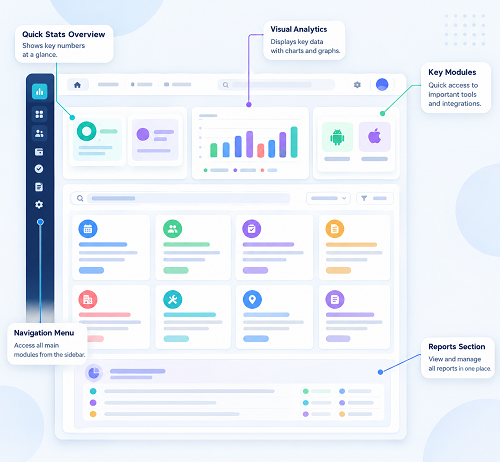
A practical checklist for UAE buyers covering check-in methods, shift rules, payroll handoff, privacy, reporting, support and total cost. Use InnBuilt Attendance Software as one option to evaluate against your requirements.