Which Attendance Software Works Best for Multi-Branch and Field Teams in the UAE?
Introduction
Managing employee attendance becomes more complicated when a business operates across multiple branches, offices, warehouses, construction sites and customer locations. HR teams may need to monitor employees in Dubai, Abu Dhabi, Sharjah and other emirates while ensuring that branch managers can review their own teams' attendance.
The challenge is even greater for field employees. Delivery drivers, sales representatives, maintenance technicians, security guards and construction workers may begin their shifts at different locations rather than reporting to a central office.
Traditional attendance systems based on a single biometric machine or paper register may not provide sufficient visibility across these working environments. Businesses need software that can capture attendance from different locations, verify employee check-ins and consolidate records for HR and payroll.
The right attendance management system should support mobile attendance, GPS verification, geofencing, biometric devices, shift scheduling, location-based permissions and centralised reporting.
This article explains which types of attendance software work best for multi-branch and field teams in the UAE, what features buyers should compare and how to choose a suitable solution.
1. Why Multi-Branch and Field Teams Need Different Attendance Software
A single-office business may only need one attendance terminal and a basic employee attendance report. A company with multiple branches and field employees requires a more flexible arrangement.
Consider a UAE facilities management company with:
- An administrative office in Dubai.
- Cleaning teams working at customer properties in Abu Dhabi.
- Maintenance technicians visiting commercial buildings in Sharjah.
- Security guards assigned to different client locations.
- Supervisors responsible for several operational sites.
If each location maintains separate attendance records, HR may have to collect spreadsheets, verify employee hours and combine reports before payroll processing.
A centralized attendance platform can bring these records together.
The system should allow employees to record attendance using an appropriate method for their workplace while giving authorised managers visibility into their assigned teams.
The main objective is to create one reliable attendance record across the organisation without forcing every employee to use the same check-in method.
2. Essential Features for Multi-Branch Attendance Management
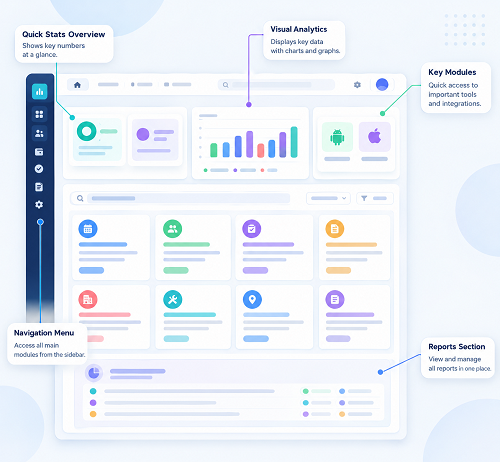
A suitable platform should allow HR to manage employees, branches and attendance policies from a central dashboard.
Important features include:
- Multiple branch and worksite configuration.
- Employee assignment by branch, department or project.
- Centralised attendance dashboards.
- Branch-level manager permissions.
- Location-specific shift schedules.
- Late-arrival and absence notifications.
- Missed-punch correction workflows.
- Consolidated attendance reports.
- Payroll-ready attendance exports.
- Real-time or scheduled data synchronisation.
For example, a retail chain with 15 stores should be able to assign employees to individual branches and allow each store manager to review only their own team's attendance.
The head office should still be able to view consolidated attendance across all locations.
Before purchasing, ask vendors whether the system can manage branches across different emirates under one account and whether each branch can have its own attendance rules.
3. Mobile GPS Attendance for Field Employees
Mobile attendance is particularly useful for employees who work away from company offices.
Instead of travelling to a biometric terminal, employees can record attendance through a smartphone application.
Depending on the platform, mobile attendance may capture:
- Employee identity.
- Check-in and check-out time.
- GPS coordinates.
- Assigned worksite.
- Device information.
- A photograph or selfie for verification.
- Attendance status.
This can help businesses manage employees such as:
- Field sales representatives.
- Delivery drivers.
- Maintenance technicians.
- Construction supervisors.
- Mobile cleaning crews.
- Security personnel.
- Customer service engineers.
For example, a technician assigned to a customer location in Abu Dhabi can check in through the mobile application. The system records the attendance time and location, allowing the supervisor to review the visit.
However, GPS availability and accuracy can vary depending on device settings, connectivity and environmental conditions. Employers should provide a correction process for legitimate attendance exceptions.
4. Geofencing to Verify Attendance at Assigned Locations
Geofencing allows employers to define virtual boundaries around offices, branches, warehouses and project sites.
When an employee attempts to check in through the mobile application, the system compares the device's reported location with the assigned boundary.
Depending on the configuration, the application may:
- Accept check-ins inside the assigned boundary.
- Reject or flag attempts outside the boundary.
- Record the location of each attendance event.
- Notify managers about unusual check-ins.
- Allow authorised exceptions with an approval trail.
For example, a construction company may create separate geofences for its project sites in Dubai and Sharjah. Employees assigned to one project can be required to record attendance within the corresponding site boundary.
Geofencing is especially useful when employees work at multiple customer locations.
Buyers should check whether the software supports different geofences for each branch and project, and whether the radius or boundary can be adjusted according to site conditions.
5. Biometric Integration for Offices, Warehouses and Fixed Worksites
Not every employee works in the field. Office staff, warehouse workers and factory operators may continue to use fingerprint or facial recognition terminals.
A flexible attendance platform should support a combination of mobile attendance and biometric devices.
This is important because businesses may already have installed attendance machines and may not want to replace all their hardware.
Ask vendors whether they support:
- Fingerprint terminals.
- Facial recognition devices.
- RFID or card-based attendance.
- Compatible third-party biometric systems.
- Centralised synchronisation across branches.
- Offline device storage and later synchronisation.
- Device-level attendance reports.
For example, a logistics company may use biometric terminals at its main warehouse while allowing drivers to check in through GPS-enabled mobile applications.
Both methods should feed into the same employee attendance database.
Confirm device compatibility using the exact make, model and communication protocol rather than relying on a general claim that the software supports biometric machines.
6. Offline Attendance for Remote and Low-Connectivity Sites
Some construction projects, industrial facilities and remote work locations may experience unreliable internet connections.
An attendance platform should have a clear procedure for recording attendance when a device cannot connect to the central system.
Ask whether the software supports:
- Offline mobile check-ins.
- Local storage of attendance events.
- Automatic synchronisation when connectivity returns.
- Duplicate-record detection.
- Time-stamped offline entries.
- Notifications for delayed synchronisation.
- Review of records that fail to upload.
For example, an employee at a remote construction site may record attendance while the mobile device is offline. Once connectivity is restored, the application should synchronise the saved record and identify any validation issues.
Buyers should also understand how the system verifies the time and location of offline records and whether employees can edit locally stored entries.
7. Centralized Dashboards for Head Office and Branch Managers
A central dashboard is one of the most important features for businesses operating across multiple locations.
HR teams should be able to monitor attendance without collecting separate reports from every branch.
Useful dashboard information includes:
| Dashboard information | Business benefit |
|---|---|
| Employees present | Shows current workforce availability |
| Late arrivals | Helps managers identify punctuality issues |
| Missing check-ins | Highlights incomplete attendance records |
| Absences | Supports daily workforce planning |
| Overtime hours | Helps review additional working hours |
| Branch-wise attendance | Compares attendance across locations |
| Site-wise employee presence | Supports field workforce monitoring |
| Pending corrections | Shows attendance records awaiting approval |
| Shift coverage | Helps identify staffing gaps |
The dashboard should also support filters by emirate, branch, department, employee and project.
For example, an operations manager should be able to identify how many employees have checked in at each warehouse without accessing every employee record individually.
8. Role-Based Access for Multi-Location Management
A multi-branch business needs different levels of access for different users.
A branch manager should normally see the employees assigned to that branch. A project supervisor may need access to workers assigned to a particular site, while central HR may need access to organisation-wide attendance information.
Look for:
- Head-office administrator access.
- Branch-level manager permissions.
- Project-level supervisor access.
- Department-based restrictions.
- Employee self-service access.
- Separate payroll and attendance permissions.
- Audit trails for corrections and approvals.
For example, a security company operating across several customer sites may assign each site supervisor responsibility for checking guard attendance. The HR team can review all sites centrally, while supervisors cannot access unrelated client locations.
Role-based permissions reduce unnecessary access to employee information and help maintain accountability.
9. Shift Scheduling and Overtime Across Multiple Locations
Multi-branch and field teams may follow different working schedules.
A retail chain may operate morning and evening shifts, a hospital may have rotating shifts, and a construction contractor may follow project-specific working hours.
The attendance platform should support:
- Fixed shifts.
- Rotating shifts.
- Night shifts.
- Split shifts.
- Flexible schedules.
- Weekly rest days.
- Public-holiday calendars.
- Shift swaps and approvals.
- Overtime recording and approval.
- Different attendance rules by location.
The software should compare actual attendance with assigned schedules and identify exceptions.
For example, a warehouse employee may work an overnight shift that begins at 10:00 PM and ends at 6:00 AM. The system should associate the attendance records with the correct shift and payroll period.
Overtime should be reviewed and approved according to applicable UAE requirements, employment arrangements and company policies before being transferred to payroll.
10. Payroll Integration for Multi-Branch and Field Teams
Attendance data is only useful for payroll when it is accurate, approved and transferred correctly.
A suitable platform should help employers consolidate attendance from mobile applications, biometric terminals and different work locations.
Check whether the software supports:
- Automatic attendance synchronisation.
- Employee ID matching.
- Approved regular working hours.
- Overtime information.
- Leave and absence records.
- Missed-punch corrections.
- Payroll-period locking.
- Attendance reconciliation.
- Payroll or ERP integration.
- Export formats required by the payroll application.
For UAE businesses, it is also important to understand how the payroll application supports applicable Wage Protection System (WPS) workflows.
Attendance software generally supplies working-hour and related payroll inputs. The payroll system calculates salaries and prepares the required salary information for the employer's approved payment channel.
Buyers should confirm which parts of this workflow are automated and which still require manual review.
11. Compare Attendance Software Options Available in the UAE
There are different types of attendance platforms in the UAE market. Some focus on mobile and multi-site attendance, while others combine attendance with wider HR and payroll functions.
The following are examples of vendors whose published feature descriptions include capabilities relevant to multi-branch or field teams. They should be treated as a shortlist for demonstrations, not as a definitive ranking or independent endorsement.
A. Synktime
Synktime's published UAE product information describes mobile GPS and selfie check-ins, integration with ZKTeco biometric devices, centralised multi-branch attendance and shift management.
It also describes payroll and ERP integrations, including SAP, Microsoft Dynamics, Oracle, Connect HR and Zoho, as well as custom API options.
Potential fit: Businesses that want mobile attendance for field employees while continuing to use compatible biometric devices at offices and warehouses.
What to verify: Device compatibility, exact payroll integration scope, offline functionality, data protection controls and pricing for the required employee and branch volumes.
B. Attendify Vision
Attendify Vision describes an attendance platform for field and multi-site teams, with face verification, GPS geofencing, offline attendance, site-level manager access and payroll-ready exports.
Its published information also identifies Abu Dhabi licensing and AED billing.
Potential fit: Businesses that need location verification, mobile attendance and centralised management across multiple worksites.
What to verify: Available integrations, supported devices, offline validation procedures, reporting options and support arrangements.
C. RadixHR
RadixHR's attendance feature information describes biometric and mobile attendance, geofenced check-ins, multi-site dashboards, overtime and absence tracking, and payroll integration.
It also describes branch-specific attendance policies and manager notifications.
Potential fit: Businesses looking for attendance management alongside wider HR and payroll processes.
What to verify: Supported biometric brands, integration capabilities, configuration costs and how access is separated across branches.
D. M1 TimePilot
M1 TimePilot describes cloud attendance management with ZKTeco and compatible ADMS or Cloud-Push devices, GPS geofencing, mobile face check-ins, QR attendance, web check-ins and multi-branch dashboards.
It also lists shift management and payroll-related functionality.
Potential fit: Organisations that need several check-in methods and want to connect existing compatible biometric terminals to a central cloud platform.
What to verify: Compatibility with existing hardware, device limits, employee limits, subscription terms and the precise scope of payroll and WPS-related functions.
E. Timesync
Timesync describes biometric attendance hardware and software services, including fingerprint, face, palm and RFID devices. Its published information also covers multi-branch and multi-emirate synchronisation, centralised reporting and payroll exports.
Potential fit: Businesses that need biometric hardware supply, installation and ongoing attendance system support across multiple locations.
What to verify: Mobile GPS attendance capabilities, software licensing, hardware maintenance, integration options and service coverage for every location.
Comparison of the shortlisted vendors
| Vendor | Published capabilities relevant to multi-site teams | Suitable evaluation focus |
|---|---|---|
| Synktime | GPS, selfie, biometric integration, multi-branch dashboard, payroll/ERP connections | Mixed field and office workforce |
| Attendify Vision | GPS geofencing, face verification, offline attendance, site-level access | Field and project-based teams |
| RadixHR | Biometric and mobile attendance, geofencing, payroll connection, multi-site dashboard | Integrated HR and attendance requirements |
| M1 TimePilot | Biometric, GPS, QR, web check-in, multi-branch cloud platform | Multiple attendance methods |
| Timesync | Biometric devices, multi-emirate synchronisation, installation and support | Hardware-led multi-branch operations |
The feature descriptions above are based on vendor-published information. Buyers should verify functionality, availability, pricing, contractual terms and references directly with each provider before making a decision.
12. Which Type of Attendance Software Works Best for Different UAE Industries?
The best solution depends on the locations where employees work and the methods available to verify attendance.
| Industry | Recommended attendance approach | Important features |
|---|---|---|
| Retail chains | Mobile and branch-based attendance | Branch dashboards, shift scheduling, manager approvals |
| Construction | GPS and geofenced mobile attendance | Project allocation, offline records, site-level reporting |
| Logistics | Mobile attendance and warehouse biometrics | Driver check-ins, route-related records, shift tracking |
| Facilities management | GPS, geofencing and mobile attendance | Client-site verification, crew allocation, job records |
| Security services | Mobile or biometric attendance | Guard coverage, site verification, shift handovers |
| Healthcare | Biometric and mobile attendance | Rotating shifts, absence alerts, coverage reporting |
| Manufacturing | Biometric terminals | Production-line allocation, shift scheduling, overtime |
| Field sales | GPS-enabled mobile attendance | Territory coverage, visit records, location-based check-ins |
| Hospitality | Biometric and mobile attendance | Split shifts, rotating rosters, branch-level reporting |
A business with a mixture of these operations may need a platform that combines multiple attendance methods rather than relying on one technology.
13. Questions to Ask Vendors Before Choosing a System
A product demonstration should include realistic examples from the organisation's daily operations.
Ask the vendor:
- Can one account manage branches and project sites across all UAE emirates?
- Can each branch have separate attendance policies?
- Can employees be assigned to multiple locations?
- Does the mobile application support GPS and geofenced check-ins?
- Can existing biometric terminals be connected?
- What happens when a field employee has no internet connection?
- Can branch managers access only their assigned employees?
- Can HR view attendance across all branches from one dashboard?
- Does the system support overnight and rotating shifts?
- Can employees request missed-punch corrections?
- How are overtime hours approved before payroll?
- Can approved attendance data be integrated with the existing payroll system?
- What reports can be exported by branch, project and department?
- How is employee location and biometric information protected?
- What are the implementation, device, subscription and support costs?
Request a practical demonstration using sample employee records, multiple branches and different attendance methods.
14. How to Test Attendance Software Before Implementation
A pilot project helps businesses determine whether the system can handle their actual workforce structure.
Choose a small number of representative locations, such as:
- One head office.
- One retail branch or warehouse.
- One construction or customer site.
- One field team operating across different locations.
Test the following scenarios:
| Test scenario | Expected result |
|---|---|
| Office employee checks in | Attendance appears under the correct branch |
| Field employee checks in by GPS | Location and timestamp are recorded |
| Employee checks in outside the assigned geofence | Attempt is flagged or handled according to configured rules |
| Biometric terminal records attendance | Punch synchronises with the central system |
| Internet connection fails | Offline record is retained and later synchronised, if supported |
| Employee changes branch | Assignment and reporting are updated correctly |
| Supervisor approves a correction | Change appears in the audit history |
| Employee works overtime | Additional hours are flagged for approval |
| Employee works overnight | Hours are assigned to the correct shift |
| Payroll period closes | Approved attendance can be reconciled and exported |
After the pilot, compare the results with existing attendance records. Check data accuracy, ease of use, manager workload and the quality of reports.
15. Common Mistakes When Selecting Multi-Branch Attendance Software
Businesses should avoid choosing a system based only on its mobile application or biometric device features.
Common mistakes include:
- Using separate attendance systems for every branch: This can make consolidated reporting and payroll reconciliation difficult.
- Relying only on GPS: GPS-based attendance may need additional verification for certain workplaces.
- Ignoring offline attendance: Remote locations may experience unreliable internet connectivity.
- Overlooking branch permissions: Managers should not automatically have access to every employee record.
- Failing to check device compatibility: Existing biometric hardware may not connect to every cloud platform.
- Ignoring shift complexity: Overnight, rotating and split shifts require correct configuration.
- Not testing payroll integration: Attendance exports should be checked before monthly payroll processing.
- Overlooking employee privacy: GPS and biometric monitoring should have clear purposes and appropriate controls.
- Ignoring ongoing costs: Hardware, installation, APIs, support and additional branches may create extra charges.
A successful implementation depends on matching the software to the organisation's actual working arrangements.
Frequently Asked Questions (FAQs)
1. Which attendance software is best for multi-branch companies in the UAE?
The best option is a cloud-based platform that supports multiple branches, centralised reporting, separate manager permissions and location-specific attendance policies. The choice should also depend on biometric compatibility, mobile attendance and payroll integration requirements.
2. Can one attendance system manage employees across Dubai, Abu Dhabi and Sharjah?
Yes. Many cloud attendance platforms allow businesses to manage multiple branches and worksites through one account. Buyers should confirm that the software supports location-based employee assignments and consolidated reporting across the required emirates.
3. Is GPS attendance suitable for UAE field employees?
GPS attendance can be useful for sales representatives, technicians, drivers and site workers. It records the location associated with a check-in, helping managers review where attendance was recorded. Employers should also consider location accuracy, employee privacy and exception handling.
4. What is the difference between GPS attendance and geofencing?
GPS attendance records location information when an employee checks in or out. Geofencing adds a virtual boundary around an approved location and can restrict or flag check-ins made outside that area.
5. Can attendance software combine biometric and mobile attendance?
Yes. Some platforms allow employees at offices and warehouses to use biometric terminals while field employees use mobile applications. Both attendance methods can feed into one central employee record, provided the devices and applications are compatible.
6. What should construction companies look for in attendance software?
Construction companies should prioritise GPS geofencing, project-wise employee allocation, offline attendance, shift scheduling, supervisor approvals and site-level reporting. The system should also support corrections when employees encounter legitimate connectivity or device problems.
Conclusion
For UAE businesses operating across multiple branches and field locations, the best attendance software is a centralized platform that supports different attendance methods, location-based verification, biometric integration, shift scheduling and payroll-ready reporting.
Mobile GPS attendance is valuable for employees working away from offices, while biometric terminals remain useful for fixed workplaces such as warehouses, factories and administrative branches. Offline functionality, branch-level permissions and consolidated reporting are also important for organisations with distributed teams.
Businesses should compare vendors based on their actual workforce requirements rather than relying on general feature claims. A pilot involving different locations and employee groups can help confirm whether the platform works in real operating conditions.
By selecting a system that combines flexibility, accurate records and secure centralised management, UAE employers can improve attendance visibility and reduce administrative work across their branches and field teams.
Test whether branch managers and field supervisors can view the right teams while HR retains central oversight. Compare InnBuilt and alternatives on mobile check-ins, site assignments and multi-location reporting.