What Security and Approval Controls Should UAE Payroll Software Include?
What Security and Approval Controls Should UAE Payroll Software Include?
Payroll software manages some of the most confidential information within a business. Employee salaries, bank account details, identification records, employment contracts, leave information, deductions, and end-of-service benefits all require careful protection. For businesses operating in the United Arab Emirates (UAE), selecting payroll software with strong security and approval controls is essential for protecting employee information, preventing unauthorised changes, and maintaining reliable payroll operations.
A payroll system should do more than calculate salaries and generate payment files. It should control who can access employee records, who can modify salary information, who can approve payroll, and who can authorise payment-related activities.
Without appropriate controls, businesses may face risks such as unauthorized salary changes, fraudulent payment instructions, accidental data exposure, incorrect deductions, and payroll processing errors. These problems can affect employee trust, financial accuracy, and business operations.
This article explains the essential security and approval controls UAE payroll software should include, how employers can evaluate them, and what questions to ask vendors before purchasing a payroll solution.
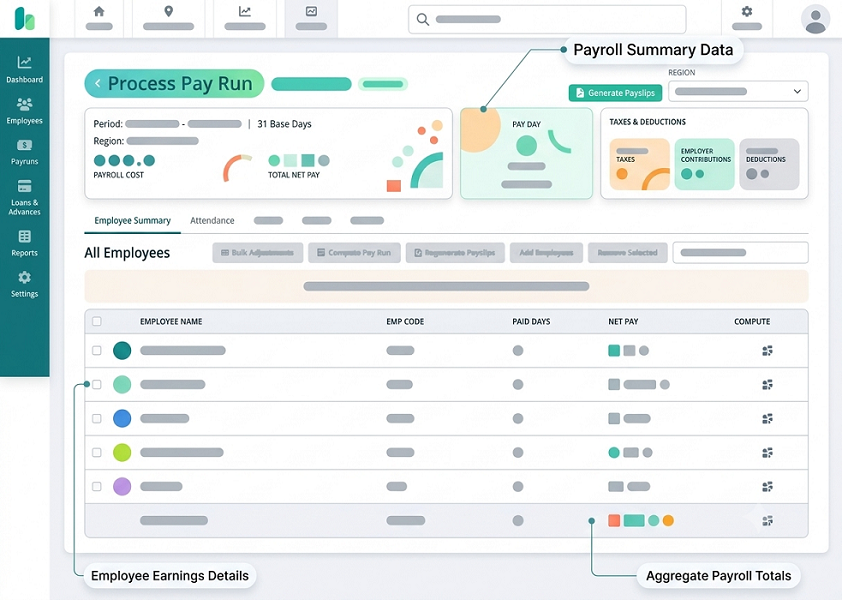
1. Why Security and Approval Controls Matter in UAE Payroll Software
Payroll data is commercially and personally sensitive. Access to this information should be limited to employees who need it to perform their responsibilities.
For example, an HR administrator may need access to employee employment records, while a payroll specialist may require access to salary calculations and payment information. A department manager may only need to review attendance or approve overtime.
Giving every user unrestricted access increases the possibility of mistakes, misuse, and unauthorised disclosure.
Key Reasons to Implement Payroll Security Controls
- Protect employee information: Prevent unauthorised access to salary details, personal records, and bank information.
- Prevent payroll fraud: Reduce the risk of unauthorised salary changes, false employee records, or fraudulent payment instructions.
- Maintain payroll accuracy: Ensure that important changes are reviewed and approved before they affect salary calculations.
- Strengthen accountability: Record who accessed, changed, reviewed, and approved payroll information.
- Support regulatory responsibilities: Help organisations implement appropriate safeguards for personal data and financial information.
- Improve internal governance: Establish clear responsibilities between HR, payroll, finance, and management teams.
A secure payroll system should combine technical safeguards with clearly defined business approval procedures.
2. Role-Based Access Control (RBAC)
Role-based access control is one of the most important security features in payroll software.
It allows administrators to assign permissions based on each user's job responsibilities rather than giving every user access to the entire system.
For example, an HR administrator may update employee information, while a finance manager may review payroll summaries and approve payroll transactions.
Common Payroll User Roles
| User Role | Typical Access Requirements |
|---|---|
| HR Administrator | Employee profiles, employment records, leave information, and employee status updates. |
| Payroll Executive | Salary structures, payroll calculations, deductions, overtime, and payroll reports. |
| Finance Manager | Payroll summaries, payment information, financial reports, and reconciliation. |
| Department Manager | Team attendance, overtime requests, leave approvals, and relevant employee information. |
| Payroll Approver | Review and approve payroll batches before processing. |
| System Administrator | User accounts, system settings, permissions, and technical configurations. |
| Auditor | Read-only access to relevant payroll records, reports, and audit trails. |
What Employers Should Evaluate
The software should allow administrators to:
- Create different user roles.
- Assign permissions by module.
- Restrict access to specific employee groups.
- Limit access to salary and bank details.
- Provide read-only access where appropriate.
- Revoke access when employees change roles or leave the organisation.
- Review user permissions periodically.
Employers should also check whether the system supports customised permissions rather than relying only on fixed default roles.
3. Multi-Factor Authentication (MFA)
Passwords alone may not provide sufficient protection for payroll systems, particularly when users access them remotely.
Multi-factor authentication adds another verification step before a user can log in.
Depending on the software, MFA may use:
- One-time passwords.
- Authentication applications.
- Hardware security keys.
- Biometric verification supported by the authentication platform.
- Other approved verification methods.
Why MFA Is Important
If a payroll user's password is stolen or exposed, MFA can help prevent an unauthorized person from accessing the account.
This is particularly important for users who can modify employee salaries, change bank account information, approve payroll, or download confidential reports.
Features to Check
- MFA for all privileged users.
- MFA for payroll and finance administrators.
- Support for authentication applications or security keys.
- Secure account recovery procedures.
- Session expiry and reauthentication controls.
- Additional verification for high-risk actions, where supported.
Employers should ask vendors whether MFA can be enforced through the payroll platform or through the organisation's identity management system.
4. Data Encryption and Secure Information Storage
Payroll software stores sensitive information that should be protected both when transmitted between systems and when stored.
Encryption helps prevent unauthorized parties from reading data if they gain access to intercepted communications or improperly accessed storage.
Encryption in Transit
Data transmitted between employee devices, payroll applications, servers, and integrated systems should be protected using secure communication protocols.
Employers should confirm that the vendor uses current, appropriately configured encryption protocols, such as HTTPS with TLS.
Encryption at Rest
Sensitive payroll information stored in databases, file systems, backups, and other storage environments should be protected through suitable encryption mechanisms.
Information That Requires Protection
- Employee names and contact information.
- Salary and compensation details.
- Bank account information.
- Identification and employment records.
- Leave and attendance information.
- Tax or statutory information, where applicable.
- Payroll reports and payment files.
- Employment contracts and supporting documents.
Questions to Ask Vendors
- Is payroll data encrypted during transmission?
- Is stored employee information encrypted?
- How are encryption keys managed?
- Are payroll backups protected?
- Are exported payroll reports encrypted or otherwise secured?
- Who can access stored employee information?
- Does the vendor provide information about its security certifications and independent assessments?
Businesses should request relevant security documentation instead of relying only on general statements that the software is secure.
5. Approval Workflows for Payroll Processing
Security controls protect information, while approval workflows help ensure that payroll transactions are reviewed before they are finalised.
UAE payroll software should provide configurable approval workflows so that important payroll activities cannot be completed by a single unauthorised or unreviewed user.
Typical Payroll Approval Workflow
A standard payroll process may involve the following stages:
- Payroll executive prepares the payroll.
- The system calculates salaries, allowances, overtime, and deductions.
- HR reviews employee changes and payroll inputs.
- Finance checks payroll totals and financial information.
- An authorised manager approves the payroll batch.
- The approved payroll is processed through the relevant payment arrangement.
- Payment results are reconciled and recorded.
Important Approval Features
The system should support:
- Multiple approval levels.
- Separate preparation and approval permissions.
- Configurable approval limits.
- Approval by department or business unit.
- Rejection with comments.
- Resubmission after corrections.
- Approval history.
- Notifications for pending approvals.
- Escalation procedures for delayed approvals.
Employers should also confirm whether approval rules can be adapted to the organisation's size and structure.
6. Maker-Checker Controls and Segregation of Duties
Maker-checker controls require one authorised user to prepare a transaction and another authorised user to review or approve it.
This is an important safeguard against accidental errors and internal payroll fraud.
For example, a payroll executive may prepare the monthly salary batch, but a finance manager must review and approve it before payment processing.
Examples of Maker-Checker Controls
| Payroll Activity | Maker | Checker |
|---|---|---|
| Employee salary update | HR Administrator | HR Manager |
| Bank account modification | HR or Payroll Executive | Authorised Manager |
| Overtime approval | Department Supervisor | HR or Payroll Reviewer, where required |
| Payroll calculation | Payroll Executive | Payroll Manager |
| Payroll batch approval | Payroll Manager | Finance Manager |
| Payment file authorisation | Finance Executive | Authorised Finance Approver |
| Manual payroll adjustment | Payroll Executive | Designated Approver |
Why Segregation of Duties Matters
If one person can create an employee record, change salary details, prepare payroll, approve payment, and modify payment instructions, the organisation has limited protection against misuse.
A well-designed system should allow businesses to separate these responsibilities.
Where staffing levels are limited, employers can introduce compensating controls such as independent management review, exception reporting, and periodic audits.
7. Approval Controls for Salary and Employee Master Data Changes
Employee master data includes the information used to calculate payroll and process payments.
Changes to this information can directly affect employee compensation and financial transactions.
Payroll software should therefore provide specific approval controls for important employee record updates.
Changes That Should Be Controlled
- Basic salary changes.
- Allowance modifications.
- Employee bank account changes.
- Job title and department updates.
- Employment status changes.
- Joining and separation dates.
- Overtime eligibility settings.
- Leave entitlement changes.
- Deduction and reimbursement details.
- Contractual compensation changes.
Recommended Approval Process
- An authorised user submits a change request.
- The system records the previous and proposed values.
- Supporting documentation is attached where required.
- The designated approver reviews the request.
- The change is approved or rejected.
- The system records the approval and effective date.
- The updated information is used in the relevant payroll cycle.
Special Attention to Bank Account Changes
Employee bank account modifications should receive additional scrutiny because fraudulent changes can redirect salary payments.
The software should support restricted access, independent verification, approval requirements, and a clear audit record.
Where possible, employers should also establish an independent verification process using trusted employee contact details rather than relying solely on the request itself.
8. Audit Trails and Activity Logs
An audit trail records important activities performed within the payroll system.
It helps employers identify who accessed information, changed employee records, modified payroll inputs, approved transactions, or generated payment files.
Without a reliable audit trail, investigating payroll discrepancies or unauthorised changes can be difficult.
Activities That Should Be Recorded
- User login and logout activity.
- Failed login attempts.
- Employee record creation and modification.
- Salary and allowance changes.
- Bank account modifications.
- Attendance corrections.
- Leave balance adjustments.
- Overtime approvals.
- Payroll calculation changes.
- Payroll batch approvals.
- Payment file generation and authorisation.
- Report downloads and data exports.
- User permission changes.
Essential Audit Trail Features
A good payroll system should record:
- User identity.
- Date and time of the activity.
- Type of action performed.
- Previous and updated values, where relevant.
- Approval status.
- Reason or comments for important changes.
- Relevant transaction or employee reference.
Audit records should be protected against unauthorized modification or deletion.
Employers should also check whether audit logs can be searched, filtered, exported, and retained according to applicable business and legal requirements.
9. Secure WPS File Generation and Payment Authorisation
For employers subject to the UAE Wage Protection System (WPS), payroll software may support the preparation of salary information and payment files for the relevant payment process.
Because these files contain employee payment details, they require appropriate access and approval controls.
Security Features to Evaluate
- Restricted file generation: Only authorised users should be able to generate WPS-related files.
- Payroll reconciliation: The system should compare approved payroll totals with the amounts included in the payment file.
- Employee information validation: Relevant employee and payment information should be checked before file generation.
- Approval before release: Payment files should pass through the organisation's required approval process.
- Secure file storage: Generated files should be stored with appropriate access restrictions.
- File history: The system should maintain a record of generated, revised, and approved files.
- Payment status tracking: Where supported through integration, the software should help track submission or payment status.
Important Distinction
Generating a WPS file does not necessarily mean that the file has been submitted, accepted, or that salaries have been successfully paid.
Employers should verify the actual submission and payment status through the relevant payment channel or authorised service provider.
10. Data Privacy and UAE Regulatory Considerations
Payroll systems process personal information that may fall within applicable UAE data protection requirements.
Employers should evaluate whether the payroll platform provides appropriate privacy and security safeguards for the employee information it handles.
The UAE Personal Data Protection Law (Federal Decree-Law No. 45 of 2021) establishes requirements relating to personal data processing, subject to its scope and exclusions.
Organisations operating in the Dubai International Financial Centre (DIFC) or Abu Dhabi Global Market (ADGM) may also need to consider their respective data protection frameworks.
Privacy and Compliance Features to Check
- Controlled access to personal information.
- Clear data retention settings.
- Secure data transfer.
- Data access and correction procedures.
- Appropriate handling of employee information.
- Data deletion or anonymisation capabilities where required.
- Vendor data processing documentation.
- Procedures for responding to security incidents.
- Controls over third-party data sharing.
- Appropriate safeguards for cross-border data transfers.
Questions for Vendors
- Where is employee payroll data stored?
- Can customers choose the hosting region?
- Which third parties can access or process payroll information?
- Does the vendor provide a data processing agreement?
- What data retention and deletion controls are available?
- How are security incidents reported?
- What safeguards apply to cross-border data transfers?
- Can the vendor provide relevant security and compliance documentation?
Employers should assess these points according to their actual legal obligations, industry, and operating jurisdiction.
11. User Access Reviews and Account Management
Payroll security should not end when an employee receives a system login.
User permissions must be reviewed regularly because employees may change departments, receive new responsibilities, or leave the organisation.
A payroll system should make it easy for administrators to manage user access throughout the employee lifecycle.
Important Account Management Controls
- User provisioning: New users should receive access only after the appropriate authorisation.
- Role changes: Permissions should be updated when employees change responsibilities.
- Immediate access revocation: Access should be removed promptly when a user leaves or no longer requires the system.
- Inactive account monitoring: The system should identify accounts that have not been used for an extended period.
- Periodic access reviews: Administrators should review privileged and sensitive permissions regularly.
- Temporary access: The system should support time-limited access where appropriate.
- Privileged account monitoring: Administrative accounts should receive stronger controls and closer monitoring.
Businesses should also evaluate whether the payroll platform supports integration with corporate identity management and single sign-on solutions.
12. Backup, Disaster Recovery, and Business Continuity
Payroll operations must continue even when a system experiences technical problems, cyber incidents, or infrastructure failures.
A reliable payroll vendor should provide appropriate backup and disaster recovery arrangements.
Essential Features
- Automated data backups.
- Secure backup storage.
- Protection against unauthorised backup access.
- Defined recovery procedures.
- Disaster recovery planning.
- Documented recovery objectives.
- Backup restoration testing.
- Business continuity arrangements.
- Communication procedures during service interruptions.
What Employers Should Ask
- How frequently is payroll data backed up?
- Are backups encrypted?
- Are backups stored separately from the main production environment?
- How quickly can payroll services be restored?
- How much data could potentially be lost during a system failure?
- How frequently does the vendor test disaster recovery procedures?
- Can customers access essential payroll records during an outage?
Employers should evaluate these arrangements based on their payroll processing deadlines and operational requirements.
13. Security Controls for Payroll Reports and Data Exports
Payroll reports are often downloaded for accounting, audits, management reviews, and banking processes.
However, exported files can create security risks if they are stored on personal devices, shared through unsecured channels, or sent to unauthorised recipients.
Features to Evaluate
- Restricted report access.
- Role-based export permissions.
- Secure file downloads.
- Password-protected exports where appropriate.
- Download activity logging.
- Secure report-sharing options.
- Automatic session expiry.
- Restrictions on sensitive employee information.
- Configurable report visibility.
For example, a department manager may only need a summary of team attendance and overtime. The manager should not automatically receive a report containing the salaries and bank details of all employees.
The software should support report-level and field-level access restrictions where possible.
14. Notifications and Alerts for Suspicious or High-Risk Activities
Payroll systems should help administrators identify unusual activity before it causes financial or data security problems.
Notifications can alert authorised personnel when sensitive information is changed or important payroll actions are performed.
Useful Payroll Security Alerts
| Alert | Why It Is Important |
|---|---|
| Multiple failed login attempts | May indicate attempted unauthorised access. |
| Login from an unusual location or device | Can help identify potentially suspicious activity. |
| Employee bank account change | Requires verification before payment. |
| Salary structure modification | Helps detect unauthorised compensation changes. |
| New privileged user account | Alerts administrators to sensitive access changes. |
| Large payroll adjustment | Helps identify unusual payment changes. |
| Payroll batch approval | Provides visibility into important processing activities. |
| Payment file generation | Helps monitor sensitive payment-related actions. |
| Bulk employee data export | May indicate a potential data exposure risk. |
| Integration failure | Helps prevent incomplete or inaccurate payroll processing. |
Employers should confirm whether alerts can be configured according to transaction risk and whether notifications can be sent through approved channels.
15. How to Test Security and Approval Controls During a Payroll Software Demo
A vendor demonstration should include practical tests of user permissions, approval workflows, audit trails, and payment controls.
Instead of accepting a presentation of security features, employers should ask the vendor to demonstrate how the system responds to real-world situations.
Recommended Demo Test Cases
| Test Scenario | What to Verify |
|---|---|
| Create a payroll executive account | Confirm that access is limited to assigned permissions. |
| Attempt to view restricted salary information | Verify that unauthorised access is blocked. |
| Change an employee's basic salary | Check whether the change requires approval. |
| Modify an employee bank account | Verify additional controls and approval history. |
| Prepare a payroll batch | Confirm that the maker cannot bypass required approval controls. |
| Approve payroll | Check whether only authorised approvers can complete the action. |
| Reject a payroll batch | Verify that comments and reasons are recorded. |
| Generate a WPS-related file | Confirm that access and authorisation are restricted. |
| Download payroll reports | Check report permissions and activity logging. |
| Change user permissions | Verify that administrative changes are recorded. |
| Review audit logs | Confirm that important actions can be searched and traced. |
| Deactivate a user account | Check whether access is removed appropriately. |
| Simulate an integration failure | Verify alerts and error reporting. |
| Review backup and recovery documentation | Confirm the vendor's business continuity arrangements. |
What a Successful Demo Should Demonstrate
A suitable payroll system should demonstrate that:
- Users receive access according to their responsibilities.
- Sensitive payroll information is protected.
- Important employee changes require appropriate approval.
- Payroll preparation and approval can be separated.
- Payment-related actions are restricted.
- Audit logs record important system activities.
- Reports and exports are protected.
- Administrators can manage access efficiently.
- Security alerts help identify unusual activities.
- Backup and recovery procedures are documented.
Conclusion
Security and approval controls are essential when selecting payroll software for a UAE business. Payroll systems process confidential employee information and support important financial activities, so they must protect data while ensuring that salary changes, payroll calculations, and payment instructions are properly authorised.
Businesses should prioritise role-based access control, multi-factor authentication, encryption, maker-checker workflows, approval hierarchies, audit trails, and secure payment processing. They should also assess data privacy, user access management, backup arrangements, and the vendor's ability to respond to security incidents.
The most effective approach is to test these controls during the software demonstration. Ask vendors to demonstrate how the system handles salary modifications, bank account changes, payroll approvals, sensitive report downloads, and user access restrictions.
Choosing a solution with strong security and approval capabilities can help UAE employers reduce payroll risks, protect employee information, improve accountability, and build a more reliable payroll management process.
Review role-based access, dual approval, change history and secure payslip delivery. Request InnBuilt's security documentation and test the permissions your UAE payroll team needs.