10 Benefits of Using Live Employee Tracking Software
10 Benefits of Using Live Employee Tracking Software
Managing employees who work outside a traditional office can be challenging. Field employees, sales representatives, service technicians, construction workers, delivery teams, and maintenance staff may work across different customer locations and project sites throughout the day.
Traditional methods such as phone calls, spreadsheets, paper registers, and manual reports can make it difficult for managers to understand where employees are working and whether field operations are progressing as planned.
Live employee tracking software uses technologies such as GPS, mobile applications, and location services to provide authorized managers with relevant workforce location information in real time or near real time, depending on the system.
When combined with attendance, shift management, and employee scheduling, live tracking can help businesses improve workforce visibility and operational coordination.
Here are 10 key benefits of using live employee tracking software.
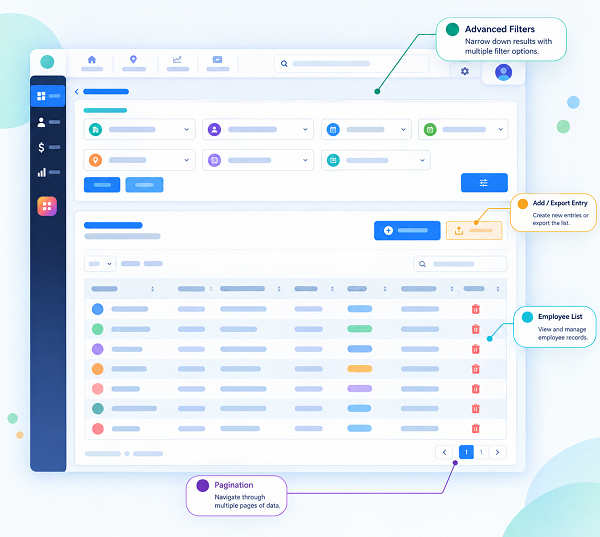
1. Real-Time Workforce Visibility
One of the biggest benefits of live employee tracking software is improved visibility into field operations.
Managers may be able to view the current or recently reported location of authorized employees through a centralized dashboard.
This can be particularly useful when employees are working at:
- Customer locations
- Construction sites
- Project sites
- Branch offices
- Warehouses
- Service locations
- Multiple field locations
Instead of relying entirely on phone calls or messages, managers can access relevant location information through the tracking system.
This helps provide a clearer picture of where field teams are working.
2. Better Management of Field Employees
Managing field employees is more difficult when managers cannot directly observe daily operations.
Live tracking can provide additional information about employee locations during authorized working periods.
For example, a service manager may have several technicians working across different customer locations.
The manager can use available location information along with employee schedules and assignments to coordinate field operations more effectively.
This is particularly useful for businesses with distributed or mobile workforces.
3. GPS-Based Attendance Tracking
Live tracking software can often work together with mobile attendance systems.
Field employees can record attendance using a smartphone application, with location information captured according to the organization's configured policies.
A typical process may be:
Open Mobile App → Employee Verification → GPS Location → Check-In → Attendance Recorded
This can help businesses maintain location-based attendance records when employees do not have access to a fixed biometric attendance machine.
For organizations using face attendance, the process may also combine:
Face Verification + GPS + Time + Attendance
Businesses should clearly inform employees about how location and attendance data are collected and used.
4. Improved Workforce Coordination
Field operations can change throughout the day.
A customer may request urgent service, an employee may become unavailable, or a project may require additional workforce support.
Live employee tracking can provide managers with useful location information when deciding how to coordinate available employees.
For example, a manager may consider:
- Employee location
- Employee availability
- Assigned shift
- Skills
- Current workload
- Customer location
This can help managers make faster and more informed workforce decisions.
5. Better Shift and Schedule Management
Live tracking becomes even more useful when integrated with shift management software.
Managers can assign employees to specific shifts and work locations.
For example:
| Employee | Shift | Assigned Location |
|---|---|---|
| Employee A | 8:00 AM – 5:00 PM | Customer Site A |
| Employee B | 9:00 AM – 6:00 PM | Project Site B |
| Employee C | 10:00 AM – 7:00 PM | Customer Site C |
Attendance and location information can then provide additional context about whether employees are working at their assigned locations.
This creates a connected workforce management process:
Shift Schedule → Employee Assignment → Attendance → Location → Working Hours
6. Supports Geofencing
Geofencing allows businesses to create virtual geographical boundaries around specific locations.
For example, a company can define a geofence around:
- Construction sites
- Customer locations
- Branch offices
- Warehouses
- Project locations
When an employee records attendance, the system may check whether the recorded location is within the configured boundary.
This can help organizations implement location-based attendance rules.
Geofencing should be used only where appropriate and should be explained clearly to employees.
7. Reduces Manual Reporting
Without a digital tracking system, field employees may need to report their locations manually through phone calls, WhatsApp messages, emails, or spreadsheets.
This can consume considerable administrative time.
Live tracking software can automate relevant location reporting during authorized work periods.
As a result, managers may spend less time collecting routine location information and more time managing actual field operations.
8. Helps Monitor Working Hours
Live employee tracking can complement attendance and working-hour management.
For example, an employee may have a scheduled shift from:
9:00 AM – 6:00 PM
The employee records attendance through a mobile application, and relevant location information is associated with the attendance event.
The system can then help managers compare scheduled and actual working hours.
This can help identify:
- Late check-ins
- Early check-outs
- Missing attendance
- Overtime
- Shift deviations
Location information should be treated as supporting workforce information and reviewed appropriately rather than being used as the sole basis for employment decisions.
9. Supports Multiple Locations
Businesses with employees working across different cities, branches, customer locations, and project sites can use live tracking to improve centralized workforce visibility.
For example, a company with employees working across 10 project sites may find it difficult to maintain accurate field information using separate spreadsheets.
A centralized tracking system can bring relevant workforce information into one dashboard.
Managers can organize employees according to:
- Location
- Department
- Team
- Shift
- Project
- Assignment
This can simplify distributed workforce management.
10. Improves Workforce Reporting and Decision-Making
Live tracking software can generate or contribute to workforce reports, depending on the platform.
Businesses may be able to analyze information related to:
- Employee attendance
- Location
- Working hours
- Shift assignments
- Field visits
- Geofence events
- Schedule deviations
- Workforce distribution
These insights can help managers identify operational patterns and make better workforce planning decisions.
For example, if a company regularly experiences staffing shortages at a particular project location, management can review workforce allocation and scheduling patterns.
Additional Benefits of Live Employee Tracking
In addition to the ten major benefits above, live employee tracking can support several other workforce management activities.
Employee Self-Service
A mobile employee application can allow employees to view their schedules, attendance, assignments, and other relevant information.
Faster Field Response
Managers can use available workforce information to respond more quickly to urgent field requirements.
Better Customer Service
Improved coordination of field employees can help businesses organize customer visits and service assignments more efficiently.
Centralized Workforce Management
Businesses can manage field employees, attendance, schedules, and location information through a centralized platform.
Live Employee Tracking and Attendance Software
Live tracking is particularly useful when integrated with employee attendance software.
A connected system may combine:
Employee Verification + GPS + Attendance + Shift + Working Hours
For example, a field technician can use a mobile application to record attendance at an assigned customer location.
The system may capture:
- Employee identity
- Check-in time
- Location
- Assigned shift
- Attendance status
This creates a more detailed attendance record than a simple manual register.
Live Employee Tracking and Payroll
Live tracking does not directly calculate employee salaries. However, it can complement attendance and working-hour systems.
A typical integrated workflow may be:
Shift Schedule → GPS Attendance → Working Hours → Overtime → Payroll
Attendance and working-hour information can then be transferred to payroll software where supported.
Payroll calculations should follow the organization's policies and applicable employment requirements.
Live Employee Tracking for Different Industries
Construction
Construction companies can use GPS-enabled attendance and location features for employees working across multiple project sites.
Field Service
Service technicians can be coordinated across customer locations based on available workforce information.
Sales
Sales representatives can use mobile attendance and location features while visiting customers, subject to company policy.
Logistics
Location information can help businesses coordinate mobile workforce operations.
Security Services
Security agencies managing employees across multiple client locations can use location-based attendance to support workforce administration.
Maintenance
Maintenance teams working across different facilities can benefit from centralized scheduling and field workforce visibility.
Privacy Considerations
Employee location data can be sensitive, so businesses should implement live tracking responsibly.
Important considerations include:
Explain the Purpose
Employees should understand why tracking is being used.
Define Tracking Hours
Businesses should clearly specify when tracking is active and avoid unnecessary tracking outside authorized work periods.
Limit Data Collection
Only information necessary for the defined business purpose should be collected.
Restrict Access
Location information should be available only to authorized users.
Protect Data
Businesses should implement appropriate security measures to protect employee location information.
Define Retention Periods
Organizations should establish how long location information is retained and securely dispose of it when no longer required, subject to applicable requirements.
Follow Applicable Requirements
Businesses should review relevant privacy, employment, and data-protection requirements before implementing location tracking.
Best Practices for Using Live Tracking Software
To get the most value from live employee tracking, businesses should:
- Define a clear business purpose.
- Inform employees about the tracking process.
- Track only during appropriate work periods.
- Integrate tracking with attendance and shift management.
- Use geofencing where operationally necessary.
- Limit access to authorized managers.
- Protect location information.
- Review location exceptions before taking action.
- Give employees access to relevant attendance and schedule information.
- Regularly review whether the tracking system is meeting business needs.
How to Choose Live Employee Tracking Software
Before selecting a solution, businesses should evaluate the following features:
- GPS tracking
- Mobile attendance
- Face verification, if required
- Geofencing
- Shift management
- Employee scheduling
- Leave management
- Employee mobile app
- Location history
- Attendance reports
- Working-hour reports
- Overtime tracking
- Multiple-location management
- Payroll integration
- Security and access controls
Businesses should select features based on their workforce requirements rather than choosing a system solely because it offers more tracking capabilities.
Example of Live Employee Tracking
Consider a company with 30 field service employees.
Each employee receives a daily schedule through the company's mobile application.
The employee can:
- View the assigned shift.
- View the customer location.
- Travel to the assigned site.
- Record attendance through the mobile app.
- Provide location information according to company policy.
- Complete the assigned service work.
- Record check-out.
The manager can access relevant workforce information from a centralized dashboard.
Attendance and working-hour data can then be used for workforce reporting and, where integrated, payroll processing.
This reduces the need for employees to manually report every location update and gives managers better visibility into field operations.
Conclusion
Live employee tracking software can help businesses improve visibility, coordination, attendance management, scheduling, and field workforce operations.
The ten major benefits include:
- Real-time workforce visibility
- Better field employee management
- GPS-based attendance
- Improved workforce coordination
- Better shift and schedule management
- Geofencing support
- Reduced manual reporting
- Better working-hour visibility
- Multiple-location support
- Improved workforce reporting
For organizations managing field employees, combining live tracking with attendance software, face attendance, shift management, employee mobile applications, and payroll systems can create a more connected workforce management process.
However, effective tracking should always balance business needs with employee privacy. Clear policies, transparent communication, appropriate tracking periods, restricted access, and responsible data management are essential.
When implemented responsibly, live employee tracking can help businesses manage distributed teams more efficiently, improve field workforce coordination, and reduce the administrative challenges of managing employees across multiple locations.
Using the InnBuilt Employee Tracking App improves field visibility, task coordination, attendance accuracy, safety response, route accountability, and work records.