Attendance Software for Hospitals
Attendance Software for Hospitals
Managing employee attendance in a hospital is more complex than in a typical office. Hospitals operate 24/7, require multiple shifts, and have employees working across different departments and locations. Doctors, nurses, technicians, administrative staff, security personnel, housekeeping teams, and other healthcare workers may all follow different schedules.
Traditional attendance methods such as paper registers and Excel spreadsheets can become difficult to manage when employee numbers and shift requirements increase.
Attendance Software for Hospitals helps healthcare organizations digitally manage employee attendance, shifts, working hours, leave, overtime, and payroll-related attendance data.
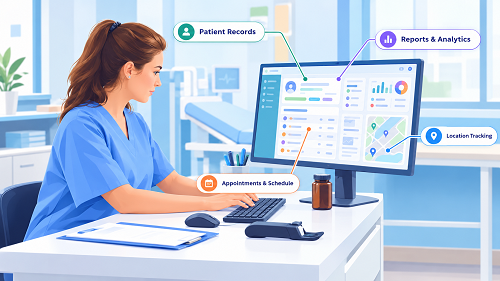
Why Hospitals Need Attendance Management Software
Hospitals typically operate continuously, which means employees may work:
- Morning shifts
- General shifts
- Evening shifts
- Night shifts
- Rotating shifts
- On-call schedules
A hospital may also have employees working across:
- Emergency department
- ICU
- General wards
- Laboratory
- Pharmacy
- Radiology
- Administration
- Security
- Housekeeping
- Maintenance
Managing attendance for all these employees manually can create a significant administrative workload.
Attendance software provides a centralized system for recording and managing employee attendance.
What Is Attendance Software for Hospitals?
Attendance Management Software is a digital solution that records employee check-in and check-out information and helps HR manage attendance-related processes.
Depending on the software, employees can record attendance through:
- Biometric devices
- Fingerprint
- Face recognition
- Mobile application
- Web application
- GPS-enabled attendance
- Other authorized attendance methods
A typical workflow is:
Employee Check-In → Attendance Recorded → Shift & Working Hours → Leave/Overtime → Approval → Payroll
1. 24/7 Shift Management
The most important requirement for hospitals is reliable shift management.
A hospital may operate shifts such as:
| Shift | Timing |
|---|---|
| Morning | 6 AM–2 PM |
| General | 9 AM–6 PM |
| Evening | 2 PM–10 PM |
| Night | 10 PM–6 AM |
Attendance software can assign employees to the appropriate shift and calculate attendance according to configured rules.
2. Night-Shift Attendance
Night shifts are common in hospitals.
For example:
Check-In: 10:00 PM
Check-Out: 6:00 AM next day
Because the shift crosses midnight, attendance software needs to correctly associate both punches with the same shift.
Hospitals should test overnight attendance scenarios before selecting a solution.
3. Biometric Attendance
Biometric attendance can be useful for hospital employees working at fixed locations.
Depending on the device and software, employees may use:
- Fingerprint
- Face recognition
A typical process is:
Employee Arrives → Biometric Verification → Attendance Recorded
Before implementation, hospitals should consider privacy, security, access control, and any applicable requirements for biometric data.
4. Mobile Attendance
Mobile attendance can be useful for:
- Doctors
- Nurses working across locations
- Field healthcare workers
- Visiting staff
- Maintenance teams
- Administrative employees
Depending on the software, employees may be able to:
- Check in
- Check out
- View attendance
- Apply leave
- Request attendance correction
5. Department-Wise Attendance
Hospitals have many departments.
For example:
- Emergency
- ICU
- Surgery
- Pharmacy
- Laboratory
- Radiology
- Administration
- Security
- Housekeeping
Attendance software can provide department-wise attendance reports.
This allows HR and management to understand workforce availability across departments.
6. Nurse Shift Management
Nursing teams often operate according to scheduled shifts.
Attendance software can help assign and monitor shifts for nurses.
For example:
Nurse A → Morning Shift
Nurse B → Evening Shift
Nurse C → Night Shift
Shift schedules can be updated when staffing requirements change, depending on the software.
7. Doctor Attendance
Doctors may follow different working arrangements from other hospital employees.
Depending on the hospital's requirements, attendance software can help track:
- Scheduled attendance
- Check-in/check-out
- Working hours
- Leave
- Attendance history
Hospitals should select attendance rules that reflect the actual employment and scheduling arrangements of their medical staff.
8. Rotating Shifts
Hospital staff may rotate between different shifts.
For example:
Week 1 → Morning
Week 2 → Evening
Week 3 → Night
Manually managing these schedules can be difficult for HR.
Attendance software can make it easier to assign and update employee shift schedules.
9. Leave Management
Hospitals need to manage employee leave without losing visibility into staffing.
Employees can submit leave requests through supported systems.
A typical workflow is:
Employee Applies Leave → Manager Approval → Leave Balance Updated → Attendance Updated
This can reduce manual leave tracking.
10. Attendance Regularization
Employees may occasionally forget to check in or check out.
For example:
The employee worked a full shift but missed the check-out punch.
Instead of directly editing the record, the system can provide a regularization process:
Missing Punch → Employee Request → Manager Approval → Attendance Updated
This creates better control over attendance changes.
11. Overtime Tracking
Hospital employees may sometimes work beyond scheduled hours.
For example:
Scheduled Hours: 8 hours
Actual Hours: 10 hours
Potential Overtime: 2 hours
Attendance software can identify potential overtime according to configured rules and route it for approval.
Actual overtime eligibility and payment should follow the hospital's policies and applicable employment requirements.
12. On-Call and Special Schedules
Some healthcare employees may have on-call or special scheduling arrangements.
Hospitals should check whether their chosen software supports the scheduling workflows they actually use.
Not every attendance system is designed to handle complex medical staffing patterns.
Where on-call time is relevant to compensation or compliance, the hospital should configure the system according to its applicable policies and requirements.
13. Working-Hour Calculation
Attendance software can automatically calculate working hours based on check-in and check-out records.
For example:
Check-In: 8:00 AM
Check-Out: 5:00 PM
Break: According to hospital policy
The system calculates the working time according to configured rules.
This can reduce manual calculations by HR.
14. Late Coming and Early Leaving
Hospitals may need to monitor punctuality, particularly for scheduled shifts.
For example:
Shift Start: 7:00 AM
Employee Check-In: 7:20 AM
The software can flag late attendance based on configured rules.
Similarly, early departure can be recorded and reported.
15. Payroll Integration
Attendance can affect payroll through:
- Working days
- Paid leave
- Unpaid leave
- Overtime
- Attendance-related deductions
A connected workflow can be:
Attendance → Leave → Overtime → Approval → Payroll
Integration can reduce manual transfer of attendance data into payroll.
Before selecting software, hospitals should confirm what attendance information can be integrated into their payroll system.
16. Employee Self-Service
Employee self-service can reduce routine HR questions.
Hospital employees may be able to access:
- Attendance
- Working hours
- Leave balance
- Leave history
- Overtime
- Attendance corrections
This gives employees more visibility into their attendance records.
17. Multi-Location Hospital Management
Large healthcare organizations may operate:
- Main hospital
- Branch hospitals
- Diagnostic centres
- Clinics
- Pharmacies
- Administrative offices
Attendance software can centralize employee attendance across locations.
For example:
Hospital A / Hospital B / Clinic / Diagnostic Centre → Central Attendance System → HR Dashboard
18. Shift-Wise Attendance Reports
Hospital management may need to know how many employees are available during each shift.
For example:
| Shift | Scheduled | Present | Absent |
|---|---|---|---|
| Morning | 75 | 72 | 3 |
| Evening | 68 | 65 | 3 |
| Night | 50 | 48 | 2 |
Such reports can help management monitor staffing availability.
Attendance information should support workforce planning, but should not be treated as a substitute for clinical staffing and patient-safety protocols.
19. Department-Wise Reports
HR can generate attendance reports by department.
For example:
ICU
Present: 24
Absent: 2
Emergency
Present: 31
Absent: 1
Laboratory
Present: 18
Absent: 2
This can provide management with a clearer view of workforce attendance.
20. Mobile and Field Healthcare Workers
Some healthcare organizations have employees working outside the main hospital.
Examples include:
- Home healthcare teams
- Community healthcare workers
- Mobile medical teams
- Field technicians
Mobile attendance can help organizations record attendance for these employees where appropriate.
GPS or location-based attendance may also be available in some systems.
Organizations should establish transparent location-tracking policies and comply with applicable privacy requirements.
21. Attendance Dashboard
A centralized dashboard can provide a quick view of employee attendance.
It may show:
- Total employees
- Present
- Absent
- Employees on leave
- Late employees
- Missing punches
- Overtime
- Shift-wise attendance
- Department-wise attendance
This can help HR and authorized managers identify attendance issues quickly.
22. Attendance Reports
A hospital attendance system should ideally provide reports such as:
Daily Attendance Report
Shows employee attendance for a selected date.
Monthly Attendance Report
Provides monthly attendance summaries.
Shift-Wise Report
Shows attendance by shift.
Department-Wise Report
Shows attendance by department.
Late Coming Report
Identifies employees who arrived late.
Early Leaving Report
Shows employees leaving before their scheduled time.
Overtime Report
Shows approved or potential overtime.
Leave Report
Provides employee leave information.
Working-Hours Report
Shows employee working hours.
23. Cloud-Based Attendance Software
Cloud-based attendance software can be useful for hospital groups operating multiple locations.
Authorized HR users can access centralized attendance information from supported devices.
Potential benefits include:
- Centralized data
- Multi-location management
- Remote access
- Automated updates
- Centralized reports
Hospitals should evaluate security, availability, backup procedures, data handling, and access controls before selecting a cloud provider.
24. Offline Attendance Support
Hospital operations cannot always depend on uninterrupted internet connectivity.
Hospitals should ask: What happens if the network goes down?
Some systems or attendance devices can temporarily store attendance information and synchronize it once connectivity returns.
This feature should be tested in the hospital's actual environment before deployment.
25. Data Security and Privacy
Hospitals handle highly sensitive information, so access to attendance data should be properly controlled.
Attendance software should ideally provide:
- Role-based access
- Authentication
- Permission management
- Audit logs
- Secure data transmission
- Data backups
For example:
Employee → Own Attendance
Department Manager → Team Attendance
HR → Employee Attendance
Administrator → Organization-Wide Reports
Hospitals should also evaluate whether the system's data practices meet applicable privacy and security requirements.
26. Audit Trail
Attendance records may need to be corrected.
For example:
Original Record → Correction Request → Approval → Updated Record
An audit trail can record:
- Who requested the change
- Who approved it
- When it was approved
- What was changed
This improves accountability and helps HR review attendance modifications.
27. Attendance for Different Employee Categories
A hospital may have:
- Doctors
- Nurses
- Technicians
- Pharmacists
- Administrative staff
- Security
- Housekeeping
- Drivers
- Maintenance teams
Different groups may have different attendance policies.
A flexible attendance system should allow the hospital to configure appropriate schedules and rules for different employee categories.
28. Integration With HR and Payroll
Attendance should ideally connect with the broader employee management process.
A complete workflow can be:
Employee Master → Shift Assignment → Attendance → Leave → Overtime → Approval → Payroll → Payslip
This can reduce duplicate employee data entry and simplify monthly payroll processing.
Best Features to Look for in Hospital Attendance Software
| Feature | Importance |
|---|---|
| 24/7 shift management | Very High |
| Night-shift support | Very High |
| Biometric integration | High |
| Mobile attendance | High |
| Rotating shifts | Very High |
| Leave management | High |
| Overtime tracking | High |
| Attendance regularization | High |
| Department-wise reports | Very High |
| Shift-wise reports | Very High |
| Multiple locations | High |
| Payroll integration | Very High |
| Employee self-service | High |
| Role-based access | Very High |
| Audit trail | High |
| Security | Very High |
| Offline support | High |
| Scalability | Very High |
Biometric vs. Mobile Attendance for Hospitals
Hospitals may benefit from using more than one attendance method.
| Requirement | Biometric | Mobile |
|---|---|---|
| Fixed hospital location | Excellent | Good |
| Nurses | Excellent | Good |
| Doctors | Good | Useful for mobile staff |
| Field workers | Limited | Excellent |
| Fingerprint | Yes | No |
| Face recognition | Supported devices | Some apps may support it |
| GPS | Not primary | Available in some systems |
| Multi-location | Possible | Useful |
| Remote employees | Limited | Excellent |
A hybrid approach may be suitable:
Hospital Staff → Biometric
Field Healthcare Workers → Mobile
Administrative/Remote Staff → Web or Mobile
The exact setup should match the organization's policies and operational requirements.
Common Attendance Challenges in Hospitals
1. Multiple Shifts
Managing morning, evening, and night shifts manually can be difficult.
2. Overnight Attendance
Cross-midnight shifts require correct attendance calculations.
3. Shift Changes
Employee schedules may change frequently.
4. Missing Punches
Employees may forget to check in or check out.
5. Overtime
Extra working hours need to be tracked and approved accurately.
6. Multiple Departments
HR may need department-wise attendance reports.
7. Multiple Locations
Hospital groups may need centralized attendance.
8. Payroll Reconciliation
Incorrect attendance can affect payroll calculations.
Attendance software can help organize these processes through automated workflows.
Example of Hospital Attendance Workflow
Consider a nurse working a night shift.
Shift: 10 PM–6 AM
Step 1
The nurse checks in at 9:55 PM.
Step 2
The attendance system records the check-in.
Step 3
The nurse completes the shift.
Step 4
The nurse checks out at 6:05 AM.
Step 5
The system calculates working hours according to configured rules.
Step 6
Any overtime is identified for review where applicable.
Step 7
Approved attendance information can flow into payroll.
This is much more efficient than manually calculating attendance from paper records.
Conclusion
Attendance Software for Hospitals helps healthcare organizations manage employee attendance in a structured and centralized way.
Because hospitals operate around the clock, the most important capabilities include 24/7 shift management, night-shift support, rotating schedules, biometric attendance, mobile attendance, department-wise reporting, leave management, overtime tracking, attendance regularization, multi-location management, payroll integration, and strong access controls.
A practical hospital attendance workflow can be:
Employee Check-In → Shift-Based Attendance → Working Hours → Leave/Overtime → Approval → Payroll
For large hospital groups, centralized attendance can provide HR with better visibility across departments and locations.
The right system should be selected based on the hospital's workforce size, shift structure, departments, locations, attendance methods, payroll requirements, security needs, and future growth.
Most importantly, hospitals should test real-world scenarios before implementation, including night shifts, missed punches, shift changes, overtime, leave, multiple departments, multiple locations, and network interruptions. This helps ensure that the selected attendance software works effectively in the demanding 24/7 healthcare environment.
Round-the-clock hospital staffing is easier with InnBuilt Shift and Attendance Software managing doctors, nurses, technicians, night duties, overtime, and department-wise schedules.