Attendance Software for Retail Businesses
Attendance Software for Retail Businesses
Managing employee attendance in a retail business can be challenging, especially when the organization operates multiple stores, different shifts, extended working hours, weekends, and holidays. Retail employees often work according to store schedules rather than traditional office timings.
Cashiers, sales associates, store managers, warehouse employees, security personnel, and other staff may have different working hours. Managing their attendance using paper registers or Excel spreadsheets can become time-consuming and difficult as the business grows.
Attendance Software for Retail Businesses helps automate employee attendance, shift scheduling, working-hour calculation, leave management, overtime tracking, and payroll-related attendance processing.
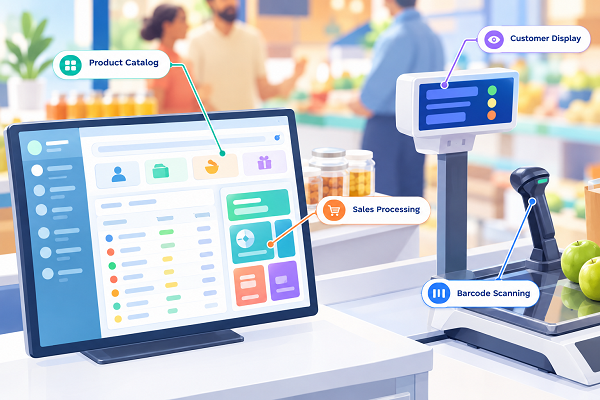
Why Retail Businesses Need Attendance Software
Retail businesses typically have employees working across:
- Retail stores
- Shopping malls
- Supermarkets
- Warehouses
- Distribution centres
- Head offices
- Multiple branches
A retail chain may have hundreds of employees spread across different locations.
For example:
Store A → 15 Employees
Store B → 20 Employees
Store C → 12 Employees
Store D → 25 Employees
Managing attendance separately at each store can create challenges for HR. Attendance software provides a centralized way to manage attendance across stores and locations.
What Is Attendance Software for Retail Businesses?
Attendance Management Software is a digital system that records employee attendance and helps businesses manage working hours, shifts, leave, overtime, and attendance reports.
Employees may record attendance using:
- Biometric devices
- Fingerprint
- Face recognition
- Mobile applications
- Web applications
- GPS-enabled attendance
- Other supported methods
A typical workflow is:
Employee Check-In → Attendance Recorded → Working Hours Calculated → Leave/Overtime → Approval → Payroll
The exact attendance method depends on the retail business and software selected.
1. Multi-Store Attendance Management
One of the biggest benefits for retail businesses is centralized attendance management.
For example:
| Store | Employees | Present |
|---|---|---|
| Store A | 25 | 23 |
| Store B | 30 | 28 |
| Store C | 18 | 17 |
| Store D | 22 | 20 |
HR can view attendance by:
- Store
- Location
- Department
- Employee
- Manager
This can provide better visibility across the retail network.
2. Shift Management
Retail employees commonly work different shifts.
For example:
| Shift | Timing |
|---|---|
| Morning | 8 AM–4 PM |
| General | 10 AM–7 PM |
| Evening | 2 PM–10 PM |
| Closing | 3 PM–11 PM |
Attendance software can allow HR to configure different shifts and assign employees according to store schedules. This is especially useful for businesses operating extended hours.
3. Rotating Shifts
Retail employees may rotate between shifts depending on staffing requirements.
For example:
Week 1 → Morning Shift
Week 2 → Evening Shift
Week 3 → Closing Shift
Managing these schedules manually can become difficult. Attendance software can help HR and store managers maintain shift assignments and process attendance according to the configured schedule.
4. Store-Based Attendance
Retail businesses may want employees to record attendance only at their assigned store.
Depending on the software, this can be managed through:
- Store-specific biometric devices
- Mobile attendance
- GPS
- Geofencing
For example:
Employee Assigned to Store A → Attendance at Store A
This can provide greater control over location-based attendance.
5. GPS and Geofencing
Mobile attendance software may offer GPS or geofencing capabilities. A business can define an approved attendance area around a store.
For example:
Retail Store → Defined Geofence → Employee Check-In
The system may verify whether the employee is within the permitted area when attendance is recorded. Retail businesses should maintain clear employee policies regarding location tracking and comply with applicable privacy requirements.
6. Biometric Attendance
Biometric attendance can be useful for employees working at fixed retail locations.
Depending on the hardware, employees may use:
- Fingerprint
- Face recognition
The process is simple:
Employee Arrives → Biometric Verification → Check-In
At the end of the shift:
Employee Leaves → Biometric Verification → Check-Out
Businesses should verify that their existing biometric devices are compatible with the selected software.
7. Mobile Attendance
Mobile attendance can be useful for:
- Sales representatives
- Field sales employees
- Area managers
- Employees working across stores
- Temporary retail staff
Depending on the software, employees can use a mobile application to:
- Check in
- Check out
- View attendance
- Apply leave
- Request attendance corrections
8. Late Coming and Early Leaving
Retail businesses depend heavily on employees being available during store operating hours.
For example:
Store Shift: 10:00 AM
Employee Check-In: 10:20 AM
The system can identify late attendance according to the configured grace period. Similarly, early departures can be recorded. Managers can generate reports to identify recurring attendance issues.
9. Working-Hour Calculation
Attendance software can automatically calculate employee working hours.
For example:
Check-In: 10:00 AM
Check-Out: 7:00 PM
Break: According to company policy
The system calculates working hours based on configured rules. This can reduce manual calculations by HR and store managers.
10. Overtime Tracking
Retail employees may work beyond scheduled hours during:
- Festival seasons
- Sales events
- Stock clearance
- Store openings
- Inventory activities
- Peak shopping periods
For example:
Scheduled: 8 hours
Actual: 10 hours
Potential Overtime: 2 hours
Attendance software can identify potential overtime and route it through an approval process. Actual overtime payment should follow the employer's policy and applicable employment requirements.
11. Weekend and Holiday Scheduling
Retail stores often operate on weekends and public holidays.
Attendance software can help configure:
- Weekly offs
- Holiday calendars
- Store-specific schedules
- Employee-specific schedules
This allows attendance to be processed according to the organization's scheduling rules.
12. Leave Management
Retail employees may submit leave requests through the attendance system.
For example:
Employee Applies Leave → Store Manager Reviews → Leave Approved → Attendance Updated → Payroll Updated Where Applicable
This can reduce manual leave tracking.
13. Attendance Regularization
Employees may occasionally forget to punch in or punch out.
For example:
Employee Worked Full Shift → Missing Check-Out
Instead of directly modifying the record, the employee can submit a regularization request where supported.
The workflow can be:
Missing Punch → Employee Request → Manager Approval → Attendance Updated
An audit trail can record the change.
14. Store Manager Approval
Store managers often supervise employees directly.
Attendance software can allow managers to review:
- Team attendance
- Leave requests
- Attendance corrections
- Overtime
- Late coming
- Early leaving
A typical workflow is:
Employee → Store Manager → HR
This reduces the administrative burden on central HR teams.
15. Employee Self-Service
Employee self-service allows retail workers to access their attendance information.
Depending on the software, employees may be able to:
- View attendance
- Check working hours
- Apply for leave
- View leave balance
- Submit attendance corrections
- View attendance history
This can reduce repetitive HR questions.
16. Payroll Integration
Attendance information can affect retail payroll through:
- Working days
- Paid leave
- Unpaid leave
- Overtime
- Attendance-based deductions
An integrated process can be:
Attendance → Leave → Overtime → Approval → Payroll
This can reduce duplicate data entry and help payroll teams work with structured attendance information.
17. Attendance for Part-Time Employees
Retail businesses often employ part-time workers.
For example:
Part-Time Shift: 5 PM–10 PM
Attendance software can help track their actual attendance and working hours according to their assigned schedule. Businesses should configure part-time employee rules according to their employment terms.
18. Temporary and Seasonal Workers
Retail businesses often hire temporary staff during busy periods.
Examples include:
- Festival sales
- Holiday seasons
- New store openings
- Promotional events
- Inventory periods
Attendance software can help HR add temporary employees and track their attendance during the required period.
19. Warehouse and Back-Office Attendance
Retail attendance management is not limited to store employees. Businesses may also have:
- Warehouse workers
- Inventory teams
- Delivery staff
- Administrative employees
- Customer service teams
- Finance and HR employees
A centralized system can manage attendance across these different employee groups.
20. Multi-Location Attendance Reports
Retail management may want to compare attendance across stores.
For example:
| Store | Present | Absent | Late |
|---|---|---|---|
| Store A | 23 | 2 | 3 |
| Store B | 28 | 2 | 4 |
| Store C | 17 | 1 | 1 |
| Store D | 20 | 2 | 5 |
Such reports can help identify stores with recurring attendance issues.
21. Attendance Dashboard
A centralized dashboard can show:
- Total employees
- Present employees
- Absent employees
- Employees on leave
- Late employees
- Missing punches
- Overtime
- Store-wise attendance
This gives HR and management a quick overview.
22. Shift-Wise Attendance Reports
Retail management may want to know attendance by shift.
For example:
Morning Shift
Scheduled: 50
Present: 48
Absent: 2
Evening Shift
Scheduled: 65
Present: 61
Absent: 4
This can help managers identify staffing gaps.
23. Department-Wise Attendance
A retail business may have several departments. For example:
- Sales
- Cashier
- Customer Service
- Inventory
- Security
- Warehouse
Attendance software can generate department-wise attendance reports. This can help management understand workforce availability across different functions.
24. Cloud-Based Attendance Software
Cloud-based attendance software can be useful for retail chains operating across multiple cities. Authorized HR users can access centralized information from supported devices.
Potential advantages include:
- Centralized attendance
- Multi-store management
- Remote access
- Centralized reporting
- Easier updates
- Employee self-service
Before choosing a cloud platform, businesses should evaluate its security, data handling, availability, backup, and access-control practices.
25. Offline Attendance Support
Some stores may experience temporary internet connectivity problems.
Retail businesses should ask: What happens if the internet connection is unavailable?
Some attendance systems or devices can temporarily store attendance information and synchronize it after connectivity is restored. Businesses should test this capability before implementation.
26. Attendance Data Security
Attendance data should be protected against unauthorized access. Look for features such as:
- Role-based access
- Authentication
- Permissions
- Audit logs
- Data backups
- Secure data transmission
For example:
Employee → Own Attendance
Store Manager → Store Employees
Area Manager → Assigned Stores
HR → Organization-Wide Attendance
This provides access according to responsibilities.
27. Audit Trail
Attendance records may occasionally be changed.
For example:
Original Attendance → Correction Request → Manager Approval → Updated Attendance
An audit trail can record:
- Who requested the change
- Who approved it
- When it was approved
- What was modified
This can improve transparency.
28. Attendance for Retail Sales Teams
Some retail businesses have employees who work across stores or outside the main branch.
Examples include:
- Area sales executives
- Territory managers
- Merchandising teams
- Brand representatives
Mobile attendance can be useful for these employees where appropriate.
29. Attendance for New Store Openings
When a new store opens, HR may need to quickly onboard a new group of employees.
A digital attendance system can help with:
Employee Creation → Store Assignment → Shift Assignment → Attendance Setup
This can make the process more structured.
30. Attendance During Peak Seasons
Retail businesses often experience significant increases in workforce requirements during peak periods.
For example:
- Festival seasons
- Holiday shopping
- Promotional campaigns
- End-of-season sales
Attendance software can help managers monitor whether scheduled employees are available. This can be especially useful when temporary and seasonal employees are involved.
Best Features to Look for in Retail Attendance Software
| Feature | Importance |
|---|---|
| Multi-store management | Very High |
| Shift management | Very High |
| Mobile attendance | High |
| Biometric integration | High |
| GPS/geofencing | Useful |
| Overtime tracking | High |
| Leave management | High |
| Attendance regularization | High |
| Store-wise reports | Very High |
| Employee self-service | High |
| Payroll integration | Very High |
| Multiple-location support | Very High |
| Role-based access | Very High |
| Audit trail | High |
| Offline support | Useful |
| Cloud access | High |
| Scalability | Very High |
Biometric vs. Mobile Attendance for Retail Businesses
Retail companies may use different attendance methods depending on the employee's work environment.
| Requirement | Biometric | Mobile |
|---|---|---|
| Fixed retail store | Excellent | Good |
| Warehouse | Excellent | Good |
| Field employees | Limited | Excellent |
| Fingerprint | Yes | No |
| Face recognition | Supported devices | Some apps |
| GPS | Not primary | Available in some systems |
| Multi-store | Possible | Useful |
| Temporary workers | Good | Good |
A hybrid approach can work well:
Store Employees → Biometric
Field Employees → Mobile
Area Managers → Mobile
Warehouse Staff → Biometric
Common Attendance Problems in Retail Businesses
Manual Registers
Paper attendance can be difficult to consolidate across multiple stores.
Excel-Based Attendance
Separate spreadsheets can lead to duplicate or inconsistent records.
Late Coming
Employees arriving late can affect store operations.
Early Leaving
Unexpected early departures may create staffing gaps.
Shift Changes
Frequent shift changes can make manual attendance processing difficult.
Seasonal Workers
Temporary employees require efficient onboarding and attendance tracking.
Multiple Locations
Central HR teams may struggle to collect attendance from every store.
Payroll Errors
Incorrect attendance data can affect salary calculations.
Attendance software can help automate many of these processes.
Example of Retail Attendance Workflow
Consider an employee working at a retail store.
Step 1: Employee Arrives
The employee checks in using a biometric device or supported mobile attendance method.
Step 2: Attendance Is Recorded
The system records the attendance against the employee's assigned store and shift.
Step 3: Working Hours Are Calculated
Check-in and check-out records are used to calculate working hours according to configured rules.
Step 4: Leave or Overtime Is Processed
Approved leave and overtime are incorporated into attendance processing.
Step 5: Manager Reviews
The store manager reviews exceptions where required.
Step 6: Payroll
Approved attendance information can be transferred to payroll where integration is available.
Conclusion
Attendance Software for Retail Businesses helps organizations manage employee attendance across stores, warehouses, offices, and field locations.
The most important features for retail businesses include multi-store management, shift scheduling, biometric and mobile attendance, GPS/geofencing where appropriate, overtime tracking, leave management, attendance regularization, store-wise reporting, employee self-service, and payroll integration.
A practical retail attendance workflow can be:
Employee Check-In → Store/Shift Attendance → Working Hours → Leave & Overtime → Manager Approval → Payroll
For a growing retail chain, centralized attendance software can provide HR and management with better visibility into workforce availability across locations.
The right solution should be selected based on the retailer's number of stores, employee strength, shift structure, workforce type, attendance methods, payroll requirements, connectivity, security needs, and future expansion plans.
Before implementation, businesses should test real-world scenarios such as multiple stores, shift changes, late coming, early leaving, temporary employees, overtime, missing punches, store transfers, and internet interruptions. This helps ensure the attendance system is practical for day-to-day retail operations.
Retail businesses can track multiple stores, rotating shifts, weekly offs, and peak-hour staffing through InnBuilt Attendance Management Software. Head office receives consolidated, payroll-ready records.