Attendance Software vs. Excel: Which Is Better for HR?
Attendance Software vs. Excel: Which Is Better for HR?
Managing employee attendance is one of the regular responsibilities of HR teams. Businesses need accurate records of employee check-ins, check-outs, working hours, leave, overtime, late coming, and absences. This information may also be used for payroll processing.
Many small businesses start by using Excel spreadsheets because they are inexpensive and familiar. As the workforce grows, however, maintaining attendance manually can become time-consuming and difficult to control.
Attendance Management Software provides an alternative by automating attendance tracking, calculations, approvals, reporting, and payroll integration.
So, which is better for HR—Attendance Software or Excel?
The answer depends on the size and complexity of the organization, but for businesses with growing or distributed workforces, dedicated attendance software generally provides more automation and control.
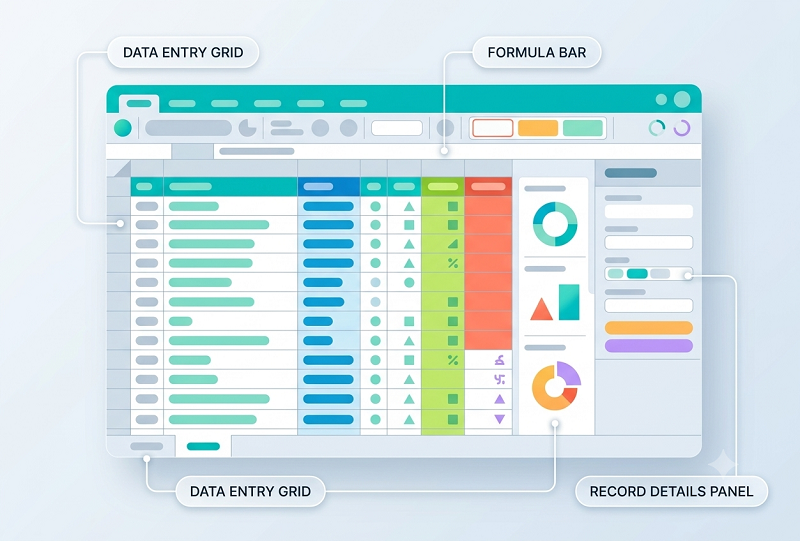
What Is Excel-Based Attendance Management?
With Excel, HR creates spreadsheets to record employee attendance.
A typical attendance sheet may contain:
| Employee | 1 | 2 | 3 | 4 | 5 | Total |
|---|---|---|---|---|---|---|
| Employee A | P | P | A | P | P | 4 |
| Employee B | P | L | P | P | P | 4 |
HR may use formulas to calculate:
- Present days
- Absent days
- Leave
- Working days
- Working hours
- Overtime
- Attendance percentage
Excel can work well for a small workforce with straightforward attendance requirements.
However, as employee numbers and attendance rules increase, spreadsheet management can become more complicated.
What Is Attendance Management Software?
Attendance Management Software is a dedicated system designed to automate employee attendance tracking and related HR processes.
Depending on the solution, employees may record attendance through:
- Biometric devices
- Mobile applications
- Web browsers
- GPS-enabled attendance
- Face recognition
- QR codes
The system can then process attendance information automatically.
A typical workflow is:
Employee Check-In → Attendance Processing → Working Hours → Leave & Overtime → Approval → Payroll
Attendance Software vs. Excel: Quick Comparison
| Feature | Excel | Attendance Software |
|---|---|---|
| Attendance entry | Manual | Automated/digital |
| Working-hour calculation | Formula-based | Automated |
| Leave management | Usually separate | Integrated in many systems |
| Overtime | Manual/configurable formulas | Automated/configurable |
| Shift management | Difficult | Supported |
| Mobile attendance | No | Often available |
| Biometric integration | Limited/manual import | Common in many systems |
| GPS attendance | Not native | Available in some systems |
| Multi-location | Difficult | Easier |
| Employee self-service | Limited | Available |
| Approval workflow | Manual | Automated |
| Reports | Manual | Automated |
| Payroll integration | Import/export | Available in many systems |
| Audit trail | Limited | Usually available |
| Scalability | Limited | Better suited to growing teams |
1. Attendance Data Entry
Excel
HR or employees may need to manually enter attendance information.
This can create problems such as:
- Incorrect entries
- Missing records
- Duplicate entries
- Typing errors
Attendance Software
Attendance can be captured electronically through supported methods such as biometric devices, mobile applications, or web check-in.
This reduces manual attendance entry.
Advantage: Attendance Software
2. Working-Hour Calculation
Calculating working hours in Excel requires formulas.
For example:
- Check-In: 9:05 AM
- Check-Out: 6:15 PM
- Break: 1 hour
HR may need formulas to calculate net working hours. Attendance software can perform these calculations automatically based on configured policies.
This becomes particularly useful when there are:
- Multiple shifts
- Different break rules
- Grace periods
- Overtime
- Night shifts
Advantage: Attendance Software
3. Leave Management
Excel can be used to maintain leave balances, but HR generally needs separate sheets or processes for:
- Leave applications
- Approvals
- Leave balances
- Leave history
Attendance software can connect leave with attendance.
For example:
Employee Applies Leave → Manager Approves → Attendance Updated
This reduces duplicate data entry.
Advantage: Attendance Software
4. Overtime Tracking
Tracking overtime in Excel can become difficult when employees have different shifts or overtime policies.
HR may need to calculate:
Actual Working Hours − Scheduled Hours = Potential Overtime
Attendance software can automatically identify potential overtime based on configured rules. A manager can then review and approve it before payroll.
Advantage: Attendance Software
5. Shift Management
Excel can store shift schedules, but managing multiple shifts manually can be complicated.
Consider a business with:
- Morning shift
- General shift
- Evening shift
- Night shift
Attendance software can assign employees to specific shifts and process attendance according to those schedules.
Advantage: Attendance Software
6. Night-Shift Employees
Night shifts can cross midnight.
For example:
- Check-In: 10 PM
- Check-Out: 6 AM next day
Excel formulas can handle this, but they need to be designed correctly. Attendance software built for shift management can process overnight attendance according to configured rules.
This is particularly useful for:
- Security companies
- Hospitals
- Manufacturing
- BPOs
- Logistics
- Hospitality
Advantage: Attendance Software
7. Multiple Locations
Excel becomes increasingly difficult to manage when employees work across different locations.
For example:
- Head Office
- Branch A
- Branch B
- Warehouse
HR may receive several attendance files and need to consolidate them. A centralized attendance system can collect attendance information from multiple locations.
Advantage: Attendance Software
8. Remote and Field Employees
Excel is not designed for real-time mobile attendance tracking.
Employees working remotely or in the field may need to send attendance information to HR manually.
Mobile attendance software can allow employees to record attendance through their phones, depending on the system. Possible features include:
- Mobile check-in
- GPS
- Geofencing
- Location verification
- Attendance history
Advantage: Attendance Software
9. Attendance Regularization
Employees may forget to check in or check out.
With Excel, HR may manually edit the attendance record. This can make it difficult to track who changed the record and why.
Attendance software can provide an approval workflow:
Employee → Regularization Request → Manager Approval → Attendance Updated
An audit trail can also record the change.
Advantage: Attendance Software
10. Employee Self-Service
Excel generally requires HR to distribute or share attendance information manually.
Attendance software may allow employees to access their own:
- Attendance
- Working hours
- Leave balance
- Leave history
- Overtime
- Regularization requests
This reduces routine HR queries.
Advantage: Attendance Software
11. Attendance Reports
Excel can create reports, but HR may need to manually prepare them each month.
Attendance software can automatically generate reports such as:
- Daily attendance
- Monthly attendance
- Employee-wise attendance
- Department-wise attendance
- Location-wise attendance
- Late-coming report
- Early-leaving report
- Absence report
- Overtime report
- Working-hours report
Advantage: Attendance Software
12. Payroll Integration
Attendance data often affects payroll.
For example:
Attendance → Leave → Overtime → Salary Calculation
With Excel, HR may need to export or copy attendance information into a payroll spreadsheet or payroll system.
Attendance software can integrate with payroll systems where supported. This can reduce manual data transfer and improve payroll processing.
Advantage: Attendance Software
13. Data Accuracy
Excel depends heavily on correct data entry and formulas.
Common problems include:
- Incorrect formulas
- Deleted formulas
- Wrong employee data
- Duplicate records
- Incorrect dates
- Accidental changes
Attendance software can automate many calculations and provide controlled workflows. However, software does not eliminate all errors. Incorrect configuration or inaccurate attendance inputs can still affect results.
Advantage: Attendance Software
14. Data Security
Excel files can be protected with passwords and access controls, but managing access across multiple files can be difficult.
Dedicated attendance software can provide features such as:
- Role-based access
- User authentication
- Permissions
- Audit trails
- Controlled access
Businesses should still evaluate how the software provider stores and protects employee data.
Advantage: Attendance Software
15. Scalability
Excel may work well for a company with 10 or 20 employees. As the company grows to 20 → 100 → 500 employees, attendance spreadsheets can become increasingly complex.
Attendance software is designed to handle larger employee databases and automated workflows.
Advantage: Attendance Software
When Is Excel Enough?
Excel can still be suitable when:
- The company has very few employees.
- Employees work from one location.
- There are no complex shifts.
- Attendance rules are simple.
- HR has enough time for manual processing.
- Payroll is relatively straightforward.
- Employees do not need mobile attendance.
For a small team with simple requirements, switching immediately to dedicated software may not be necessary.
When Should a Business Move From Excel to Attendance Software?
Businesses should consider moving to attendance software when:
- Employee numbers are increasing.
- HR spends too much time maintaining spreadsheets.
- Multiple locations are involved.
- Employees work remotely or in the field.
- Multiple shifts need to be managed.
- Overtime calculations are difficult.
- Attendance affects payroll.
- Employees frequently ask about attendance.
- Attendance corrections are difficult to track.
- Management needs real-time reports.
Example: Attendance Processing in Excel
Imagine a company with 50 employees.
HR may maintain:
- Attendance.xlsx
- Leave.xlsx
- Overtime.xlsx
- Employee Master.xlsx
- Payroll.xlsx
At the end of the month, HR may need to consolidate all these files.
The process can become:
Attendance Sheet → Leave Sheet → Overtime Sheet → Payroll Sheet → Payslip
This creates several opportunities for manual errors.
Example: Attendance Software Workflow
The same company can use an integrated system:
Employee Check-In → Attendance Software → Working Hours → Leave & Overtime → Manager Approval → Payroll → Payslip
This provides a more centralized workflow.
Cost: Excel vs. Attendance Software
Excel may appear cheaper because businesses may already have access to spreadsheet software. However, businesses should consider the cost of HR time.
Manual attendance management requires time for:
- Data entry
- Formula maintenance
- Attendance corrections
- Leave reconciliation
- Overtime calculation
- Report preparation
- Payroll data transfer
Attendance software introduces a software cost but can reduce repetitive administrative work.
Therefore, businesses should compare total cost of ownership, not simply subscription price.
Excel vs. Attendance Software: Pros and Cons
Excel
Advantages
- Familiar to most HR teams
- Flexible
- Low initial cost
- Easy to customize simple sheets
- Useful for small teams
Disadvantages
- Manual data entry
- Higher risk of formula errors
- Difficult multi-location management
- Limited employee self-service
- Difficult real-time attendance tracking
- Manual reporting
- Limited auditability
- Difficult to scale
Attendance Software
Advantages
- Automated attendance tracking
- Working-hour calculation
- Leave integration
- Overtime tracking
- Shift management
- Mobile attendance
- Multi-location support
- Employee self-service
- Automated reports
- Payroll integration
- Better workflow control
Disadvantages
- Subscription or software cost
- Initial configuration required
- Employee training may be needed
- Internet may be required for cloud-based systems
- Businesses need to evaluate vendor security and support
Which Is Better for HR?
For a very small business with simple attendance requirements, Excel may still be sufficient.
For businesses with multiple employees, shifts, locations, remote workers, field employees, or payroll integration requirements, Attendance Management Software is generally the better long-term option.
The key difference is:
Excel records attendance. Attendance Software manages the attendance process.
What Should HR Look for in Attendance Software?
Before selecting a solution, HR teams should evaluate:
- Employee attendance tracking
- Biometric integration
- Mobile attendance
- GPS/geofencing where required
- Working-hour calculation
- Shift management
- Night-shift support
- Leave management
- Overtime tracking
- Late-coming and early-leaving
- Attendance regularization
- Employee self-service
- Approval workflows
- Multiple locations
- Attendance reports
- Payroll integration
- Role-based access
- Audit trail
- Data security
- Scalability
Final Comparison
| Requirement | Excel | Attendance Software |
|---|---|---|
| Small team | ✓ | ✓ |
| Simple attendance | ✓ | ✓ |
| Automated attendance | ✗ | ✓ |
| Biometric integration | Limited | ✓ |
| Mobile attendance | ✗ | ✓ |
| GPS attendance | ✗ | Available in some systems |
| Shift management | Limited | ✓ |
| Night shifts | Formula-based | ✓ |
| Leave workflow | Manual | ✓ |
| Overtime | Manual | ✓ |
| Multi-location | Difficult | ✓ |
| Employee self-service | Limited | ✓ |
| Automated reports | Limited | ✓ |
| Payroll integration | Import/export | Available |
| Audit trail | Limited | ✓ |
| Scalability | Limited | ✓ |
Conclusion
Attendance Software vs. Excel is ultimately a choice between manual spreadsheet management and a dedicated, automated attendance process.
Excel can be a practical option for businesses with a small workforce and simple attendance requirements. But as businesses grow, managing attendance through spreadsheets can consume HR time and increase the possibility of errors.
Attendance Management Software provides a more structured approach by bringing together attendance tracking, working hours, leave, overtime, shifts, approvals, reports, employee self-service, and payroll integration.
For growing businesses, the workflow can become much simpler:
Employee Attendance → Working Hours → Leave & Overtime → Approval → Payroll
If HR is spending significant time maintaining attendance spreadsheets, correcting formulas, consolidating branch data, or transferring attendance information into payroll, it may be time to consider dedicated attendance software.
Excel-based tracking can be replaced by InnBuilt Attendance Software with real-time capture, self-service, automated hours, approval workflows, and payroll integration. HR no longer manages complex files and formulas.