Best Attendance Software for Manufacturing Companies
Best Attendance Software for Manufacturing Companies
Managing employee attendance in a manufacturing company is more complex than tracking attendance in a typical office. Manufacturing businesses often operate multiple shifts, production floors, factories, warehouses, and different employee categories.
Employees may work in morning, evening, night, rotating, or split shifts, while overtime, weekly offs, holidays, late coming, early leaving, and leave can all affect workforce planning and payroll.
This is why manufacturing businesses need more than a simple attendance register. They need Attendance Management Software that can handle shifts, biometric devices, working hours, overtime, multiple locations, and payroll integration.
This guide explains the important features to look for when choosing the best attendance software for manufacturing companies.
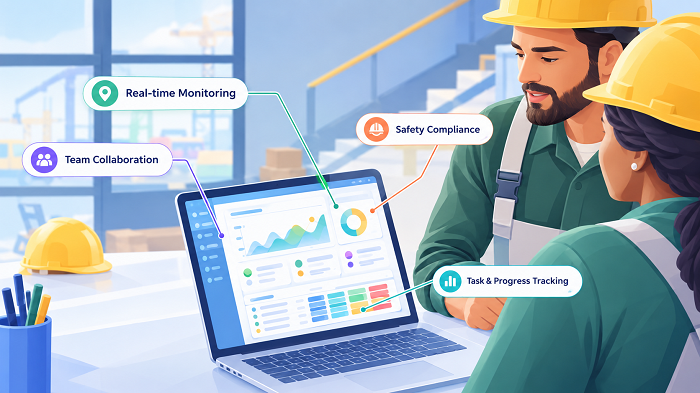
Why Manufacturing Companies Need Specialized Attendance Software
Manufacturing employees often work according to production schedules rather than standard office hours.
For example:
| Shift | Timing |
|---|---|
| Shift A | 6:00 AM–2:00 PM |
| Shift B | 2:00 PM–10:00 PM |
| Shift C | 10:00 PM–6:00 AM |
A manufacturing company may also have:
- Production workers
- Supervisors
- Quality-control employees
- Maintenance teams
- Security personnel
- Warehouse employees
- Contract workers
- Administrative staff
Managing attendance manually for all these employee groups can become difficult.
Attendance software can centralize the process and provide HR with accurate attendance information.
What Should Manufacturing Attendance Software Provide?
The best attendance software for manufacturing businesses should ideally support:
- Biometric attendance
- Fingerprint or face recognition
- Multiple shifts
- Rotating shifts
- Night shifts
- Overtime
- Break management
- Late coming
- Early leaving
- Weekly offs
- Holiday calendars
- Leave management
- Attendance regularization
- Multiple locations
- Employee self-service
- Payroll integration
- Attendance reports
- Role-based access
- Audit trails
The exact requirements will vary depending on the size and structure of the manufacturing business.
1. Biometric Attendance Integration
Biometric attendance is commonly used in factories because employees typically enter and leave through designated access points.
Employees can record attendance using supported devices such as:
- Fingerprint
- Face recognition
The workflow can be:
Employee Enters Factory → Biometric Verification → Check-In
At the end of the shift:
Employee Leaves → Biometric Verification → Check-Out
The attendance software then processes the records.
Before purchasing, confirm that the software supports the biometric devices already installed in your factory.
2. Multiple Shift Management
Shift management is one of the most important features for manufacturing companies.
The software should allow HR to configure different shifts.
For example:
Morning Shift: 6 AM–2 PM
General Shift: 9 AM–6 PM
Evening Shift: 2 PM–10 PM
Night Shift: 10 PM–6 AM
HR should be able to assign employees to the appropriate shift and process attendance according to the configured schedule.
3. Rotating Shift Management
Some manufacturing businesses rotate employees between shifts.
For example:
Week 1 → Morning
Week 2 → Evening
Week 3 → Night
Manually maintaining such schedules can be difficult.
A good attendance system should allow HR to assign and update shift schedules efficiently.
4. Night-Shift Attendance
Night shifts create a special attendance challenge because the shift crosses midnight.
For example:
Check-In: 10:00 PM
Check-Out: 6:00 AM next day
The software should correctly identify these punches as belonging to the same shift.
This is essential for factories operating 24/7.
5. Overtime Tracking
Manufacturing employees may work additional hours due to production requirements.
Attendance software should be able to identify potential overtime based on configured schedules.
For example:
Scheduled: 8 hours
Actual: 10 hours
Potential Overtime: 2 hours
The system can send the overtime for manager or HR approval before it is considered for payroll.
Actual overtime eligibility and payment should follow the company's policy and applicable employment requirements.
6. Break Management
Manufacturing companies may have scheduled breaks during shifts.
For example:
Shift: 8 hours
Meal Break: 30 minutes
Other Breaks: According to company policy
Attendance software can help HR configure break rules and calculate working hours according to the organization's policies.
This can be especially useful for large production teams.
7. Late Coming and Early Leaving
Manufacturing operations often depend on employees arriving on time.
For example:
Shift Start: 6:00 AM
Employee Check-In: 6:18 AM
The software can flag the employee as late based on the configured grace period.
Similarly, an employee leaving before the scheduled end time can be flagged for early departure.
HR can then generate reports to identify attendance patterns.
8. Leave Management
Manufacturing businesses may have different leave requirements for different employee groups.
Attendance software can connect leave requests with attendance.
The workflow can be:
Employee Applies Leave → Supervisor Approves → Leave Balance Updated → Attendance Updated
This can reduce manual attendance adjustments.
9. Attendance Regularization
Employees may occasionally forget to punch in or punch out.
Instead of manually changing the attendance record, the system can provide a regularization workflow.
For example:
Missing Punch → Employee Request → Supervisor Approval → Attendance Updated
The system can maintain a record of the request and approval.
This provides better control over attendance changes.
10. Multiple Factory Locations
Large manufacturing companies may have:
- Main factory
- Secondary factory
- Warehouse
- Distribution center
- Regional office
A centralized attendance system can help HR manage employees across locations.
For example:
Factory A / Factory B / Warehouse → Central Attendance System → HR Dashboard
This can make location-wise attendance reporting easier.
11. Contract and Temporary Employees
Manufacturing companies may have different categories of workers.
For example:
- Permanent employees
- Contract employees
- Temporary employees
- Apprentices
- Trainees
The attendance system should allow the organization to categorize employees appropriately.
Depending on the business and software, separate attendance policies may be configured for different groups.
12. Employee Self-Service
Employee self-service can reduce routine HR queries.
Employees may be able to view:
- Attendance
- Working hours
- Leave balance
- Leave history
- Overtime
- Attendance corrections
For example, instead of asking HR: "How many days was I present this month?", the employee can check the information directly through the employee portal or mobile application, if supported.
13. Supervisor Approval
Manufacturing companies often have supervisors managing individual production teams.
The attendance workflow can therefore be:
Employee → Supervisor → HR
Supervisors may review:
- Attendance corrections
- Leave
- Overtime
- Shift changes
This provides a controlled approval process.
14. Payroll Integration
Attendance is closely connected to payroll.
Attendance information may affect:
- Working days
- Paid leave
- Unpaid leave
- Overtime
- Attendance-based deductions
A connected workflow can be:
Attendance → Leave → Overtime → Approval → Payroll
Payroll integration can reduce manual data entry and reconciliation.
Before choosing software, verify exactly what attendance information can be transferred to payroll.
15. Working-Hour Calculation
Manufacturing attendance software should automatically calculate working hours.
For example:
Check-In: 8:55 AM
Check-Out: 6:10 PM
Break: 1 hour
Net Working Hours: Based on configured rules
This is much easier than manually calculating working hours for hundreds of employees.
16. Attendance Dashboard
HR and production managers need quick visibility into workforce attendance.
A dashboard can display:
- Total employees
- Present employees
- Absent employees
- Employees on leave
- Late employees
- Missing punches
- Overtime
- Shift-wise attendance
This can help managers identify attendance issues quickly.
17. Attendance Reports
Manufacturing companies should look for comprehensive reports.
Useful reports include:
Daily Attendance Report
Shows employee attendance for a particular date.
Monthly Attendance Report
Provides monthly attendance summaries.
Shift-Wise Report
Shows attendance according to shift.
Late Coming Report
Identifies employees arriving after the scheduled time.
Early Leaving Report
Shows employees leaving before shift completion.
Overtime Report
Provides approved or potential overtime information.
Absence Report
Helps HR identify absent employees.
Location-Wise Report
Useful for businesses with multiple factories.
18. Mobile Attendance for Supervisors and Field Employees
While production workers may use biometric devices, supervisors, sales employees, maintenance teams, or field staff may need mobile attendance.
A hybrid setup can be:
Factory Workers → Biometric
Field Employees → Mobile App
Both attendance methods can feed into the same centralized system if supported.
This can be useful for manufacturing organizations with mixed workforces.
19. GPS and Location-Based Attendance
Mobile attendance may include GPS or geofencing.
For example:
Factory Location → Defined Geofence → Employee Check-In
This can help organizations verify attendance from approved locations.
However, businesses should establish transparent policies regarding employee location tracking and privacy.
20. Security and Access Control
Attendance data should be protected.
A manufacturing attendance system should ideally provide:
- Role-based access
- User authentication
- Permission management
- Audit logs
- Data backups
- Secure data transmission
For example:
Employee: Own attendance
Supervisor: Team attendance
HR: Organization-wide attendance
This prevents unnecessary access to employee information.
21. Audit Trail
Manufacturing businesses should be able to identify changes made to attendance records.
For example:
Original Record → Regularization Request → Supervisor Approval → Updated Record
An audit trail can show who requested, approved, or modified an attendance record.
This can improve accountability.
22. Cloud-Based Attendance
Cloud-based attendance software can be particularly useful for manufacturing companies with multiple locations.
HR can access attendance information from authorized devices without depending entirely on a computer installed at a single factory.
Possible advantages include:
- Centralized data
- Remote access
- Multi-location management
- Easier updates
- Employee self-service
- Integration with cloud payroll
Businesses should evaluate the provider's security, backup, availability, and data-handling practices before selecting a cloud solution.
23. Offline Attendance Support
Factories may sometimes experience network interruptions.
Before selecting attendance software, ask:
What happens when the internet connection is unavailable?
Some systems and attendance devices can temporarily store attendance data and synchronize it when connectivity returns.
This capability can be particularly useful for manufacturing environments.
24. Scalability
Manufacturing companies can grow quickly.
For example:
100 employees → 500 employees → 1,000 employees
The attendance system should be able to handle increasing numbers of:
- Employees
- Devices
- Locations
- Shifts
- Departments
Choose software that can support expected future growth.
25. Easy Employee Onboarding
Adding new employees should be simple.
A typical onboarding process may include:
Employee Created → Department Assigned → Shift Assigned → Attendance Device/App Configured → Attendance Starts
The exact process depends on the software and attendance method.
26. Integration With HR and Payroll
Attendance should ideally work with other HR processes.
A complete workflow can be:
Employee Master → Attendance → Leave → Overtime → Payroll → Payslip
This reduces duplicate employee information and manual processing.
Best Attendance Software for Different Manufacturing Needs
There is no single attendance system that is best for every manufacturing company.
Small Manufacturing Unit
Look for:
- Basic biometric attendance
- Shift management
- Leave tracking
- Reports
- Payroll export
Medium Manufacturing Company
Consider:
- Biometric integration
- Multiple shifts
- Overtime
- Leave management
- Employee self-service
- Payroll integration
- Multiple locations
Large Manufacturing Organization
Prioritize:
- Multi-location support
- Multiple biometric devices
- Complex shift management
- Mobile attendance
- GPS for field teams
- Advanced reports
- Role-based access
- API integration
- Payroll/HRMS integration
- Scalability
- Audit trails
Biometric vs. Mobile Attendance for Manufacturing
| Requirement | Biometric | Mobile App |
|---|---|---|
| Factory workers | Excellent fit | Possible |
| Fixed workplace | Excellent fit | Good |
| Remote employees | Limited | Excellent fit |
| Field employees | Limited | Excellent fit |
| Shift workers | ✓ | ✓ |
| Night shifts | ✓ | ✓ |
| Multiple locations | Possible | Easier in many setups |
| GPS | Not primary | Available in some systems |
| Hardware | Required | Smartphone |
| Employee self-service | Depends on software | Common |
For many manufacturing companies, a hybrid approach can work well.
How to Choose the Best Attendance Software for Your Factory
Before purchasing, create a checklist based on your actual workforce.
Ask:
- How many employees do we have?
- How many shifts do we operate?
- Do we operate night shifts?
- Do shifts rotate?
- How many factory locations do we have?
- Do we already have biometric devices?
- Does the software support our devices?
- Do we have contract workers?
- Do we need overtime tracking?
- Do we need leave management?
- Do employees need mobile attendance?
- Do supervisors need approval workflows?
- Does the system integrate with payroll?
- Can it handle multiple locations?
- Can it generate shift-wise reports?
- Does it provide an audit trail?
- What happens during internet outages?
- How is employee data secured?
- What support does the vendor provide?
- Can the system scale with our workforce?
Attendance Software Evaluation Checklist
| Feature | Importance for Manufacturing |
|---|---|
| Biometric integration | Very High |
| Shift management | Very High |
| Night-shift support | Very High |
| Overtime tracking | High |
| Leave management | High |
| Payroll integration | Very High |
| Attendance regularization | High |
| Multiple locations | High |
| Employee self-service | Medium/High |
| Mobile attendance | High for field teams |
| GPS/geofencing | Useful for mobile teams |
| Reports | Very High |
| Audit trail | High |
| Security | Very High |
| Scalability | Very High |
Common Mistakes When Choosing Manufacturing Attendance Software
Businesses should avoid selecting software based only on price.
Common mistakes include:
1. Choosing Software Without Testing Shifts
Always test morning, evening, and night shifts.
2. Ignoring Payroll Integration
If attendance affects salary, verify how attendance data reaches payroll.
3. Not Checking Biometric Compatibility
Confirm that existing biometric devices are supported.
4. Ignoring Multi-Location Requirements
Consider future factory expansion.
5. Not Testing Overtime
Verify how potential overtime is calculated and approved.
6. Ignoring Offline Scenarios
Ask how attendance works when network connectivity is interrupted.
7. Choosing a System That Cannot Scale
Consider future employee and location growth.
Conclusion
The best attendance software for manufacturing companies is not necessarily the software with the longest feature list. It is the system that can handle the company's actual workforce structure and attendance policies.
Manufacturing businesses should prioritize biometric integration, multiple shifts, night-shift support, overtime tracking, leave management, attendance regularization, multiple locations, payroll integration, reporting, security, and scalability.
For businesses with both factory-based and field employees, a hybrid approach can be effective:
Biometric Attendance + Mobile Attendance → Centralized Attendance Management → Leave + Overtime + Working Hours → Approval → Payroll
A well-designed attendance system can reduce manual HR work, improve attendance visibility, simplify payroll preparation, and give supervisors and employees better access to attendance information.
Before selecting a solution, test it using real manufacturing scenarios—including shift changes, overnight attendance, overtime, missing punches, multiple locations, leave, and payroll processing. This is the best way to determine whether the software is truly suitable for your manufacturing business.
Manufacturing companies can manage plants, production lines, shifts, and contract teams through InnBuilt Attendance Software. Device or face integrations, overtime rules, and payroll connectivity support workforce accuracy at scale.