How to Choose the Best Live Employee Tracking Software for Your Business
How to Choose the Best Live Employee Tracking Software for Your Business
Managing employees who work outside a traditional office can be challenging. Field employees, sales representatives, service technicians, construction workers, delivery teams, and maintenance staff may work across different locations throughout the day.
Businesses need a reliable way to manage employee schedules, attendance, work locations, and field operations without depending entirely on phone calls, spreadsheets, or manual reports.
Live employee tracking software can help businesses monitor authorized employee location information through mobile applications and GPS technology. However, every business has different workforce requirements, so choosing the right solution requires careful evaluation.
The best software should not simply provide location tracking. It should fit into the organization's broader attendance, shift management, employee scheduling, field workforce, and payroll processes.
This guide explains the key factors businesses should consider when choosing live employee tracking software.
What Is Live Employee Tracking Software?
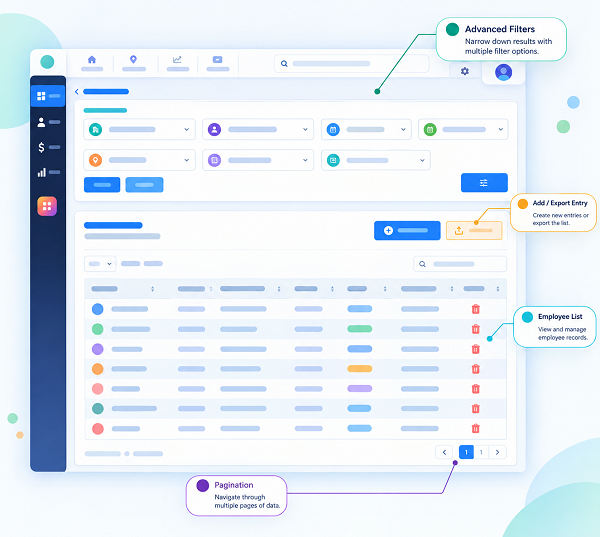
Live employee tracking software is a workforce management solution that uses technologies such as GPS, mobile applications, and location services to provide authorized managers with current or recently reported employee location information.
Depending on the software, businesses may be able to manage:
- Employee location
- GPS attendance
- Check-in and check-out
- Shift schedules
- Work locations
- Geofencing
- Employee assignments
- Location history
- Working hours
- Overtime
- Workforce reports
The exact features vary between providers.
Before selecting software, businesses should identify which features they actually need.
Why Choosing the Right Tracking Software Matters
Selecting the wrong system can create unnecessary complexity.
For example, a company may purchase advanced tracking software when it only needs GPS-based attendance.
Another business may need live location updates, shift scheduling, geofencing, and mobile attendance but choose a basic attendance application that lacks these capabilities.
The right solution should match the organization's:
- Workforce size
- Number of locations
- Employee types
- Industry
- Field operations
- Attendance requirements
- Scheduling needs
- Budget
- Privacy requirements
- Integration requirements
1. Identify Your Business Requirements
Before comparing software providers, define exactly why your business needs employee tracking.
Ask:
- Do employees work in the field?
- Do they visit multiple customer locations?
- Do employees work across different project sites?
- Is GPS attendance required?
- Is live location monitoring actually necessary?
- Do managers need geofencing?
- Do employees need a mobile app?
- Do you need shift scheduling?
- Do you need payroll integration?
For example, a construction company may primarily need GPS attendance and project-site management, while a field service company may require live location, scheduling, customer assignments, and mobile attendance.
Clearly defining the requirement helps avoid purchasing unnecessary features.
2. Check GPS Tracking Capabilities
GPS is one of the most important features of employee tracking software.
However, "live tracking" can mean different things across software platforms.
Before choosing a solution, understand:
- How frequently location updates occur
- Whether tracking works in the background
- How the system handles poor connectivity
- How location accuracy is presented
- Whether employees can see when tracking is active
- Whether location tracking can be limited to working hours
Businesses should test the system in real-world working conditions before implementation.
3. Look for Mobile Employee Apps
Field employees need an easy way to access the system.
A good mobile application can allow employees to:
- View shifts
- Record attendance
- View assigned locations
- Check work assignments
- Request leave
- Receive notifications
- View attendance records
A complicated application can lead to poor adoption.
Choose a system with a simple interface that employees can use without extensive training.
4. Evaluate GPS Attendance Features
If your primary requirement is field attendance, GPS attendance may be more important than continuous live tracking.
A typical GPS attendance process is:
Employee Opens App → Check-In → Location Captured → Attendance Recorded
This can help businesses maintain attendance records for employees who do not work from a fixed office.
Check whether the software supports:
- GPS check-in
- GPS check-out
- Location stamps
- Attendance reports
- Geofencing
- Mobile attendance
- Offline attendance handling, if required
5. Check Geofencing Support
Geofencing creates a virtual geographical boundary around a physical location.
For example, businesses can create geofences around:
- Construction sites
- Customer locations
- Branch offices
- Warehouses
- Project sites
The system can use the configured boundary when handling location-based attendance or other workforce events.
When evaluating software, check whether you can:
- Create multiple geofences
- Set location boundaries
- Assign employees to locations
- Manage different project sites
- Receive relevant alerts
- Modify location boundaries easily
6. Evaluate Shift Management Features
Employee location tracking is more useful when combined with shift management.
Managers should be able to create and assign:
- Morning shifts
- Evening shifts
- Night shifts
- Rotational shifts
- Flexible shifts
- Location-based shifts
For example:
| Employee | Shift | Location |
|---|---|---|
| Technician A | 8 AM – 5 PM | Customer Site A |
| Technician B | 9 AM – 6 PM | Customer Site B |
| Technician C | 10 AM – 7 PM | Project Site C |
The system should make it easy to compare scheduled shifts with actual attendance and available location information.
7. Check Employee Scheduling Capabilities
Businesses with field employees often need more than simple shift assignment.
A scheduling system may need to account for:
- Employee availability
- Leave
- Skills
- Locations
- Customer appointments
- Project requirements
- Weekly offs
- Shift swaps
If your organization has complex workforce requirements, choose software that supports these scheduling processes.
8. Consider Multiple-Location Management
If your employees work across multiple branches, customer sites, or projects, check whether the software can manage several locations.
The system should ideally allow managers to organize employees by:
- Branch
- Department
- Project
- Customer
- Location
- Team
- Shift
This makes it easier to manage distributed employees from a centralized dashboard.
9. Evaluate Attendance and Leave Integration
Employee tracking should ideally connect with attendance and leave management.
For example:
Employee Schedule → Attendance → Location → Leave → Working Hours
When an employee is on approved leave, the schedule should reflect that information.
This can reduce conflicts between leave and shift assignments.
10. Check Working-Hour and Overtime Tracking
Businesses should also evaluate whether the software can compare scheduled hours with actual attendance.
For example:
- Scheduled: 9:00 AM – 6:00 PM
- Actual: 9:00 AM – 7:30 PM
The system may identify the additional working time for review.
Look for features such as:
- Working-hour calculation
- Overtime reports
- Late-coming reports
- Early-departure reports
- Missing-punch reports
- Shift deviation reports
Overtime should be reviewed and approved according to the organization's policies and applicable employment requirements.
11. Look for Payroll Integration
If attendance information is used for payroll, integration can reduce manual data entry.
A connected process may look like:
Shift → Attendance → Working Hours → Overtime → Payroll
Check whether the software can integrate with your existing payroll system or export the required attendance information.
This can reduce duplicate data entry and payroll-related attendance errors.
12. Evaluate Reporting and Analytics
A good tracking system should provide useful reports rather than simply displaying employee locations.
Look for reports covering:
- Employee attendance
- Location-based attendance
- Working hours
- Overtime
- Shift schedules
- Late arrivals
- Early departures
- Absences
- Field visits
- Geofence events
- Location history
Reports should be easy to filter by employee, team, department, location, date, or project where required.
13. Check Privacy and Data Protection Features
Employee location data can be sensitive.
Businesses should carefully evaluate how the software handles location information.
Ask the provider:
- When is employee location collected?
- Can tracking be limited to working hours?
- Who can access location information?
- How is location data protected?
- How long is the information retained?
- Can administrators control access?
- Can employees understand when tracking is active?
- What data-export or deletion controls are available?
Businesses should establish transparent tracking policies and comply with applicable privacy, employment, and data-protection requirements.
14. Check Security Controls
Location information and employee data should be protected from unauthorized access.
Look for security features such as:
- Role-based access
- Administrator permissions
- Secure authentication
- Access logs
- Data encryption where applicable
- Secure data storage
- Backup mechanisms
- Account controls
Ask the software provider about its security practices before deploying the system.
15. Consider Ease of Use
A powerful system is not useful if managers and employees struggle to use it.
Evaluate:
Employee Experience
Can employees quickly:
- Log in?
- Check in?
- Check out?
- View shifts?
- View assignments?
- Request leave?
Manager Experience
Can managers easily:
- Add employees?
- Create shifts?
- View locations?
- Manage geofences?
- Review attendance?
- Generate reports?
A simple interface can improve adoption across the organization.
16. Test Mobile Performance
Field employees may work in areas with weak internet connectivity.
Before selecting software, test:
- GPS performance
- Battery consumption
- Mobile data usage
- Application stability
- Offline functionality
- Synchronization after connectivity returns
Real-world testing is particularly important for employees who travel frequently.
17. Check Device Compatibility
Make sure the application works with the smartphones used by your workforce.
Check compatibility with:
- Android devices
- iPhones
- Different operating-system versions
- Company-owned devices
- Employee-owned devices, where permitted
Also check whether certain tracking features depend on specific device permissions or operating-system settings.
18. Evaluate Scalability
The software should support your business as it grows.
For example, you may currently have 25 field employees but expect to have 100 employees across multiple locations in the future.
Check whether the system can handle:
- More employees
- More locations
- More departments
- More managers
- More projects
- More attendance records
- More reports
A scalable system can prevent the need to replace software as your workforce expands.
19. Consider Customer Support
Technical support can become important when employees depend on the application for attendance and field operations.
Evaluate:
- Support channels
- Response times
- Training resources
- Documentation
- Onboarding assistance
- Troubleshooting support
Ask whether support is available during your organization's working hours.
20. Compare Pricing Carefully
Do not compare software based only on the headline subscription price.
Consider the complete cost, including:
- Number of employees
- Number of administrators
- Mobile application access
- GPS tracking
- Geofencing
- Additional locations
- Integrations
- Reports
- Setup
- Support
- Implementation
A slightly more expensive solution may provide better value if it eliminates several manual processes.
Live Tracking Software Comparison Checklist
Before making a decision, businesses can use the following checklist:
| Feature | Required? |
|---|---|
| GPS Tracking | Yes/No |
| GPS Attendance | Yes/No |
| Geofencing | Yes/No |
| Mobile Employee App | Yes/No |
| Shift Management | Yes/No |
| Employee Scheduling | Yes/No |
| Leave Management | Yes/No |
| Working-Hour Tracking | Yes/No |
| Overtime Reports | Yes/No |
| Multiple Locations | Yes/No |
| Location History | Yes/No |
| Workforce Reports | Yes/No |
| Payroll Integration | Yes/No |
| Role-Based Access | Yes/No |
| Privacy Controls | Yes/No |
This checklist can help businesses compare different software options objectively.
Example: Choosing Software for a Field Service Company
Suppose a field service company has 75 technicians working across several cities.
The company needs:
- Mobile attendance
- GPS check-in
- Live location visibility during work hours
- Geofencing
- Shift scheduling
- Customer-site assignments
- Employee mobile access
- Working-hour reports
- Overtime monitoring
- Payroll integration
A basic attendance system may not be sufficient.
The company should instead look for a workforce management solution that combines:
Mobile App + GPS + Attendance + Geofencing + Shift Management + Employee Scheduling + Reports + Payroll Integration
Before implementation, the company should conduct a pilot with a small group of field employees.
The pilot can help identify GPS accuracy, mobile usability, employee adoption, reporting requirements, and connectivity issues.
Best Approach to Selecting Live Tracking Software
A practical selection process can follow these steps:
- Define business requirements.
- Identify employee types and work locations.
- Decide whether GPS attendance, periodic tracking, or live tracking is actually required.
- Shortlist software based on essential features.
- Test the mobile application.
- Evaluate GPS and geofencing performance.
- Review security and privacy controls.
- Test attendance and shift management.
- Check payroll and other integrations.
- Run a pilot before organization-wide deployment.
Conclusion
Choosing the best live employee tracking software requires more than comparing GPS features and subscription prices.
Businesses should evaluate the complete workforce management process, including mobile attendance, GPS tracking, geofencing, shift management, employee scheduling, working-hour tracking, reporting, payroll integration, security, and privacy controls.
The right solution should provide useful information to managers while remaining simple for employees to use.
For field-based organizations, a well-integrated system can connect:
Employee Mobile App → GPS → Attendance → Shift Management → Working Hours → Payroll
Before implementing live tracking, businesses should define a clear purpose, communicate transparently with employees, limit tracking to appropriate work periods, protect location information, and follow applicable privacy and employment requirements.
A carefully selected tracking solution can help businesses improve field workforce visibility, reduce manual reporting, manage attendance more effectively, and coordinate employees across multiple locations.
InnBuilt Field Management Software provides accurate mobile location, privacy controls, attendance integration, reporting, and scalable user management for businesses evaluating live tracking.