How to Handle Late Coming and Early Leaving Automatically
How to Handle Late Coming and Early Leaving Automatically
Late coming and early leaving are common attendance challenges for businesses. When attendance is managed manually, HR teams may have to identify late arrivals, check early departures, calculate working hours, communicate with employees, and make attendance adjustments before payroll processing.
As the workforce grows, handling these activities through registers and spreadsheets can become time-consuming.
Attendance Management Software can automate much of the process. It can compare employee attendance with configured shift schedules, identify late arrivals and early departures, generate alerts and reports, and apply company attendance rules.
This article explains how businesses can manage late coming and early leaving automatically.
What Is Late Coming and Early Leaving?
Late coming occurs when an employee checks in after the scheduled start time.
For example:
Scheduled time: 9:00 AM
Actual check-in: 9:18 AM
The employee has arrived 18 minutes late, subject to any applicable grace period.
Early leaving occurs when an employee checks out before the scheduled end time.
For example:
Scheduled end: 6:00 PM
Actual check-out: 5:35 PM
The employee left 25 minutes early.
Attendance software can identify these situations automatically based on configured schedules and policies.
Why Automate Late Coming and Early Leaving?
Manual attendance monitoring creates several challenges.
HR teams may need to:
- Review attendance records
- Compare check-in times with shifts
- Identify late arrivals
- Calculate early departures
- Prepare reports
- Send reminders
- Track repeated instances
- Verify attendance before payroll
Automation reduces these repetitive tasks and gives HR and managers better visibility.
1. Configure Employee Shift Timings
The first step is to configure employee working schedules.
For example:
Shift: General
Start: 9:00 AM
End: 6:00 PM
The system uses these timings as the reference point for attendance processing.
Different employees or departments can have different shifts.
For example:
- Office: 9:00 AM–6:00 PM
- Factory: 8:00 AM–5:00 PM
- Retail: 10:00 AM–7:00 PM
- Night shift: 10:00 PM–6:00 AM
Correct shift configuration is essential for accurate late and early-leaving calculations.
2. Set a Grace Period
Many businesses allow employees a small grace period for occasional delays.
For example:
Shift starts: 9:00 AM
Grace period: 10 minutes
An employee checking in at 9:07 AM may not be treated as late according to the company's policy.
An employee checking in at 9:15 AM may be identified as late.
The grace period should be configured according to the organization's attendance policy and applied consistently.
3. Automatically Identify Late Arrivals
Once shifts and grace periods are configured, the software can compare scheduled start times with actual check-in times.
| Employee | Shift Start | Check-In | Status |
|---|---|---|---|
| Employee A | 9:00 AM | 8:55 AM | On Time |
| Employee B | 9:00 AM | 9:06 AM | Within Grace |
| Employee C | 9:00 AM | 9:22 AM | Late |
This eliminates the need for HR to manually review every attendance record.
4. Automatically Identify Early Departures
The same process can be used for early leaving.
| Employee | Shift End | Check-Out | Status |
|---|---|---|---|
| Employee A | 6:00 PM | 6:10 PM | Completed |
| Employee B | 6:00 PM | 5:55 PM | Within Policy |
| Employee C | 6:00 PM | 5:30 PM | Early Leaving |
The system can flag employees who leave before the permitted time.
5. Create Attendance Rules
Businesses can configure attendance rules based on their policies.
Possible rules may include:
- Grace period
- Late threshold
- Early-leaving threshold
- Minimum working hours
- Break duration
- Shift timing
- Weekly offs
- Holiday rules
- Overtime rules
For example:
Late threshold: More than 15 minutes
Early-leaving threshold: More than 15 minutes
This allows the system to automatically classify attendance records.
6. Calculate Actual Working Hours
Late coming and early leaving can affect total working hours.
For example:
Scheduled: 9:00 AM–6:00 PM
Actual: 9:20 AM–5:40 PM
The employee started 20 minutes late and left 20 minutes early.
Attendance software can calculate actual working hours automatically and show the difference between scheduled and actual working time.
The treatment of this difference should follow the company's attendance policy.
7. Send Automatic Notifications
Attendance software can notify employees or managers about attendance exceptions.
Examples include:
Employee Notification:
"Your check-in today was recorded after the scheduled start time."
Manager Notification:
"Attendance exceptions require review."
Notifications can be delivered through available channels such as:
- Mobile application
- Web portal
- In-system notifications
This reduces the need for HR to manually send reminders.
8. Provide Employee Self-Service
Employees should be able to view their own attendance information.
They can check:
- Check-in time
- Check-out time
- Late status
- Early-leaving status
- Working hours
- Attendance history
- Regularization requests
This improves transparency and allows employees to identify errors quickly.
9. Allow Attendance Regularization
Not every late arrival or early departure is necessarily an attendance violation.
There may be legitimate reasons such as:
- Approved work outside the office
- Official meetings
- Client visits
- Approved schedule changes
- Medical or personal emergencies
- System or device problems
Employees can submit regularization requests according to company policy.
A typical workflow is:
Attendance Exception → Employee Request → Manager Review → Approval → Attendance Updated
This provides a controlled and transparent process.
10. Track Repeated Attendance Exceptions
One late arrival may not be significant, but repeated patterns may require attention.
Attendance software can generate reports showing:
- Number of late arrivals
- Total late minutes
- Early departures
- Frequency of attendance exceptions
- Department-wise patterns
- Location-wise patterns
Managers can use these reports to identify recurring issues.
The objective should be to understand the reason behind recurring attendance problems rather than automatically applying penalties without context.
11. Manage Multiple Shifts
Late and early attendance must be evaluated against the employee's actual shift.
For example:
Employee A: 9:00 AM–6:00 PM
Employee B: 10:00 AM–7:00 PM
If both employees check in at 9:45 AM, Employee A may be late while Employee B may be early.
Attendance software can apply the appropriate shift rules automatically.
This is particularly useful for:
- Retail
- Manufacturing
- Hospitality
- Healthcare
- Logistics
- Security services
12. Handle Night Shifts
Night shifts can make attendance calculations more complicated because the shift may cross midnight.
For example:
Shift: 10:00 PM–6:00 AM
The attendance system should understand that the employee's working period continues into the following day.
A suitable attendance system should correctly process late check-ins and early check-outs for such shifts.
13. Use Location-Based Attendance for Field Employees
For employees who work outside the office, mobile attendance can be combined with GPS or geofencing where appropriate.
For example, a field employee may be expected to start work at a customer site at 9:00 AM.
The organization can configure its attendance process to record the employee's mobile check-in according to the approved location policy.
This can be useful for:
- Sales employees
- Construction workers
- Service engineers
- Delivery teams
- Field technicians
Businesses should clearly communicate location-tracking practices and follow applicable privacy requirements.
14. Integrate Late and Early Attendance With Payroll
In some organizations, attendance exceptions may affect payroll according to company policy.
Attendance software can provide payroll-ready information such as:
- Total working days
- Unpaid days
- Attendance exceptions
- Overtime
- Leave
- Working hours
The payroll workflow can be:
Attendance → Late/Early Processing → Leave & Overtime → HR Review → Payroll
Any salary-related treatment should be based on the organization's documented policies and applicable requirements.
15. Generate Automated Reports
Managers and HR teams should be able to generate reports without manually reviewing attendance records.
Useful reports include:
- Late-coming report
- Early-leaving report
- Employee-wise attendance
- Department-wise attendance
- Location-wise attendance
- Shift-wise attendance
- Monthly attendance summary
- Total late minutes
- Attendance exception report
These reports can help management identify workforce trends.
Example of Automated Late-Coming Management
Consider a company with 200 employees.
The attendance policy states:
- Shift starts at 9:00 AM
- 10-minute grace period
- Late attendance after 9:10 AM
An employee checks in at 9:22 AM.
The system can automatically:
- Record the check-in.
- Compare it with the employee's shift.
- Apply the grace period.
- Identify the employee as late.
- Notify the employee if configured.
- Include the record in the manager's attendance dashboard.
- Allow regularization if applicable.
- Include the approved attendance information in payroll processing.
HR does not need to manually calculate the 22-minute delay.
Best Practices for Handling Late Coming and Early Leaving
Automation should be supported by clear policies.
Businesses should:
- Define official working hours.
- Set reasonable grace periods.
- Communicate attendance rules clearly.
- Configure shifts correctly.
- Allow legitimate attendance corrections.
- Give employees access to attendance records.
- Review recurring patterns.
- Avoid relying solely on attendance as a productivity measure.
- Protect employee attendance information.
- Review attendance data before payroll.
Benefits of Automating Late and Early Attendance
Automated attendance management can help businesses:
- Reduce HR administrative work
- Identify attendance exceptions quickly
- Improve attendance accuracy
- Save time on manual calculations
- Improve employee transparency
- Manage multiple shifts
- Support remote and field employees
- Generate attendance reports
- Simplify payroll preparation
- Create consistent attendance processes
Conclusion
Handling late coming and early leaving automatically can significantly reduce the administrative burden on HR teams.
With the right Attendance Management Software, businesses can configure shifts, grace periods, attendance rules, notifications, regularization workflows, and reports. The system can automatically identify attendance exceptions and provide managers with the information they need.
However, automation should not replace human judgment. Employees may have legitimate reasons for arriving late or leaving early, and businesses should provide a fair process for reviewing such cases.
The ideal approach is:
Clear Policy → Automated Attendance Tracking → Exception Detection → Employee Review → Manager Approval → Payroll
When implemented properly, automated attendance management can make workforce administration more efficient, transparent, and consistent while helping businesses maintain accurate attendance and payroll records.
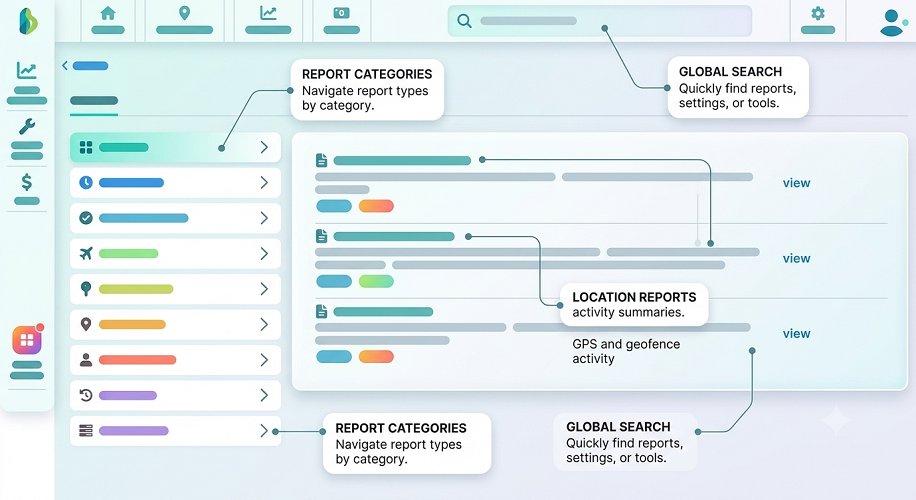
InnBuilt Attendance Software automatically identifies late arrivals and early departures by comparing punches with assigned shifts. Grace periods and approval rules ensure consistent policy enforcement.