How to Track Employee Attendance Without Manual Registers
How to Track Employee Attendance Without Manual Registers
Employee attendance is an essential part of workforce and payroll management. Traditionally, businesses have used paper registers where employees sign in and sign out every day. While this method may work for a very small team, manual registers become difficult to manage as the workforce grows.
Paper attendance can be misplaced, damaged, incorrectly filled, or difficult to verify. HR teams also need to manually calculate working hours, identify absences, track late coming, and prepare attendance data for payroll.
A modern Attendance Management Software provides a digital alternative to manual attendance registers. It can record employee attendance, calculate working hours, manage shifts, track leave, identify attendance exceptions, and provide reports from a centralized system.
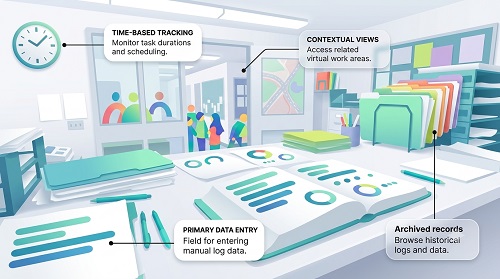
Why Move Away From Manual Attendance Registers?
Manual registers create several administrative challenges.
HR teams may have to:
- Collect attendance registers
- Verify employee signatures
- Calculate working hours
- Identify absences
- Check late arrivals
- Track early departures
- Calculate overtime
- Update leave records
- Prepare monthly attendance summaries
- Transfer data to payroll
This process can take considerable time and may result in data-entry errors. A digital attendance system can automate many of these activities.
What Is Digital Attendance Tracking?
Digital attendance tracking means recording employee attendance electronically instead of using a paper register.
Employees can record attendance through methods such as:
- Biometric devices
- Mobile applications
- Web-based attendance
- RFID cards
- Facial recognition
- GPS-based mobile attendance where appropriate
The attendance information is stored digitally and can be accessed by authorized HR users and managers.
A typical workflow is: Employee → Attendance Device/App → Attendance System → HR Dashboard → Payroll
1. Use Biometric Attendance
For employees working at a fixed location, biometric attendance can replace the traditional register.
Depending on the system, employees may authenticate using:
- Fingerprint
- Facial recognition
- Other supported biometric methods
The system records the employee's attendance with a timestamp.
For example: Employee → Biometric Verification → 9:02 AM → Attendance Recorded
This removes the need for employees to sign a paper register.
2. Use Mobile Attendance
Mobile attendance is useful for remote and field employees.
Employees can use an authorized mobile application to record:
- Check-in
- Check-out
- Working hours
- Attendance status
Mobile attendance is particularly useful for:
- Sales teams
- Field technicians
- Construction workers
- Service engineers
- Delivery teams
- Remote employees
Businesses can configure attendance according to their work policies.
3. Use GPS or Geofencing Where Appropriate
Businesses with employees working at different locations may use GPS or geofencing as part of their attendance process.
For example, a construction company can define an approved project location. An employee can mark attendance through a mobile application according to the organization's location-based attendance policy.
This can help businesses verify attendance from approved locations. However, organizations should clearly communicate location-tracking practices and protect employee privacy.
4. Use Web-Based Attendance
Employees working remotely can record attendance through a secure web portal.
For example: Employee Login → Check In → Work → Check Out
The system stores the attendance information digitally. This can be useful for organizations with hybrid and remote work arrangements.
5. Automatically Record Check-In and Check-Out
A digital system can capture the employee's check-in and check-out time automatically.
For example:
- Check-In: 9:05 AM
- Check-Out: 6:10 PM
The system can use these timestamps to calculate working hours. This eliminates manual time calculations.
6. Calculate Working Hours Automatically
One of the major advantages of digital attendance is automatic working-hour calculation.
The basic formula is:
Net Working Hours = Check-Out − Check-In − Applicable Breaks
For example:
- Check-in: 9:00 AM
- Check-out: 6:00 PM
- Break: 1 hour
- Net Working Hours = 8 hours
The system can calculate this for every employee.
7. Track Late Coming Automatically
When shift timings are configured, the system can compare the scheduled start time with the actual check-in time.
For example:
- Shift Start: 9:00 AM
- Check-In: 9:20 AM
The system can identify the employee as late according to the configured grace period and attendance policy. HR does not need to manually check every register.
8. Track Early Leaving
The same system can identify early departures.
For example:
- Shift End: 6:00 PM
- Check-Out: 5:30 PM
The attendance system can flag the record as early leaving according to configured rules. Managers can review attendance exceptions before payroll.
9. Manage Employee Leave
Leave management can be integrated with attendance.
For example: Employee Applies for Leave → Manager Approves → Attendance Updated
This helps prevent approved leave from being incorrectly recorded as absence. The system can also maintain leave balances and leave history.
10. Manage Different Shifts
Digital attendance is particularly useful for businesses with multiple shifts.
| Shift | Timing |
|---|---|
| Morning | 6 AM–2 PM |
| General | 9 AM–6 PM |
| Evening | 2 PM–10 PM |
| Night | 10 PM–6 AM |
Employees can be assigned to the appropriate shift. The system can then calculate attendance based on the employee's schedule.
11. Handle Night Shifts
Night shifts can cross midnight.
For example:
- Check-in: 10:00 PM
- Check-out: 6:00 AM next day
A suitable attendance system should recognize the overnight shift and calculate working hours correctly.
This is useful for:
- Factories
- Hospitals
- Security services
- Hotels
- Logistics
- BPOs
12. Manage Overtime Automatically
Once working hours are calculated, the system can identify potential overtime according to configured rules.
For example:
- Scheduled working time: 8 hours
- Net working time: 9 hours
- Potential additional working time: 1 hour
Overtime should be reviewed and approved according to company policy and applicable requirements before payroll processing.
13. Provide Employee Self-Service
Employees can view their own attendance information through a mobile application or web portal.
They may be able to:
- View attendance
- Check working hours
- Apply for leave
- Submit regularization requests
- View overtime
- Review attendance history
This provides transparency and reduces routine HR queries.
14. Handle Missing Punches
Employees may occasionally forget to check in or check out.
Instead of manually modifying the attendance record, businesses can use a regularization process.
For example: Missing Punch → Employee Request → Manager Approval → Attendance Updated
This creates a documented record of attendance corrections.
15. Track Attendance Across Multiple Locations
Businesses with multiple offices, stores, factories, warehouses, or project sites can manage attendance through a centralized system.
For example: Head Office → Branch A → Branch B → Factory → Project Site
All attendance information can be available through a centralized HR dashboard, subject to user permissions.
16. Generate Automated Attendance Reports
A digital system can generate reports without requiring HR to manually prepare them.
Useful reports include:
- Daily attendance
- Monthly attendance
- Employee attendance
- Department-wise attendance
- Location-wise attendance
- Late-coming report
- Early-leaving report
- Overtime report
- Absence report
- Missing-punch report
- Working-hour report
These reports can also help payroll teams prepare attendance-related inputs.
17. Connect Attendance With Payroll
One of the most important benefits of moving away from manual registers is easier payroll preparation.
The workflow can be: Digital Attendance → Working Hours → Leave & Overtime → Attendance Validation → Payroll
Instead of manually entering attendance information into payroll spreadsheets, businesses can export or integrate structured attendance data. For organizations using payroll outsourcing, standardized attendance reports can also simplify the transfer of payroll inputs.
18. Maintain an Attendance Audit Trail
Digital attendance systems can maintain records of attendance changes.
For example: Original Record → Correction Request → Manager Approval → Updated Record
An audit trail can show:
- What was changed
- When it was changed
- Who requested the change
- Who approved it
This improves accountability compared with manually altering a paper register.
19. Protect Employee Attendance Data
Digital attendance systems should have appropriate access controls.
Important features may include:
- Role-based access
- Secure authentication
- Audit trails
- Data backups
- Controlled attendance modifications
Employees should generally have access to their own attendance records, while managers and HR should have access based on their responsibilities.
Manual Register vs. Digital Attendance
| Feature | Manual Register | Digital Attendance |
|---|---|---|
| Attendance recording | Handwritten | Electronic |
| Identity verification | Limited | Biometric/digital options |
| Working hours | Manual calculation | Automated |
| Late coming | Manual | Automatic |
| Early leaving | Manual | Automatic |
| Leave | Separate/manual | Integrated |
| Overtime | Manual | Configurable |
| Reports | Manual | Automated |
| Multiple locations | Difficult | Centralized |
| Payroll preparation | Manual | Export/integration |
| Audit trail | Limited | Available |
| Employee self-service | No | Available |
Example: Replacing a Paper Register
Consider a company with 100 employees.
Traditional Process
Employees sign a register every morning and evening.
At the end of the month: Paper Register → HR Verification → Working-Hour Calculation → Leave Adjustment → Overtime Calculation → Payroll
This requires significant manual work.
Digital Process
Employees record attendance through an approved digital method.
Attendance Device/App → Automatic Processing → Leave & Overtime → HR Review → Payroll
The second process reduces repetitive administrative work and provides more timely attendance information.
Best Practices for Going Paperless
- Select an attendance method suitable for their workforce.
- Create clear attendance policies.
- Configure employee shifts correctly.
- Train employees on the new system.
- Provide an attendance correction process.
- Integrate leave management.
- Review attendance exceptions before payroll.
- Provide employee self-service.
- Maintain appropriate access controls.
- Protect employee data.
- Generate regular attendance reports.
- Integrate attendance with payroll where appropriate.
Benefits of Digital Attendance Tracking
Moving from manual registers to digital attendance can help businesses:
- Reduce paperwork
- Save HR time
- Improve attendance accuracy
- Reduce manual calculations
- Identify attendance exceptions faster
- Manage multiple shifts
- Support remote and field employees
- Simplify leave management
- Improve payroll preparation
- Provide employee transparency
- Generate reports quickly
Conclusion
Tracking employee attendance without manual registers is now possible through modern Attendance Management Software.
Businesses can replace paper attendance with biometric devices, mobile applications, web attendance, RFID, facial recognition, and location-based attendance methods, depending on their workforce and operational requirements.
The biggest advantage is not simply eliminating paper. A digital system can connect attendance with working hours, shifts, leave, overtime, employee self-service, reporting, and payroll.
The ideal process is: Digital Attendance → Automatic Working-Hour Calculation → Leave & Overtime → Exception Review → Payroll
For small businesses, this can reduce paperwork and administrative effort. For larger organizations with multiple locations and shifts, it can provide centralized visibility and better control over workforce attendance.
By replacing manual registers with an appropriate digital attendance solution, businesses can create a more accurate, transparent, efficient, and scalable attendance management process.
InnBuilt Attendance App replaces manual registers with mobile, web, face, or integrated-device check-ins. Digital records are immediately available for approvals, reports, and payroll.