How to Track Employee Locations in Real Time Using Mobile Apps
How to Track Employee Locations in Real Time Using Mobile Apps
Managing employees who work outside the office can be challenging for businesses. Field sales teams, service technicians, delivery staff, construction workers, maintenance employees, and other mobile workers may travel between multiple locations during the working day.
Traditional methods such as phone calls, WhatsApp messages, spreadsheets, and manual reports can make it difficult for managers to know where employees are working and whether scheduled field activities are progressing as planned.
A mobile employee tracking app can help businesses collect location information through smartphones and make relevant workforce information available to authorized managers. When combined with attendance, shift management, and scheduling features, mobile tracking can provide a centralized approach to managing field employees.
This guide explains how businesses can track employee locations in real time using mobile applications, how the technology works, its benefits, and important privacy considerations.
What Is Real-Time Employee Location Tracking?
Real-time employee location tracking is a workforce management process that uses GPS, mobile applications, and location services to provide authorized managers with current or recently reported employee location information.
The tracking system generally works through:
Employee Smartphone → GPS/Location Services → Mobile App → Internet → Tracking Dashboard
Depending on the software and configuration, managers may be able to view:
- Current or recent employee location
- Check-in location
- Check-out location
- Assigned work location
- Shift information
- Geofence status
- Location history
- Field assignments
- Attendance information
The exact tracking frequency depends on the application, device, network connection, operating-system settings, and company configuration.
Why Use a Mobile App for Employee Location Tracking?
A smartphone is practical for field employees because most employees already use mobile devices.
Instead of installing attendance or tracking hardware at every customer location, businesses can use a mobile workforce application.
This can be useful for employees working at:
- Customer locations
- Construction sites
- Project sites
- Sales territories
- Service locations
- Warehouses
- Multiple branches
- Temporary work locations
A mobile application can connect location tracking with other workforce activities, creating a more integrated system.
How Employee Location Tracking Works Through a Mobile App
1. Install the Employee Mobile App
The business provides employees with access to an approved workforce management application.
The application may include features such as:
- Attendance
- Shift schedules
- Leave
- Tasks
- Location
- Employee profile
- Notifications
Employees should receive clear information about the application's purpose and how location data will be used.
2. Enable Appropriate Location Permissions
The application requires appropriate device permissions to access location information.
Businesses should request only the permissions necessary for the intended functionality.
Employees should understand when location tracking is active and what information is being collected.
3. Employee Starts the Workday
Depending on the organization's policy, the employee may open the application and record attendance when starting work.
For example:
Employee Login → Identity Verification → Check-In → Location Captured
The system can associate the attendance record with the employee's location.
4. Location Data Is Sent to the System
When live tracking is enabled, the mobile application can periodically send location information to the workforce management platform during the authorized tracking period.
The frequency may vary depending on the software and device.
5. Manager Views the Location
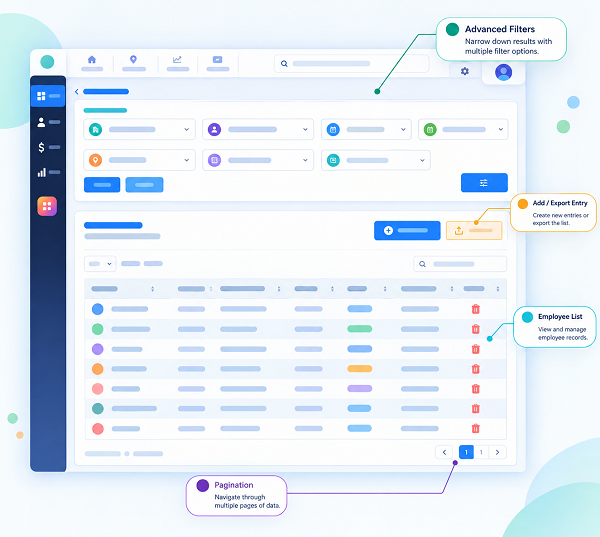
Authorized managers can access a dashboard showing available employee location information.
They may be able to filter employees by:
- Department
- Location
- Shift
- Team
- Project
- Employee
- Work status
This gives managers a centralized view of field operations.
6. Employee Completes the Shift
At the end of the authorized working period, the employee can record check-out.
The system can maintain the relevant attendance and location records according to the organization's policies.
Key Features to Look for in a Mobile Employee Tracking App
GPS Tracking
GPS tracking allows the application to capture the employee's location using the smartphone's location capabilities.
Live or Near-Real-Time Location
Some applications periodically update employee locations during authorized working periods. The term "live" can vary between products, so businesses should check the actual update frequency before selecting software.
GPS Attendance
Employees can record attendance through the mobile application along with relevant location information.
Geofencing
Businesses can create virtual boundaries around approved work locations. For example, a company may establish a geofence around a construction site or customer location.
Shift Management
Managers can assign employees to specific shifts and view scheduled working hours.
Employee Scheduling
Schedules can include dates, times, locations, projects, and employee assignments.
Location History
Some applications maintain historical location information according to configured retention policies.
Mobile Notifications
Employees can receive notifications about shift assignments, schedule changes, attendance reminders, or other workforce updates.
Reporting
Managers may be able to generate reports covering attendance, location, working hours, shifts, and field activities.
How to Track Field Employees Using a Mobile App
A typical implementation can follow these steps:
Step 1: Identify the Business Requirement
Determine why location tracking is needed. For example:
- Field attendance
- Customer visits
- Service operations
- Project management
- Workforce coordination
- Location-based assignments
A clearly defined purpose helps businesses choose appropriate tracking features.
Step 2: Select the Right Mobile Tracking Software
Evaluate solutions based on GPS functionality, mobile compatibility, attendance integration, geofencing, shift management, employee scheduling, reporting, security, privacy controls, and payroll integration.
Step 3: Create Employee Profiles
Add employees and configure relevant information such as name, employee ID, department, role, work location, shift, manager, and assigned projects.
Step 4: Configure Work Locations
Add customer sites, project locations, offices, branches, or other approved work locations where required.
Step 5: Create Shift Schedules
Assign employees to appropriate shifts.
For example:
| Shift | Timing | Location |
|---|---|---|
| Field Shift A | 8:00 AM – 5:00 PM | Customer Site A |
| Field Shift B | 9:00 AM – 6:00 PM | Project Site B |
| Field Shift C | 10:00 AM – 7:00 PM | Customer Site C |
Step 6: Enable Mobile Attendance
Employees can record attendance through the mobile application according to company policy.
Step 7: Enable Authorized Location Tracking
If ongoing tracking is required, configure the application to collect location information during defined work periods.
Step 8: Monitor the Workforce Dashboard
Authorized managers can review relevant employee location and attendance information.
Step 9: Review Reports
Use attendance and location reports to understand workforce patterns and operational activity.
Benefits of Tracking Employee Locations Through Mobile Apps
1. Better Field Workforce Visibility
Managers can access relevant information about where field employees are working. This is particularly useful for businesses with employees spread across multiple locations.
2. Location-Based Attendance
GPS can provide additional information about where an employee recorded attendance. This can be useful for employees who do not work at a fixed office.
3. Faster Workforce Coordination
Managers can use available workforce location information to coordinate field assignments. For example, an urgent service request may be assigned to an available technician in the relevant area.
4. Reduced Manual Reporting
Employees may not need to repeatedly report their locations through phone calls or messages. The application can automate relevant location reporting during authorized work periods.
5. Better Shift Management
Managers can combine employee schedules with location and attendance information. This provides a more complete view of field workforce operations.
6. Multiple-Location Management
Businesses with employees working across different branches, project sites, and customer locations can manage workforce information through a centralized platform.
7. Better Attendance Records
Combining employee identity, attendance time, and location can create more detailed attendance records.
8. Improved Operational Planning
Location and workforce information can help managers understand how employees are distributed across different areas and assignments.
9. Employee Self-Service
Employees can use the same application to view shifts, attendance, leave, work assignments, and notifications. This reduces dependency on separate communication channels.
10. Integration With Payroll
When attendance and working-hour information is integrated with payroll software, businesses can reduce manual transfer of attendance data.
Mobile Employee Tracking and Geofencing
Geofencing is particularly useful for location-based attendance. For example, a business can create a virtual boundary around a project site. When an employee records attendance, the system can check whether the recorded location falls within the configured area.
A typical workflow is:
Assigned Site → Employee Arrives → Mobile Check-In → GPS Location → Geofence Verification → Attendance
Geofencing rules should be clearly communicated to employees and used only where appropriate.
Mobile Tracking With Face Attendance
Businesses can also combine mobile location tracking with face attendance. A field employee may use a mobile application to verify their identity and record attendance.
The system can potentially combine:
Face Verification + GPS + Time + Attendance
This can provide both identity and location information for a field attendance event. Businesses implementing facial recognition should consider biometric data protection, security, transparency, and applicable legal requirements.
Mobile Tracking and Shift Management
Location tracking becomes more useful when integrated with employee scheduling.
For example:
- Shift: 9:00 AM – 6:00 PM
- Employee: Field Technician
- Location: Customer Site
The employee can view the assigned shift through the mobile application and record attendance according to company policy. Managers can then access relevant information about scheduled shift, attendance, location, work assignment, and working hours.
Mobile Tracking and Payroll
Location tracking should not be confused with payroll calculation. However, location-enabled attendance can support the broader payroll process.
A typical workflow is:
Shift Schedule → Mobile Attendance → Working Hours → Overtime → Payroll
For example, if an employee records attendance at 9:00 AM and checks out at 6:30 PM, the attendance system can identify the recorded working period. Any overtime should be reviewed and approved according to the organization's policies and applicable employment requirements before payroll processing.
Industries That Can Use Mobile Employee Tracking
Field Service Companies
Technicians can use mobile apps to record attendance and manage customer assignments.
Construction Companies
Employees can record attendance at designated project sites.
Sales Organizations
Sales representatives can use mobile attendance and location features during customer visits where appropriate.
Logistics Businesses
Mobile location information can support coordination of distributed delivery and field teams.
Security Agencies
Security companies can manage employees deployed across multiple client locations.
Maintenance Companies
Maintenance teams can use mobile applications while working across different facilities.
Healthcare and Home Services
Mobile workforce applications can help coordinate employees who travel to customer or patient locations, subject to the organization's operational and privacy requirements.
Privacy Considerations for Mobile Employee Tracking
Employee location data can be sensitive. Businesses should therefore establish clear policies before implementing tracking.
Inform Employees
Employees should know that location tracking is being used and understand its purpose.
Define Tracking Periods
Businesses should clearly define when location tracking is active. Tracking should generally be limited to legitimate business purposes and appropriate work periods.
Collect Necessary Data
Businesses should avoid collecting more location information than necessary for the defined purpose.
Restrict Access
Only authorized managers and administrators should have access to employee location information.
Protect Location Data
Appropriate technical and organizational safeguards should be used to protect employee location data.
Define Data Retention
Businesses should determine how long location information needs to be retained and securely dispose of it when it is no longer required, subject to applicable requirements.
Follow Applicable Requirements
Organizations should review applicable privacy, employment, and data-protection requirements before deploying employee location tracking.
Best Practices for Real-Time Employee Location Tracking
- Define a clear business purpose.
- Explain the tracking system to employees.
- Clearly define tracking hours.
- Collect only necessary location information.
- Use one centralized workforce platform.
- Integrate GPS with attendance where appropriate.
- Use geofencing for relevant work locations.
- Limit access to authorized managers.
- Protect location information.
- Review location exceptions before making employment decisions.
- Maintain clear data retention policies.
- Regularly review whether the tracking system remains necessary.
Example: Tracking Field Employees Using a Mobile App
Consider a company with 25 service technicians. Each technician receives a daily schedule through a mobile application.
The technician can:
- Open the mobile app.
- View the assigned shift.
- View the customer location.
- Travel to the assigned site.
- Record attendance.
- Provide location information according to company policy.
- Complete the customer assignment.
- Record check-out.
The manager can view relevant workforce information from a centralized dashboard. If an urgent customer request arrives, the manager can use available information about employee schedules, assignments, availability, and location to coordinate the next assignment.
At the end of the day, attendance and working-hour data can be used for workforce reports and, where integrated, payroll processing.
How to Choose the Right Employee Tracking App
Does It Support GPS Attendance?
Check whether employees can record attendance along with location information.
Does It Support Live Tracking?
Understand whether the system provides real-time or periodic location updates and how frequently they occur.
Does It Support Geofencing?
This can be important for organizations that require location-based attendance.
Does It Include Shift Management?
Check whether managers can create, assign, and modify employee shifts.
Does It Have an Employee Mobile App?
Employees should be able to access schedules, attendance, and relevant work information conveniently.
Does It Provide Reports?
Review the available location, attendance, working-hour, and workforce reports.
Does It Support Multiple Locations?
This is important for companies managing employees across branches, customer sites, or projects.
Does It Integrate With Payroll?
If required, verify whether attendance and working-hour information can be connected with payroll processing.
Does It Provide Security and Privacy Controls?
Businesses should understand how employee location information is collected, stored, accessed, protected, and retained.
Conclusion
Mobile apps provide businesses with a practical way to manage and track field employees across multiple locations. By using GPS, mobile attendance, geofencing, shift management, and workforce dashboards, organizations can improve visibility into field operations and reduce manual reporting.
The most effective approach is to connect:
Employee Mobile App + GPS + Attendance + Shift Management + Employee Scheduling + Payroll
This allows businesses to manage field workforce operations through a centralized system.
However, employee location tracking should always be implemented responsibly. Businesses should define a legitimate purpose, inform employees, limit tracking to appropriate work periods, collect only necessary data, protect location information, and follow applicable privacy and employment requirements.
When used appropriately, live employee tracking through mobile apps can help businesses improve workforce coordination, manage field attendance, optimize scheduling, and gain better visibility into distributed employees.
Real-time employee locations can be viewed through the InnBuilt Employee Tracking App using permission-based mobile services and time-stamped updates from approved work areas.