Manual Payroll vs. Payroll Software: Pros and Cons
Manual Payroll vs. Payroll Software: Pros and Cons
Payroll is one of the most important administrative processes for any business. Every month, organizations need to calculate employee salaries, attendance-related adjustments, leave, overtime, deductions, statutory contributions, and net pay accurately.
Traditionally, many small businesses manage payroll using manual calculations, paper records, and Excel spreadsheets. As the organization grows, however, payroll can become increasingly difficult to manage manually.
Payroll Software provides an alternative by automating salary calculations, payroll records, payslips, reports, and other payroll activities.
This article compares manual payroll and payroll software, including their advantages, disadvantages, costs, accuracy, and suitability for different types of businesses.
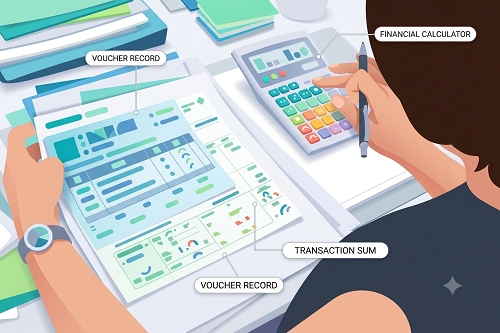
What Is Manual Payroll?
Manual payroll is a process in which HR, payroll staff, accountants, or business owners calculate and maintain employee payroll information without dedicated payroll software.
Manual payroll may involve:
- Excel spreadsheets
- Paper records
- Calculators
- Attendance registers
- Separate leave records
- Manual salary calculations
- Manually prepared payslips
- Separate statutory records
For a small organization with very few employees and simple salary structures, manual payroll may initially seem manageable.
What Is Payroll Software?
Payroll Software is a digital system designed to automate and manage employee salary processing.
Depending on the software, it may manage:
- Employee information
- Salary structures
- Attendance
- Leave
- Overtime
- Earnings
- Deductions
- Statutory payroll calculations
- Payslips
- Payroll reports
- Employee self-service
A typical workflow is:
Employee Data → Attendance & Leave → Salary Calculation → Deductions → Payroll Validation → Payslip → Reports
Manual Payroll: Advantages
Manual payroll is not necessarily unsuitable for every business. It has some advantages, particularly for small organizations.
1. Low Initial Cost
A business may not need to purchase dedicated payroll software. A small organization can use existing spreadsheet applications and accounting tools. This can be attractive for businesses with a very small workforce.
2. Simple to Start
Manual payroll can be started immediately. A business can create a spreadsheet containing employee names, salary, attendance, leave, deductions, and net salary. No software implementation or employee training may be required.
3. Flexible for Basic Requirements
Businesses can create their own spreadsheet formulas and formats. For example, a company may create a customized salary sheet based on its internal requirements. However, greater flexibility also means greater responsibility for maintaining formulas correctly.
4. Suitable for Very Small Teams
If a business has only a few employees and simple salary structures, manual payroll may be manageable. For example, a small business with five employees and fixed monthly salaries may not require extensive payroll automation.
Manual Payroll: Disadvantages
As employee numbers and payroll complexity increase, manual payroll can create significant challenges.
1. More Manual Work
Payroll staff need to enter and verify information every month. They may have to manually update attendance, leave, overtime, salary changes, deductions, new employees, and employee exits. This increases administrative workload.
2. Higher Risk of Calculation Errors
Spreadsheets depend heavily on correct formulas and accurate data entry. Errors can occur because of incorrect formulas, wrong cell references, duplicate entries, incorrect attendance data, manual typing mistakes, or forgotten salary changes. Even a small error can affect an employee's salary.
3. Difficult Attendance Integration
If attendance is managed separately, HR may have to transfer attendance information manually into the payroll sheet. The process may look like:
Attendance Register → Excel → Payroll Sheet
This creates additional work and opportunities for errors.
4. Difficult to Manage Large Teams
Manual payroll becomes increasingly difficult as employee numbers increase. For example, processing payroll for 10 employees is very different from processing payroll for 500 employees. More employees mean more data, calculations, attendance records, leave records, and payroll exceptions.
5. Limited Employee Self-Service
Employees usually cannot directly access payroll information from a spreadsheet. HR may have to manually send payslips, salary details, tax information, and payroll statements.
6. Limited Audit Trail
Tracking changes in spreadsheets can be difficult. For example, if an employee's salary or attendance is changed, it may not always be easy to determine who made the change, when it was changed, and why it was changed.
7. Difficult Multi-Location Management
Organizations with several offices, factories, stores, or project sites may have multiple payroll spreadsheets. Consolidating these records can become time-consuming.
Payroll Software: Advantages
Payroll software is designed to automate recurring payroll tasks.
1. Automates Salary Calculations
Payroll software can automatically calculate salary based on configured employee salary structures. The system can process Earnings → Deductions → Net Salary, reducing repetitive manual calculations.
2. Integrates Attendance and Leave
One of the biggest benefits is the ability to connect attendance and payroll. For example: Attendance Management Software → Leave & Overtime → Payroll Software. This can reduce the need to manually copy attendance information into payroll.
3. Reduces Manual Data Entry
Employee information can be stored centrally. HR does not need to repeatedly enter the same information into different spreadsheets.
4. Generates Payslips Automatically
Payroll software can generate digital payslips after payroll processing. Depending on the system, employees may access their payslips through a portal or mobile application.
5. Supports Employee Self-Service
Employees can often access payslips, attendance, leave, overtime, and payroll information. This can reduce routine payroll queries to HR.
6. Generates Payroll Reports
Payroll software can generate reports such as salary register, payroll summary, employee-wise payroll, department-wise payroll, earnings report, deductions report, overtime report, attendance report, and statutory reports.
7. Supports Payroll Workflows
Businesses can create structured workflows for new employees, salary revisions, attendance corrections, leave, overtime, and payroll approval. This provides better control over payroll processing.
8. Better Auditability
Digital payroll systems can maintain records of important changes and approvals. This makes it easier to investigate payroll discrepancies.
9. Supports Business Growth
Payroll software can be more scalable than manually maintained spreadsheets. Businesses can manage larger employee populations, multiple departments, and multiple locations through a centralized system.
Payroll Software: Disadvantages
Payroll software also has some limitations that businesses should consider.
1. Software Cost
Businesses may need to pay subscription fees, implementation costs, setup charges, and support fees. The cost depends on the software provider and features selected.
2. Initial Setup
The business needs to configure employee records, salary structures, attendance rules, leave policies, and payroll settings. This can require time during implementation.
3. Employee Training
HR teams and employees may need training to use the system effectively.
4. Data Migration
If the organization is moving from Excel or paper records, historical employee information may need to be transferred into the new system.
5. Dependence on System Availability
Cloud-based payroll software generally requires internet access. Businesses should select a reliable solution and maintain appropriate backup and continuity processes.
6. Incorrect Configuration Can Cause Errors
Automation does not eliminate the need for review. If salary structures, attendance rules, or statutory settings are configured incorrectly, the system may produce incorrect results. Therefore, payroll teams should validate the configuration and review payroll before final approval.
Manual Payroll vs. Payroll Software
| Feature | Manual Payroll | Payroll Software |
|---|---|---|
| Initial cost | Low | Usually higher |
| Salary calculation | Manual/formulas | Automated |
| Attendance integration | Limited/manual | Available |
| Leave management | Manual | Integrated |
| Overtime | Manual | Configurable |
| Payslips | Manual | Automated |
| Reports | Manual | Automated |
| Employee self-service | Limited | Available |
| Audit trail | Limited | Better |
| Multiple locations | Difficult | Easier |
| Scalability | Limited | Higher |
| Payroll processing time | Higher | Lower |
| Configuration | Spreadsheet-based | System-based |
| Data security | Depends on setup | Built-in controls may be available |
Which Is Better: Manual Payroll or Payroll Software?
There is no single answer for every business.
Manual Payroll May Be Suitable When:
- The company has very few employees.
- Salary structures are simple.
- Payroll changes are limited.
- Attendance requirements are basic.
- The payroll process is handled by one person.
- The business is in the early stages.
Payroll Software May Be Better When:
- Employee numbers are growing.
- There are multiple departments.
- Employees work in multiple locations.
- The business has multiple shifts.
- Attendance affects salary.
- Overtime needs to be tracked.
- Payroll is processed every month at scale.
- Employees need self-service access.
- HR wants automated reports.
- Payroll needs to integrate with attendance.
Example: Small Business
Consider a company with 5 employees, all receiving fixed monthly salaries.
The payroll process may be relatively simple:
Salary → Basic Deductions → Net Salary
A spreadsheet may be sufficient if the business can maintain it accurately. However, if the same company grows to 100 employees and introduces multiple shifts, overtime, leave management, and different salary structures, manual payroll becomes more challenging.
Example: Growing Business
Consider a company with:
- 200 employees
- Multiple shifts
- Multiple locations
- Overtime
- Paid and unpaid leave
- Attendance-based salary adjustments
The payroll process may look like:
Attendance → Working Hours → Leave → Overtime → Salary Calculation → Deductions → Payslip
Managing all these calculations manually can consume considerable HR time. Payroll software can automate much of this workflow.
How Attendance and Payroll Integration Helps
For businesses using both systems, integration can provide additional benefits.
A typical workflow is:
Employee Check-In/Check-Out → Attendance Management Software → Working Hours & Leave → Approved Overtime → Payroll Software → Salary Calculation → Payslip
This reduces repeated data entry and can improve the consistency of payroll inputs.
Costs to Consider
When comparing manual payroll with payroll software, businesses should consider total cost, not just software price.
Manual payroll costs may include:
- HR employee time
- Accountant time
- Spreadsheet maintenance
- Error correction
- Manual reporting
- Payslip preparation
Payroll software costs may include:
- Subscription
- Implementation
- Training
- Support
- Integration
For a growing business, the time saved through automation may offset some of the software costs.
Best Practices for Choosing Payroll Software
Before selecting payroll software, businesses should evaluate:
- Employee management
- Salary structure flexibility
- Attendance integration
- Leave management
- Overtime management
- Statutory payroll support
- Payslip generation
- Employee self-service
- Payroll reports
- Multi-location support
- Role-based access
- Audit trails
- Data security
- Integration capabilities
- Customer support
- Scalability
Businesses should also check whether the software is suitable for their specific payroll requirements and applicable statutory obligations.
Conclusion
Manual payroll and Payroll Software both have advantages and disadvantages.
Manual payroll can be inexpensive and straightforward for very small businesses with simple salary structures. However, as employee numbers and payroll complexity increase, maintaining payroll through spreadsheets and manual calculations can become time-consuming and more difficult to control.
Payroll software offers greater automation through:
Employee Data → Attendance → Leave → Overtime → Salary Calculation → Deductions → Payslip → Reports
The right choice depends on the organization's size, payroll complexity, budget, and growth plans.
For businesses with a growing workforce, multiple shifts, attendance-based payroll, multiple locations, or complex payroll requirements, Payroll Software can provide a more scalable and structured approach than manual payroll.
The most effective approach is not simply to automate salary calculations, but to connect employee management, attendance, leave, payroll, and employee self-service into a single, well-controlled payroll workflow.
Manual payroll limitations are addressed by InnBuilt Payroll Software through automated calculations, compliance deductions, approval controls, payslips, and reporting. Spreadsheet mistakes and processing delays are reduced.