Top Features to Compare When Choosing Attendance Software
Top Features to Compare When Choosing Attendance Software
Choosing the right Attendance Management Software can make employee attendance easier to track, reduce manual HR work, and improve the accuracy of payroll inputs. However, businesses have different workforce requirements. A company with 20 office employees may need a simple attendance system, while a business with multiple branches, shifts, remote employees, or field workers may require more advanced features.
Before selecting attendance software, businesses should compare the features that directly support their attendance process.
This guide explains the top features to compare when choosing attendance software.
1. Employee Attendance Tracking
The first feature to evaluate is how employees can record attendance.
Depending on the software, available methods may include:
- Biometric devices
- Mobile applications
- Web-based attendance
- Face recognition
- QR codes
- GPS-enabled attendance
Choose an attendance method that matches your workplace.
For example, office employees may use biometric or web attendance, while field employees may need mobile attendance.
2. Real-Time Attendance Visibility
HR teams and managers should be able to view attendance information easily.
A dashboard may display:
- Present employees
- Absent employees
- Employees on leave
- Late employees
- Missing punches
- Working hours
- Attendance exceptions
Real-time or near-real-time visibility can help managers identify attendance issues without waiting for end-of-month reports.
3. Working-Hour Calculation
Manually calculating working hours can be time-consuming.
Attendance software should automatically calculate working hours based on configured schedules.
For example:
Check-In: 9:00 AM
Check-Out: 6:00 PM
Break: 1 hour
Net Working Hours: 8 hours
The software can use these records to generate working-hour reports and identify potential overtime or attendance exceptions.
4. Shift Management
Businesses with multiple shifts should carefully compare shift-management capabilities.
For example:
| Shift | Timing |
|---|---|
| Morning | 6 AM–2 PM |
| General | 9 AM–6 PM |
| Evening | 2 PM–10 PM |
| Night | 10 PM–6 AM |
The system should allow HR to assign employees to different shifts and process attendance according to the assigned schedule.
5. Night-Shift Support
Night shifts often cross midnight.
For example:
Check-In: 10:00 PM
Check-Out: 6:00 AM next day
The attendance system should correctly identify both punches as part of the same shift.
This is important for businesses such as:
- Security services
- Hospitals
- Manufacturing
- BPOs
- Logistics
- Hospitality
6. Leave Management
Attendance and leave should ideally be connected.
Employees should be able to submit leave requests and managers should be able to approve them.
A typical process is:
Leave Request → Manager Approval → Leave Balance Update → Attendance Update
Look for features such as:
- Leave types
- Leave balances
- Leave approvals
- Leave history
- Leave reports
- Leave-policy configuration
7. Overtime Tracking
If employees work beyond scheduled hours, overtime tracking can be an important feature.
The system should identify potential overtime based on configured working schedules.
For example:
Scheduled Hours: 8 hours
Actual Hours: 10 hours
Potential Additional Hours: 2 hours
A business can then review and approve the overtime.
The workflow can be:
Attendance → Overtime → Approval → Payroll
Actual overtime eligibility and payment should follow applicable requirements and company policy.
8. Late Coming and Early Leaving
Attendance software should be able to identify attendance exceptions.
Examples include:
- Late arrival
- Early departure
- Short working hours
- Missing punches
For example:
Shift Start: 9:00 AM
Check-In: 9:25 AM
The system can flag the employee as late based on the configured grace period.
Whether such events affect salary should be determined by the company's policy and applicable requirements.
9. Attendance Regularization
Employees occasionally forget to mark attendance.
A good system should provide an attendance correction or regularization workflow.
For example:
Employee Submits Correction → Manager Reviews → Approval → Attendance Updated
This provides better control and creates a record of attendance changes.
10. Payroll Integration
Payroll integration is one of the most important features to compare.
Attendance can affect payroll through:
- Unpaid absence
- Leave
- Working days
- Overtime
- Working hours
- Attendance adjustments
Without integration, HR may need to manually transfer attendance data to payroll.
With integration:
Attendance → Leave → Overtime → Approval → Payroll
This can reduce duplicate data entry and payroll-input errors.
11. Mobile Attendance
Mobile attendance can be useful for employees who do not work from a fixed office.
Depending on the system, employees may be able to:
- Check in
- Check out
- View attendance
- Apply for leave
- Submit regularization requests
Mobile attendance is particularly useful for field employees and distributed teams.
12. GPS or Location-Based Attendance
Businesses with field employees may want location-based attendance.
Depending on the solution, the system may record attendance along with location information.
A typical process could be:
Employee Opens App → Check-In → Location Verification → Attendance Recorded
Businesses should establish clear policies regarding location tracking and employee privacy.
13. Multi-Location Support
If a company has several offices, stores, branches, warehouses, or project sites, attendance software should support multiple locations.
For example:
- Head Office
- Branch A
- Branch B
- Warehouse
- Project Site
HR can manage employees centrally while generating location-specific reports where needed.
14. Employee Self-Service
Employee self-service can reduce routine HR queries.
Employees may be able to view:
- Attendance
- Leave balance
- Leave history
- Working hours
- Overtime
- Payslips, when payroll is integrated
- Attendance correction requests
This gives employees greater visibility into their own records.
15. Manager Approval Workflow
Managers often need to approve:
- Leave
- Attendance corrections
- Overtime
- Shift changes
A good attendance system should provide configurable approval workflows.
For example:
Employee → Reporting Manager → HR
This creates accountability and reduces unauthorized changes.
16. Attendance Reports
Reporting is essential for HR and management.
Compare whether the software provides reports such as:
- Daily attendance
- Monthly attendance
- Employee-wise attendance
- Department-wise attendance
- Location-wise attendance
- Late-coming report
- Early-leaving report
- Absence report
- Overtime report
- Working-hours report
- Leave report
Businesses should also check whether reports can be exported in commonly used formats.
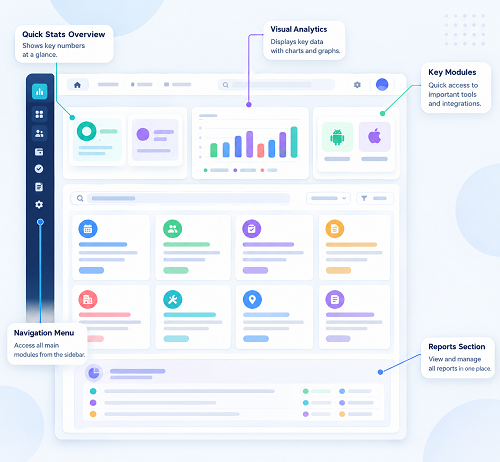
17. Attendance Dashboard
A dashboard provides a quick overview of workforce attendance.
Useful dashboard information may include:
- Total employees
- Present
- Absent
- On leave
- Late
- Missing punches
- Overtime
This can help managers identify issues without manually reviewing individual attendance records.
18. Biometric Device Integration
Businesses already using biometric devices should check whether the attendance software integrates with their existing hardware.
Possible devices may include:
- Fingerprint devices
- Face-recognition devices
- Other supported biometric terminals
Before purchasing, verify device compatibility rather than assuming every biometric device will work with the software.
19. Security and Access Control
Attendance data is employee information, so security should be an important consideration.
Look for:
- Role-based access
- User authentication
- Permission controls
- Audit logs
- Secure data transmission
- Backup procedures
For example:
Employee: Own attendance
Manager: Team attendance
HR: Organization-wide attendance
The exact permission structure should match the organization's requirements.
20. Audit Trail
An audit trail records important attendance changes.
For example:
Original Attendance → Correction Request → Manager Approval → Updated Attendance
The system may record:
- User
- Date
- Time
- Change
- Approval
This can help HR understand how attendance records were modified.
21. API and Software Integration
Growing businesses may want to connect attendance with other systems.
Check whether the software provides suitable integration options for:
- Payroll
- HRMS
- ERP
- Accounting
- Employee portals
- Biometric devices
Integration can help businesses avoid maintaining duplicate employee data.
22. Cloud-Based Access
Cloud-based attendance software allows authorized users to access the system through the internet.
This can be useful for businesses with:
- Multiple branches
- Remote teams
- Field employees
- Distributed HR teams
However, businesses should evaluate the provider's security, availability, backup, and data-handling practices.
23. Scalability
The attendance requirements of a business can change as it grows.
A small company may start with:
20 Employees → 1 Location → 1 Shift
Later it may become:
200 Employees → 5 Locations → Multiple Shifts
Choose software that can accommodate expected growth without requiring a complete system replacement.
24. Ease of Use
Software should be easy for employees, managers, and HR teams to understand.
Compare:
- User interface
- Employee onboarding
- Attendance marking
- Leave application
- Approval process
- Report generation
- Mobile experience
Complicated software can make employee adoption difficult.
25. Customer Support
Technical support can become important when attendance stops working or payroll deadlines are approaching.
Before purchasing, check:
- Support channels
- Response times
- Implementation assistance
- Training
- Documentation
- Support availability
26. Pricing and Total Cost
Don't compare software only by the advertised subscription price.
Consider the total cost, including:
- Number of employees
- Number of administrators
- Hardware
- Implementation
- Support
- Mobile application
- Integrations
- Additional modules
A slightly higher subscription may provide better value if it eliminates significant manual HR work.
Attendance Software Feature Comparison Checklist
| Feature | Basic Need | Advanced Need |
|---|---|---|
| Attendance tracking | ✓ | ✓ |
| Working-hour calculation | ✓ | ✓ |
| Leave management | ✓ | ✓ |
| Overtime | Optional | ✓ |
| Shift management | Optional | ✓ |
| Night-shift support | Optional | ✓ |
| Mobile attendance | Optional | ✓ |
| GPS attendance | Field teams | ✓ |
| Multi-location | Growing businesses | ✓ |
| Payroll integration | Recommended | ✓ |
| Employee self-service | Recommended | ✓ |
| Reports | ✓ | ✓ |
| Dashboard | Recommended | ✓ |
| Approval workflow | ✓ | ✓ |
| Audit trail | Recommended | ✓ |
| API integration | Optional | ✓ |
| Role-based access | ✓ | ✓ |
How to Compare Attendance Software Providers
Instead of comparing only feature lists, businesses should test each system using real attendance scenarios.
For example, ask the provider to demonstrate:
Scenario 1: Normal Attendance
The employee checks in at 9:00 AM and checks out at 6:00 PM.
Scenario 2: Missing Punch
Employee forgets to check out.
Can the employee submit a correction?
Scenario 3: Leave
The employee applies for two days of leave.
Does approval automatically update attendance?
Scenario 4: Overtime
Employees work additional hours.
Can the manager approve overtime?
Scenario 5: Night Shift
Employees work from 10 PM to 6 AM.
Does the system correctly calculate the shift?
Scenario 6: Multiple Locations
Employees work from different branches.
Can HR generate location-wise reports?
Scenario 7: Payroll
Approved attendance needs to be transferred to payroll.
Can the system integrate or export the required information?
Testing real scenarios gives a much better understanding of the software than looking at a feature list alone.
Top Features to Prioritize
For most small and medium-sized businesses, the following features should be high on the evaluation list:
- Easy attendance tracking
- Automated working-hour calculation
- Leave management
- Shift management
- Overtime tracking
- Attendance regularization
- Mobile attendance
- Payroll integration
- Employee self-service
- Attendance reports
- Approval workflows
- Role-based access
- Data security
- Multi-location support
- Scalability
Conclusion
Choosing attendance software should not be based solely on the number of features offered. Businesses should compare the software based on how well it handles their actual attendance processes.
Important features to evaluate include attendance tracking, working-hour calculation, leave management, overtime, shift management, mobile attendance, GPS options, payroll integration, employee self-service, reports, approval workflows, security, and scalability.
For businesses with complex workforces, features such as multiple locations, night shifts, field attendance, biometric integration, and API connectivity can become especially important.
A good attendance system should simplify the entire workflow:
Employee Attendance → Working Hours → Leave & Overtime → Approval → Payroll
By comparing software against real business scenarios and prioritizing features that reduce manual work, businesses can choose an attendance solution that improves HR efficiency, provides better employee visibility, and supports accurate payroll processing.
When comparing attendance solutions, InnBuilt Attendance Management Software offers flexible check-in methods, shifts, geofencing, leave, overtime, alerts, analytics, and payroll integration in one platform.