How Can Bahrain Employers Use Geo-Fenced Check-Ins for Field Employees?
How Can Bahrain Employers Use Geo-Fenced Check-Ins for Field Employees?
Introduction
Managing employee attendance becomes more challenging when workers spend most of their working day outside the office. Sales representatives visit customers, maintenance technicians travel between service locations, delivery teams follow assigned routes, and construction employees report to different project sites. Traditional office-based attendance systems cannot always capture these working arrangements accurately.
For businesses in Bahrain, geo-fenced check-ins offer a practical way to record attendance at approved work locations using mobile devices. A geo-fencing system establishes a virtual boundary around a designated location. When an employee attempts to check in through an authorised application, the system compares the device's reported location with the configured boundary and records the event if the applicable rules are satisfied.
When implemented correctly, geo-fenced attendance can help employers verify site visits, reduce inaccurate check-ins, improve field workforce visibility, and simplify timesheet and payroll preparation.
However, GPS verification alone cannot prove that an employee is working, and location data must be handled responsibly. Employers should combine location-based check-ins with clear attendance policies, supervisor reviews, reliable technology, and appropriate safeguards under Bahrain's applicable employment and personal data protection requirements.
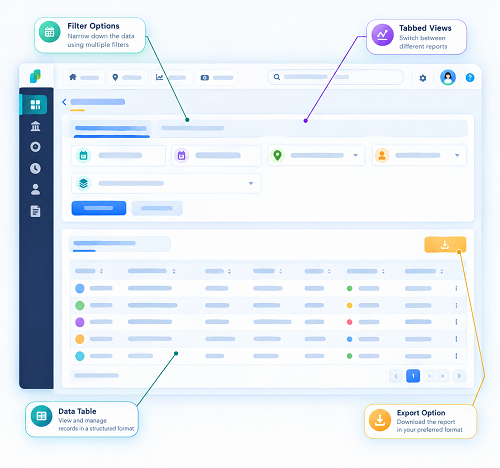
1. Understand How Geo-Fenced Check-Ins Work
Geo-fenced check-ins combine mobile attendance software with location-based verification.
The employer defines an approved location, such as a customer facility, construction project, warehouse, maintenance site, or branch office. The software creates a virtual boundary around that location, usually using GPS coordinates and a configured radius or mapped perimeter.
When an employee arrives, the employee opens the attendance application and attempts to check in. The system evaluates the available location information against the configured rules and records the attendance event if the requirements are met.
A typical process includes:
- The employer creates the employee's profile and assigns the employee to a team or worksite.
- The administrator configures the permitted check-in location.
- The employee travels to the assigned location.
- The employee opens the mobile application and requests a check-in.
- The application evaluates the reported device location and relevant verification rules.
- The system records the timestamp, employee identity, location result, and other necessary information.
- The supervisor reviews exceptions, missing check-ins, and discrepancies.
- Verified attendance data is transferred to the timesheet or payroll workflow.
The exact process depends on the software, device permissions, connectivity, and configuration.
Key point: A geo-fence checks whether a device appears to be within an approved geographical area. It does not independently confirm the employee's identity or prove that the employee performed the assigned work.
2. Identify Which Field Employees Need Geo-Fenced Attendance
Not every employee needs the same attendance controls. Bahrain employers should identify roles where work location is an important part of attendance verification.
Common examples include:
| Employee category | Example use of geo-fenced check-ins |
|---|---|
| Field sales representatives | Recording arrival at assigned customer locations |
| Maintenance technicians | Confirming arrival at service and repair sites |
| Construction workers | Recording attendance at approved project locations |
| Delivery and logistics teams | Verifying attendance at depots and designated facilities |
| Facilities management staff | Confirming attendance at client properties |
| Security personnel | Recording arrival at assigned security posts |
| Installation teams | Recording attendance at customer installation sites |
| Inspection teams | Documenting arrival at scheduled inspection locations |
| Mobile service teams | Tracking attendance across multiple appointments |
| Remote-site employees | Recording attendance at approved remote work locations |
Before deployment, employers should document the operational reason for collecting location information. A system designed to verify arrival at customer sites may not need continuous tracking of employees throughout the day.
This distinction helps businesses choose a proportionate solution rather than collecting more location information than necessary.
3. Create Accurate Geo-Fences for Bahrain Worksites
The effectiveness of geo-fenced attendance depends on how accurately the locations are configured.
Employers should maintain a central register of approved locations, including:
- Worksite or customer location name.
- Full address and geographical coordinates.
- Site or project identifier.
- Assigned employees and supervisors.
- Permitted check-in and check-out conditions.
- Applicable shifts or appointment windows.
- Site activation and closure dates.
- Special instructions for entrances or restricted areas.
For example, a maintenance company may have technicians visiting customer facilities across Manama, Riffa, Muharraq, and other parts of Bahrain. Each approved customer location can be configured with a suitable boundary and assigned to the relevant service appointments.
The boundary should reflect the actual site layout. A small office may require a relatively compact perimeter, while a large industrial facility or construction project may need a wider boundary.
Employers should avoid choosing an excessively small radius simply to make the system appear more precise. Buildings, covered areas, high-rise structures, and device limitations can affect location accuracy.
The right configuration should allow legitimate check-ins while limiting attendance claims from unrelated locations.
4. Set Appropriate Check-In and Check-Out Rules
A geo-fence should be part of a defined attendance process, not just a map-based restriction.
Employers should decide when employees may check in, how they record departures, and what happens when assignments change.
Important rules include:
- Whether check-in is allowed only within a designated time window.
- Whether employees must check in at every assigned site.
- Whether one check-in covers a shift or each customer visit.
- How check-out is recorded when an employee leaves a site.
- How employees record authorised travel between locations.
- How supervisors approve late arrivals and missed check-ins.
- How appointments that run beyond their scheduled time are handled.
- How emergency visits are documented.
- Whether an employee can work at an alternative site with prior approval.
Consider a technician scheduled to visit three customer locations in one day. The attendance system should distinguish between the technician's first arrival, subsequent customer visits, travel periods, and final departure.
Without clear rules, businesses may confuse legitimate travel with absence or incorrectly calculate the employee's working hours.
5. Combine Location Verification With Employee Authentication
A location check does not establish who is holding the phone. If employees can share devices or account credentials, geo-fencing alone may not prevent proxy attendance.
Employers can strengthen verification by combining location checks with appropriate identity controls, such as:
- Individual employee accounts.
- Secure authentication credentials.
- Multi-factor authentication where justified.
- Device registration where suitable.
- Supervisor confirmation for selected high-risk visits.
- Customer acknowledgements or service records when operationally appropriate.
- Alerts for conflicting or implausible attendance events.
For example, if a field employee records a check-in at a customer site, the system may also require a unique employee login and an assigned appointment record.
Businesses should be cautious about requiring facial recognition or other biometric checks as an automatic addition. Such systems introduce separate privacy, security, accuracy, and legal considerations. Employers should assess the applicable requirements under Bahrain's Personal Data Protection Law before adopting biometric identity verification.
A layered approach helps establish stronger evidence without assuming that a GPS coordinate alone proves attendance.
6. Prevent False Check-Ins and Detect Suspicious Activity
Geo-fenced attendance software can identify patterns that require further review.
Employers may configure alerts for:
- Check-ins recorded outside the assigned site boundary.
- Multiple overlapping appointments at distant locations.
- Repeated check-ins at unexpected locations.
- Check-ins that conflict with approved leave.
- Missing check-outs.
- Attendance events submitted long after the scheduled time.
- Repeated manual attendance corrections.
- Location information that fails the system's reliability checks.
For example, if an employee records attendance at a customer facility in Manama and then records another check-in at a distant location at an overlapping time, the system can flag the records for investigation.
However, an alert is not proof of misconduct. The discrepancy could result from an incorrect appointment, a schedule change, poor GPS accuracy, an application error, or a delayed synchronisation.
Supervisors should review the employee's assignment, available records, and explanation before deciding whether the attendance record needs correction or further investigation.
7. Account for GPS Accuracy and Mobile Connectivity
Bahrain field employees may work inside buildings, in covered parking areas, at industrial sites, or in locations where mobile connectivity is inconsistent. These conditions can affect check-in reliability.
A well-designed system should provide clear feedback when a location cannot be verified.
Employers should look for features such as:
- A visible location-accuracy indicator.
- A reasonable waiting period for a location fix.
- Clear instructions when location permissions are disabled.
- A controlled process for failed GPS verification.
- Offline attendance capture, where appropriate.
- Secure synchronisation when connectivity returns.
- Duplicate-event prevention.
- A record of manual corrections and approvals.
Offline attendance requires particular care. If a mobile device stores an event and uploads it later, the system should distinguish the claimed event time from the upload time and apply appropriate validation.
For example, a technician working in a location with poor connectivity may need to submit an attendance event that synchronises once the connection returns. The supervisor should be able to see that the record was captured offline rather than assuming it was submitted at the moment it occurred.
A reliable fallback process prevents technical failures from automatically becoming employee attendance violations.
8. Protect Employee Privacy Under Bahrain's Data Protection Framework
Location information linked to an identifiable employee can constitute personal data. Employers should therefore assess how geo-fenced attendance information is collected, used, stored, and shared.
Bahrain's Personal Data Protection Law No. 30 of 2018 establishes a framework governing personal data processing, including automated processing and certain international data transfers. Employers should review the applicable requirements before deploying a location-based attendance solution.
Practical privacy safeguards include:
Define a specific purpose. Explain whether location data is used to verify attendance at assigned work locations, document service visits, or support another clearly defined business purpose.
Limit collection. If the objective is to verify arrival at a worksite, consider recording the location at check-in and check-out rather than continuously monitoring the employee throughout the day.
Be transparent. Explain when location is collected, who can access it, how it is used, and how employees can report errors.
Restrict access. Provide location records only to personnel who need them for attendance, supervision, HR, payroll, or another authorised purpose.
Set retention rules. Keep records for an appropriate period based on legal obligations, payroll requirements, operational needs, and applicable retention rules.
Review vendors. Understand where the provider stores data, who can access it, which subprocessors are involved, and whether data may be transferred outside Bahrain.
Secure the information. Use suitable access controls, encryption, authentication, and incident-response procedures.
Employers should also assess the legal basis for processing and any applicable notice, consent, notification, authorisation, or transfer requirements. The precise obligations depend on the proposed processing and the relevant legal provisions.
A geo-fenced attendance application should not automatically continue collecting work-related location information outside the intended attendance process.
9. Integrate Geo-Fenced Attendance With Shifts and Appointments
Field employees often have schedules that change throughout the day. A location-based attendance system should reflect those assignments accurately.
The system should connect attendance records with:
- Employee and department details.
- Assigned work locations.
- Customer appointments.
- Planned routes or service schedules where relevant.
- Shift start and end times.
- Approved shift changes.
- Leave and absence records.
- Overtime approvals.
- Supervisor corrections.
For example, if a technician is reassigned from one customer to another, the system should allow the authorised change to be reflected in the attendance rules. Otherwise, the employee may be incorrectly flagged for checking in at a location that was not in the original schedule.
Integration also reduces manual data entry and allows managers to distinguish between attendance at an assigned site and attendance that requires review.
10. Reconcile Geo-Fenced Check-Ins With Payroll
Geo-fenced attendance can improve payroll preparation by providing structured records of arrival, departure, and assigned work locations.
However, a location event should not automatically be treated as proof of the total hours worked or as the sole basis for a pay decision.
Before payroll is finalised, employers should reconcile:
- Scheduled shifts and appointments.
- Verified check-in and check-out records.
- Approved travel and site changes.
- Breaks and working-hour records, where relevant.
- Approved overtime.
- Leave and absence records.
- Missing punches and manual corrections.
- Exceptions that remain unresolved.
For instance, a technician may check in at 8:00 a.m. and check out at 4:30 p.m. These timestamps provide useful evidence, but the employer must still apply the relevant working-hour rules, break arrangements, approved overtime, and applicable employment terms.
Bahrain's Labour Law for the Private Sector, Law No. 36 of 2012, contains provisions concerning working hours, breaks, and employee records. Businesses should review the current applicable requirements when designing attendance and payroll processes.
The payroll workflow should retain an audit trail showing what was recorded, what was changed, who approved the change, and why.
11. Give Supervisors a Practical Field Attendance Dashboard
Managers responsible for mobile teams need an easy way to understand attendance without manually reviewing every employee's location history.
A useful dashboard may show:
- Employees expected to start work.
- Check-ins completed on time.
- Employees who have not checked in.
- Check-ins outside approved boundaries.
- Upcoming customer appointments.
- Missing check-outs.
- Pending supervisor approvals.
- Failed or delayed mobile submissions.
- Attendance exceptions requiring HR review.
For example, a facilities management supervisor overseeing several client properties in Bahrain could use a dashboard to identify which scheduled staff have checked in at each property.
The dashboard should display only the information required for the supervisor's responsibilities. Detailed location history should not be available to every manager by default.
Clear exception categories also help supervisors focus on records that require attention rather than treating every field employee as a potential attendance problem.
12. Establish a Fair Process for Attendance Exceptions
Employees need a reliable way to resolve attendance problems when a check-in fails or an assignment changes unexpectedly.
Employers should define a standard exception process:
- The employee reports the problem through the application or designated contact.
- The employee provides relevant details, such as the assigned site, appointment, or device issue.
- The supervisor checks the roster and available supporting records.
- The supervisor approves, rejects, or requests additional information.
- Any correction is recorded with the reason and approval details.
- HR reviews recurring or disputed exceptions where necessary.
- The corrected record is reconciled before payroll finalisation.
Supporting evidence may include a service order, customer visit record, supervisor confirmation, or other appropriate business record.
The process should distinguish between genuine technology failures, approved schedule changes, and possible misuse. Employers should not rely on a failed GPS check alone to conclude that an employee was absent.
13. Choose Geo-Fenced Attendance Software Carefully
Before purchasing a system, Bahrain employers should evaluate how well it supports their actual field operations.
Important selection criteria include:
| Feature | Why it matters |
|---|---|
| Multiple geo-fences | Supports employees visiting several locations |
| Flexible boundary settings | Accommodates different site sizes and layouts |
| Individual employee accounts | Helps link attendance events to the correct account |
| Shift and appointment scheduling | Connects check-ins with assigned work |
| Exception alerts | Highlights records that require review |
| Offline support | Helps manage limited connectivity |
| Audit trails | Records corrections and approvals |
| Payroll integration | Reduces manual reconciliation |
| Role-based access | Limits exposure of employee information |
| Data retention controls | Supports responsible record management |
| Security features | Helps protect accounts and location records |
| Reporting and exports | Supports operational reviews and payroll checks |
Employers should also ask vendors how the system validates location data, handles device clock discrepancies, prevents duplicate submissions, and manages changes to approved work locations.
A pilot involving real employees, real site boundaries, and actual shift schedules is usually more informative than relying only on a product demonstration.
14. Measure the Effectiveness of Geo-Fenced Attendance
Businesses should monitor whether the new system improves attendance accuracy and field operations.
Useful performance indicators include:
- Percentage of scheduled check-ins completed successfully.
- Number of check-ins outside assigned boundaries.
- Missing check-ins and check-outs per reporting period.
- Average time needed to resolve attendance exceptions.
- Number of manual corrections.
- Frequency of location-verification failures.
- Payroll adjustments caused by attendance discrepancies.
- Percentage of field appointments with complete attendance records.
- Supervisor time spent on attendance administration.
Employers should establish baseline measurements before implementation and compare them with results after the system is introduced.
A high number of failed check-ins may indicate inaccurate boundaries or poor device performance rather than employee misconduct. Similarly, a decrease in manual corrections may reflect better system design, but it should be assessed alongside payroll accuracy and employee feedback.
Frequently Asked Questions (FAQs)
1. What is a geo-fenced check-in?
A geo-fenced check-in is a mobile attendance event that uses location information to determine whether a device is within an approved geographical area. Employers use it to support attendance verification at offices, customer sites, construction projects, and other work locations.
2. Can Bahrain employers use geo-fenced attendance for field employees?
Geo-fenced attendance can be used as an operational attendance method, subject to applicable legal requirements. Employers should assess the purpose and scope of location collection, inform employees appropriately, secure the information, and review their obligations under Bahrain's personal data protection and employment laws.
3. Does GPS prove that an employee is working?
No. GPS can help establish that a device appears to be near a designated location at a particular time. It does not independently establish the user's identity, confirm that work was performed, or prove the employee's total working hours.
4. Can geo-fencing prevent proxy attendance?
It can make certain forms of inaccurate attendance more difficult, particularly when combined with individual accounts and additional verification. However, location controls alone cannot prevent every form of proxy attendance because a device may be shared or another person may use the employee's account.
5. How large should a geo-fence be?
The appropriate boundary depends on the size and layout of the worksite, the device's location accuracy, and the operational requirements. Employers should test the boundary at the actual site and allow for legitimate location variation without making the permitted area unnecessarily broad.
6. What happens when GPS or mobile internet fails?
The attendance system should provide a defined fallback process. Depending on the software, employees may submit a record for later synchronisation or request supervisor verification. Any correction should be documented, reviewed, and approved through the normal attendance procedure.
7. Should employers track field employees continuously?
Continuous tracking is not automatically necessary for attendance verification. Employers should assess whether check-in and check-out location records meet the stated purpose and avoid collecting more location information than needed. Any additional tracking should be separately justified and assessed against applicable legal requirements.
Conclusion
Geo-fenced check-ins can help Bahrain employers manage field attendance more consistently by connecting mobile check-in events with approved work locations, employee schedules, and supervisor review processes.
For sales teams, maintenance technicians, construction crews, delivery personnel, and facilities management staff, the system can improve visibility into site arrivals and reduce dependence on paper registers and informal reporting.
However, successful implementation requires more than GPS tracking. Employers should configure accurate site boundaries, use appropriate identity controls, provide a fair process for technical failures, integrate attendance with payroll, and protect employee location information.
By introducing geo-fenced check-ins with clear policies, reliable technology, and appropriate privacy safeguards, Bahrain businesses can strengthen attendance records while supporting efficient and transparent field workforce management.
Geo-fenced check-ins can connect a time entry with an assigned work area. InnBuilt Employee Tracking App can help Bahrain field managers review whether staff started work at the expected site.