How Can Singapore Field Service Teams Use Live Location to Dispatch Jobs?
Introduction
Field service operations often involve employees travelling between customer locations, commercial buildings, industrial facilities and construction sites. When several service requests arrive at the same time, dispatchers need to decide which technician should handle each job and when the work can be completed.
Traditional dispatching methods often depend on spreadsheets, phone calls, messaging applications and manually maintained schedules. These methods can make it difficult to identify the nearest available technician, monitor job progress and respond quickly when an appointment changes.
Live location tracking provides dispatchers with updated information about field employees during authorised working periods. When combined with job management software, GPS tracking can help businesses identify suitable technicians, allocate new work, monitor travel progress and update customers.
Singapore businesses can also explore digital field service management solutions that combine scheduling, dispatching, work order tracking and inventory management. Enterprise Singapore identifies these capabilities as part of field service management solutions.
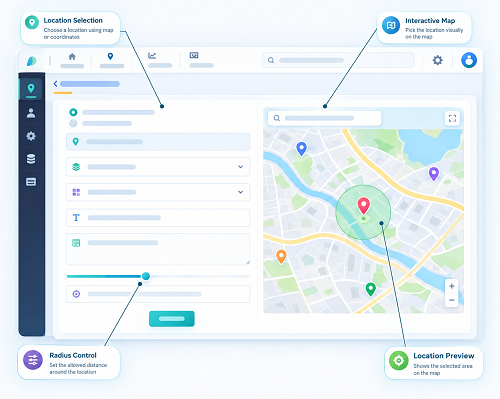
1. Understand the Role of Live Location in Job Dispatching
Live location tracking allows dispatchers to view the latest available location of field employees through a central dashboard or map.
When a new service request arrives, managers can use this information to identify technicians who are geographically close to the customer and potentially available for the assignment.
For example, an air-conditioning maintenance company in Singapore may have technicians working across Jurong, Tampines, Woodlands and the Central Business District. If an urgent repair request comes from a customer in Tampines, the dispatcher can check which technicians are nearby instead of contacting every employee individually.
A live tracking dashboard may display:
- Current or most recently reported employee location.
- Employee availability and work status.
- Assigned and pending jobs.
- Current job location.
- Estimated travel time, where supported.
- Completed and outstanding assignments.
- Route information and location history, where authorised.
Dispatchers should remember that a location shown on the map may not represent an employee's exact current position. GPS update intervals, network coverage and device settings can affect the freshness and accuracy of location information.
2. Identify the Nearest Available Technician
One of the most practical uses of live location is identifying technicians who are close to a new service request.
When a job enters the system, dispatchers can view employees operating within the surrounding area and shortlist suitable candidates.
For example:
- A technician completing maintenance in Jurong may be considered for another nearby job.
- An employee working around Paya Lebar may be considered for a service request in Bedok.
- A technician near Woodlands may be suitable for an urgent inspection in Sembawang.
However, proximity should not be the only selection criterion. A nearby technician may already have a critical assignment or may lack the qualifications required for the new work.
The dispatching system should therefore consider:
- Distance from the employee to the customer.
- Current availability.
- Technician skills and certifications.
- Existing job commitments.
- Expected job duration.
- Customer appointment time.
- Required tools, spare parts or equipment.
A suitable platform should help dispatchers compare these factors before confirming an assignment.
3. Match Jobs With Technician Skills and Qualifications
Not every technician can handle every service request. Field service businesses may employ specialists for electrical work, plumbing, equipment installation, air-conditioning maintenance, network troubleshooting and safety inspections.
Live location becomes more useful when integrated with employee skill profiles.
For example, a customer may report an electrical distribution board problem at a commercial building. The dispatcher should identify technicians who are both geographically suitable and qualified to perform the work.
The software should allow employers to maintain information such as:
- Technical skills and specialisations.
- Relevant licences and certifications.
- Equipment familiarity.
- Service experience.
- Assigned service areas.
- Training and qualification expiry dates.
When a new job is created, the dispatcher can filter available employees by the required skill and then compare their locations.
This reduces the risk of sending an unsuitable employee simply because that person appears closest to the customer.
4. Prioritise Urgent Service Requests
Field service businesses often receive jobs with different urgency levels. A routine maintenance visit may be scheduled for later in the week, while an equipment breakdown or critical facility issue may require immediate attention.
Live location helps dispatchers identify employees who may be able to respond to urgent requests without unnecessarily disrupting other assignments.
For example, a facilities management company may receive an urgent request from a commercial building experiencing a water leak. The dispatcher can review nearby technicians, check their existing schedules and identify a suitable employee who can attend quickly.
A job management system should support priority categories such as:
- Emergency jobs.
- High-priority service requests.
- Standard repair work.
- Scheduled maintenance.
- Routine inspections.
- Follow-up visits.
Dispatchers should also consider the service-level agreement (SLA) associated with each customer. An urgent job may have a specific response or resolution commitment that influences the assignment decision.
The system can highlight jobs approaching their response deadlines and help managers identify the most appropriate available resource.
5. Use Travel Time Instead of Distance Alone
The nearest technician is not always the fastest technician to reach a customer.
In Singapore, travel time can be affected by peak-hour congestion, expressway conditions, road restrictions, parking availability and the location of the customer premises.
For example, two technicians may appear to be at similar distances from a service location. However, one may need to travel through congested roads, while the other has a more direct route.
A useful dispatch system should combine location information with route planning and estimated travel times where these capabilities are available.
Dispatchers should consider:
- Current traffic conditions.
- Expected travel duration.
- Road accessibility.
- Parking and loading requirements.
- Customer site access arrangements.
- Existing appointments along the route.
This helps managers make more practical dispatch decisions than relying only on straight-line distance.
Businesses should also test whether the software uses live traffic information, periodically updated map data or basic distance calculations. These methods can produce different travel estimates.
6. Automatically Assign Jobs Based on Location and Availability
Some live tracking platforms provide automated dispatch features.
Instead of manually reviewing every employee, the system can evaluate job requirements, employee availability, skills and location to recommend or assign a suitable technician.
A typical automated dispatch workflow may work as follows:
- A customer submits a service request.
- The system creates a job record.
- The dispatcher defines the job priority and required skills.
- The software identifies eligible technicians.
- The system compares employee locations and availability.
- A suitable technician receives the assignment.
- The technician accepts or acknowledges the job.
- The dispatcher monitors progress through the dashboard.
Automated assignment can reduce administrative work, particularly for businesses handling large numbers of daily service requests.
However, employers should retain manual override options. Dispatchers may need to intervene when a technician is dealing with an emergency, a customer requests a particular employee or an unexpected operational issue occurs.
7. Monitor Job Acceptance and Employee Availability
Sending a job to an employee does not necessarily mean that the employee can immediately begin the work.
Technicians may be completing another assignment, travelling to a customer, taking an authorised break or waiting for replacement parts.
Live tracking software should therefore combine location visibility with clear job status information.
Useful job statuses include:
| Job status | Meaning |
|---|---|
| New | Service request has been created |
| Assigned | A technician has been selected |
| Accepted | Technician has acknowledged the assignment |
| Travelling | Technician is on the way |
| Arrived | Technician has reached the customer location |
| In progress | Work has started |
| On hold | Work is temporarily paused |
| Completed | Technician has finished the job |
| Cancelled | Assignment has been cancelled |
Dispatchers should be able to distinguish between an employee who is geographically nearby and an employee who is genuinely available for another assignment.
This improves resource planning and reduces the risk of assigning overlapping jobs.
8. Reassign Jobs When Schedules Change
Field service schedules rarely remain unchanged throughout the day.
A technician may encounter unexpected traffic, a job may take longer than planned, a customer may cancel an appointment or a new emergency may arise.
Live location helps dispatchers review these changes and identify alternative employees.
For example, if a technician scheduled to attend a customer in Orchard is delayed by an extended repair job, the dispatcher can check whether another qualified employee is available nearby.
A useful system should support:
- Reassignment of pending jobs.
- Notifications when assignments change.
- Updated job details for the replacement technician.
- Customer appointment updates.
- Visibility of the previous assignment.
- Reasons for reassignment.
- Audit records of dispatch changes.
Before reassigning work, managers should consider whether the new employee has the required skills, equipment and customer information.
The replacement technician should receive the complete work order rather than just a new address.
9. Coordinate Multiple Jobs in the Same Area
When several service requests come from the same neighbourhood or business district, dispatchers can use live location to group jobs more efficiently.
For example, an equipment maintenance company may receive five service requests across Jurong Industrial Estate. Instead of assigning employees to jobs without considering geography, the dispatcher can group nearby assignments and plan a more efficient schedule.
Location-based grouping can help businesses:
- Reduce unnecessary travel between appointments.
- Assign nearby jobs to the same technician where practical.
- Avoid overlapping routes.
- Improve daily workload distribution.
- Reduce travel-related operating expenses.
- Schedule follow-up visits more efficiently.
However, grouping should also consider job duration, customer availability, service priorities and the equipment required for each task.
A technician should not receive an unrealistic schedule simply because several customers are located close together.
10. Provide Job Details Through a Mobile Application
Once a job is assigned, the technician needs enough information to complete the work without repeatedly contacting the dispatch office.
A mobile field service application should provide the relevant assignment details.
These may include:
- Customer name and contact information.
- Service location and directions.
- Job description.
- Reported equipment problem.
- Priority level.
- Appointment time.
- Required tools and spare parts.
- Previous service history.
- Safety instructions.
- Customer-specific access requirements.
Technicians should also be able to acknowledge assignments, update job progress and contact dispatchers through the application.
For example, an air-conditioning technician attending a commercial building should be able to review the equipment details and previous maintenance records before arriving.
Providing complete job information helps reduce communication delays and unnecessary repeat visits.
11. Track Arrival and Confirm Work Completion
Live location can help dispatchers understand whether technicians have reached assigned customer locations. However, GPS presence alone should not be treated as proof that the work has been completed.
Businesses should combine location information with job-specific updates.
For example, a technician may need to:
- Reach the customer location.
- Check in through the mobile application.
- Review the assigned work order.
- Complete the repair or inspection.
- Record the work performed.
- Upload relevant photographs.
- Record parts or materials used.
- Obtain customer acknowledgement or a digital signature, where appropriate.
- Mark the job as completed.
These records help the business establish a more complete service history.
Location check-ins can also support customer appointment verification, but employers should provide alternative review procedures when GPS signals are weak or location data is unavailable.
12. Manage Unexpected Delays and Dispatch Exceptions
A dispatcher needs to know when an assignment is at risk of being delayed.
Live location combined with job status alerts can help identify exceptions that require attention.
Examples include:
- A technician has not started travelling after accepting a job.
- An employee is delayed beyond the planned arrival time.
- A technician has remained at a location longer than expected.
- A customer appointment is approaching without an arrival update.
- An urgent job remains unassigned.
- A technician reports that the required equipment is unavailable.
- A job cannot be completed because site access is restricted.
The software can notify dispatchers when predefined conditions are met.
However, alerts should be treated as prompts for investigation rather than automatic evidence of poor employee performance. A technician may remain at a location because the repair is complicated or because the customer requires additional work.
Managers should review the circumstances before changing assignments or taking corrective action.
13. Integrate Live Location With Work Order and Customer Management Systems
Live location is most effective when connected to the wider field service workflow.
If tracking software operates separately from job management, dispatchers may need to enter the same information into multiple systems.
Integration can connect location information with:
- Customer relationship management (CRM).
- Work order management.
- Employee scheduling.
- Inventory management.
- Attendance systems.
- Payroll applications.
- Customer notification platforms.
- Billing and invoicing systems.
For example, when a technician completes a repair, the mobile application can update the work order and send the completion status to the central system.
The customer service team can then provide an update to the customer without waiting for a separate phone call.
Businesses should confirm which integrations are available, whether they require additional development and how information is synchronised between systems.
14. Maintain Employee Privacy During Location-Based Dispatching
Live location tracking involves employee personal data. Singapore employers should establish clear policies explaining why location information is collected, how it is used and who can access it.
The Personal Data Protection Act (PDPA) applies to organisations' collection, use and disclosure of personal data, subject to its provisions and exceptions.
For employment-related purposes, certain collection, use and disclosure may be permitted without employee consent under the employment-related exceptions. However, employers must still inform employees of the purposes and comply with other applicable PDPA obligations.
Practical safeguards include:
- Restricting tracking to authorised working periods where appropriate.
- Explaining location tracking purposes to employees.
- Limiting access to authorised dispatchers and managers.
- Setting appropriate retention periods.
- Protecting location records against unauthorised access.
- Reviewing third-party data processing arrangements.
- Establishing procedures for employee privacy concerns.
Employers should not assume that company-owned devices can be monitored without limits. Tracking arrangements should be proportionate to the operational purpose.
The Ministry of Manpower has also highlighted the importance of clear workplace monitoring rules, informing workers about monitoring purposes and protecting collected information.
15. Measure Dispatch Performance With Location-Based Reports
Live tracking data can help managers understand how effectively field jobs are being allocated.
Instead of relying only on the number of jobs completed, businesses can review travel, scheduling and response information.
Useful performance indicators include:
| KPI | What it measures |
|---|---|
| Average dispatch time | Time taken to assign a job after receiving the request |
| Average response time | Time between job creation and technician arrival |
| First-time fix rate | Percentage of jobs resolved without a repeat visit |
| On-time arrival rate | Percentage of appointments reached within the agreed window |
| Jobs completed per technician | Daily or weekly completed assignments |
| Travel time per job | Time spent travelling to service locations |
| Job reassignment rate | Frequency of changes to original assignments |
| SLA achievement rate | Percentage of jobs meeting agreed service commitments |
| Unassigned job count | Number of service requests awaiting allocation |
Managers should interpret these indicators in context.
For example, a technician handling complex equipment repairs may complete fewer jobs than an employee performing routine inspections. Comparing employees without considering job complexity can create misleading conclusions.
Reports should support operational improvements, fair workload planning and customer service rather than encourage unnecessary monitoring.
16. Create a Practical Live Location Dispatch Workflow
Singapore field service businesses can introduce a consistent dispatch process by connecting job creation, technician selection, assignment and completion.
A recommended workflow is:
Step 1: Receive the service request
Record the customer's details, service location, problem description, priority and preferred appointment time.
Step 2: Create the work order
Assign a unique job reference and identify the required skills, tools and estimated work duration.
Step 3: Review employee availability
Check which technicians are available, their current job status and their latest reported locations.
Step 4: Identify suitable employees
Filter technicians by skills, location, workload and appointment commitments.
Step 5: Compare travel estimates
Review estimated travel time, traffic conditions and customer site access requirements.
Step 6: Assign and notify
Send the selected technician the work order through the mobile application.
Step 7: Monitor progress
Review acceptance, travel, arrival and job status updates.
Step 8: Handle exceptions
Reassign work or update customer appointments when unexpected delays occur.
Step 9: Confirm completion
Collect work reports, photographs, parts information and customer acknowledgement where appropriate.
Step 10: Review performance
Use dispatch reports to identify scheduling problems, travel inefficiencies and opportunities for improvement.
17. Choose Live Tracking Software That Supports Dispatch Requirements
Before selecting a live tracking platform, Singapore businesses should evaluate whether it supports their actual field service operations.
Important features include:
- Real-time or appropriately frequent GPS updates.
- Live employee location maps.
- Employee availability and job status.
- Skills-based technician allocation.
- Automated and manual job dispatch.
- Route planning and travel estimates.
- Job scheduling and work order management.
- Mobile assignment notifications.
- Customer and site records.
- Geofencing and visit check-ins.
- Offline data capture and later synchronisation.
- Dispatch reports and performance dashboards.
- Role-based access and privacy controls.
- Integration with existing business applications.
Businesses should test the software with realistic operating scenarios rather than relying only on a vendor presentation.
For example, conduct a pilot involving several technicians working in different Singapore locations. Create urgent and routine service requests, reassign jobs, simulate delays and test how quickly location and status updates appear on the dispatch dashboard.
The pilot should also assess GPS performance around high-rise buildings, indoor facilities and locations with weak mobile network coverage.
Conclusion
Live location can help Singapore field service teams make faster and more informed job dispatch decisions. By combining employee location with availability, technical skills, job priority, workload and estimated travel time, dispatchers can allocate service requests more effectively.
The greatest benefits come when live tracking is integrated with work orders, mobile applications, customer records and performance reporting. This gives managers better visibility from the moment a service request arrives until the technician completes the work.
However, businesses should not treat location as the only basis for dispatch decisions or employee performance assessments. Accurate job information, practical scheduling rules, employee privacy safeguards and reliable communication remain essential.
With a well-configured live tracking and field service management system, Singapore businesses can improve technician utilisation, reduce unnecessary travel, respond to customers more quickly and maintain better control over daily field operations.
Use current technician locations and job status to assess dispatch choices. Test whether InnBuilt supports the visibility Singapore service managers actually need.