How to Pilot Live Tracking Software With Singapore Field Employees
How to Pilot Live Tracking Software With Singapore Field Employees
Introduction
Introducing live tracking software across an entire workforce without testing it first can create operational problems. Employees may experience mobile app difficulties, GPS readings may be inaccurate at certain locations, managers may receive too many alerts, and the system may not integrate properly with existing attendance or job management applications.
A pilot programme allows Singapore employers to test live tracking software with a small group of field employees before committing to a full implementation. It helps businesses evaluate location accuracy, mobile app reliability, employee experience, privacy controls, reporting capabilities and the software's ability to support everyday field operations.
For companies managing technicians, cleaning teams, sales representatives, maintenance workers, security personnel and other mobile employees, a well-planned pilot can reveal whether the software solves actual operational problems.
The goal is not simply to confirm that employees appear on a map. Employers should determine whether the system improves workforce coordination, supports job dispatching, verifies site visits where appropriate and provides reliable information without creating unnecessary monitoring or administrative work.
This article explains how Singapore employers can plan, conduct and evaluate a live tracking software pilot with field employees.
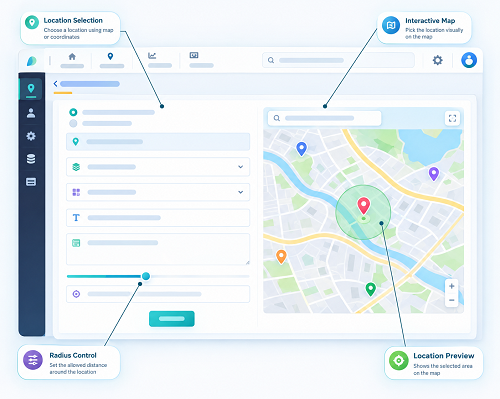
1. Define the Objectives of the Pilot
Before selecting employees or configuring the software, employers should identify what they want to achieve.
A pilot without clear objectives can become a general technology trial in which managers test features without knowing whether the system delivers business value.
Common pilot objectives include:
- Improving visibility of field employee locations during authorised working periods.
- Reducing delays in assigning jobs to available employees.
- Verifying arrival at customer or project sites.
- Improving attendance and visit records.
- Monitoring progress against scheduled field assignments.
- Identifying missed appointments or incomplete site visits.
- Reducing manual calls and messages between supervisors and field employees.
- Improving travel and route planning.
- Supporting employee safety during field assignments.
- Improving operational reporting across multiple sites.
For example, a Singapore maintenance company may want to reduce the time dispatchers spend contacting technicians to identify who is available for an urgent repair. Its pilot can test whether live location information, employee availability and job assignment features help dispatchers make better decisions.
A sales organisation may have a different objective: verifying customer visits without continuously tracking representatives throughout the day.
Each objective should have a measurable outcome so that management can decide whether the pilot has been successful.
2. Select the Right Group of Field Employees
The pilot group should be large enough to provide useful feedback but small enough for supervisors to manage closely.
Employers should select employees who represent the actual working conditions of the wider field workforce.
Consider including:
- Employees who travel between multiple customer locations.
- Technicians who receive changing job assignments.
- Employees working across different parts of Singapore.
- Staff who work in high-rise buildings or underground facilities.
- Employees using different smartphone models.
- Employees working different shifts.
- Supervisors responsible for coordinating field teams.
For example, a facilities management company could begin with 10 to 15 technicians working across several customer sites. The group might include employees who handle planned maintenance, emergency repairs and regular inspections.
The pilot should not include only employees who are comfortable with technology. Including people with different levels of mobile app experience helps identify training and usability problems before a wider rollout.
Employers should explain the pilot objectives and tracking arrangements to participants before activation. Their feedback should be treated as an important part of the evaluation.
3. Choose Representative Singapore Work Locations
The physical environment can significantly affect location-tracking performance. A system that works accurately in an open area may behave differently inside a commercial building, basement car park or industrial facility.
Employers should select pilot locations that reflect the environments in which their employees normally work.
Useful test environments include:
- Open outdoor areas.
- Commercial buildings in the Central Business District.
- Shopping centres and retail premises.
- Industrial estates and warehouses.
- Construction or project sites.
- Underground car parks.
- High-rise office buildings.
- Residential developments.
- Locations with weak mobile network coverage.
For example, a technician working in an open industrial compound may receive more consistent GPS readings than an employee moving through a basement plant room.
Testing at different locations helps employers understand where GPS tracking is reliable and where additional verification methods may be necessary.
For indoor locations, QR codes, NFC tags or Bluetooth beacons may provide more dependable checkpoint verification than GPS alone.
4. Define the Pilot Duration and Schedule
The pilot should run long enough to capture normal operating conditions, including busy periods, different shifts, customer appointments and unexpected job changes.
A practical pilot may run for two to four weeks, depending on the size of the team and complexity of the operations. This is a suggested planning period, not a fixed requirement.
A sample schedule could be:
| Pilot stage | Suggested timing | Main activities |
|---|---|---|
| Preparation | Before launch | Set objectives, select employees, configure software and communicate the policy |
| Initial testing | Week 1 | Test installation, permissions, location updates and basic check-ins |
| Operational testing | Week 2 | Test dispatch, job assignments, site visits and alerts |
| Performance evaluation | Weeks 3–4 | Review reports, employee feedback, reliability and operational impact |
| Final assessment | After testing | Compare results with objectives and decide whether to proceed |
The schedule should include normal working days and, where relevant, weekend or overnight shifts. This helps identify issues that may not appear during a short office-based demonstration.
Employers should avoid changing too many software settings during the pilot without recording the changes. Otherwise, it may be difficult to determine whether improvements or problems resulted from the software or its configuration.
5. Prepare the Tracking Policy and Inform Employees
Before collecting employee location information, employers should establish clear rules explaining how the pilot will operate.
Employees should understand:
- Why the organisation is testing live tracking.
- Which employees are participating.
- When location tracking will be active.
- Whether tracking is continuous, periodic or event-based.
- What information the application collects.
- Who can access location records.
- How the information may be used.
- How long pilot records will be retained.
- How technical problems and inaccurate records can be reported.
- How employees can raise questions or concerns.
Singapore employers should consider their obligations under the Personal Data Protection Act 2012 (PDPA). The employment-related exception may apply to certain collection, use or disclosure of employee personal data for managing the employment relationship, but employers should still notify employees of the relevant purposes and comply with other applicable PDPA obligations.
MOM has advised that workplace monitoring devices should operate under clear rules, be used for appropriate safety or security purposes and be supported by worker notification and data protection safeguards. Its 2025 parliamentary reply also identifies company grievance channels, unions where applicable and TAFEP as avenues for employees who have concerns about intrusive monitoring.
Employers should not treat a pilot as an opportunity to monitor employees more extensively than necessary. Tracking should be limited to the stated operational purposes and authorised periods.
6. Check Device Compatibility Before Installation
A live tracking application may behave differently across smartphones, operating systems and device configurations.
Before the pilot begins, employers should confirm that the software works with the devices participants actually use.
Test the following:
- Android and iOS compatibility.
- Supported operating system versions.
- GPS and location permission settings.
- Background location permissions.
- Battery optimisation settings.
- Mobile data connectivity.
- Application installation and login.
- Push notification permissions.
- Device storage requirements.
- Compatibility with company security policies.
If employees use personal smartphones, employers should explain the BYOD arrangements, including any requirements for installing the application and protecting personal information.
A short device readiness check can prevent pilot time from being wasted on avoidable installation or permission problems.
7. Test GPS Accuracy in Real Working Conditions
GPS accuracy should be tested at the locations where employees actually perform their duties.
Employers should compare location readings in different environments, including open spaces, high-rise areas, enclosed buildings and underground facilities.
During testing, record:
- The displayed location.
- The reported accuracy estimate, if available.
- The time of the location reading.
- The time the reading reaches the dashboard.
- Whether the employee was stationary or moving.
- Whether the device was indoors or outdoors.
- Whether mobile connectivity was available.
It is important to distinguish between positioning accuracy and data transmission delay. A smartphone may determine its location correctly but upload the information later because of weak network coverage.
For example, an employee may enter a basement parking area where GPS reception becomes unreliable. The dashboard may continue showing the employee's last known outdoor location. A useful tracking system should display the last update time rather than presenting old information as a current position.
Employers should not expect GPS to identify an exact room or floor inside a building. If precise indoor verification is necessary, test QR, NFC or Bluetooth-based alternatives.
8. Test Location Update Frequency and Reliability
Live tracking systems may use different location update intervals. Employers should determine whether the update frequency is suitable for their operational needs.
For example:
- A field dispatcher may need reasonably frequent updates to coordinate urgent assignments.
- A sales manager may only need location information when representatives check in at customer sites.
- A maintenance supervisor may need location updates during dispatch and travel, followed by a confirmed site arrival.
- A mobile safety team may require location visibility during specific high-risk assignments.
During the pilot, evaluate:
- How frequently location updates appear.
- Whether updates continue when the screen is locked.
- Whether tracking works when the application runs in the background.
- Whether updates stop unexpectedly.
- Whether location history is complete.
- Whether the dashboard displays the latest update timestamp.
- Whether tracking resumes after connectivity returns.
Do not assume that a product's advertised update frequency will be maintained under every device, network and battery condition. Test it with the actual devices and operating conditions used by employees.
9. Evaluate Battery Consumption and Mobile Data Usage
Continuous or frequent location updates can affect smartphone battery life and mobile data usage.
Employers should monitor the impact during a complete working shift rather than relying only on short demonstrations.
Record:
- Battery percentage before the shift.
- Battery percentage after the shift.
- Application battery usage, where available.
- Mobile data consumed.
- Frequency of charging during working hours.
- Whether the application stops tracking when battery saver mode is enabled.
- Whether location updates continue after the screen is locked.
Compare results across different devices because battery capacity, operating system settings and application behaviour may vary.
For example, if an employee begins a shift with a fully charged phone but regularly needs to recharge it before the shift ends, the organisation should investigate the application's update frequency and background activity.
The objective is to find a configuration that provides sufficient operational visibility without making the application impractical for everyday use.
10. Test Mobile App Usability With Field Employees
Employees should be able to use the tracking application without unnecessary effort or repeated technical assistance.
During the pilot, ask employees to complete normal activities through the app.
Test whether they can:
- Sign in securely.
- Start and end authorised tracking sessions.
- View assigned jobs.
- Check in at customer sites.
- Update job status.
- Record arrival and departure.
- Submit notes and photographs where required.
- Report an incident or exception.
- View their own relevant records.
- Report application or GPS problems.
The interface should be understandable to employees with different levels of technical experience.
For example, a technician should be able to open an assigned work order, confirm arrival and update its status without navigating through multiple unrelated screens.
Collect feedback about confusing menus, slow loading, excessive notifications and unnecessary steps. A technically accurate application may still fail operationally if employees find it difficult to use.
11. Test Geofencing and Site Check-Ins
If the software supports geofencing, employers should test whether it correctly identifies arrival and departure events at actual work locations.
Configure test boundaries around selected customer sites and evaluate:
- Whether entry events are recorded correctly.
- Whether departure events are recorded correctly.
- Whether employees outside the boundary are incorrectly marked as present.
- Whether nearby buildings create overlapping boundaries.
- Whether GPS fluctuations trigger repeated alerts.
- Whether check-ins work in high-rise or enclosed locations.
- Whether employees can report an incorrect check-in.
Test different geofence sizes rather than assuming that one radius will work for every site. A large industrial compound and a compact commercial building may require different configurations.
For indoor locations, compare GPS geofencing with QR or NFC checkpoint verification.
A geofence event should be treated as evidence that a device was detected within an approximate area, not automatic proof that an employee entered a building or completed assigned work.
12. Test Job Assignment and Dispatch Workflows
If the pilot includes field job management features, test whether live location information improves how jobs are allocated.
A realistic test should involve new assignments, urgent requests and changes to existing schedules.
Check whether dispatchers can:
- View available employees.
- Identify their latest reported locations.
- Review employee skills and qualifications.
- Check current workloads.
- Assign jobs to suitable employees.
- Send work orders to mobile devices.
- Reassign jobs when circumstances change.
- Monitor job acceptance and progress.
- Identify delayed or unacknowledged assignments.
For example, a Singapore maintenance business could simulate an urgent repair request in the afternoon. The dispatcher should be able to identify a qualified technician who is available, review the likely travel time and assign the job.
The pilot should determine whether location information genuinely improves dispatch decisions. Choosing the nearest employee without considering skills, availability, traffic, parts and appointment commitments may create further delays.
IMDA's Field Service Management requirements provide a useful reference for evaluating work order management, technician scheduling based on skills, availability and proximity, mobile job updates, offline data entry and dashboards showing job status and technician locations.
13. Test Offline Functionality and Data Synchronisation
Field employees may work in basements, plant rooms, enclosed facilities or other areas with weak connectivity.
The pilot should test what happens when the mobile device temporarily loses its internet connection.
Check whether employees can:
- Access previously downloaded work orders.
- Record permitted attendance or check-in events.
- Update job status.
- Complete digital forms and checklists.
- Capture photographs and notes.
- Save records securely on the device.
- Synchronise information when connectivity returns.
Also test whether the system preserves the original event time separately from the upload time.
For example, an employee may record a site visit at 3:10 PM while offline. The record may only reach the central dashboard at 3:35 PM. Both timestamps are useful for understanding the event and the synchronisation delay.
Check for duplicate submissions, missing attachments, conflicting updates and failed uploads. The application should make it clear to employees when records are saved locally and when they have successfully synchronised.
IMDA's FSM requirements specifically identify offline mobile data entry and automatic cloud synchronisation as important capabilities for field service applications.
14. Evaluate Alerts and Exception Notifications
Alerts help supervisors identify issues without continuously watching the tracking dashboard.
During the pilot, test notifications for:
- Missed site check-ins.
- Late arrival.
- Delayed job assignments.
- Missed patrol or inspection checkpoints, where relevant.
- Unusual departures from authorised work areas.
- Device connectivity problems.
- Location updates that have stopped.
- Uncompleted work orders.
- Emergency or incident reports.
Check whether alerts reach the correct person and contain enough information to support action.
For example, a late-arrival alert should ideally identify the employee, site, scheduled appointment, expected arrival time and last reported location update.
Also evaluate false alerts. GPS fluctuations, overlapping geofences and network interruptions can trigger notifications that do not reflect actual employee activity.
Employers should configure escalation rules carefully. Too many low-priority notifications can cause supervisors to overlook important operational exceptions.
15. Test Integration With Attendance, Payroll and Job Management
If the organisation plans to connect live tracking with existing business systems, the pilot should include integration testing.
Possible integrations include:
- Attendance management software.
- Payroll applications.
- Field service management platforms.
- Customer relationship management systems.
- Work order management software.
- HR management systems.
- Reporting and business intelligence tools.
Check whether employee IDs match across systems, whether job assignments synchronise correctly and whether location events are linked to the correct employee and work order.
If location records are used to support attendance or payroll reviews, verify how the events are transferred and approved.
GPS information alone should not automatically determine working hours, overtime or salary calculations. Employers should maintain the required employment and salary records and use appropriate review procedures for exceptions.
Test what happens when an employee changes assignments, a job is cancelled or a location record is corrected. The connected systems should not retain conflicting or outdated information.
16. Monitor Privacy and Data Security During the Pilot
The pilot should test privacy controls as carefully as technical features.
Employers should confirm that:
- Tracking operates only for the stated purposes and authorised periods.
- Employees receive clear information about the monitoring arrangements.
- Access is restricted to authorised roles.
- Location records are protected during transmission and storage.
- Data exports are controlled.
- Vendor access is appropriately managed.
- Retention settings can be configured.
- Employee records can be reviewed and corrected through appropriate procedures.
- Tracking can be disabled or paused according to the approved policy.
Test whether a dispatcher can see only the information needed for job allocation, while an HR user has access to relevant attendance records without unrestricted access to all route histories.
Employers should also review how the vendor stores data, whether subcontractors process it and whether information is transferred overseas. The organisation should ensure that applicable PDPA obligations are addressed.
A pilot should not collect more location data than is needed to evaluate the proposed system.
Conclusion
A successful live tracking software pilot gives Singapore employers a practical way to evaluate whether location technology improves field workforce coordination before a full rollout. It allows businesses to test GPS accuracy, mobile app reliability, battery consumption, geofencing, offline operation, job dispatching, reporting and privacy controls in real working conditions.
The pilot should involve representative field employees, different work locations and realistic operational scenarios. Employers should also communicate tracking arrangements clearly, collect employee feedback and compare results against measurable objectives.
Most importantly, live tracking should support legitimate business activities rather than become unnecessary employee surveillance. By combining technical testing, employee involvement, appropriate privacy safeguards and a structured evaluation process, Singapore businesses can make more informed software decisions and introduce tracking systems with greater confidence.
Pick representative employees, routes and success measures for a limited trial. Record InnBuilt tracking accuracy, app adoption and exception rates in Singapore conditions.