How to Calculate the Business Case for Payroll Automation in Singapore
How to Calculate the Business Case for Payroll Automation in Singapore
Introduction
Payroll is an essential business function, but managing it manually can consume considerable time and resources. HR and finance teams must collect employee information, verify attendance, calculate salaries, process overtime and allowances, check statutory contributions, prepare payslips, arrange salary payments and complete regulatory submissions. As a business grows, these activities can become increasingly difficult to manage through spreadsheets and manual workflows.
Payroll automation can help Singapore employers reduce repetitive administration, improve calculation consistency, strengthen approval controls and simplify statutory reporting. However, purchasing payroll software involves more than comparing subscription prices. Businesses need to understand whether the expected savings and operational improvements justify the investment.
A business case provides a structured way to evaluate this decision. It compares the current cost of managing payroll with the expected cost and benefits of an automated solution. It should consider direct labour savings, reduced rework, implementation expenses, ongoing software fees, compliance processes and the value of improved payroll visibility.
This guide explains how Singapore employers can calculate the business case for payroll automation, estimate return on investment (ROI), identify hidden costs and present a practical investment proposal to management.
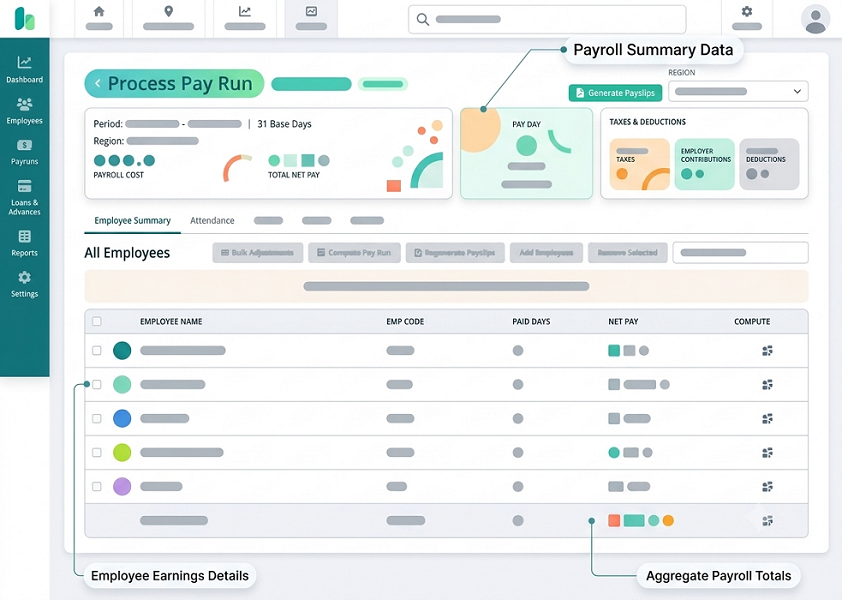
1. Understand Why Payroll Automation Is Needed
Before calculating the financial benefits, employers should identify the problems affecting their current payroll process.
A company may still be able to process salaries using spreadsheets, but that does not necessarily mean the process is efficient or cost-effective. Payroll administration may involve several employees performing repetitive activities, checking information across different systems and correcting errors before payday.
Common challenges include:
- Manually entering employee salary and attendance information.
- Calculating overtime, allowances, commissions and unpaid leave.
- Checking CPF contributions and applicable contribution rates.
- Preparing payroll reports and itemised payslips.
- Re-entering payroll information into accounting software.
- Preparing annual employment income information for IRAS.
- Managing employee joiners, leavers and salary changes.
- Following up on missing approvals and payroll corrections.
- Maintaining records for internal reviews and statutory requirements.
Employers should document these issues before selecting software. The business case will be more convincing when it is based on actual administrative problems rather than general claims about automation.
For example, a company with 30 employees and straightforward monthly salaries may have different requirements from a company with 300 employees, multiple locations, shift workers, overtime payments and several legal entities.
2. Measure the Current Cost of Payroll Processing
The first major step is to calculate how much the business currently spends on payroll administration.
The cost is not limited to the payroll administrator's salary. It also includes the time spent by HR managers, finance employees, department supervisors and other staff who contribute to the payroll cycle.
Record the time spent on activities such as:
| Payroll activity | Examples of work to measure |
|---|---|
| Employee data management | Updating salary, bank and employment information |
| Attendance collection | Gathering timesheets, shifts and attendance records |
| Payroll calculations | Calculating salaries, allowances and deductions |
| CPF and statutory checks | Reviewing contribution calculations and other applicable obligations |
| Payroll verification | Checking payroll registers and correcting discrepancies |
| Payslip preparation | Generating and distributing payslips |
| Salary payment preparation | Preparing bank files and payment instructions |
| Accounting reconciliation | Matching payroll totals with accounting records |
| Year-end reporting | Preparing employment income information and supporting records |
| Employee queries | Responding to salary and deduction questions |
For each activity, record:
- How many employees participate.
- How many hours they spend each month.
- Their estimated hourly employment cost.
- How frequently the activity takes place.
- Whether the work involves repetitive manual steps or avoidable corrections.
Calculate the current monthly labour cost
Use the following formula:
Monthly payroll labour cost = Total hours spent on payroll activities × Average loaded hourly employment cost
The loaded hourly cost should include relevant employment expenses, rather than basic salary alone. Depending on the organisation's accounting approach, it may include employer CPF contributions, benefits and other employment-related costs.
For example, if payroll employees spend 40 hours per month on payroll administration and their average loaded hourly cost is S$35:
40 hours × S$35 = S$1,400 per month
This figure represents the estimated labour cost of the measured activities. It does not mean that the organisation will automatically save the full amount after automation. The business must estimate how much work will actually be eliminated or reduced.
3. Calculate the Cost of Payroll Errors and Rework
Manual payroll processes can create additional costs when employee information is incomplete, calculations are incorrect or approvals are delayed.
Examples include:
- Correcting an incorrect salary calculation.
- Recalculating CPF contributions after identifying an error.
- Reissuing payslips.
- Preparing revised payroll reports.
- Investigating incorrect attendance or overtime information.
- Responding to employee complaints.
- Rechecking bank payment information.
- Making adjustments in accounting records.
To calculate the cost of payroll errors, track the number of corrections and the time required to resolve them.
Monthly correction cost = Number of corrections × Average time per correction × Loaded hourly cost
For example, assume a business handles 12 payroll corrections each month. Each correction requires 30 minutes, and the average loaded hourly cost is S$35.
12 × 0.5 hours × S$35 = S$210 per month
The organisation should also identify any direct costs associated with corrections, such as bank charges or professional assistance.
However, employers should avoid treating every payroll correction as a financial loss. Some corrections are unavoidable, even with good software. The business case should include only the portion that automation is reasonably expected to reduce.
It is also important not to count the same employee hours twice. If correction time is already included in the measured payroll processing hours, it should not be added again as a separate labour cost.
4. Identify Which Payroll Activities Can Be Automated
The potential return on investment depends on the functions that the proposed software can actually automate.
Singapore employers should assess the following areas.
A. Salary calculations
Payroll software can calculate regular salary, hourly wages, overtime, commissions, allowances and applicable deductions based on configured rules.
This can reduce repetitive calculations and help maintain consistent payroll treatment across employees.
B. CPF contribution calculations
A suitable system can apply configured CPF contribution rules based on employee eligibility, age, residency status, wages and applicable ceilings.
For 2026, the Ordinary Wage ceiling is S$102,000. The Additional Wage ceiling is calculated using the annual salary ceiling less the Ordinary Wages subject to CPF for the year.
Employers should verify that the software handles changes in employee status, contribution rates and wage classifications correctly. The employer remains responsible for the accuracy of CPF declarations and payments.
C. Attendance and overtime integration
Integration with attendance software can reduce manual collection and entry of working hours, approved overtime and absence information.
However, the integration should transfer verified and approved information. Employers should not assume that every recorded attendance event automatically qualifies for payroll payment or deduction without appropriate review.
D. Leave and absence calculations
Payroll automation can receive approved annual leave, sick leave, unpaid leave and other relevant absence information from an HR or leave management system.
This can reduce manual adjustments, provided the system is configured according to the applicable employment rules and company policies.
E. Payslip generation
Software can generate itemised payslips and distribute them through secure employee self-service portals.
This reduces repetitive document preparation and makes it easier for employees to retrieve their payroll information.
F. Statutory reporting and submissions
Depending on the vendor and configuration, payroll software may generate information or support submissions for CPF, IRAS and other relevant reporting requirements.
Singapore's One-Stop Payroll initiative aims to streamline payroll-related submissions to CPF Board, IRAS and MOM through participating payroll software. Employers should confirm which functions their selected system actually supports, including whether it prepares a file or submits information directly.
G. Accounting integration
Payroll software can transfer salary expenses, employer contributions and other payroll entries into accounting systems.
This can reduce duplicate data entry and improve the consistency of payroll reconciliation.
5. Estimate the Time Savings From Automation
Once the automatable activities have been identified, estimate how much time the proposed system could save.
Do not assume that automation eliminates all payroll administration. HR and finance teams will still need to review employee changes, approve payroll, investigate exceptions and authorise payments.
A practical estimate should compare the current time spent with the expected time required after implementation.
| Payroll activity | Current monthly time | Estimated automated time | Estimated time saved |
|---|---|---|---|
| Employee data updates | 5 hours | 2 hours | 3 hours |
| Attendance and overtime collection | 8 hours | 3 hours | 5 hours |
| Salary calculations | 7 hours | 2 hours | 5 hours |
| CPF and statutory checks | 4 hours | 2 hours | 2 hours |
| Payslip preparation | 3 hours | 1 hour | 2 hours |
| Payroll reconciliation | 5 hours | 3 hours | 2 hours |
| Payroll queries and corrections | 8 hours | 2 hours | 6 hours |
| Total | 40 hours | 15 hours | 25 hours |
The figures above are illustrative. Employers should replace them with results from their own payroll time study or software pilot.
If the business saves 25 hours per month and the loaded hourly employment cost is S$35:
25 × S$35 = S$875 monthly labour capacity released
This is a potential economic benefit, not necessarily an immediate reduction in payroll expenditure. The business may realise the value by reducing overtime, avoiding additional recruitment, reallocating staff to higher-value work or handling business growth without increasing payroll administration headcount.
6. Calculate the Total Cost of Payroll Automation
A realistic business case must include all costs associated with purchasing, implementing and maintaining the solution.
The subscription fee is only one part of the investment.
A. Software subscription
Payroll vendors may charge based on:
- Number of employees.
- Number of payroll entities.
- Monthly or annual subscription.
- Payroll processing frequency.
- Available HR and payroll modules.
- Employee self-service features.
- Additional users or administrators.
Employers should confirm whether the quoted subscription includes CPF calculations, payslips, statutory reports, year-end reporting and employee self-service.
B. Implementation costs
Implementation expenses may include:
- Initial system configuration.
- Employee data migration.
- Salary component mapping.
- Payroll rule configuration.
- Integration with attendance or accounting software.
- User acceptance testing.
- Parallel payroll runs.
- Go-live assistance.
C. Training costs
HR and finance employees may require training to operate the system, review payroll results and resolve exceptions.
The cost of training should include both vendor charges and the internal time spent by employees attending training sessions.
D. Integration and maintenance costs
Additional costs may arise from API connections, custom reports, third-party integrations, system maintenance and technical support.
E. Ongoing administration
Automation does not eliminate the need for payroll management. Businesses must continue to maintain employee information, update salary structures, review statutory changes and approve payroll results.
A cost comparison should therefore include both software expenses and the internal effort required to operate the new process.
7. Build a Complete Payroll Automation Cost Model
The following table illustrates how a business can organise the expected investment.
| Cost category | Example annual or one-time cost |
|---|---|
| Payroll software subscription | S$5,400 per year |
| Implementation and configuration | S$2,400 one-time |
| Employee data migration | Included in implementation |
| Staff training | S$600 one-time |
| Integration and maintenance | S$100 per month |
| Additional payroll modules | Based on vendor quotation |
| Ongoing internal administration | Measured separately |
For a more accurate business case, separate one-time implementation costs from recurring expenses.
Employers should also check whether quoted amounts include GST, whether there are minimum subscription charges and whether additional fees apply to off-cycle payroll runs, year-end reporting or employee departures.
8. Calculate the Expected Financial Benefits
Payroll automation can generate several types of financial benefits.
A. Reduced payroll administration time
This is often the most measurable benefit. Employees spend less time on manual data entry, repetitive calculations and document preparation.
B. Lower correction and rework costs
Automated calculations, validation rules and approval workflows can reduce avoidable errors and the time spent correcting them.
C. Reduced dependence on spreadsheets
A central payroll system can reduce the need to maintain multiple spreadsheets, manual trackers and separate calculation files.
D. Improved payroll scalability
A company that grows from 50 to 150 employees may not need to increase payroll administration resources at the same rate if the new system can handle additional employees and payroll complexity efficiently.
E. Better reporting and reconciliation
Automated payroll reports and accounting integrations can reduce the time required to prepare management reports and reconcile salary expenses.
F. Lower compliance administration effort
A payroll system with properly maintained statutory rules and reporting capabilities can reduce repetitive preparation work.
Employers should not treat the elimination of statutory penalties as guaranteed savings. A system can support compliance, but it cannot remove the employer's legal responsibility to provide accurate information and meet payment and filing obligations.
9. Calculate ROI for Payroll Automation
Return on investment measures whether the financial benefits justify the investment.
A basic formula is:
ROI (%) = [(Total financial benefits − Total investment costs) ÷ Total investment costs] × 100
For a first-year calculation, include all expected benefits and costs during the first 12 months.
For a recurring annual calculation, exclude one-time implementation costs and compare ongoing annual benefits with ongoing annual costs.
Example: ROI calculation for a Singapore SME
Assume a Singapore business has 80 employees and currently spends 40 hours per month on payroll administration.
The business is considering payroll software that can reduce this workload to 15 hours per month.
The following assumptions are used:
| Item | Amount |
|---|---|
| Current payroll administration time | 40 hours/month |
| Expected time after automation | 15 hours/month |
| Monthly time saved | 25 hours |
| Loaded hourly employment cost | S$35 |
| Monthly labour capacity released | S$875 |
| Estimated monthly correction cost reduction | S$80 |
| Total estimated monthly benefit | S$955 |
The estimated annual benefit is:
S$955 × 12 = S$11,460
Now assume the software investment is:
| Investment item | Cost |
|---|---|
| Annual software subscription | S$5,400 |
| Annual integration and maintenance | S$1,200 |
| Implementation | S$2,400 |
| Training | S$600 |
| Total first-year investment | S$9,600 |
The first-year ROI is:
ROI = [(11,460 − 9,600) ÷ 9,600] × 100
First-year ROI = 19.4%
The estimated first-year net financial benefit is S$1,860.
This example assumes the business can convert the released employee time into measurable economic value. If the time is not redeployed productively or used to avoid additional expenditure, the cash savings may be lower.
10. Calculate the Payback Period
ROI shows the overall return, while the payback period estimates how long it takes for the investment to recover its initial cost.
Use the following formula:
Payback period = Initial investment ÷ Monthly net benefit after recurring costs
Using the example above:
- Monthly benefit: S$955.
- Monthly subscription and maintenance: S$550.
- Monthly net benefit after recurring costs: S$405.
- Initial implementation and training investment: S$3,000.
S$3,000 ÷ S$405 = approximately 7.4 months
This means the initial implementation and training expenditure could be recovered in approximately eight months, assuming the estimated benefits and recurring costs are achieved consistently.
The calculation should be adjusted if the business has a lengthy implementation period, phased rollout, seasonal payroll activity or additional recurring charges.
11. Include Compliance and Risk Reduction Benefits Carefully
Singapore employers must consider statutory payroll requirements when evaluating automation.
Payroll processes may involve CPF contributions, itemised payslips, employment records, tax reporting and other applicable obligations.
Automation can help reduce administrative risk by providing:
- Configured CPF calculation rules.
- Employee eligibility and wage information checks.
- Payroll approval records.
- Itemised payslip generation.
- Payroll reconciliation reports.
- Audit trails for changes and approvals.
- Reporting support for IRAS and other agencies.
- Secure storage and controlled access to employee information.
The value of these controls can be significant, especially for organisations with complex payroll arrangements.
However, risk reduction should be treated separately from direct labour savings. Employers should not include speculative penalty avoidance as guaranteed revenue or savings.
A sensible approach is to describe these benefits as risk reduction and operational assurance unless the organisation has reliable historical data to quantify the financial impact.
12. Consider the Value of Singapore's One-Stop Payroll Initiative
Singapore's One-Stop Payroll initiative is relevant when assessing payroll automation.
The initiative is a joint effort involving CPF Board, IRAS, MOM and GovTech. Its objective is to streamline payroll-related submissions by allowing businesses to submit relevant information to multiple government agencies through a single platform via participating payroll software.
This can help reduce the administrative effort involved in preparing similar payroll information for separate submissions.
When evaluating a payroll vendor, employers should ask:
- Is the software One-Stop Payroll-ready?
- Which agency submissions are supported?
- Does the system submit information directly or only generate files?
- Are payroll records validated before submission?
- Can users review the information before authorising submission?
- Are submission statuses and errors visible?
- Can the system retain evidence of successful submissions?
The business case should assign financial value only to the administrative work the selected solution can genuinely reduce.
13. Evaluate the Cost of Staying With Manual Payroll
A useful business case should compare automation not only with the current software budget but also with the cost of continuing the existing process.
Manual payroll may appear inexpensive because spreadsheets do not require a dedicated payroll subscription. However, the business still pays for the employee time needed to maintain them.
Consider the following comparison:
| Evaluation factor | Manual payroll | Automated payroll |
|---|---|---|
| Salary calculations | Mostly manual | System-assisted or automated |
| CPF calculations | Manual checks or separate tools | Configured calculation support |
| Attendance data | Manual collection and entry | Integration where supported |
| Payslips | Manually prepared or generated separately | Automated generation |
| Payroll approvals | Email or spreadsheet-based | Configurable workflows |
| Payroll reports | Manually consolidated | System-generated reports |
| Accounting reconciliation | Manual data entry or matching | Integration where supported |
| Audit trails | May be fragmented | Centralised logs where supported |
| Scalability | Administrative workload can increase quickly | Better ability to handle higher volumes |
| Initial cost | Usually lower | Subscription and implementation costs |
The objective is not to prove that automated payroll is always cheaper. It is to determine which approach delivers the best overall value for the organisation's size, complexity and growth plans.
14. Calculate the Business Case for Different Company Sizes
Payroll automation may deliver different levels of value depending on employee numbers and payroll complexity.
Small businesses
A small business with fewer than 20 employees may have relatively simple salary structures. Its business case may depend on reducing repetitive calculations, preparing payslips and managing CPF information more consistently.
The company should compare the software subscription with the time currently spent on payroll administration.
Medium-sized businesses
Businesses with approximately 20 to 200 employees may have more complicated payroll processes involving multiple departments, attendance systems, overtime, leave, allowances and employee changes.
For these organisations, integration and approval automation may generate meaningful savings.
Large businesses
Larger employers may need multi-entity payroll, complex salary structures, different payroll calendars, detailed reporting and advanced access controls.
The business case should include the benefits of standardised processes, centralised reporting, stronger governance and reduced duplication across departments.
Employee count alone is not enough to predict ROI. A business with 40 shift-based employees may have more payroll complexity than a business with 100 employees receiving fixed monthly salaries.
15. Consider Productivity Gains Beyond Direct Cost Savings
Not every benefit of payroll automation appears as a reduction in monthly expenditure.
Some improvements create value by allowing employees to focus on more important work.
Examples include:
- HR teams spend more time on employee engagement and workforce planning.
- Finance teams focusing on budgeting and financial analysis.
- Payroll administrators handle exceptions instead of repetitive data entry.
- Managers reviewing payroll information more quickly.
- Employees accessing payslips without repeatedly contacting HR.
- Management receiving more timely payroll reports.
These improvements can be included in the business case as productivity benefits.
However, employers should distinguish between measurable financial savings and qualitative benefits. This prevents the business case from overstating the expected return.
16. Include Data Security and Implementation Risks
Payroll systems handle sensitive employee information, including salary details, bank account information, identification information and employment records.
A business case should include the cost of maintaining appropriate security and operational controls.
Employers should evaluate:
- Encryption of payroll data.
- Role-based access controls.
- Multi-factor authentication.
- Audit trails for payroll changes.
- Secure employee self-service access.
- Backup and disaster recovery.
- Data export and migration arrangements.
- Vendor security practices.
- Data retention and deletion policies.
- Protection of information transferred overseas.
Singapore's Personal Data Protection Act (PDPA) requires organisations to protect personal data and comply with applicable data protection obligations. Employers should assess the responsibilities of both the organisation and its payroll service provider.
Implementation risks should also be considered. Poor employee data migration, incorrect salary component mapping or incomplete testing can create payroll errors after go-live.
A realistic business case should therefore include time and resources for data validation, user acceptance testing, parallel payroll runs and staff training.
17. Evaluate Government Support and Available Grants
Singapore businesses may be eligible for government support when adopting suitable digital solutions.
IRAS provides information about digital collaboration and payroll software adoption, including support schemes available through the SMEs Go Digital platform. Its guidance refers to grant support of up to 50% for eligible HRMS solutions with payroll capabilities.
However, employers should not assume that every payroll product or implementation expense qualifies for funding.
Before including a grant in the financial model, verify:
- Whether the company meets the eligibility criteria.
- Whether the proposed solution is approved or supported under the relevant scheme.
- Which software and implementation expenses qualify.
- The applicable funding percentage and cap.
- Whether approval is required before purchase.
- The application deadline and supporting documents.
Calculate the business case both with and without grant support. This helps management understand whether payroll automation remains worthwhile if funding is unavailable.
18. Run a Pilot Before Approving the Full Investment
A pilot can help employers validate the assumptions used in the business case.
Rather than relying entirely on vendor demonstrations, test the software with representative employee records and actual payroll scenarios.
A useful pilot should include:
- Employee master data setup.
- Monthly salary calculations.
- CPF contribution calculations.
- Ordinary and Additional Wage treatment.
- Overtime and allowance calculations.
- Leave and unpaid absence adjustments.
- Joiner and leaver processing.
- Payslip generation.
- Payroll approval workflows.
- Accounting integration.
- Payroll reports and reconciliation.
- Statutory reporting or submission workflows.
Where practical, compare the automated results with the existing payroll process over two or more payroll cycles.
Record the time taken, errors identified, corrections required and level of manual intervention.
The pilot should also test exception handling. A payroll system that processes routine salaries quickly but cannot handle irregular payments or employee changes may not deliver the expected business value.
Conclusion
Calculating the business case for payroll automation in Singapore requires employers to look beyond the price of payroll software. The decision should be based on the current cost of payroll administration, the time spent correcting errors, the level of manual work that can realistically be automated and the total cost of implementing and maintaining the new system.
A well-prepared business case should include measurable labour savings, reduced rework, improved reporting, better payroll controls and the ability to manage business growth without proportionately increasing administrative workload.
Employers should also assess Singapore-specific requirements, including CPF calculations, itemised payslips, employment records, IRAS reporting and relevant One-Stop Payroll capabilities. A pilot using real payroll scenarios can help validate the vendor's claims before the organisation commits to a long-term investment.
Ultimately, payroll automation should be evaluated as an investment in operational efficiency, accuracy and business scalability. When the expected benefits are supported by reliable data and realistic cost assumptions, management can make a more informed decision about whether automation is financially and operationally worthwhile.
Estimate time saved on data entry, corrections and approvals against setup and recurring costs. Use Singapore payroll baselines to test an InnBuilt automation case.