How Can Thailand Employers Track Attendance Across Bangkok and Regional Branches?
How Can Thailand Employers Track Attendance Across Bangkok and Regional Branches?
Introduction
Managing employee attendance across multiple locations can be challenging for businesses operating in Bangkok and other parts of Thailand. A company may have its headquarters in Bangkok, sales offices in Chiang Mai and Phuket, factories in Chonburi and Rayong, and retail branches in Khon Kaen, Nakhon Ratchasima or Hat Yai. Each location may follow different working hours, shift patterns, public holiday arrangements and attendance procedures.
When branches maintain separate attendance registers, spreadsheets or clock-in devices, HR teams can struggle to obtain a consistent view of workforce attendance. Managers may receive reports late, employees transferred between branches may be recorded incorrectly, and payroll teams may spend considerable time consolidating attendance information.
A centralised attendance management system can help employers monitor attendance across all branches while allowing each location to follow its own operational requirements. Employees can clock in through suitable devices, branch managers can review local attendance, and head office can access consolidated reports.
However, effective multi-branch attendance management requires more than installing a mobile app or biometric device. Employers need to configure branch locations, employee assignments, working schedules, approval procedures, data access and reporting rules carefully.
This guide explains how Thailand employers can track attendance across Bangkok and regional branches, choose appropriate clock-in methods, maintain consistent records and connect attendance information with payroll.
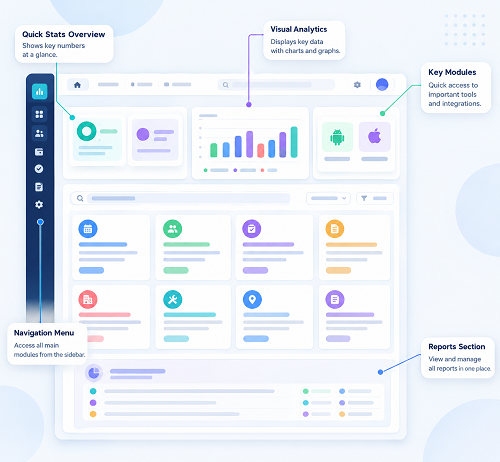
1. Understand the Challenges of Multi-Branch Attendance Management
Businesses with several locations often face attendance problems because each branch operates differently.
For example, a Bangkok head office may follow a standard Monday-to-Friday schedule, while a retail outlet in Chiang Mai operates six days a week. A factory in Chonburi may use rotating shifts, while a service team in Phuket may work at customer locations.
If all branches use the same manual attendance process, HR may struggle to maintain accurate records.
Common challenges include:
- Different attendance devices and recording methods at each branch.
- Separate spreadsheets maintained by local supervisors.
- Delays in sending attendance reports to head office.
- Employees working temporarily at another branch.
- Inconsistent treatment of late arrivals and early departures.
- Difficulty tracking overtime and shift changes.
- Missing clock-in or clock-out records.
- Limited visibility into branch-level absenteeism.
- Incorrect attendance data transferred to payroll.
- Difficulty identifying unusual attendance patterns.
These issues can become more serious as the organisation expands. A centralised attendance process helps establish consistent rules while preserving the flexibility required by different branches.
2. Create a Centralised Database for All Branch Locations
The first step is to establish a central record of every business location.
An attendance system should allow HR administrators to create separate branch profiles under one company account. Each profile should contain relevant information about the location and its operating arrangements.
For example:
| Branch location | Business type | Typical attendance arrangement |
|---|---|---|
| Bangkok | Head office | Fixed office hours |
| Chiang Mai | Regional office | Standard office schedule |
| Phuket | Sales and service branch | Office and field attendance |
| Chonburi | Factory | Rotating shifts |
| Rayong | Warehouse | Shift-based attendance |
| Khon Kaen | Retail outlet | Roster-based attendance |
| Hat Yai | Regional branch | Retail or office schedule |
The system should support branch-specific settings such as:
- Branch name and location code.
- Physical address.
- GPS coordinates, where needed.
- Assigned departments.
- Branch manager and attendance approver.
- Working days and operating hours.
- Shift schedules.
- Approved clock-in methods.
- Local attendance policies.
A centralised structure allows head office to view attendance across the organisation without requiring each branch to send separate spreadsheets.
It also makes it easier to compare attendance trends between locations.
3. Assign Employees to Their Correct Branches
Every employee should have a clearly defined primary work location in the attendance system.
This helps the organisation determine where the employee is normally expected to report for work and which manager is responsible for reviewing attendance.
Employee records should generally include:
- Employee identification number.
- Full name.
- Department and job title.
- Primary branch.
- Reporting manager.
- Employment status.
- Working schedule.
- Assigned shift.
- Approved alternative work locations.
For example, a sales employee may be assigned to the Bangkok branch but regularly visit customers in Nonthaburi and Pathum Thani. A technician may report to the Rayong branch but travel to customer sites in nearby provinces.
The attendance system should support these working arrangements without incorrectly treating every check-in outside the primary branch as an unauthorised attendance event.
Handle temporary branch transfers
Employees may be transferred temporarily or permanently between locations.
A suitable system should allow authorised HR users to:
- Change the employee's primary branch.
- Specify the effective date of the change.
- Assign the appropriate working schedule.
- Update the reporting manager.
- Preserve historical attendance records.
- Record temporary assignments separately where supported.
This is particularly important for companies with rotating project teams, regional sales staff and employees who provide cover at different branches.
The system should retain the original attendance history rather than rewriting previous records when an employee changes locations.
4. Choose the Right Attendance Method for Each Branch
Not every branch needs the same clock-in method. Employers should select a method based on the workplace environment, employee roles, internet connectivity and security requirements.
A good attendance platform should support multiple clock-in methods within one central system.
A. Biometric attendance devices
Fingerprint and facial-recognition terminals are useful for employees who report regularly to a fixed workplace.
They may be suitable for:
- Bangkok headquarters.
- Factories in Chonburi and Rayong.
- Warehouses and distribution centres.
- Retail branches with permanent staff.
- Offices with controlled entry points.
The main advantage is that employees can record attendance at a designated terminal rather than relying on a supervisor to maintain a register.
Before selecting biometric technology, employers should assess privacy and data protection requirements. Biometric information used to uniquely identify an individual can involve sensitive personal data under Thailand's Personal Data Protection Act (PDPA). The employer should assess the applicable legal basis, conditions for processing and safeguards, and consider a non-biometric alternative where appropriate.
B. Mobile attendance applications
Mobile attendance applications are useful for employees who work outside a fixed office.
Employees may use their smartphones to:
- Clock in when arriving at an approved branch.
- Clock out when finishing work.
- Record attendance at customer locations.
- Submit missed-punch requests.
- View their attendance history.
- Receive shift and schedule notifications.
Mobile attendance is particularly useful for regional sales representatives, service technicians, delivery coordinators and employees who travel between branches.
Employers should check whether the application records only the location necessary for attendance verification or continuously tracks employees. For ordinary clock-in verification, collecting a location at the time of the attendance event may be more proportionate than monitoring an employee throughout the day.
C. GPS and geofencing
GPS-based attendance allows employers to verify whether a mobile clock-in occurred near an approved work location.
Geofencing creates a virtual boundary around a branch or work site. When employees attempt to clock in, the application checks whether their device is within the configured boundary.
For example, a company could create separate geofences around its Bangkok, Chiang Mai and Phuket offices.
A system may allow HR to configure:
- Permitted check-in radius.
- Approved work locations.
- Employees assigned to each location.
- Exceptions for temporary assignments.
- Alerts for check-ins outside permitted areas.
- Manual review of location-related exceptions.
Geofencing should be treated as a verification aid, not conclusive proof that an employee has performed their work. GPS accuracy can vary because of buildings, indoor environments, device settings and network conditions. Employees should have a way to report genuine location or connectivity problems.
D. QR-code attendance
QR-code attendance can be useful for retail outlets, smaller offices, temporary work locations and customer-facing facilities.
A QR code can be displayed at a designated entrance or attendance point. Employees scan it through the attendance application to register their arrival or departure.
For better control, employers should consider:
- Branch-specific QR codes.
- Time-limited or rotating QR codes, where supported.
- Employee authentication.
- Duplicate-scan detection.
- Restrictions on remote submissions.
- Audit records showing the time and location identifier.
A static QR code that can easily be photographed and shared may be vulnerable to misuse. Employers should select controls appropriate to the risk.
E. Attendance kiosks and shared terminals
Kiosks can support employees who do not have company smartphones or are not expected to use personal devices for work.
They may be suitable for factories, warehouses, hotels, retail operations and large offices.
A kiosk can record attendance through an employee ID, access card, QR code or another approved authentication method.
The system should prevent one employee from recording attendance on behalf of another without an authorised procedure.
5. Configure Branch-Specific Working Hours and Shifts
A multi-branch attendance system must accommodate different schedules without creating inconsistent records.
For example:
| Branch | Example working arrangement |
|---|---|
| Bangkok head office | Monday–Friday, 9:00 AM–6:00 PM |
| Chiang Mai office | Monday–Friday, 8:30 AM–5:30 PM |
| Phuket retail outlet | Roster-based shifts |
| Chonburi factory | Rotating morning and evening shifts |
| Rayong warehouse | Multiple operational shifts |
| Khon Kaen branch | Six-day working schedule |
These are illustrative arrangements, not statutory standard schedules.
HR should configure each branch according to its actual employment arrangements and applicable Thai labour requirements.
The system should support:
- Different start and finish times.
- Flexible schedules.
- Rotating shifts.
- Overnight shifts.
- Split shifts, where applicable.
- Rest periods.
- Weekly rest days.
- Public holiday schedules.
- Shift swaps and schedule changes.
- Grace periods for clock-in.
- Approved early departures.
Apply Thai working-time requirements
Under Thailand's Labour Protection Act B.E. 2541, normal working hours generally must not exceed eight hours per day and 48 hours per week. For work that may be hazardous to health and safety, the limits are generally seven hours per day and 42 hours per week, subject to the applicable rules.
Employers should configure schedules according to the type of work and relevant legal requirements rather than applying one schedule to every employee. The Ministry of Labour provides an overview of working-time rights and requirements.
The attendance system should also distinguish normal working hours, overtime, rest periods and holiday work. These categories should not be combined into a single total-hours figure.
6. Track Attendance for Employees Working Across Multiple Locations
Some employees do not work exclusively at their assigned branch. They may visit other offices, attend customer meetings, provide temporary staff cover or travel between project sites.
A suitable attendance system should support authorised attendance at multiple locations.
For example, a Bangkok-based service technician may be assigned to visit a customer in Samut Prakan before travelling to a second site in Pathum Thani.
The system should allow the employee to record the relevant attendance events without requiring HR to change their permanent branch assignment every time they travel.
Useful capabilities include:
- Multiple approved work locations per employee.
- Temporary branch assignments.
- Field attendance check-ins.
- Customer-site attendance records.
- Transfer between work locations during a shift.
- Manager approval for exceptional work locations.
- Location-based attendance reports.
Example: Regional sales employee
Consider a sales representative based in Bangkok who visits customers in Chiang Mai and Lampang.
The employee's attendance workflow might be:
- Clock in at the beginning of the working day.
- Record a customer visit where required by company policy.
- Record an approved work-location change.
- Complete the final work activity.
- Clock out at the end of the working day.
The attendance system should distinguish between attendance events and customer visit records. A customer visit is not necessarily the same as a shift start or finish.
This distinction helps HR avoid incorrectly treating every GPS event as a working-time record.
7. Standardise Attendance Policies Across All Branches
A centralised system does not mean that every branch must follow identical working arrangements.
However, employers should establish consistent principles for recording and reviewing attendance.
A company-wide attendance policy should explain:
- Approved clock-in and clock-out methods.
- Required attendance events.
- Rules for late arrival and early departure.
- Procedures for missed punches.
- Shift changes and shift swaps.
- Overtime approval.
- Work at another branch.
- Attendance during business travel.
- Leave and absence reporting.
- Correction and approval procedures.
- Employee access to attendance records.
Branches can then apply local schedules and operational rules within the company's overall policy framework.
For example, a factory may require employees to clock in at an entrance terminal, while a sales team may use a mobile application. Both methods can feed into the same central attendance database.
8. Give Branch Managers Local Attendance Access
Branch managers should be able to manage attendance for their own teams without automatically receiving access to every employee's information across the company.
A role-based access structure can help achieve this.
| User role | Recommended access |
|---|---|
| Head office HR | View and administer attendance across branches |
| Payroll team | Access approved attendance and payroll-related information |
| Regional manager | Review attendance across assigned regional branches |
| Branch manager | Review and approve records for their own branch |
| Supervisor | Review assigned employees and submit corrections |
| Employee | View personal attendance and submit requests |
| System administrator | Manage technical settings and user permissions |
This structure helps maintain accountability and limits unnecessary access to employee information.
The system should also record important actions, including:
- Who edited an attendance record.
- What information was changed.
- When the change occurred.
- Why the correction was made.
- Who approved the change.
Audit trails are particularly useful when payroll teams investigate disputed working hours or attendance adjustments.
9. Monitor Late Arrivals, Early Departures and Absences
Attendance software can help employers identify late arrivals, early departures and unplanned absences across branches.
Rather than relying on supervisors to manually compare registers with shift schedules, the system can flag exceptions automatically.
For example, HR may configure alerts for:
- Employees who have not clocked in by the scheduled start time.
- Employees who clock out earlier than expected.
- Missing clock-in or clock-out records.
- Employees who do not report for a scheduled shift.
- Repeated late arrivals.
- Attendance recorded at an unapproved location.
- Employees working beyond scheduled hours.
Managers can review these exceptions and determine whether they are genuine attendance issues.
The system should not automatically treat every late clock-in as misconduct. There may be approved schedule changes, transport disruption, device problems or other valid explanations.
Employers should establish a fair review and correction process before using attendance data for disciplinary or payroll decisions.
10. Manage Overtime and Holiday Work Across Branches
Overtime arrangements may differ between offices, factories, warehouses, retail outlets and service teams.
Attendance software should capture actual working time and support the organisation's approval process.
For example:
- A factory employee may work additional hours after a scheduled shift.
- A retail employee may work on a scheduled weekly rest day.
- A service technician may need to complete an urgent customer assignment.
- An office employee may work beyond normal hours during a project deadline.
The system should record the relevant date, start time, finish time, employee, branch and approval status.
Separate recorded time from payable overtime
An important control is to distinguish between hours recorded and overtime approved for payroll processing.
The software should allow managers to review overtime requests and actual working time without automatically deleting or disregarding hours that were genuinely worked.
Employers should configure overtime calculations according to the Labour Protection Act and applicable employment arrangements. Overtime, holiday work and holiday overtime may have different payment rules.
The Labour Protection Act provides for payment and working-time requirements, and employers should ensure that the attendance system's calculations are reviewed against the relevant provisions.
11. Handle Internet and Connectivity Problems at Regional Branches
A major challenge for multi-location attendance management is inconsistent internet connectivity.
Although Bangkok offices may have reliable network access, some warehouses, factories, remote sites and regional locations may experience temporary connectivity problems.
An attendance application should ideally support offline recording.
Useful offline capabilities include:
- Recording clock-in and clock-out events without an active connection.
- Storing attendance events securely on the device.
- Synchronising records when internet access returns.
- Retaining the original event timestamp.
- Flagging delayed synchronisation.
- Identifying duplicate or conflicting records.
- Allowing HR to review unusual submissions.
Employers should test offline functionality before deploying the system to every branch.
They should also define what happens when a device is lost, an employee changes phones or a record cannot synchronise successfully.
Offline attendance should not silently overwrite existing records. The system should preserve an audit trail and identify the source and timing of each event.
12. Connect Attendance Data With Thailand Payroll
Attendance tracking becomes more valuable when approved records can be transferred into payroll.
Without integration, HR may need to export separate spreadsheets from every branch, combine them and manually enter the information into payroll software.
An integrated system can reduce duplicate work.
Relevant attendance data may include:
- Regular working hours.
- Overtime hours.
- Holiday work.
- Late arrivals.
- Early departures.
- Approved unpaid absences.
- Shift allowances.
- Attendance-based incentives, where applicable.
Before payroll processing, the system should distinguish between approved and pending attendance information.
For example, an overtime entry awaiting manager approval should not automatically be treated as an approved payroll item.
Example payroll workflow
| Stage | Responsible team | Activity |
|---|---|---|
| Attendance recording | Employee | Records daily attendance |
| Attendance review | Branch manager | Checks missing punches and exceptions |
| Overtime approval | Authorised manager | Reviews overtime information |
| Central consolidation | HR | Checks branch attendance data |
| Payroll processing | Payroll team | Imports approved payroll inputs |
| Final verification | HR and finance | Reviews payroll totals and exceptions |
A system should also support corrections after payroll cut-off, with appropriate approval and audit records.
13. Maintain Attendance Records for Labour Compliance
Thailand employers should ensure that attendance records support the organisation's obligations under labour law.
The Labour Protection Act contains requirements concerning employee records and wage-payment documentation.
For employers with ten or more employees, Section 114 requires documents relating to wage, overtime, holiday pay and holiday overtime payments to include information such as working days, working time and payment amounts. Section 115 sets out retention requirements for employee records and relevant wage-payment documents, generally requiring retention for at least two years, with longer retention where certain complaints, labour disputes or legal proceedings are pending.
Employers should therefore ensure that their attendance platform can:
- Retrieve historical attendance records.
- Produce reports by employee and branch.
- Show working days and working hours.
- Identify overtime and holiday work.
- Preserve correction and approval histories.
- Export records for payroll review.
- Support authorised inspection and internal audits.
Attendance data should also be reconciled with wage-payment documentation. A clock-in record alone does not demonstrate that all wage and overtime obligations have been correctly calculated and paid.
14. Protect Employee Attendance and Location Information Under Thailand's PDPA
Attendance records can contain personal data, including employee identities, work schedules, clock-in times and location information.
GPS-based attendance, photographs and biometric verification may involve additional privacy considerations.
Thailand's Personal Data Protection Act B.E. 2562 (2019) applies to the collection, use and disclosure of personal data within its scope. Employers should determine the appropriate legal basis for processing attendance information and communicate the relevant purposes to employees.
Employers should consider the following safeguards:
A. Explain the purpose of attendance tracking
Employees should receive clear information about:
- What attendance information is collected.
- Why is it collected?
- Whether GPS or photographs are used.
- Who can access the information?
- Whether information is shared with payroll providers.
- How long the information is retained.
- How employees can exercise their data rights.
B. Collect only necessary location information
If the purpose is to confirm arrival at a branch, recording the location at clock-in may be sufficient.
Continuous location tracking throughout the day may be unnecessary for employees who work at fixed branches.
C. Control access
Only authorised HR, payroll and management personnel should access attendance information relevant to their duties.
D. Secure attendance records
Employers should assess encryption, authentication, access logs, backups and security arrangements offered by the attendance provider.
E. Review biometric processing separately
Fingerprint and facial-recognition systems require careful assessment because biometric information used for unique identification can fall within the PDPA's sensitive personal data provisions. Employers should assess the applicable conditions for processing and consider suitable alternatives.
A privacy notice and internal attendance policy should accurately describe how the system operates.
15. Use Centralised Dashboards to Monitor Branch Performance
A central attendance dashboard gives HR and management a consolidated view of attendance across the organisation.
Instead of waiting for separate branch reports, authorised users can review attendance information through one interface.
Useful dashboard indicators include:
| Dashboard metric | Business purpose |
|---|---|
| Employees scheduled | Shows expected attendance by branch |
| Employees present | Displays recorded attendance |
| Employees absent | Helps identify staffing gaps |
| Late arrivals | Highlights attendance exceptions |
| Early departures | Identifies schedule deviations |
| Missing punches | Shows records requiring correction |
| Overtime hours | Supports workforce and payroll review |
| Branch attendance rate | Helps compare attendance trends |
| Pending approvals | Shows unresolved manager actions |
| Shift coverage | Helps identify staffing shortages |
Compare branches without misleading management
A dashboard can compare attendance patterns between Bangkok and regional branches, but managers should consider differences in schedules, staffing levels and business operations.
For example, a retail branch operating seven days a week should not be compared directly with a head office operating five days a week without adjusting for the different schedules.
Reports should use appropriate measures, such as the percentage of scheduled employees who attended, rather than simply comparing raw employee counts.
Conclusion
Tracking attendance across Bangkok and regional branches requires a combination of centralised technology, clear attendance policies and consistent management procedures.
Thailand employers can improve visibility by creating a central branch database, assigning employees to the correct locations, configuring local schedules and selecting suitable attendance methods. Mobile applications, biometric terminals, QR codes, GPS verification and shared kiosks can all contribute to a multi-location attendance process when they are selected according to the needs of each workplace.
A centralised attendance dashboard can help HR and management review attendance trends, identify missing records, monitor overtime and prepare more reliable payroll inputs. However, the system must also support temporary branch assignments, connectivity problems, correction workflows and appropriate access controls.
Employers should pay particular attention to Thailand's Labour Protection Act and PDPA requirements. Accurate attendance records can support wage and overtime documentation, while proportionate data collection and appropriate security measures help protect employee information.
Ultimately, the best approach is to use one coordinated attendance platform with flexible branch-level configurations. This allows Bangkok headquarters to maintain organisation-wide visibility while regional managers retain the tools needed to manage their own teams.
Multi-branch attendance is easier to review when each location uses a consistent check-in process. InnBuilt Attendance Software can help Thailand HR compare records from Bangkok and regional teams in one view.