How Can Thailand Construction Firms Track Workers Across Project Sites?
How Can Thailand Construction Firms Track Workers Across Project Sites?
Introduction
Construction companies in Thailand often manage several projects simultaneously, with workers moving between building sites, infrastructure projects, renovation locations, warehouses and temporary work areas. Large projects may involve direct employees, subcontractors, specialist technicians, equipment operators and temporary workers working under different supervisors and schedules.
Keeping accurate attendance records across these locations can be challenging. Paper registers and manual spreadsheets may become difficult to coordinate when workers move between sites, change shifts, attend urgent assignments or work in areas with limited mobile connectivity. Site managers may also struggle to confirm who has arrived, who has left and whether the recorded attendance matches the actual project assignment.
GPS-enabled attendance applications, geo-fencing, biometric terminals and centralised workforce management systems can help construction firms improve worker visibility and attendance accuracy. These systems can connect employee records with project locations, shift schedules, site supervisors and payroll processes.
However, worker tracking should not be limited to collecting GPS coordinates. Construction firms also need to maintain reliable attendance records, manage subcontractor information, protect personal data and consider applicable labour requirements under Thailand's Labour Protection Act B.E. 2541 (1998) and Personal Data Protection Act B.E. 2562 (2019).
This article explains how Thailand construction firms can track workers across project sites, choose appropriate attendance technologies, manage site transfers and maintain accurate workforce records.
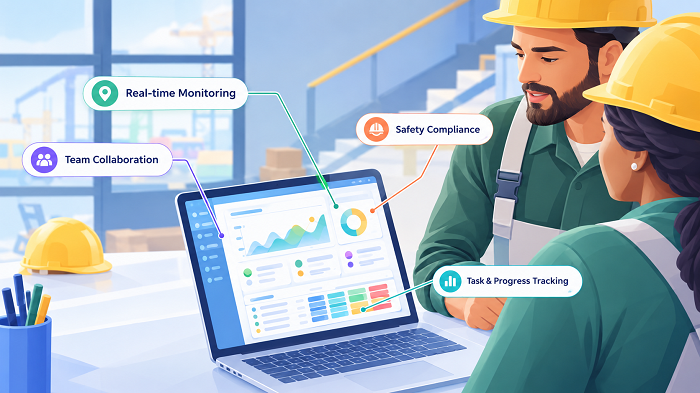
1. Understand the Challenges of Tracking Workers Across Multiple Sites
Construction projects operate differently from conventional office workplaces. Workers may report to different locations depending on project schedules, construction phases, specialist assignments and operational requirements.
Common workforce tracking challenges include:
- Workers reporting to different project sites during the same week.
- Employees transferring between sites without updated attendance assignments.
- Subcontractors supplying workers under separate agreements.
- Temporary workers joining projects for short periods.
- Multiple shifts operating at the same construction site.
- Workers entering through different gates or access points.
- Poor mobile network coverage at remote project locations.
- Manual attendance registers being maintained by different supervisors.
- Difficulty reconciling attendance with payroll.
- Limited visibility into workers who leave a site during working hours.
For example, a construction company may manage projects in Bangkok, Chonburi and Rayong. Some employees may work at one site throughout the month, while electricians, engineers and equipment technicians move between locations depending on project requirements.
A centralised attendance system helps the company manage these different arrangements without relying on separate spreadsheets for every site.
2. Create a Centralised Register of Project Sites
The first step is to establish an accurate digital record of every active construction location.
Each project site should have a unique identification number and a corresponding location record in the workforce management system.
Important site information includes:
- Project name and reference number.
- Site address and GPS coordinates.
- Project start and expected completion dates.
- Main contractor or responsible business entity.
- Site manager and authorised supervisors.
- Approved working days and shift schedules.
- Site access points.
- Attendance device or mobile check-in requirements.
- Emergency contact information.
- Active workforce and subcontractor details.
For example, a company managing a commercial building project in Bangkok and a road construction project in Chonburi should maintain separate site records. Workers assigned to either project can then be linked to the appropriate location.
Centralised site records make it easier to assign workers, configure attendance rules and generate project-level reports.
Businesses should also maintain a process for updating site information when project boundaries, access gates or working arrangements change.
3. Maintain a Digital Worker Register
Construction firms need accurate information about the people working across their projects.
A digital worker register can help HR and site managers identify employees, review assignments and manage attendance records.
Depending on the workforce structure, the register may include:
- Employee name and identification number.
- Employer or contracting company.
- Department or trade.
- Job title or assigned role.
- Employment or engagement status.
- Assigned project and site.
- Supervisor or reporting manager.
- Shift pattern.
- Joining and assignment dates.
- Attendance credentials.
- Relevant access authorisations.
For subcontracted workers, businesses should clearly distinguish the subcontractor's personnel from the main contractor's direct employees. The register should identify the responsible contracting organisation and the person authorised to confirm the worker's attendance.
This distinction is important because the main contractor's site access records and a subcontractor's employment or payroll records may serve different purposes.
A site-wide attendance dashboard can display the total workforce present while retaining separate records for each employer or contractor.
4. Assign Workers to the Correct Project Site
Before workers begin their shifts, the attendance system should show their approved project assignments.
A site assignment workflow should include:
- HR or the authorised project administrator creates the worker profile.
- The worker is linked to the relevant project.
- The supervisor assigns the appropriate shift.
- The system records the assignment start and end dates.
- The worker receives the site and attendance instructions.
- The supervisor verifies that the worker appears on the correct site roster.
For example, a civil engineer may be assigned to Project A for two weeks before moving to Project B. The system should update the engineer's assignment while preserving the earlier project attendance records.
This prevents attendance from being incorrectly attributed to the wrong project.
Employers should also define who can create, approve and modify assignments. Uncontrolled changes can lead to inaccurate attendance and payroll reports.
5. Use GPS-Based Mobile Attendance for Distributed Project Sites
GPS-enabled mobile attendance is useful when workers report to different construction sites and fixed attendance terminals are not practical.
A worker can use an authorised mobile application to record attendance at the assigned project location.
Depending on the software, the application may capture:
- Check-in and check-out timestamps.
- Reported GPS coordinates.
- Assigned project or site.
- Employee identification.
- Attendance status.
- Device or application information needed for verification.
Managers can then compare the recorded location with the employee's assigned project.
GPS attendance is particularly useful for:
- Engineers visiting several construction sites.
- Maintenance technicians working at temporary locations.
- Site inspectors and quality-control personnel.
- Supervisors responsible for multiple projects.
- Employees working at remote infrastructure locations.
However, GPS accuracy can vary around large structures, underground areas, metal buildings and locations with weak satellite or network signals. Employers should provide an alternative verification process when the application cannot obtain a reliable location.
A GPS check-in confirms the reported position of a device at a particular time. It does not independently prove that the employee completed a particular construction task.
6. Configure Geo-Fencing Around Construction Sites
Geo-fencing creates a virtual boundary around a project site. The attendance application compares the device's reported location with that boundary when a worker attempts to check in.
For example, a construction company may configure a geo-fence around a project in Rayong. Workers assigned to that project can record attendance when their devices report a location within the approved boundary.
Useful geo-fencing capabilities include:
- Separate boundaries for each project.
- Different boundaries for large or complex sites.
- Configurable check-in and check-out rules.
- Alerts for check-ins outside the assigned site.
- Multiple approved locations for mobile employees.
- Supervisor approval for location exceptions.
- Site-specific attendance reports.
Construction sites may cover large areas with multiple gates, storage yards and temporary work zones. A single small geo-fence may therefore be unsuitable.
Employers should test boundaries at actual entry points and work areas before introducing the system. They should also review boundary settings when the project expands or the site layout changes.
7. Use Biometric or Access-Control Devices at Fixed Sites
For large construction projects with established entry points, fixed attendance terminals may provide a practical alternative to mobile GPS check-ins.
Depending on the site environment and company requirements, employers may use:
- Fingerprint attendance terminals.
- Facial recognition terminals.
- RFID cards.
- Employee ID cards.
- QR-code attendance systems.
- Integrated access-control devices.
These systems can record when an individual enters or leaves a designated site.
For example, a construction company operating a large industrial project may install an attendance terminal near the authorised worker entrance. Employees can record attendance before entering the work area.
However, attendance and access control are not identical.
An entry record may confirm that a credential was used at a gate, but it does not necessarily establish that the worker remained on site throughout the shift or performed the assigned work.
Employers should also assess privacy implications before introducing biometric identification. Under Section 26 of Thailand's PDPA, biometric data used to uniquely identify a person is sensitive personal data and is subject to additional restrictions and conditions.
Businesses should consider whether less intrusive alternatives, such as RFID cards or individual mobile credentials, can meet the same requirement.
8. Track Workers Moving Between Project Sites
Construction employees sometimes need to visit multiple locations during a single working day.
For example, an electrical supervisor may begin the day at a Bangkok project, inspect a second site in the afternoon and finish the day at a company warehouse.
The attendance system should support multiple approved assignments without creating duplicate or misleading attendance records.
A suitable workflow should:
- Display the employee's daily project schedule.
- Record the initial check-in.
- Allow authorised site transfers.
- Record the time and reason for the transfer.
- Capture the next site's arrival event.
- Maintain the complete assignment history.
- Reconcile working time across the relevant locations.
Managers should be able to identify where an employee was assigned during each part of the working day.
For example, if an employee transfers from Project A to Project B at 1:00 p.m., the system should preserve the morning attendance record and create a separate record for the afternoon assignment.
A transfer should not automatically be treated as the end of the employee's working day. Actual working time, travel arrangements and applicable employment rules should be reviewed separately.
9. Manage Subcontractor and Temporary Worker Attendance
Large construction projects frequently involve several contractors and subcontractors working at the same site.
The main contractor may need a consolidated view of everyone present for site coordination, access management and operational planning. At the same time, each employer may have separate responsibilities for employment administration, attendance and payroll.
A workforce management system should support:
- Separate contractor and subcontractor records.
- Worker identification by employing organizations.
- Project and site assignments.
- Approved work dates.
- Shift and attendance records.
- Contractor supervisor details.
- Site entry and exit records.
- Expired or inactive worker credentials.
- Reports by contractor and project.
For example, a project may involve the main construction company, an electrical subcontractor, a plumbing contractor and a specialist equipment installation team.
The main contractor can use a consolidated dashboard to review site occupancy while retaining records that identify the organisation responsible for each worker.
Businesses should define data-sharing arrangements between contractors and ensure that employee information is accessed only for appropriate purposes.
The attendance platform should not automatically assume that the main contractor is the employer of every person appearing in its site records.
10. Use Shift Scheduling for Different Construction Activities
Construction projects may operate different shifts depending on the work being performed, project deadlines and site conditions.
Common arrangements include:
- General daytime shifts.
- Evening or night shifts.
- Weekend work.
- Rotating shifts.
- Specialist maintenance shifts.
- Temporary extended shifts.
- Separate shifts for contractors and subcontractors.
Attendance software should support site-specific schedules and clearly identify the applicable shift for each worker.
For example, general construction activities may operate during daytime hours, while certain approved maintenance or infrastructure activities may be scheduled at night.
The system should record actual start and end times, breaks, approved overtime and shift changes.
Overnight shifts require particular attention. A shift beginning at 10:00 p.m. and ending at 6:00 a.m. should be recorded as one continuous scheduled shift with accurate timestamps, even though it crosses midnight.
Employers should avoid treating the after-midnight portion as a separate attendance day without considering the actual shift arrangement and applicable payroll rules.
11. Monitor Site Attendance Through a Central Dashboard
A central dashboard helps construction managers review workforce presence across several projects.
A useful dashboard may include:
| Dashboard information | Purpose |
|---|---|
| Total workers assigned | Shows the planned workforce |
| Workers checked in | Displays recorded attendance |
| Workers not yet checked in | Identifies possible attendance exceptions |
| Workers checked out | Shows recorded departures |
| Project and site details | Identifies where employees are assigned |
| Contractor information | Separates direct and subcontracted workers |
| Shift details | Shows scheduled working periods |
| Location exceptions | Highlights check-ins outside assigned boundaries |
| Pending approvals | Displays attendance corrections awaiting review |
| Overtime information | Supports review of additional working hours |
Managers should be able to filter the dashboard by project, site, date, contractor, trade, supervisor and shift.
A map-based view can also help identify where active projects are located and which supervisors are responsible for each site.
However, the dashboard should distinguish between planned workforce numbers, recorded attendance and confirmed site access. These are related but not necessarily identical measures.
12. Create Alerts for Attendance Exceptions
Automated alerts help supervisors identify attendance problems without manually checking every employee record.
Useful alerts include:
- Missing check-in: A worker has not recorded attendance within the expected time window.
- Outside-site check-in: The recorded location does not match the assigned project boundary.
- Unexpected early departure: An employee checks out earlier than scheduled and requires review.
- Unapproved site transfer: A worker records attendance at a location without a corresponding approved assignment.
- Duplicate attendance: Multiple check-ins are recorded for the same shift without a valid explanation.
- Device or connectivity failure: The application cannot synchronise attendance information.
- Unresolved correction: A worker has submitted an attendance correction that is awaiting supervisor approval.
Alerts should be routed to the responsible site supervisor or HR team.
Employers should avoid automatically treating every alert as a disciplinary issue. A missed check-in may result from a device problem, a supervisor-approved site change or an incorrect assignment.
A review workflow should allow the worker to provide an explanation and the supervisor to record the decision.
13. Connect Attendance With Construction Project Management
Attendance records become more useful when connected with project management and workforce planning systems.
Construction companies should consider integrating attendance software with:
- Project management systems: To connect employees with project assignments and work schedules.
- HR systems: To maintain worker profiles, employment details and reporting relationships.
- Contractor management platforms: To identify subcontractors and their assigned personnel.
- Access-control systems: To compare site entry records with attendance information.
- Payroll systems: To transfer approved working hours, overtime and attendance adjustments.
- Equipment and safety systems: Where appropriate, to coordinate authorised personnel and relevant site access requirements.
For example, if a worker is transferred from one project to another, an integrated system can update the project assignment and make the revised information available to attendance and workforce planning teams.
Integration should preserve the original assignment and record who made the change, when it occurred and why.
Businesses should also avoid treating attendance records as proof of construction output. Project progress should be assessed using appropriate task, inspection and quality records.
14. Maintain Accurate Working-Time and Payroll Records
Construction firms should reconcile attendance information with actual working time before processing payroll.
Important records include:
- Scheduled working days.
- Actual attendance dates.
- Check-in and check-out times.
- Rest periods.
- Site transfers.
- Approved overtime.
- Holiday work.
- Attendance corrections.
- Relevant wage and payment information.
Thailand's Labour Protection Act B.E. 2541 (1998) establishes important working-time and recordkeeping requirements.
Relevant provisions include:
- Section 23 – Normal working hours: Normal working time generally must not exceed eight hours per day and 48 hours per week. Work prescribed as hazardous may have lower limits of seven hours per day and 42 hours per week. The applicable classification should be assessed against the relevant regulations rather than assuming every construction activity has the same limit.
- Section 24 – Overtime: Prior employee consent is generally required for overtime on a normal working day on each occasion, subject to statutory exceptions.
- Section 25 – Holiday work: The Act establishes conditions under which employees may be required to work on holidays.
- Section 27 – Rest periods: Employees generally must receive at least one hour of rest after no more than five consecutive hours of work, subject to the statutory rules and exceptions.
- Section 28 – Weekly holidays: Employees generally must receive at least one weekly holiday, with no more than six days between weekly holidays, subject to specified exceptions.
- Section 108 – Work rules: Employers with 10 or more employees must provide work rules in Thai covering specified matters, including working days, working hours, rest periods, holidays and overtime.
- Sections 112–115 – Employment and wage records: Employers with 10 or more employees have specified recordkeeping obligations, including employee and wage-related records.
Section 114 includes information on working days and working time, together with relevant wage and overtime payment details. Section 115 establishes minimum retention periods for prescribed records.
These requirements are particularly relevant when employees work across multiple sites or shifts. A worker's location history should not replace the employer's responsibility to maintain accurate working-time and wage records.
For example, a worker checking in at a construction site at 7:00 a.m. and checking out at 7:00 p.m. has a recorded attendance span of 12 hours. The employer must still establish the actual working time, rest periods and applicable overtime arrangements before calculating payment. The GPS timestamps alone do not establish the payable hours.
Employers should consult the current Thai legal text and applicable regulations when configuring their working-time and payroll processes.
15. Protect Worker Location Information Under Thailand's PDPA
GPS attendance and mobile workforce applications process personal data when location information can be linked to identifiable workers.
Thailand's Personal Data Protection Act B.E. 2562 (2019) therefore needs to be considered when implementing employee tracking.
Important safeguards include:
- Define the purpose of tracking: Explain whether location data is used for attendance verification, project assignment, site coordination, safety or another specific business purpose.
- Identify the lawful basis: Assess the appropriate lawful basis under Section 24. Consent is not automatically the only basis available, and employers should consider the employment relationship when assessing whether consent is freely given.
- Minimise data collection: Section 22 requires personal data collection to be limited to what is necessary for the lawful purpose. If event-based site check-ins are sufficient, continuous tracking may be unnecessary.
- Provide a privacy notice: Section 23 requires relevant information to be provided before or at the time of collection, subject to applicable exceptions. Explain what is collected, why, how long it is retained, who receives it and how workers can exercise their rights.
- Restrict access: Supervisors should see only the information needed to manage their assigned sites. HR and payroll teams should not automatically receive detailed movement histories when approved attendance records are sufficient.
- Set retention periods: Retain location information only for the documented purpose and applicable legal requirements.
- Secure the system: Use suitable authentication, access controls, encryption and audit logs.
- Review vendors: If an external attendance provider processes worker data, establish appropriate data-processing arrangements and security requirements.
- Assess cross-border transfers: If project records are stored or accessed outside Thailand, review the applicable PDPA transfer requirements.
Section 37 establishes important data-controller obligations, including security measures and procedures for data retention and breach notification. Section 40 addresses data-processor obligations.
Employers should also consider whether biometric attendance systems are necessary. Biometric data used to uniquely identify individuals is sensitive personal data under Section 26 and is subject to additional legal requirements.
16. Distinguish Attendance Tracking From Construction Site Safety Management
Attendance and site safety management are related, but they serve different purposes.
An attendance system helps establish who recorded attendance at a site and when. A safety management system may need to establish who is authorised to enter a particular work zone, who has completed required training and who is present during an emergency.
Construction firms should not assume that a standard GPS attendance application provides all the information needed for safety management.
Depending on the project, businesses may need separate or integrated processes for:
- Site access authorisation.
- Worker induction records.
- Relevant safety training.
- Permit-to-work controls.
- Restricted-area access.
- Emergency assembly and headcounts.
- Contractor and visitor registration.
- Incident reporting.
For example, a worker may have recorded attendance at the project entrance but may not be authorised to enter a restricted equipment area. Attendance confirmation should not automatically grant access to every part of the site.
Similarly, a GPS record should not be treated as a complete emergency headcount. Employers should use appropriate site safety procedures to confirm worker presence during an evacuation or emergency.
17. Handle Poor Connectivity and Temporary Construction Locations
Some construction projects operate in remote areas or temporary locations where mobile connectivity is unreliable.
Attendance software should support an appropriate offline process.
Useful capabilities include:
- Offline check-in and check-out.
- Local storage of attendance events.
- Recording event timestamps.
- Later synchronisation with the central server.
- Duplicate-event detection.
- Clear identification of unsynchronised records.
- Supervisor review of unusual timestamps.
For example, a worker may record attendance at a remote infrastructure site at 8:00 a.m. but the application may only synchronise the record when the device reconnects to the network at 10:30 a.m.
The system should preserve the original event time and the synchronisation time separately.
Employers should also provide alternative procedures, such as authorised site terminals or supervisor-verified registers, when mobile attendance is unavailable.
These alternative records should be reconciled with the central system to avoid missing or duplicate attendance entries.
18. Use Reports to Review Workforce Distribution Across Projects
Regular reporting helps construction businesses understand how labour resources are distributed across their projects.
Useful reports include:
| Report | Business purpose |
|---|---|
| Daily site attendance | Shows recorded worker presence at each project |
| Workforce by contractor | Displays the workforce supplied by each organisation |
| Attendance by trade | Helps review the availability of specialist workers |
| Site transfer report | Tracks movement between project assignments |
| Missing attendance report | Identifies incomplete records |
| Shift attendance report | Compares attendance with scheduled shifts |
| Overtime report | Supports review of approved additional hours |
| Attendance correction report | Shows adjustments and approval history |
| Project labour summary | Helps compare planned and actual workforce numbers |
| Location exception report | Highlights unusual or unapproved check-ins |
These reports can help project managers identify staffing shortages, improve workforce allocation and plan upcoming project requirements.
However, businesses should interpret the data carefully. A lower attendance count at one site may result from a scheduled transfer, a completed project phase or a change in subcontractor allocation rather than an employee attendance problem.
19. What Features Should Thailand Construction Firms Look for in Attendance Software?
When evaluating attendance software for construction projects, businesses should assess the following capabilities:
| Software feature | Business benefit |
|---|---|
| Multiple project-site management | Supports centralised administration of different construction locations |
| GPS mobile attendance | Records location at approved attendance events |
| Geo-fencing | Helps verify check-ins at designated project sites |
| Biometric or RFID terminals | Supports attendance at fixed site entrances |
| Contractor management | Separates direct employees and subcontractor personnel |
| Worker assignment management | Connects individuals with the correct project and shift |
| Site transfer workflow | Records authorised movement between projects |
| Shift scheduling | Supports daytime, night and rotating shifts |
| Offline attendance | Preserves records when connectivity is unavailable |
| Supervisor dashboard | Provides project-level attendance visibility |
| Automated exception alerts | Identifies missing or unusual attendance events |
| Payroll integration | Transfers approved working-time records |
| Access controls | Restricts access to worker and location information |
| Audit trail | Preserves original records, corrections and approvals |
| Reporting and analytics | Supports workforce planning across projects |
Before purchasing a system, businesses should test it at representative construction sites. The demonstration should include worker onboarding, site assignment, a GPS check-in, an outside-site exception, a site transfer, an offline check-in and an attendance correction.
Conclusion
Thailand construction firms can improve workforce visibility by combining centralised worker registers, project-site assignments, GPS attendance, geo-fencing, fixed attendance terminals and supervisor dashboards. These systems help businesses manage workers across multiple locations, identify attendance exceptions and maintain more consistent records for project administration and payroll.
However, effective worker tracking requires more than installing an attendance application at each construction site. Companies need accurate project records, clear site-transfer procedures, appropriate contractor management, reliable offline processes and consistent working-time reviews.
Businesses must also protect worker location information under Thailand's PDPA and distinguish attendance records from site access and safety management.
By implementing a structured, centralised attendance process, construction firms can improve workforce coordination, reduce manual administration and maintain more reliable records across their projects.
Construction attendance needs to identify the project as well as the worker. InnBuilt Attendance Software can help Thailand site managers group daily check-ins by job site and review contractor coverage.