How Can Thailand Delivery Teams Track Drivers and Route Checkpoints?
How Can Thailand Delivery Teams Track Drivers and Route Checkpoints?
Introduction
Delivery businesses in Thailand often manage drivers travelling across cities, industrial areas, residential neighbourhoods and regional routes. As order volumes increase and customer expectations for timely delivery grow, operations managers need reliable ways to understand where drivers are, whether planned checkpoints have been reached and which deliveries require attention.
Traditional methods such as phone calls, paper route sheets and manual delivery registers can make it difficult to coordinate drivers in real time. A driver may be delayed by traffic, redirected to another customer, unable to access a delivery location or working in an area with poor mobile connectivity. Without reliable records, managers may struggle to distinguish genuine delays from missed checkpoints or incomplete delivery updates.
GPS-enabled tracking, mobile attendance applications and route management software can help delivery teams monitor assigned routes, record checkpoint arrivals, verify delivery progress and manage exceptions. However, effective tracking should do more than display moving vehicles on a map. It should connect driver location with assigned orders, delivery events, customer confirmation, working hours and operational reporting.
Thailand businesses must also consider employee privacy under the Personal Data Protection Act B.E. 2562 (2019), commonly known as the PDPA, and applicable working-time requirements under the Labour Protection Act B.E. 2541 (1998).
This article explains how Thailand delivery teams can track drivers and route checkpoints, choose suitable technology, manage delivery exceptions and maintain reliable operational records.
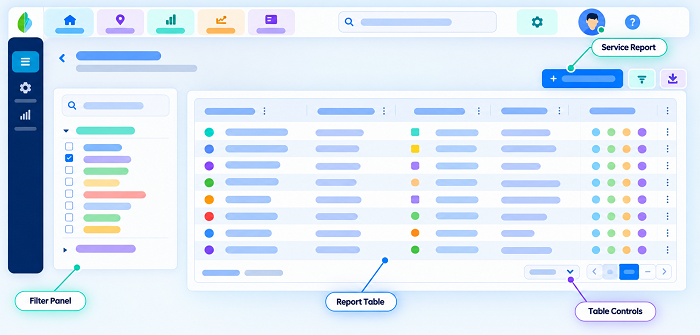
1. Understand Driver Tracking and Route Checkpoints
Driver tracking is the process of recording and reviewing the location of delivery drivers or vehicles during assigned operations. It can use GPS-enabled mobile applications, vehicle tracking devices or integrated fleet management systems.
A route checkpoint is a planned or required location where a driver is expected to arrive, perform an activity or record a delivery-related event.
Examples include:
- Distribution centres and warehouses.
- Loading and dispatch locations.
- Customer delivery addresses.
- Retail outlets and collection points.
- Parcel sorting facilities.
- Fuel or approved rest stops.
- Return-to-warehouse locations.
- Service or maintenance locations.
A delivery route may contain several checkpoints. The system should record whether each checkpoint was reached, when the driver arrived, what activity took place and whether the required task was completed.
For example, a driver assigned to deliver 20 orders across Bangkok may have a warehouse departure checkpoint, several customer delivery checkpoints and a final return-to-depot checkpoint.
Tracking these events gives managers a clearer view of delivery progress than relying only on a vehicle's last reported GPS position.
2. Create Digital Routes Before Drivers Start Their Shifts
An effective tracking process begins with accurate route planning.
Before dispatch, the operations team should create a digital route containing the driver's assigned deliveries, locations, planned sequence and expected completion windows.
Each route should include:
- Driver name or employee ID.
- Vehicle or delivery unit.
- Dispatch date and shift.
- Route or trip reference number.
- Starting warehouse or distribution centre.
- Customer delivery addresses.
- Required checkpoints.
- Planned delivery sequence.
- Expected arrival windows.
- Special delivery instructions.
- Final destination or return point.
The route should be linked to the relevant delivery orders so that managers can see which customer or consignment is associated with each stop.
For example, a route assigned to a driver in Chiang Mai may include a distribution centre, a retail customer, two residential deliveries and a final collection point. Each stop should have its own order reference and completion requirement.
Digital route planning also helps prevent incorrect assignments. If an order is cancelled or moved to another driver, the system should update the route and preserve the change history.
3. Use GPS to Track Drivers During Active Delivery Operations
GPS tracking helps managers understand the reported location of drivers while they are carrying out assigned delivery work.
A mobile delivery application can obtain location information from the driver's device and send updates to a central operations dashboard. Depending on the system configuration, location updates may be recorded:
- At dispatch.
- At scheduled intervals during an active route.
- When a driver arrives at a checkpoint.
- When a delivery is completed.
- When a driver reports a delay.
- At the end of the delivery shift.
The appropriate update frequency depends on operational requirements. A business coordinating urgent deliveries may need more frequent updates than a company managing scheduled deliveries with wide arrival windows.
Managers should be able to view:
- Driver or vehicle identification.
- Last reported location.
- Last location update time.
- Assigned route.
- Current delivery status.
- Next planned checkpoint.
- Delayed or uncompleted stops.
GPS information should be treated as a reported device or vehicle location, not conclusive proof that a driver completed a delivery. Delivery confirmation should be supported by an appropriate task record, such as a customer acknowledgement or proof-of-delivery entry.
4. Set Up Digital Checkpoints for Every Important Delivery Event
A checkpoint system helps managers confirm that drivers have reached important locations and completed the required activities.
Instead of relying on GPS movement alone, businesses should define specific events that drivers must record.
Common checkpoint events include:
| Checkpoint | Information to record |
|---|---|
| Warehouse departure | Departure time, driver and vehicle |
| First delivery location | Arrival time and order reference |
| Customer delivery | Delivery status and customer confirmation |
| Collection point | Collection time and parcel details |
| Return-to-depot location | Arrival time and returned items |
| End of shift | Final check-out time and route status |
Each checkpoint should have a clear operational purpose. For example, a warehouse departure checkpoint confirms that a driver has started the assigned route, while a customer delivery checkpoint records the outcome of a specific order.
Employers should avoid creating unnecessary checkpoints that increase driver workload without improving delivery control.
5. Use Geo-Fencing to Verify Arrival at Delivery Locations
Geo-fencing creates a virtual geographical boundary around a warehouse, customer address, collection point or other operational location.
When a driver enters the defined area, the mobile application can allow the driver to record arrival or automatically generate an arrival event, depending on the software configuration.
For example, a delivery company may create geo-fences around its distribution centres and major retail customers. When a driver reaches a location, the system can compare the reported GPS position with the registered boundary.
Useful geo-fencing capabilities include:
- Configurable boundaries for different delivery locations.
- Automatic arrival notifications.
- Manual check-in within an approved boundary.
- Alerts for missed checkpoint events.
- Support for multiple stops on one route.
- Supervisor approval for location exceptions.
- Separate arrival and departure records.
Geo-fencing should be tested at actual delivery locations. GPS accuracy can vary around high-rise buildings, covered loading bays, underground facilities and dense urban areas. A driver may be physically present at a customer location but appear slightly outside the configured boundary.
Businesses should therefore provide an exception process rather than automatically rejecting every check-in outside a geo-fence.
6. Track Delivery Progress Through Standard Status Updates
Driver location is only one part of delivery visibility. Operations managers also need to understand what is happening with each order.
A standard delivery status workflow helps ensure that drivers and supervisors use consistent updates.
Recommended statuses include:
- Assigned: The order has been allocated to a driver.
- Accepted: The driver has confirmed the assignment.
- Ready for dispatch: The parcel is prepared for loading.
- Dispatched: The driver has left the warehouse.
- En route: The driver is travelling towards the delivery location.
- Arrived: The driver has reached the checkpoint.
- Delivery in progress: The driver is attempting the handover.
- Delivered: The customer or authorised recipient has received the order.
- Delivery attempted: The driver reached the location but could not complete delivery.
- Exception: The order requires investigation or further action.
- Returned: The parcel has been returned to the warehouse or designated location.
The application should make it easy for drivers to update the status without entering lengthy information while travelling.
Status changes should be linked to timestamps, order references and relevant checkpoint records. This allows managers to distinguish between a driver who has arrived and one who has actually completed the delivery.
7. Record Proof of Delivery at Customer Checkpoints
A GPS checkpoint can show that a driver's device reported being near a customer address. It does not independently establish that the parcel was handed over.
Delivery teams should therefore use proof-of-delivery records to confirm completed orders.
Depending on the business model, proof of delivery may include:
- Customer digital signature.
- One-time password (OTP) confirmation.
- Photograph of the delivered parcel at an authorised location.
- Recipient name and delivery confirmation.
- Barcode or QR-code scan.
- Delivery receipt.
- Customer confirmation through a link or application.
The system should associate the evidence with the correct order, driver, checkpoint and delivery timestamp.
For example, a driver delivering a parcel to a retail outlet may scan the order barcode, record the recipient's name and obtain a digital signature. The system can then update the order status to be delivered.
Businesses should define what evidence is appropriate for different delivery types. A photograph may be suitable for an authorised unattended delivery, while a signature or OTP may be more appropriate for high-value items.
Photographs and signatures may contain personal data. Employers should explain the collection purpose, restrict access and avoid capturing unnecessary information, such as unrelated people or private areas.
8. Provide a Real-Time Route Monitoring Dashboard
A central dashboard helps dispatchers and operations managers review delivery progress across multiple drivers.
A useful dashboard should display:
- Active drivers and assigned vehicles.
- Current or last reported locations.
- Assigned routes and upcoming checkpoints.
- Completed and pending deliveries.
- Delayed or missed checkpoint alerts.
- Delivery attempts and failed deliveries.
- Route changes and reassigned orders.
- Drivers who have stopped sending location updates.
- Completed routes and return-to-depot status.
Managers should be able to filter the information by delivery date, route, driver, warehouse, region and delivery status.
A map view can help identify operational problems. For example, several drivers may be delayed in the same area because of traffic or a road closure. Managers can then assess whether delivery windows should be adjusted or routes reassigned.
The dashboard should also display the time of the last location update. Without this information, managers may mistake an old GPS position for a driver's current location.
9. Use Automated Alerts for Missed Checkpoints and Delays
Manual monitoring becomes difficult when a delivery company operates dozens or hundreds of routes.
Automated alerts help managers identify exceptions that require attention.
Useful alerts include:
- Missed checkpoint: A driver has not recorded arrival at an expected location within the configured time window.
- Delayed arrival: The driver is unlikely to reach the next checkpoint within the planned delivery window.
- Unexpected route deviation: The reported route differs significantly from the assigned route and requires review.
- Extended stop: A driver remains at a location longer than the operational threshold.
- Location update failure: The application has not received a location update within the expected period.
- Failed delivery: The driver records that the customer was unavailable, the address was incorrect or delivery could not be completed.
- Unplanned location change: A driver checks in at a location that is not included in the approved route.
Alerts should be prioritised by operational importance. A missed high-priority customer delivery may need immediate attention, while a minor GPS update delay may only require routine review.
Businesses should also allow drivers to submit explanations. Traffic congestion, customer requests, vehicle problems and road closures can all affect planned checkpoints.
10. Support Route Changes and Emergency Reassignments
Delivery routes rarely remain unchanged throughout the day.
A customer may request a different delivery time, an urgent order may need to be added, or a vehicle may develop a mechanical problem. The system should allow dispatchers to modify routes without losing the original assignment history.
A controlled route-change workflow should include:
- The driver or dispatcher identifies the need for a change.
- The reason is recorded.
- The dispatcher reviews the proposed change.
- The revised route is approved.
- The driver receives the updated assignment.
- The system records the person who made the change and the time.
- Checkpoint and order statuses are updated.
For example, if a driver is unable to access a customer's premises, the dispatcher may move the delivery to a nearby approved collection point. The system should preserve the original delivery address, revised destination and approval details.
This prevents managers from treating every deviation from the original route as an unauthorised action.
11. Manage Poor Connectivity and Offline Checkpoints
Drivers may work in locations where mobile network coverage is unreliable. This can happen in remote districts, industrial facilities, underground parking areas or buildings with weak mobile signals.
Attendance and delivery applications should support an appropriate offline workflow.
Useful offline capabilities include:
- Saving checkpoint events locally.
- Recording the device timestamp.
- Storing order and delivery status changes.
- Capturing approved proof-of-delivery information.
- Synchronising records when connectivity returns.
- Identifying events that have not yet synchronised.
- Preventing duplicate submissions.
The system should distinguish between the time an event occurred and the time it reached the central server.
For example, a driver may complete a delivery at 2:15 p.m. in an area without network coverage. The application may synchronise the event at 2:40 p.m. when connectivity returns. The record should preserve both timestamps so that managers do not mistakenly assume the delivery occurred at 2:40 p.m.
Businesses should test offline functionality before deployment, including whether records remain available after an application restart or temporary device failure.
12. Connect Driver Tracking With Order and Fleet Management Systems
Driver tracking becomes more valuable when it is connected with other operational applications.
Businesses should consider integrating the tracking platform with:
- Order management systems: To connect route checkpoints with customer orders, parcel details and delivery deadlines.
- Warehouse management systems: To record picking, packing, loading and dispatch activities.
- Fleet management systems: To link drivers with vehicles, vehicle availability and maintenance information.
- Customer relationship management systems: To make relevant delivery updates available to customer-facing teams.
- Proof-of-delivery applications: To store customer confirmation and delivery evidence.
- Attendance and HR systems: To connect approved driver schedules and attendance records.
- Payroll systems: To transfer relevant, verified working-time and approved attendance information.
Integration reduces repeated data entry and helps prevent inconsistencies between operational systems.
For example, when a driver completes a delivery, the tracking platform can update the order management system automatically. Customer service teams can then see the latest delivery status without calling the driver.
Businesses should also maintain a record of changes exchanged between systems, including failed synchronisations and manual corrections.
13. Monitor Driver Safety and Vehicle Operations
Route tracking can support driver safety when used for clearly defined operational purposes.
Depending on the system and business requirements, employers may use tracking information to:
- Identify prolonged unexpected stops.
- Locate a vehicle during an emergency.
- Coordinate assistance after a breakdown.
- Identify route disruptions.
- Monitor whether drivers are following approved delivery procedures.
- Support incident investigations.
- Coordinate vehicle recovery or replacement.
Some fleet platforms also integrate vehicle telematics, such as speed, harsh braking or engine information. These capabilities are different from basic GPS location tracking and should be evaluated separately.
Businesses should avoid using location information as a substitute for proper driver safety policies, training, vehicle maintenance or reasonable delivery schedules.
Delivery targets should not encourage unsafe driving. Managers should account for traffic, weather, road conditions, loading time and customer availability when planning routes.
14. Protect Driver Location and Customer Data Under Thailand's PDPA
Driver tracking involves personal data when location information can be linked to an identifiable employee. Delivery records may also contain customer names, addresses, telephone numbers, signatures and photographs.
Thailand's Personal Data Protection Act B.E. 2562 (2019) should therefore be considered when designing driver tracking systems.
Important safeguards include:
- Define the purpose: Explain whether location information is used for dispatch, delivery verification, attendance, vehicle security or another specific business purpose.
- Identify the lawful basis: Assess the appropriate lawful basis under Section 24 of the PDPA. Consent is not automatically the only available basis, and employers should consider the employment relationship when assessing whether consent is freely given.
- Minimise collection: Section 22 requires personal data collection to be limited to what is necessary for the lawful purpose. If checkpoint-based location records are sufficient, continuous tracking may be unnecessary.
- Provide a privacy notice: Section 23 requires relevant information to be communicated to employees before or at the time of collection, subject to applicable exceptions. Explain the data collected, purposes, retention, recipients and employee rights.
- Limit tracking periods: Configure tracking around active delivery operations and defined work requirements. Avoid unnecessary collection outside working hours.
- Restrict access: Only authorised dispatchers, supervisors, HR staff and other relevant personnel should be able to access the information needed for their duties.
- Secure the data: Use appropriate authentication, encryption, access logs and security controls.
- Set retention periods: Retain location and delivery information according to documented operational and legal requirements. Delete or anonymise information when it is no longer necessary, subject to applicable exceptions.
- Review vendors and data transfers: If a cloud provider or overseas group company accesses driver information, assess the processor arrangements and applicable cross-border transfer requirements.
Sections 27–29 address the use, disclosure and transfer of personal data, while Sections 37 and 40 cover important data-controller and data-processor obligations.
15. Consider Thailand's Working-Time and Rest Requirements
Driver tracking systems should help businesses maintain accurate working-time records, not replace their responsibilities under Thailand's Labour Protection Act B.E. 2541 (1998).
Delivery operations may involve early starts, long routes, weekend work and changing delivery windows. Employers should review the applicable requirements when planning driver schedules.
Important provisions include:
- Section 23 – Normal working hours: Normal working time generally must not exceed eight hours per day and 48 hours per week. Certain work prescribed as hazardous has lower limits of seven hours per day and 42 hours per week. Applicable arrangements and exceptions should be reviewed for the particular work.
- Section 24 – Overtime: Prior employee consent is generally required for overtime on a normal working day on each occasion, subject to statutory exceptions.
- Section 25 – Holiday work: The Act sets conditions under which employees may be required to work on holidays, including rules relevant to particular types of businesses and work.
- Section 26 – Overtime limits: Combined overtime and specified holiday-work hours are subject to limits prescribed by Ministerial Regulations.
- Section 27 – Rest periods: Employees generally must receive at least one hour of rest after no more than five consecutive hours of work, subject to the statutory rules and exceptions.
- Section 28 – Weekly holidays: Employees generally must receive at least one weekly holiday, with no more than six days between weekly holidays, subject to specified arrangements for certain work.
These requirements are relevant when delivery routes extend beyond planned shifts or drivers are assigned additional deliveries late in the day. A GPS record showing that a driver remained on the road does not automatically determine whether all that time is working time or approved overtime. Employers should review actual duties, working arrangements, rest periods and applicable payment requirements.
For employers with 10 or more employees, Section 108 also requires work rules in Thai covering matters including working days, normal working hours, rest periods, holidays, overtime and holiday work.
16. Review Route and Driver Performance Reports
Regular reports help delivery managers identify operational problems and improve route planning.
Useful performance measures include:
| Report or KPI | What it helps measure |
|---|---|
| On-time delivery rate | Percentage of deliveries completed within the agreed delivery window |
| Checkpoint completion rate | Percentage of required checkpoints recorded |
| Average delivery time | Time taken to complete delivery tasks |
| Failed delivery rate | Percentage of deliveries that could not be completed |
| Route deviation frequency | How often routes differ from approved plans |
| Average stop duration | Time spent at delivery locations |
| Proof-of-delivery completion | Percentage of completed orders with required evidence |
| Unresolved checkpoint exceptions | Outstanding location or status discrepancies |
| Location update reliability | Whether the application reports location consistently |
| Return-to-depot completion | Whether drivers complete the required end-of-route process |
Managers should interpret these measures in context. A driver with more route deviations may be covering a difficult territory, handling urgent assignments or responding to customer changes.
Performance reviews should therefore consider delivery complexity, route distance, traffic, customer availability and workload, rather than relying on GPS statistics alone.
17. What Features Should Thailand Businesses Look for in Driver Tracking Software?
When evaluating driver tracking or delivery management software, businesses should assess the following features:
| Feature | Business benefit |
|---|---|
| Real-time GPS tracking | Provides visibility into active delivery operations |
| Digital route planning | Assigns routes and checkpoints before dispatch |
| Geo-fenced checkpoints | Supports location-based arrival verification |
| Delivery status updates | Shows the progress of individual orders |
| Proof-of-delivery capture | Records customer acknowledgement and delivery evidence |
| Automated alerts | Identifies delays and missed checkpoints |
| Route reassignment | Supports urgent changes and operational disruptions |
| Offline mobile application | Preserves delivery events when connectivity is limited |
| Driver and vehicle assignment | Connects routes with responsible personnel and vehicles |
| Dispatch dashboard | Gives managers a central operational view |
| Customer notifications | Communicates delivery progress and relevant changes |
| Attendance integration | Connects delivery activity with approved work schedules |
| Payroll integration | Supports the transfer of verified attendance information |
| Privacy and access controls | Helps protect employee and customer data |
| Audit trail | Preserves route changes, checkpoint events and approvals |
Businesses should test the system with real delivery scenarios before purchasing. A useful demonstration should include a complete route, multiple checkpoints, a failed delivery, a route change, an offline event and proof-of-delivery capture.
Conclusion
Thailand delivery teams can improve route visibility and delivery coordination by combining GPS tracking, digital route planning, geo-fenced checkpoints, standard delivery statuses and proof-of-delivery records. These tools help managers understand whether drivers have reached assigned locations, which orders have been completed and where operational support is required.
However, successful driver tracking requires more than continuous map visibility. Businesses need accurate route assignments, reliable mobile applications, clear exception workflows, appropriate driver schedules and integration with order management systems. They must also protect employee and customer information under Thailand's PDPA and maintain compliance with applicable working-time requirements.
By implementing a structured checkpoint process and using location data proportionately, delivery businesses can improve service reliability, respond to disruptions faster and maintain more transparent records of daily delivery operations.
Delivery progress is easier to discuss when dispatchers can see assigned routes and recorded stops. InnBuilt Employee Tracking App can help Thailand teams review checkpoint updates and resolve missed visits.