How Can Geo-Fenced Attendance Support Thailand Field Employees?
How Can Geo-Fenced Attendance Support Thailand Field Employees?
Introduction
Managing employee attendance becomes more challenging when employees work outside a central office. Sales representatives, delivery personnel, service technicians, maintenance teams, construction workers, inspectors and other field employees may visit multiple customer locations, project sites or service areas throughout the day. Traditional attendance systems that rely on a fixed biometric device or office-based punch terminal may not accurately capture when these employees begin or finish their work.
Geo-fenced attendance offers a practical way to address this challenge. It uses location-based technology to create virtual boundaries around approved workplaces or customer sites. When an employee enters or leaves a designated area, an attendance application can allow the employee to record a check-in or check-out and capture relevant location information.
For businesses operating across Thailand, geo-fenced attendance can improve visibility over field attendance, reduce manual timesheets, simplify supervisor approvals and provide more reliable information for payroll processing. However, successful implementation requires more than installing a mobile application. Employers must configure locations accurately, establish fair attendance procedures, protect employee privacy and ensure that attendance records support Thailand's labour requirements.
This article explains how geo-fenced attendance works, its benefits for Thailand field employees, important implementation considerations and the features businesses should evaluate when selecting an attendance solution.
1. What Is Geo-Fenced Attendance?
Geo-fenced attendance is a location-based attendance method that allows employees to record their working time within predefined geographical boundaries.
A geo-fence is a virtual perimeter created around a physical location using geographical coordinates. The boundary may represent:
- A construction project or infrastructure site.
- A customer's office or commercial property.
- A warehouse or distribution centre.
- A retail outlet or service branch.
- A factory or industrial facility.
- A maintenance or installation location.
- A designated meeting or reporting point.
For example, a company may create a virtual boundary around a customer's premises in Bangkok. When an assigned technician arrives within that boundary, the attendance application can permit a check-in. The system records the employee's identity, timestamp and available location information.
Depending on the software configuration, employees may also be required to check out before leaving the approved location.
Geo-fenced attendance does not necessarily mean continuous employee tracking. A business can configure the application to collect location information only when an employee performs an attendance action.
2. Why Do Thailand Businesses Need Geo-Fenced Attendance for Field Employees?
Thailand businesses often operate across several provinces, cities and customer locations. Employees may start their day at one site, travel to another location and finish their assignments somewhere different from where they began.
This creates several attendance management challenges.
Multiple work locations
A field employee may visit several customer sites in one working day. Managers need to know whether the employee reported to the correct location without requiring a supervisor to be physically present at every site.
Limited access to attendance devices
Traditional biometric terminals may not be practical at temporary project sites, remote installations or customer premises. Installing and maintaining a device at every location can increase operating costs.
Manual attendance reporting
Some businesses rely on employees sending attendance details through messaging applications, telephone calls or spreadsheets. These methods can create incomplete records, duplicate entries and inconsistent reporting.
Difficulties verifying arrival times
A supervisor may receive a message that an employee has reached a customer location but have no consistent way to verify the reported arrival time.
Payroll preparation challenges
When attendance information is collected through different channels, HR and payroll teams may spend considerable time checking working hours, correcting records and confirming overtime.
Geo-fenced attendance helps centralise these processes and provides a consistent method for recording field attendance.
3. How Does Geo-Fenced Attendance Work?
A typical geo-fenced attendance system combines a mobile application, GPS or other device-location services, a central attendance platform and predefined workplace boundaries.
The process generally involves the following steps:
- Create a location: The administrator adds an approved workplace or customer site to the attendance platform.
- Set the geo-fence: The system defines a virtual boundary around the location.
- Assign employees: HR or supervisors assign eligible employees to the relevant site or group of locations.
- Configure attendance rules: The company defines permitted check-in times, check-out requirements and approval procedures.
- Employee arrives: The employee opens the mobile attendance application at the assigned location.
- Location verification: The application checks whether the device appears to be within the permitted boundary.
- Attendance submission: The employee records a check-in or check-out.
- Record storage: The platform stores the attendance event, timestamp and relevant location information.
- Supervisor review: Managers review exceptions, missed punches and unusual attendance events.
- Payroll integration: Approved attendance data is transferred to the payroll or HR system.
The exact process depends on the software, device permissions, mobile operating system and network availability.
4. How Can Geo-Fencing Verify Employee Check-Ins at Customer Locations?
One of the main advantages of geo-fenced attendance is its ability to verify check-ins at multiple customer locations.
For example, a technical services company may have employees assigned to customer premises in Bangkok, Nonthaburi, Pathum Thani and Chonburi. Each location can be registered in the attendance platform with its own virtual boundary.
When an employee reaches an assigned site, the mobile application checks whether the device's reported location falls within the permitted area.
This helps managers answer practical questions:
- Did the employee record attendance at the assigned customer location?
- Was the check-in submitted within the scheduled reporting window?
- Did the employee check in at an approved site?
- Was the employee assigned to that location on the relevant date?
- Does the attendance record require further verification?
The system can also flag check-ins outside an approved boundary for supervisor review.
However, GPS accuracy is not perfect. Tall buildings, indoor environments, underground areas, poor satellite visibility and device settings can affect location readings. Businesses should therefore avoid treating every location mismatch as proof of employee misconduct.
5. How Can Geo-Fenced Attendance Support Employees Visiting Multiple Sites?
Many field employees do not remain at one location throughout the day. Sales representatives, installation technicians, maintenance workers and inspection teams may visit several customer sites according to a daily assignment plan.
A suitable attendance platform should support multiple approved locations for the same employee.
For example, a maintenance technician may have the following schedule:
| Assignment | Planned activity | Attendance requirement |
|---|---|---|
| Site A | Morning equipment inspection | Check in at arrival |
| Site B | Repair and maintenance | Record site arrival |
| Site C | Customer service visit | Record attendance if required |
| Reporting office | End-of-day documentation | Check out or complete the shift |
The system should allow the employee to move between approved locations without creating unnecessary attendance conflicts.
Businesses should distinguish between a location check-in and a complete record of working time. A check-in at a customer site confirms an attendance event, but it does not automatically establish every minute worked during travel, waiting periods, breaks or work at other locations.
The attendance policy should explain how these activities are recorded and how employees report assignments that change during the day.
6. How Can Geo-Fenced Attendance Reduce Manual Timesheets?
Manual timesheets can become difficult to manage when employees work at different locations or follow changing schedules.
Employees may submit attendance information through spreadsheets, paper forms, emails or messaging applications. Supervisors then have to review and consolidate these records before sending them to HR.
Geo-fenced attendance can reduce this administrative workload by capturing attendance events directly through a mobile application.
For example, a field services company can replace daily attendance messages with an application-based process. Employees record their arrival and departure at approved locations, while supervisors review exceptions through a central dashboard.
Potential improvements include:
- Reduced dependence on paper attendance registers.
- Fewer manually entered timestamps.
- Standardised attendance records across locations.
- Faster identification of missing punches.
- Easier review of employee attendance history.
- Reduced time spent consolidating spreadsheets.
- More consistent information for payroll processing.
Manual corrections may still be necessary when devices fail, employees forget to check in or assignments change unexpectedly. A good system should support corrections without deleting the original attendance event.
7. How Can Supervisors Monitor Field Attendance in Real Time?
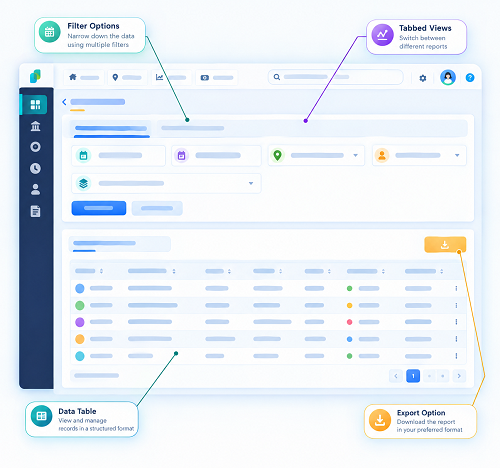
Geo-fenced attendance can give supervisors a central view of employee check-in activity across multiple locations.
A dashboard may display:
- Employees who have checked in.
- Employees with pending attendance.
- Late or missing check-ins.
- Employees assigned to different sites.
- Attendance events outside permitted geo-fences.
- Missed check-outs.
- Attendance correction requests.
- Location-verification exceptions.
For example, a regional supervisor responsible for service teams in Bangkok and nearby provinces may use the dashboard to review whether employees have reported to their assigned locations.
This can reduce the need for repeated telephone calls and manual attendance confirmations.
However, businesses should distinguish between an attendance dashboard and a live employee surveillance system. If the business only needs to verify arrival and departure, event-based location capture may be more appropriate than continuous location monitoring.
8. How Can Geo-Fenced Attendance Help Manage Different Field Work Schedules?
Field employees may follow different schedules depending on their job responsibilities, customer commitments and project requirements.
Examples include:
- Fixed morning and evening shifts.
- Flexible customer-visit schedules.
- Rotating shifts.
- Weekend service schedules.
- Night maintenance work.
- Project-based working hours.
- Emergency service assignments.
Geo-fenced attendance software should allow administrators to assign different schedules to different employee groups.
A technician working at a factory may have a fixed shift, while a sales representative may follow a schedule based on customer appointments.
The system should connect location rules with the employee's assigned schedule rather than applying one universal attendance window to everyone.
It should also support overnight shifts that cross midnight. For example, a maintenance employee starting work at 10:00 PM and finishing at 6:00 AM should have the shift recorded correctly as one continuous scheduled period.
The attendance platform should preserve actual timestamps and apply the employer's approved rules for calculating working time.
9. How Can Geo-Fenced Attendance Support Overtime Monitoring?
Field employees may occasionally work beyond their scheduled hours because of emergency repairs, delayed customer work, project deadlines or extended service assignments.
Geo-fenced attendance can provide useful information about when employees checked in and checked out at approved locations. This information can help managers identify possible overtime situations.
For example, a technician scheduled to finish at 5:00 PM may record a check-out at 7:30 PM. The system can flag the difference for supervisor review.
However, a late check-out does not automatically mean that all additional time qualifies as approved overtime. Employers should review the actual work performed, applicable schedule, approval records and legal requirements.
Under Thailand's Labour Protection Act B.E. 2541 (1998):
- Section 23 generally limits normal working hours to eight hours per day and 48 hours per week. Certain hazardous work has lower limits.
- Section 24 generally requires the employee's prior consent for overtime on a normal working day on each occasion, subject to statutory exceptions.
- Section 27 establishes daily rest-period requirements, including a general minimum of one hour after no more than five consecutive hours of work.
Geo-fenced attendance should therefore support overtime review rather than automatically approving or calculating overtime solely from location events.
10. How Can Geo-Fenced Attendance Improve Attendance Accuracy?
Attendance accuracy is particularly important when employees work without direct supervision.
A mobile attendance system can improve the consistency of field attendance records by combining several verification elements.
Employee authentication
The application should identify the employee through an individual account or another appropriate authentication method. Shared accounts should be avoided.
Location verification
The system checks whether the device is within an approved geo-fence when the employee submits an attendance event.
Timestamp recording
The platform records the date and time of the attendance event.
Assignment verification
The system checks whether the employee is assigned to the relevant location or permitted to work there.
Exception identification
The platform flags unusual records, such as check-ins outside approved locations or missing check-outs.
Correction history
If an employee submits a correction request, the system should retain the original event and record the reason, approver and time of the change.
These controls can improve record quality, but no single verification method guarantees that an employee has performed all assigned duties. Supervisors should use attendance data alongside work orders, service reports, customer confirmations and other relevant records.
11. What Happens When GPS or Mobile Internet Is Unavailable?
Field employees may work in industrial buildings, rural areas, underground facilities or locations with unreliable mobile connectivity.
A geo-fenced attendance solution should account for these conditions.
GPS accuracy problems
Location readings may be inaccurate when employees work indoors, near tall buildings or in areas with poor satellite reception.
Network interruptions
Employees may reach an approved site but be unable to submit an attendance event because mobile internet is unavailable.
Device battery problems
A phone with a low battery or disabled location service may prevent the employee from completing a normal check-in.
Recommended system features
Businesses should look for:
- Clear notifications when location verification fails.
- Offline attendance capture where technically supported.
- Secure storage of pending attendance events.
- Synchronisation when connectivity returns.
- Original event timestamps and server receipt times.
- A manual correction process.
- Supervisor approval for exceptional attendance records.
- Alerts for repeated device or application failures.
Offline capture needs careful testing. A system should distinguish between the time an event was recorded on the device and the time it was synchronised with the server. It should also identify records that require additional verification.
Employees should have a practical alternative procedure when the application cannot capture a valid attendance event.
12. How Can Geo-Fenced Attendance Support Payroll Processing?
Attendance information is an important input for payroll preparation. Inaccurate field attendance can lead to disputes about working hours, overtime, absences and salary calculations.
A geo-fenced attendance system can centralise attendance events and transfer approved information to payroll software.
Useful payroll-related data may include:
- Employee identification.
- Attendance date.
- Scheduled shift.
- Actual check-in and check-out timestamps.
- Approved working hours.
- Late arrivals and early departures.
- Approved overtime.
- Absence and leave information.
- Attendance corrections.
- Supervisor approval history.
For example, a field employee may complete assignments at three approved customer locations during one working day. The attendance system should help consolidate the relevant events into a usable daily record rather than treating every location visit as a separate working day.
Payroll teams should review the underlying attendance data before calculating wages. They should also distinguish between time spent travelling, working at customer premises, taking rest periods and performing overtime, according to the applicable employment arrangements and legal requirements.
Integration should reduce duplicate data entry without removing the need for payroll validation.
13. What Thailand Labour Law Requirements Should Employers Consider?
Geo-fenced attendance is a technology solution. It does not replace an employer's obligations under Thailand's labour laws.
Businesses should configure the system to support accurate working-time records and fair attendance management.
Normal working hours
Section 23 of the Labour Protection Act B.E. 2541 (1998) generally provides for normal working hours of no more than eight hours per day and 48 hours per week. Certain hazardous work is subject to limits of seven hours per day and 42 hours per week.
Employers should configure schedules according to the employee's actual job category and applicable legal requirements.
Rest periods
Section 27 generally requires an employer to provide at least one hour of rest per day after an employee has worked for no more than five consecutive hours. The law also addresses rest before certain overtime periods and provides exceptions for specified circumstances.
A geo-fenced check-in or check-out should not be treated as a substitute for recording or managing required rest periods.
Weekly rest days
Section 28 generally requires at least one weekly holiday, with no more than six days between weekly holidays. Certain categories of work may be subject to specific arrangements.
Attendance software should support weekly schedules and rest-day configurations rather than assuming all employees follow a Monday-to-Friday pattern.
Overtime
Section 24 generally requires prior employee consent for overtime on normal working days on each occasion, subject to statutory exceptions. Employers should maintain appropriate approval records and ensure that overtime calculations comply with applicable requirements.
Employment records
Employers should also consider statutory recordkeeping obligations. Under Sections 112–115, employers with at least 10 employees must maintain prescribed employee and wage-related records. Relevant wage records include information such as working days and time, wage rates and amounts, and overtime and holiday payments.
A digital attendance platform can help organise supporting information, but employers should confirm that their overall recordkeeping process meets the applicable legal requirements.
14. How Does Thailand's PDPA Apply to Geo-Fenced Attendance?
The Personal Data Protection Act B.E. 2562 (2019), commonly known as the PDPA, is an important consideration when implementing location-based attendance.
Location information associated with an identifiable employee is personal data. Employers should therefore establish an appropriate legal basis and explain how attendance-related location information is collected and used.
Provide a clear privacy notice
Employees should understand:
- What location information the application collects.
- Why is the information needed?
- When location information is collected.
- Whether information is shared with software providers or other service providers.
- How long the records are retained.
- Who can access the information?
- How employees can exercise their data protection rights.
Limit location collection to the stated purpose
If the purpose is to verify attendance at an approved site, the employer should consider collecting location information when the employee checks in or checks out rather than continuously tracking the employee throughout the day.
Continuous tracking may collect substantially more information than necessary for a simple attendance purpose.
Control access to location records
Only authorised HR personnel, supervisors and other approved users should have access to employee attendance and location information.
Establish retention rules
Location and attendance records should not be retained indefinitely without a justified purpose. Employers should establish appropriate retention periods and secure deletion procedures, subject to applicable legal recordkeeping requirements.
Protect employee devices and information
Businesses should use secure authentication, access controls, encryption where appropriate, vendor security reviews and incident-response procedures.
Understand biometric requirements
Some attendance applications combine geo-fencing with facial recognition or fingerprint verification. Biometric data used to identify an individual is sensitive personal data under Section 26 of the PDPA and requires additional legal assessment and safeguards.
Location verification and biometric identification should therefore be evaluated separately. A company should not assume that collecting biometric information is necessary simply because it uses geo-fenced attendance.
15. What Features Should Thailand Businesses Look for in Geo-Fenced Attendance Software?
Before selecting a solution, employers should evaluate whether the software supports their actual field operations.
| Feature | Why it matters |
|---|---|
| Multiple geo-fences | Supports employees working at different customer and project sites |
| Employee-site assignment | Restricts attendance to approved locations |
| Adjustable geo-fence radius | Helps accommodate different site sizes and location conditions |
| Mobile check-in and check-out | Allows employees to record attendance away from the office |
| GPS verification | Provides location information at attendance events |
| Offline attendance support | Helps manage network interruptions |
| Shift scheduling | Supports fixed, rotating and overnight schedules |
| Exception alerts | Identifies missed punches and unusual check-ins |
| Supervisor approvals | Supports attendance correction and review |
| Audit trail | Preserves original events and approval history |
| Payroll integration | Reduces repeated data entry |
| Employee self-service | Allows employees to view attendance and submit corrections |
| Role-based access | Limits access to attendance and location records |
| Reports and dashboards | Helps managers review attendance across sites |
Businesses should also assess mobile-device compatibility, ease of use, implementation support, system availability and the vendor's data protection practices.
16. How Can Businesses Implement Geo-Fenced Attendance Successfully?
A phased implementation helps reduce disruption and allows businesses to identify problems before deploying the system across all field teams.
Step 1: Identify field employee groups
List employees who work at customer sites, construction projects, warehouses, service locations and other external workplaces.
Step 2: Map approved work locations
Create a location register with accurate addresses, coordinates and site descriptions. Confirm the appropriate boundary size for each location.
Step 3: Define attendance policies
Explain when employees must check in and check out, how location exceptions are handled and how changes to daily assignments are communicated.
Step 4: Configure shifts and assignments
Assign employees to the correct schedules and approved work locations. Establish a process for temporary site changes and emergency assignments.
Step 5: Review privacy requirements
Prepare appropriate privacy notices, determine the legal basis for processing and configure location collection to match the stated attendance purpose.
Step 6: Conduct a pilot
Test the system with a small group of employees working in different conditions, such as office-adjacent customer sites, industrial buildings and remote locations.
Step 7: Train employees and supervisors
Show employees how to check in, check out, report technical problems and submit corrections. Train supervisors to review exceptions fairly.
Step 8: Integrate with payroll
Test how approved attendance records move into payroll and verify that working hours, overtime and absence information are transferred correctly.
Step 9: Monitor performance
Review location accuracy, failed check-ins, correction requests, application reliability and employee feedback.
Step 10: Expand gradually
After resolving pilot issues, extend the system to other branches, departments and field teams.
17. What Reports Can Help Managers Evaluate Field Attendance?
A geo-fenced attendance platform should provide reports that help managers identify operational issues without relying on unnecessary employee surveillance.
Useful reports include:
- Daily field attendance report: Shows employee check-ins and check-outs across approved locations.
- Location-wise attendance report: Summarises attendance activity at individual customer sites, branches and project locations.
- Missed check-in report: Identifies employees with missing or incomplete attendance events.
- Late arrival report: Highlights attendance events recorded after the scheduled reporting time.
- Early departure report: Identifies check-outs that require review against the assigned schedule.
- Location exception report: Shows check-ins submitted outside approved geo-fences or records where location verification failed.
- Attendance correction report: Displays employee requests, correction reasons and approval history.
- Overtime review report: Identifies differences between scheduled and recorded working hours for further review.
- Payroll reconciliation report: Helps HR compare approved attendance information with payroll inputs.
Managers should use these reports to identify patterns, improve scheduling and resolve attendance issues fairly. They should avoid drawing conclusions from location data without considering assignment changes, technical failures and legitimate work circumstances.
Conclusion
Geo-fenced attendance can help Thailand businesses manage field employees more effectively by connecting attendance records with approved customer locations, project sites and service areas. It can reduce manual timesheets, improve check-in verification, simplify supervisor reviews and provide more consistent information for payroll preparation.
For field employees, a well-designed system offers a convenient way to record attendance without having to return to a central office or use a fixed attendance terminal. For HR and management teams, it provides a centralised view of attendance activity across multiple locations.
However, the technology should be implemented with realistic GPS settings, reliable offline procedures, fair correction workflows and appropriate employee privacy safeguards. Businesses must also ensure that attendance configurations support applicable Thai working-hour, rest-period, overtime and recordkeeping requirements.
By combining geo-fenced attendance software with clear policies and responsible data management, Thailand employers can improve field workforce administration while maintaining accurate records and employee trust.
A location boundary can add context to a field worker's check-in. InnBuilt Employee Tracking App can help Thailand managers compare recorded arrivals with assigned service areas, subject to suitable location-data practices.