How Can Mobile Attendance Support Thailand Employees Working at Client Sites?
How Can Mobile Attendance Support Thailand Employees Working at Client Sites?
Introduction
Many businesses in Thailand employ people who spend most of their working day away from the company's office. Field service technicians, maintenance engineers, sales representatives, installation teams, delivery personnel, consultants, cleaning staff, security officers and outsourced service workers may travel between customer premises, construction sites, factories, retail outlets and other locations.
Managing attendance for these employees can be difficult. Traditional attendance machines are designed for fixed workplaces, while paper timesheets and manual reports can create delays, inconsistencies and payroll errors. Managers may also struggle to confirm whether employees arrived at the assigned client location, completed their scheduled work or moved between sites as planned.
Mobile attendance software provides a practical alternative. Employees can use a smartphone to record their working hours at approved locations, submit attendance corrections, view assigned shifts and communicate with supervisors. Managers can review attendance information centrally without requiring employees to return to the office simply to clock in or out.
For Thailand businesses, however, successful implementation involves more than installing a mobile application. Employers must consider local labour requirements, employee privacy under the Personal Data Protection Act (PDPA), connectivity conditions, client-site security rules and the accuracy of attendance records.
This article explains how mobile attendance can support employees working at client sites in Thailand and what employers should consider when selecting and implementing the right solution.
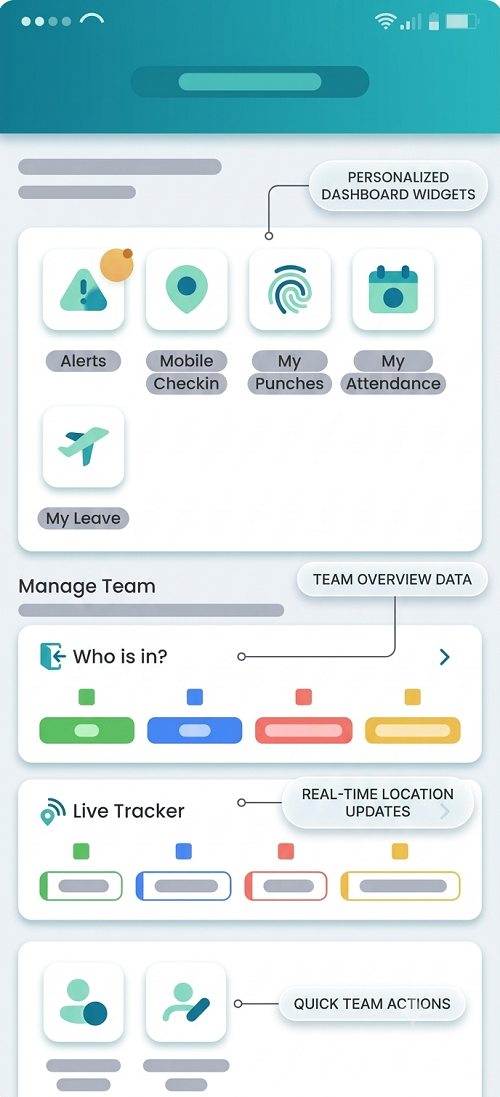
1. Understanding the Attendance Challenges of Client-Site Employees
Employees working at customer premises have different attendance requirements from employees based in a single office or factory.
For example, a maintenance technician may begin the day at a customer's factory, travel to another location after completing a repair and finish the day at a third site. A sales representative may visit several customers without returning to the company's premises. A cleaning team may work at different commercial buildings according to a rotating schedule.
These working arrangements create several challenges.
Difficulty verifying attendance: Managers may not be physically present to confirm when employees arrive at a customer location.
Manual timesheet dependency: Employees may submit attendance details through spreadsheets, messaging applications or paper forms. These records can be incomplete or submitted late.
Multiple work locations: Employees may have different reporting locations throughout the day, making a single office-based attendance system unsuitable.
Unclear working hours: Travel between client sites, waiting time, breaks, customer delays and additional work can make it difficult to establish actual working hours.
Missed attendance entries: Employees may forget to record their arrival or departure because they are focused on customer work.
Payroll processing delays: HR teams may need to contact employees and supervisors to verify attendance before finalising monthly payroll.
Mobile attendance helps address these challenges by allowing employees to record attendance from authorised work locations and making the information available to managers and HR teams.
2. Allow Employees to Clock In From Client Locations
One of the main advantages of mobile attendance software is that employees can record their attendance without visiting the company's office.
An employee opens the attendance application on a smartphone and selects the relevant attendance action, such as clock-in or clock-out. Depending on the system configuration, the application may capture the time, employee identity, assigned work location and location coordinates.
For example, a field technician assigned to a customer facility in Bangkok can record arrival directly from that location. The attendance entry is then sent to the employer's central system for review.
This approach is particularly useful for:
- Maintenance and repair technicians.
- Sales and marketing representatives.
- Installation and commissioning teams.
- Cleaning and facility management employees.
- Security personnel.
- Construction and project-site workers.
- Delivery and field service employees.
Employers should configure approved attendance locations and define which employees are permitted to check in at each location. This prevents employees from selecting unrelated customer premises when recording attendance.
The application should also make the clock-in and clock-out process simple. Employees should not have to complete lengthy forms or navigate multiple screens just to record their working hours.
3. Use GPS and Geofencing to Verify Client-Site Attendance
GPS-based attendance can help employers verify whether an employee is physically near an assigned client location when recording attendance.
A mobile attendance application can capture the employee's location at the time of a clock-in or clock-out event. The system compares the recorded coordinates with the approved location to determine whether the employee is within the permitted attendance area.
Geofencing adds another layer of location-based verification. A geofence is a virtual boundary created around a particular location.
For example, an employer may configure a geofence around a customer's factory. Employees assigned to that facility can record attendance when they are within the permitted boundary.
Example:
A company assigns three technicians to a customer facility in Chonburi. The administrator creates a geofence around the facility and assigns the technicians to that location. When each technician arrives, the mobile application checks the available location information against the configured boundary.
The system can then:
- Accept the attendance entry if it meets the location rule.
- Flag an entry recorded outside the permitted area.
- Request a reason for an exception.
- Notify a supervisor when verification fails.
However, GPS should not be treated as perfect proof of attendance. Location accuracy can vary because of buildings, indoor environments, device settings, network conditions and GPS signal quality.
Employers should therefore provide an exception process for employees who are genuinely working at the assigned location but cannot obtain an accurate GPS reading.
4. Manage Multiple Client Sites Through a Centralised System
Businesses that serve multiple customers need a way to manage attendance across different locations.
A centralised mobile attendance platform allows administrators to create and maintain client-site records, assign employees and define attendance rules for each location.
For example, a facility management company operating in Bangkok, Nonthaburi, Pathum Thani and Rayong may have hundreds of employees assigned to different customer premises.
Instead of maintaining separate attendance spreadsheets for every site, the company can manage all locations through one platform.
Useful features include:
- Client and site master records.
- Site addresses and map coordinates.
- Employee-to-site assignments.
- Site-specific attendance rules.
- Shift schedules for each location.
- Supervisor assignments.
- Attendance dashboards by customer or branch.
- Centralised reporting.
Managers can filter attendance records by client, site, employee, date or department.
This makes it easier to identify locations with recurring attendance problems and compare staffing levels across different customer contracts.
5. Support Employees Working at Multiple Sites in One Day
Some employees visit several customer locations during a single shift. A mobile attendance solution should support these movements without creating confusion in the attendance record.
For example, a service technician may follow this schedule:
| Activity | Example time |
|---|---|
| Arrive at Client Site A | 8:30 AM |
| Complete scheduled service | 10:30 AM |
| Travel to Client Site B | 11:00 AM |
| Complete repair work | 1:30 PM |
| Visit Client Site C | 2:30 PM |
| Finish assigned work | 5:00 PM |
The software should allow the employee to record attendance at the relevant locations according to the company's policy.
It should also distinguish between:
- Start of the working day.
- Arrival at a client site.
- Departure from a client site.
- Arrival at another assigned location.
- Completion of the working day.
This distinction is important because a site visit is not necessarily the same as a working-day clock-in or clock-out.
Employers should configure the system according to their actual working arrangements. They should avoid automatically treating every movement between locations as the start or end of paid working time without reviewing the applicable employment terms and labour requirements.
6. Provide Offline Attendance Support for Areas With Weak Connectivity
Employees may work at industrial facilities, construction sites, remote customer premises or locations with unreliable mobile network coverage.
If an attendance application requires a continuous internet connection, employees may be unable to record attendance when they arrive at a site with poor connectivity.
Offline attendance functionality can reduce this problem.
A suitable application may allow employees to record attendance locally on their devices when the network is unavailable. Once the device reconnects, the application synchronises the stored information with the central server.
Employers should evaluate whether the application can:
- Record attendance without an active internet connection.
- Store the original event timestamp.
- Preserve the relevant location information when available.
- Display pending synchronisation status.
- Upload records automatically after connectivity returns.
- Identify delayed or failed synchronisation.
- Prevent duplicate attendance entries.
The system should also distinguish between the time an employee actually recorded attendance and the later time when the record reached the server.
For example, if an employee checks in at 8:30 AM but the phone reconnects at 9:15 AM, the attendance record should preserve the original check-in time rather than incorrectly treating 9:15 AM as the arrival time.
Offline records should be subject to suitable validation and audit controls because delayed synchronisation can create opportunities for incorrect or manipulated entries.
7. Assign Shifts and Work Schedules to Client-Site Employees
Mobile attendance becomes more useful when it is connected to employee scheduling.
Different customers may require different service hours. A manufacturing client may need technicians during an early shift, while a commercial building may require cleaning employees in the evening.
The attendance platform should allow employers to configure schedules based on employee assignments and customer requirements.
Important scheduling features include:
- Fixed and rotating shifts.
- Site-specific working schedules.
- Different start and end times.
- Overnight shifts.
- Split shifts where applicable.
- Weekly rest-day schedules.
- Holiday schedules.
- Temporary shift changes.
- Supervisor-approved schedule adjustments.
Employees should be able to view their assigned schedules through the application.
Managers should also be able to identify attendance exceptions, such as an employee arriving after the scheduled start time or recording attendance at a location that does not match the assigned shift.
However, schedule changes should be properly authorised and communicated. The system should not silently replace an employee's original schedule with a revised one without preserving the change history.
8. Improve Attendance Visibility for Supervisors and HR Teams
Supervisors often need to know whether employees have reported to their assigned customer locations.
A mobile attendance dashboard provides a central view of attendance information and can reduce the need for repeated phone calls and messages.
Depending on the software, managers may be able to view:
- Employees scheduled to work on a particular day.
- Employees who have checked in.
- Employees who have not recorded attendance.
- Late arrivals.
- Early departures.
- Missed check-ins or check-outs.
- Attendance recorded outside approved locations.
- Pending correction requests.
- Employees assigned to multiple sites.
For example, a regional operations manager responsible for several customer locations can review attendance across all assigned sites from one dashboard.
This helps managers identify staffing gaps and follow up on attendance exceptions more quickly.
Access should be role-based. A site supervisor should normally see the employees and attendance information needed for that supervisor's responsibilities, while HR administrators may require broader access.
9. Use Automated Alerts to Handle Attendance Exceptions
Automated notifications can help supervisors respond to attendance issues without manually checking every employee record.
The system can generate alerts when an employee:
- Does not check in by the scheduled start time.
- Records attendance outside the permitted geofence.
- Forgets to clock out.
- Submits a missed-punch correction.
- Changes an assigned location.
- Records attendance after a shift has ended.
- Has an attendance entry awaiting approval.
For example, if a security guard has not recorded arrival at a customer site by the scheduled reporting time, the system can notify the responsible supervisor.
The supervisor can then contact the employee and determine whether the employee is delayed, has encountered a technical problem or has been reassigned.
Alerts should support operational follow-up rather than automatically treating every exception as misconduct. Employees may experience network failures, customer access restrictions, emergencies or approved schedule changes.
A clear review process helps prevent incorrect attendance decisions.
10. Make Attendance Corrections Easy for Employees
Employees working at customer premises may occasionally forget to clock in or out. A mobile attendance system should provide a transparent way to report and correct these mistakes.
For example, an employee may arrive at a factory at 8:00 AM but forget to record attendance because the customer immediately requests assistance.
Instead of asking the employee to submit a paper form or send multiple messages, the application can allow the employee to submit a correction request.
The request may include:
- Employee name and identification.
- Assigned client location.
- Original scheduled time.
- Requested attendance time.
- Reason for the missed punch.
- Supporting information, where appropriate.
The supervisor can review the request and approve or reject it with a recorded reason.
The system should preserve the original attendance event, the requested change, the approval decision and the identity of the person who authorised the correction.
This creates an audit trail and reduces the risk of unauthorised changes to attendance records.
Employers should also establish a reasonable deadline for submitting correction requests and explain the process to employees.
11. Connect Mobile Attendance With Payroll Processing
Accurate attendance information is important for payroll calculations.
For Thailand businesses, mobile attendance can help HR and payroll teams collect working-time information from employees who do not report to a fixed office.
The system can consolidate approved attendance records and provide information for payroll review, including:
- Actual attendance days.
- Scheduled working hours.
- Late arrivals and early departures.
- Approved overtime.
- Holiday work.
- Absences.
- Unpaid leave, where applicable.
- Approved attendance corrections.
For example, a technician may work at different client sites during the month and complete approved overtime at a customer's facility. The attendance platform can send the relevant records to payroll for verification.
However, employers should not assume that every time difference automatically represents payable overtime or an unpaid absence. Payroll teams must consider the employee's work schedule, employment terms, applicable legal requirements, approved overtime and the actual circumstances of the work.
The software should also distinguish between recorded attendance time and payroll-approved working time.
Before processing payroll, HR should review exceptions and reconcile attendance information with approved leave, overtime and other relevant records.
12. Help Employers Monitor Working Hours and Rest Periods
Employees working at client sites may have irregular schedules, making it important for employers to monitor working hours and rest periods.
Thailand's Labour Protection Act B.E. 2541 (1998) establishes general working-time and rest-period requirements. Under Section 23, normal working hours generally must not exceed eight hours per day and 48 hours per week. Certain work that may be harmful to health or safety is subject to limits of seven hours per day and 42 hours per week.
Section 27 generally requires a rest period of at least one hour per working day after no more than five consecutive hours of work, subject to the statutory provisions and permitted arrangements. The Act also provides for a rest period before certain overtime work exceeding two hours after normal working hours.
The Ministry of Labour provides an overview of these working-time and rest-period requirements. Employers should review the applicable provisions and any relevant exceptions for their business activities.
Mobile attendance software can support compliance by helping employers:
- Record start and end times.
- Review total working hours.
- Monitor overtime entries.
- Record rest periods where required.
- Identify unusually long working days.
- Review weekly working patterns.
- Maintain attendance reports for inspection and internal review.
The software does not automatically make an employer compliant. Employers must configure the correct schedules, understand the applicable rules and ensure that recorded working time reflects the employee's actual work.
13. Protect Employee Location Data Under Thailand's PDPA
Location information connected to an identifiable employee is personal data. Employers using GPS-based mobile attendance should therefore consider their obligations under Thailand's Personal Data Protection Act B.E. 2562 (2019).
The PDPA requires personal data collection to be limited to what is necessary for the lawful purpose. Section 23 also requires the data controller to provide information about the collection, including its purposes, categories of data, retention period, recipients and relevant data-subject rights.
For mobile attendance, employers should establish a clear privacy notice explaining:
- Why location information is collected.
- When the application records location.
- Whether location is captured only during attendance events or at other times.
- Who can access the information.
- Whether data is shared with customers or service providers.
- How long attendance and location records are retained.
- How employees can exercise applicable data-subject rights.
Employers should also identify an appropriate legal basis for processing. Consent is not the only possible legal basis under the PDPA, and employers should not automatically assume that employee consent is always the correct basis in an employment relationship. The appropriate basis depends on the purpose and circumstances of the processing.
A particularly important distinction is between attendance verification and continuous location surveillance.
If the purpose is to confirm attendance at a client site, collecting location information when an employee checks in or out may be more proportionate than tracking the employee continuously throughout the day.
Businesses should also consider access controls, secure data storage, retention limits and appropriate contractual arrangements with attendance software providers.
The Ministry of Digital Economy and Society publishes an English translation of the PDPA for reference.
14. Consider Biometric Verification Carefully
Some mobile attendance platforms offer facial recognition or other biometric verification to confirm that the person recording attendance is the assigned employee.
This may help reduce proxy attendance, where one employee records attendance on behalf of another.
However, biometric information used to uniquely identify an individual is subject to the PDPA's sensitive personal data requirements under Section 26.
Employers should therefore assess whether biometric verification is genuinely necessary and whether a less intrusive method can achieve the same objective.
Possible alternatives include:
- Employee login credentials.
- One-time passwords.
- QR-code check-ins.
- Supervisor verification.
- Client-site access-card integration.
- A combination of device and location checks.
If biometric processing is used, the employer should review the applicable legal basis and safeguards, provide appropriate information to employees and ensure that the software protects biometric templates and related records.
A mobile attendance system should not require biometric collection simply because the feature is available.
15. Coordinate Attendance With Client-Site Access Rules
Employees working at customer premises may be subject to the client's security and access procedures.
For example, a factory may require visitors and contractors to register at a security desk, while a construction site may require employees to complete safety induction before entering the work area.
The employer's attendance system should complement these arrangements rather than conflict with them.
Businesses should consider:
- Whether smartphones are permitted inside the client premises.
- Whether employees can use mobile applications in restricted areas.
- Whether photography or location services are prohibited.
- Whether client security staff must verify entry.
- Whether the customer requires a separate visitor or contractor register.
- Whether attendance data may be shared with the customer.
Where the customer has a separate access-control system, employers may explore an integration that reduces duplicate data entry.
However, access records and employment attendance records may serve different purposes. Entering a building does not necessarily prove that an employee started work at that exact time, and leaving a building does not necessarily mean that the employee's working day ended.
The employer should define how these records relate to each other.
16. Support Employee Safety and Emergency Communication
Mobile attendance can also contribute to field workforce safety when combined with appropriate operational procedures.
Employees working at isolated locations, industrial facilities or unfamiliar customer premises may need a reliable way to contact supervisors.
Depending on the platform, useful features may include:
- Emergency contact information.
- Supervisor contact details.
- Site assignment information.
- Emergency reporting.
- Check-in confirmation.
- Escalation notifications.
- Links to workplace safety instructions.
For example, if an employee encounters an unsafe condition at a customer facility, the employee should be able to contact the appropriate supervisor or follow the company's incident-reporting process.
Employers should not confuse attendance tracking with a complete employee safety system. A clock-in notification does not establish that the employee is safe throughout the shift.
Businesses should maintain separate safety procedures, emergency contacts and incident-management arrangements appropriate to the work being performed.
17. Choose a Mobile Attendance Application That Employees Can Use Easily
Employees may have different levels of smartphone experience. A complicated application can lead to missed attendance entries and unnecessary support requests.
The application should therefore be designed for quick and straightforward use.
Important usability features include:
- Simple clock-in and clock-out buttons.
- Clear display of assigned shifts.
- Easy selection of client locations.
- Support for multiple site visits.
- Clear confirmation after attendance submission.
- Offline attendance recording.
- Simple correction requests.
- Local-language support where required.
- Readable screens on different smartphone sizes.
- Clear error messages.
- Low battery and data consumption.
For Thailand businesses, Thai-language interfaces can improve accessibility for employees who are more comfortable using Thai than English.
Employers should also check compatibility with the devices employees already use. Requiring employees to purchase expensive smartphones may create unnecessary implementation barriers.
A pilot involving employees from different job roles and locations can reveal usability issues before the system is rolled out across the organisation.
18. Evaluate Attendance Reports for Client-Site Operations
Mobile attendance data becomes more valuable when businesses can convert it into meaningful reports.
HR teams, operations managers and customer account managers may require different types of information.
Useful reports include:
| Report | Business purpose |
|---|---|
| Daily site attendance | Shows which employees reported to each client location |
| Employee attendance history | Reviews an individual's clock-in and clock-out records |
| Late-arrival report | Identifies recurring delays |
| Missed-punch report | Highlights incomplete attendance records |
| Multi-site activity report | Shows recorded attendance events across different locations |
| Overtime report | Supports review of approved additional working hours |
| Shift compliance report | Compares attendance against assigned schedules |
| Correction report | Tracks attendance changes and approval history |
| Site staffing report | Helps managers review staffing coverage |
| Payroll attendance summary | Provides approved attendance information for payroll processing |
Reports should allow authorised users to filter information by date, employee, department, customer and site.
Businesses should also be able to export approved records for payroll processing, customer reporting or internal audits.
Access to reports containing employee information should be restricted to people with a legitimate business need.
19. Integrate Mobile Attendance With Other Business Systems
Many Thailand businesses use separate systems for HR, payroll, field service management, customer relationship management and project operations.
Integrating mobile attendance with these systems can reduce manual administration.
Potential integrations include:
HR management systems: Employee details, department information, employment status and reporting relationships can be synchronised.
Payroll software: Approved attendance information can be transferred for payroll review and calculation.
Leave management systems: Approved leave records can be compared with attendance information to identify inconsistencies.
Field service management platforms: Work orders and customer assignments can be connected with attendance events.
Customer management systems: Customer and site information can be used to organise employee assignments.
Access-control systems: Where appropriate, site-entry records can support attendance verification.
Before selecting an integration, employers should confirm which system is the source of truth for each type of information.
For example, HR software may control employee master data, scheduling software may control assigned shifts and the attendance platform may record actual clock-in and clock-out events.
Clear data ownership reduces duplication and prevents conflicting records.
20. Implement Mobile Attendance in Stages
A structured implementation helps businesses identify technical, operational and employee-related problems before a full rollout.
A practical implementation process can include the following stages.
Stage 1: Review existing attendance practices
Identify how employees currently report attendance at client locations. Review paper timesheets, spreadsheets, messaging applications and supervisor verification procedures.
Document the main problems, such as delayed submissions, missed punches and inconsistent site reporting.
Stage 2: Define attendance policies
Decide how employees should record attendance, how multiple site visits will be handled and how corrections will be approved.
Define the difference between a working-day clock-in, a site visit and a clock-out event.
Stage 3: Review privacy requirements
Identify the personal data the system will collect and establish the appropriate legal basis, privacy notice, access restrictions and retention arrangements.
Assess whether GPS, geofencing or biometric features are necessary for the intended purpose.
Stage 4: Configure client locations
Create the site master records and verify addresses and coordinates.
Set employee assignments, attendance boundaries and site-specific rules.
Stage 5: Test the application
Test the application across different devices and operating conditions.
Include indoor facilities, remote sites, weak network coverage, multiple-site visits and overnight shifts where relevant.
Stage 6: Conduct a pilot
Select a small group of employees and supervisors from different locations.
Collect feedback about application usability, location accuracy, battery consumption and attendance correction procedures.
Stage 7: Train employees and supervisors
Explain how to record attendance, report missed punches, handle location errors and contact support.
Supervisors should also understand how to review exceptions and approve corrections.
Stage 8: Integrate with payroll
Test the transfer of approved attendance data into payroll software.
Compare the results with existing attendance records before using the new system for live payroll processing.
Stage 9: Monitor and improve
Review attendance exceptions, employee feedback, system performance and payroll discrepancies after implementation.
Adjust the configuration where necessary.
Conclusion
Mobile attendance can help Thailand businesses manage employees working at customer premises more accurately and efficiently. It allows employees to record attendance from authorised locations, supports multiple-site assignments, improves supervisor visibility and reduces dependence on manual timesheets.
When combined with GPS verification, geofencing, offline functionality, shift scheduling and payroll integration, mobile attendance can provide a more reliable picture of field workforce activity.
However, successful implementation requires more than technology. Employers should establish clear attendance policies, provide fair correction procedures, respect employee privacy under the PDPA and ensure that attendance records support applicable labour requirements.
The most effective solution is one that makes attendance recording convenient for employees while giving HR teams and managers accurate, auditable information for workforce planning and payroll administration.
Client-site staff need a practical way to record their working day away from headquarters. InnBuilt Employee Tracking App can help Thailand teams associate mobile check-ins with assigned visits and manager review.