How to Assess Arabic and English Support in Attendance Software for UAE Teams
Introduction
The UAE has a diverse workforce comprising employees from different nationalities, language backgrounds, and professional environments. While Arabic is the country's official language, English is widely used in business operations, particularly in multinational companies, private-sector organisations, and industries employing international workers.
For businesses operating in the UAE, attendance software should accommodate both Arabic- and English-speaking employees. Language support is not simply a user interface feature. It affects how employees record attendance, submit leave requests, review working hours, receive notifications, and communicate with supervisors.
Choosing attendance software with reliable Arabic and English support can improve employee adoption, reduce misunderstandings, and simplify workforce administration. Employers should therefore evaluate language capabilities carefully before implementing an attendance management system.
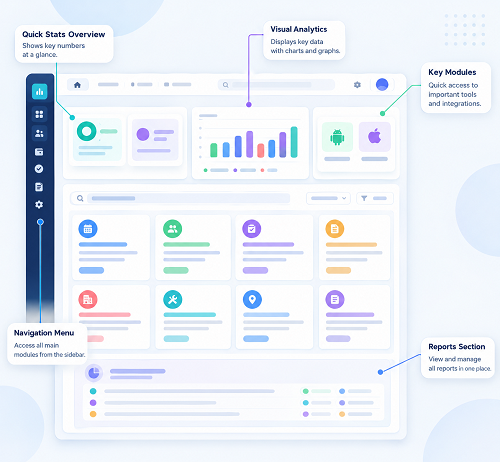
1. Check Whether the Software Provides a Fully Bilingual Interface
The first step is to determine whether the attendance software offers complete Arabic and English interfaces.
Some systems allow users to change the display language but translate only selected menus or basic navigation elements. Important functions, such as attendance corrections, overtime requests, leave applications, and approval workflows, may remain available in only one language.
Businesses should check whether both languages are supported across the entire application.
Important interface elements to evaluate include:
- Employee dashboards and attendance summaries.
- Clock-in and clock-out screens.
- Leave application and approval sections.
- Shift schedules and roster details.
- Overtime records and approval requests.
- Attendance correction forms.
- Employee profiles and account settings.
- Notifications, alerts, and error messages.
A fully bilingual interface helps employees understand attendance procedures without depending on colleagues or HR teams for translation.
2. Evaluate Arabic Right-to-Left (RTL) Display Support
Arabic is written from right to left, whereas English is written from left to right. Attendance software must handle this difference correctly.
Simply translating English labels into Arabic is not sufficient. The application should also adjust its layout to provide a natural Arabic-language experience.
Employers should assess whether the software supports:
- Right-to-left navigation and menu alignment.
- Correct Arabic text direction in forms and fields.
- Proper display of Arabic employee names.
- Correct alignment of attendance tables and reports.
- Arabic text in mobile notifications.
- Consistent display of Arabic and English within the same screen.
- Proper formatting of dates, numbers, and time values.
For example, an Arabic-speaking employee should be able to navigate the attendance dashboard without encountering overlapping labels, misplaced buttons, or incorrectly aligned information.
Testing RTL functionality on both desktop and mobile devices is particularly important because employees may use different devices to record attendance.
3. Test Language Switching for Individual Employees
In a UAE organisation, employees may have different language preferences even when they work in the same department.
Attendance software should ideally allow employees to select their preferred language individually rather than requiring administrators to change the language for the entire organisation.
For example, an HR manager may prefer English, while a site supervisor or frontline employee may prefer Arabic.
Check whether the software allows:
- Individual language selection.
- Language preferences during employee registration.
- Switching between Arabic and English without losing data.
- Language settings across mobile and desktop applications.
- Consistent language preferences after logging out and signing in.
- Separate language preferences for employees and administrators.
Individual language settings make attendance software more accessible across departments, branches, and workforce categories.
4. Review Arabic and English Mobile Application Support
Mobile attendance is widely used by UAE businesses with employees working outside traditional office environments.
Construction workers, delivery personnel, maintenance technicians, security guards, and field service employees may depend on mobile applications to record their working hours.
Businesses should verify that the mobile application provides the same quality of Arabic and English support as the desktop platform.
Evaluate the following features:
- Bilingual clock-in and clock-out screens.
- Arabic and English attendance instructions.
- Mobile leave application forms.
- Shift and roster notifications.
- GPS-based attendance messages.
- Offline attendance instructions, where supported.
- Error messages and attendance exception alerts.
- Language consistency across Android and iOS devices.
The mobile interface should also remain readable on smaller screens. Arabic text should not be cut off, and important buttons should remain accessible when employees switch languages.
5. Examine Bilingual Notifications and Employee Alerts
Attendance software communicates with employees through notifications, reminders, and automated alerts. If these messages are available only in English, employees who primarily use Arabic may misunderstand important attendance requirements.
Employers should review the language options available for automated communications.
Examples include:
- Late arrival notifications.
- Missed clock-in and clock-out reminders.
- Shift starting and ending alerts.
- Overtime approval updates.
- Leave request confirmations.
- Attendance correction notifications.
- Absence alerts.
- Changes to employee work schedules.
Businesses should also check whether administrators can customise notification templates in Arabic and English.
If notifications are sent through email, SMS, or mobile push notifications, the software should preserve Arabic characters correctly across supported communication channels.
6. Check Arabic and English Support in Attendance Reports
Attendance reports are used by HR teams, payroll administrators, department managers, and senior management.
In UAE organisations, reports may need to be reviewed by employees and managers who prefer different languages.
A bilingual attendance management system should provide suitable language support in its reporting features.
Important areas to examine include:
- Employee attendance summaries.
- Daily and monthly attendance reports.
- Late arrival and early departure records.
- Overtime summaries.
- Absence reports.
- Shift attendance records.
- Leave balances and utilisation.
- Department-wise attendance summaries.
Employers should also verify whether employee names, department names, attendance statuses, and report headings can be displayed correctly in Arabic.
Exported reports in Excel or PDF should maintain Arabic text formatting and readability. This is particularly important when attendance information is shared with management, finance departments, or external stakeholders.
7. Evaluate Bilingual Support for Attendance Approvals
Attendance management involves several approval processes. Employees may submit requests for missed punches, overtime, shift changes, or attendance corrections.
Supervisors and HR administrators must understand these requests before approving or rejecting them.
Businesses should assess whether Arabic and English are supported throughout the approval workflow.
For example, the system should allow:
- Employees to submit attendance correction requests in their preferred language.
- Supervisors to review requests using their preferred interface language.
- Managers to receive approval notifications in Arabic or English.
- HR teams to review comments and supporting information.
- Approval and rejection messages to appear in the selected language.
- Employees to understand the reasons for rejected requests.
Bilingual approval workflows reduce communication gaps between employees and supervisors, particularly in organisations with multilingual operational teams.
8. Test Arabic and English Support Across Employee Categories
Not every employee interacts with attendance software in the same way. Office employees, frontline workers, supervisors, and HR administrators may use different functions.
Businesses should test the software with representatives from different workforce categories before making a purchase decision.
| Employee Category | Features to Test |
|---|---|
| Office employees | Clock-in, clock-out, leave requests, attendance summaries |
| Construction workers | Mobile attendance, site check-ins, shift notifications |
| Security personnel | Shift schedules, check-in alerts, attendance records |
| Delivery employees | GPS attendance, route-based check-ins, mobile notifications |
| Supervisors | Team attendance, correction requests, approval workflows |
| HR administrators | Employee records, attendance reports, policy settings |
Testing across employee categories helps businesses identify language-related usability problems that may not appear during a standard software demonstration.
9. Assess Arabic Translation Quality and Terminology
Translation quality is just as important as language availability.
Poor translations can create confusion around attendance policies, working hours, overtime, leave entitlements, and approval decisions.
Businesses should examine whether the software uses clear, professional Arabic terminology rather than relying on inconsistent or literal translations.
Pay particular attention to terms such as:
- Clock-in and clock-out.
- Attendance exceptions.
- Late arrival.
- Early departure.
- Overtime hours.
- Shift changes.
- Leave balance.
- Absence records.
- Approval pending.
- Attendance correction.
The Arabic terminology should be consistent across the mobile application, desktop dashboard, reports, and notifications.
Where possible, businesses should involve Arabic-speaking HR professionals or employees in reviewing the translations before implementation.
10. Verify Bilingual Customer Support and Training
Software language support should extend beyond the application itself. Businesses may require assistance during implementation, employee onboarding, troubleshooting, and system upgrades.
A vendor may provide an Arabic interface but offer technical support and training only in English. This could create difficulties for organisations whose HR administrators or supervisors prefer Arabic.
Before selecting a vendor, assess the availability of:
- Arabic-speaking customer support representatives.
- English-speaking technical support teams.
- Bilingual user manuals and documentation.
- Arabic and English training sessions.
- Video tutorials in both languages.
- Bilingual implementation assistance.
- Support for language-related technical issues.
Businesses should also clarify the vendor's support hours, response times, and escalation procedures.
Reliable bilingual support helps organisations resolve problems without unnecessary communication delays.
11. Include Language Requirements in the Software Demo and Trial
A vendor demonstration should not be limited to an English-language presentation.
Businesses should request a practical demonstration of the software in both Arabic and English. If a free trial is available, HR teams should use it to test actual attendance workflows.
A structured evaluation should include:
- Create employee accounts with different language preferences.
- Log in using Arabic and English interfaces.
- Record clock-in and clock-out transactions.
- Submit leave and attendance correction requests.
- Review shift schedules and overtime records.
- Generate attendance reports in both languages.
- Check mobile notifications and automated alerts.
- Test Arabic text in exported Excel and PDF files.
- Review the supervisor approval process.
- Contact customer support in both languages.
This practical assessment helps employers distinguish between basic language translation and genuine bilingual functionality.
12. Consider Data Consistency Across Arabic and English Interfaces
Language switching should not affect the accuracy or consistency of attendance information.
For example, an employee should see the same recorded working hours, overtime calculations, leave balances, and attendance status regardless of whether the application is displayed in Arabic or English.
Businesses should verify that:
- Employee records remain consistent across languages.
- Attendance timestamps do not change during language switching.
- Arabic and English employee names are associated with the correct profiles.
- Shift timings remain accurate.
- Reports display identical underlying attendance data.
- Language preferences do not affect approval permissions.
- Data exports retain consistent employee identification.
This is particularly important for organisations integrating attendance software with payroll systems, HR platforms, or employee management applications.
13. Evaluate Bilingual Support for UAE Workforce Compliance
Attendance records may support payroll calculations, working-hour reviews, overtime verification, and internal compliance processes.
UAE employers should therefore ensure that language settings do not compromise the accuracy, accessibility, or reliability of attendance information.
The software should allow authorised HR personnel to retrieve accurate attendance records regardless of the interface language.
Businesses should pay attention to:
- Working-hour records.
- Overtime tracking and approvals.
- Weekly rest-day attendance.
- Public holiday attendance.
- Employee leave records.
- Shift schedules.
- Attendance adjustments and audit trails.
Employers should also ensure that attendance policies and employee-facing instructions are communicated clearly in languages understood by the workforce.
Bilingual software can improve accessibility, but it does not replace the employer's responsibility to comply with applicable UAE labour and recordkeeping requirements.
14. Compare Vendors Using a Bilingual Support Checklist
Before purchasing attendance software, businesses should compare vendors against a consistent set of Arabic and English language requirements.
The following checklist can help HR and procurement teams evaluate different solutions.
| Evaluation Criteria | What Businesses Should Verify |
|---|---|
| Interface translation | Complete Arabic and English menus |
| RTL functionality | Proper right-to-left Arabic layout |
| Language preferences | Individual employee language settings |
| Mobile application | Bilingual mobile attendance features |
| Notifications | Arabic and English automated alerts |
| Attendance reports | Bilingual headings and readable exports |
| Approval workflows | Language support for requests and decisions |
| Translation quality | Accurate HR and attendance terminology |
| Customer support | Arabic and English technical assistance |
| Training materials | Bilingual documentation and tutorials |
| Data consistency | Identical attendance information across languages |
| Software integration | Correct handling of Arabic employee information |
Businesses can assign scores to each criterion and compare vendors based on their operational requirements.
Conclusion
Arabic and English support is an important consideration when selecting attendance software for UAE businesses. A bilingual system helps employees understand attendance procedures, enables supervisors to manage requests more effectively, and allows HR teams to maintain consistent workforce records.
However, businesses should look beyond basic translation when evaluating software. Right-to-left formatting, mobile usability, bilingual notifications, attendance reports, approval workflows, translation quality, and customer support all contribute to a reliable multilingual experience.
Before making a purchasing decision, employers should conduct practical demonstrations and involve Arabic- and English-speaking employees in the evaluation process. Selecting software that supports both languages throughout the attendance management process can improve employee adoption, simplify administration, and support more efficient workforce management across the UAE.
Have staff test Arabic and English menus, notifications and employee help content where relevant. Check InnBuilt's available language support rather than assuming every screen is localised.