Can Beat Plan Software Handle Recurring Visits and Changing UAE Sales Routes?
Can Beat Plan Software Handle Recurring Visits and Changing UAE Sales Routes?
Introduction
Managing recurring customer visits and changing sales routes is a common challenge for businesses operating field sales teams across the UAE. Sales representatives may need to visit supermarkets, retail outlets, pharmacies, wholesalers, distributors, and corporate customers at regular intervals. At the same time, customer availability, traffic conditions, new business opportunities, employee absences, and territory changes can affect daily schedules.
A fixed beat plan helps sales teams maintain consistent customer coverage, but a rigid schedule may not work when business requirements change. Companies need software that can manage recurring visits while allowing managers to modify routes, reassign customers, and adjust daily schedules without disrupting the entire sales operation.
Beat plan software addresses this challenge by combining customer scheduling, territory management, route planning, GPS tracking, and field activity monitoring. Depending on the platform, it can automate recurring visit schedules and support changes to routes when operational conditions require them.
But how effectively can beat plan software handle these requirements? What features should UAE businesses evaluate before choosing a solution?
This article explains how beat plan software manages recurring customer visits and changing UAE sales routes, the features to look for, and how businesses can test these capabilities before purchasing.
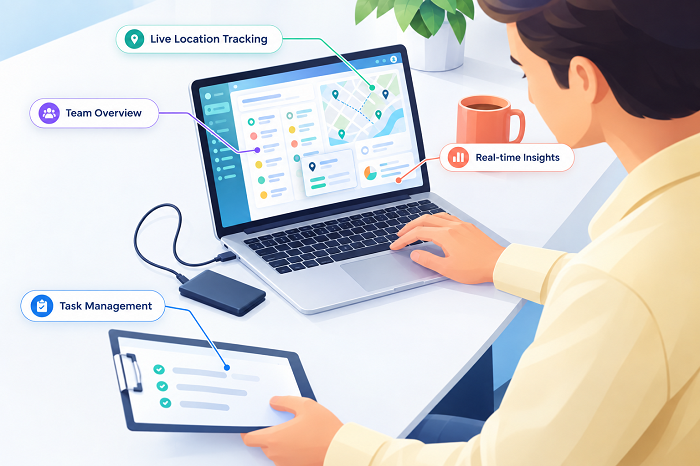
1. How Beat Plan Software Manages Recurring Customer Visits
Recurring customer visits are an important part of field sales management. Many businesses need representatives to visit specific customers according to predefined schedules.
For example:
- High-volume supermarkets may require visits several times a week.
- Regular retail outlets may need weekly visits.
- Wholesale distributors may require scheduled visits every two weeks.
- Corporate customers may need monthly account reviews.
- New customers may require additional follow-up visits.
Beat plan software helps managers create these schedules centrally and assign them to the appropriate sales representatives.
Look for the following recurring scheduling capabilities:
- Daily, weekly, and monthly visit schedules.
- Custom visit frequencies for individual customers.
- Fixed weekday-based scheduling.
- Recurring customer assignments.
- Customer priority-based scheduling.
- Automatic generation of future beat plans.
- Schedule modification without recreating the entire plan.
- Visibility into upcoming and overdue visits.
For example, a sales manager responsible for Dubai operations may schedule visits to selected supermarkets every Monday and Thursday, while smaller retailers receive one visit every week.
The system should make it easy to create these recurring schedules and display them in the employee's mobile application.
2. Can Managers Change Recurring Visit Frequencies?
Customer requirements can change over time. A customer who previously required one weekly visit may begin placing larger orders and need more frequent attention. Another customer may become inactive and require fewer visits.
Beat plan software should allow managers to modify visit frequency without creating unnecessary scheduling work.
Important features include:
- Increasing or reducing visit frequency.
- Changing scheduled weekdays.
- Pausing recurring visits.
- Resuming inactive schedules.
- Changing customer priorities.
- Updating future visit dates.
- Applying changes to selected customers or entire customer groups.
For example, a UAE FMCG distributor may increase visits to a high-performing supermarket from twice a week to four times a week during a promotional campaign.
The software should allow the manager to update the recurring schedule and ensure that future beat plans reflect the new frequency.
During a demonstration, ask whether changes apply immediately, from a selected date, or only to future schedules. This distinction is important when managers need to preserve existing assignments while modifying upcoming visits.
3. How Beat Plan Software Handles Last-Minute Route Changes
Field sales routes rarely remain unchanged throughout the day. Customer appointments may be cancelled, urgent orders may require attention, and representatives may need to visit additional locations.
A suitable platform should allow managers to adjust routes without rebuilding the entire beat plan.
Look for features such as:
- Adding new customer visits during the day.
- Removing cancelled appointments.
- Changing visit sequences.
- Reassigning customers to other employees.
- Updating route priorities.
- Rescheduling missed visits.
- Sending revised schedules to mobile applications.
- Maintaining a history of route changes.
For example, a sales representative in Sharjah may have eight scheduled customer visits. If one customer is unavailable, the manager should be able to move that visit to another date and assign a nearby customer instead.
The revised schedule should be communicated clearly to the employee so that there is no confusion about the next destination.
Ask vendors whether managers can make these changes through a central dashboard and whether employees receive notifications when their assigned routes are updated.
4. Can Software Adjust Routes When New Customers Are Added?
Growing businesses regularly add new customers to their sales networks. A new retail outlet, supermarket, pharmacy, or distributor may need to be included in an existing sales territory.
Manually adding every new customer to a representative's route can create administrative work.
Beat plan software should make it easy to add new customer locations and include them in future visit schedules.
Useful capabilities include:
- Creating new customer records.
- Importing customer addresses.
- Displaying new customers on maps.
- Assigning customers to existing territories.
- Allocating customers to sales representatives.
- Setting initial visit frequencies.
- Adding customers to recurring beat plans.
- Updating route sequences.
For example, if a new supermarket opens in Abu Dhabi, the sales manager should be able to add its location, assign it to the appropriate territory, and schedule the first customer visit.
More advanced platforms may support geographic assignment rules, but businesses should verify whether these are automatic or require manual approval.
5. How Route Optimisation Supports Changing Sales Schedules
When sales routes change, representatives may need to visit customers in a different sequence. A route that was efficient in the morning may no longer be practical after an appointment cancellation or additional visit assignment.
Route optimisation helps managers arrange multiple customer visits based on geographic proximity and other scheduling requirements.
Compare whether the software provides:
- Automatic route sequencing.
- Distance-based route recommendations.
- Estimated travel times.
- Multiple-stop route planning.
- Manual route adjustments.
- Appointment time-window support.
- Traffic information where supported.
- Navigation application integration.
- Route recalculation after changes.
For example, a sales representative visiting customers in Dubai may initially have six scheduled stops. If two additional customers are added during the day, the software should help the representative organise the remaining visits into a practical sequence.
However, route optimisation does not guarantee the shortest actual journey. Traffic, parking, customer availability, restricted access, and road conditions can affect travel time.
UAE businesses should test route recommendations using real customer locations in the areas where their sales representatives operate.
6. Can Beat Plan Software Reassign Visits When Employees Are Absent?
Employee absence is another reason sales routes need to change. When a sales representative is on leave, sick, or unavailable, scheduled customer visits may need to be transferred to another employee.
Without an organised system, managers may have to manually contact representatives and distribute customer details.
Look for software that supports:
- Employee availability management.
- Temporary customer reassignment.
- Route transfer between representatives.
- Supervisor approval for reassignment.
- Updated mobile schedules.
- Customer visit history retention.
- Identification of unassigned visits.
- Employee-wise workload visibility.
For example, if a representative covering a territory in Ajman is absent, the manager may assign urgent customer visits to another representative working nearby.
The system should preserve the original customer information and visit requirements while updating the responsible employee.
Ask whether reassignment can be completed in bulk and whether the platform identifies scheduling conflicts before the new assignment is confirmed.
7. Does Beat Plan Software Support Emergency and Priority Visits?
Not every customer visit can be planned in advance. Some sales situations require immediate attention, such as urgent order requirements, stock shortages, customer complaints, promotional activities, or important business opportunities.
Beat plan software should allow managers to add priority visits without unnecessarily disrupting the entire day's schedule.
Useful features include:
- Priority-based visit assignments.
- Urgent visit notifications.
- Additional visit scheduling.
- Customer importance classification.
- Route modification.
- Assignment to the nearest available representative, where supported.
- Tracking of urgent visit completion.
- Reasons for schedule changes.
For example, a distributor may receive an urgent request from a major supermarket in Dubai for replenishment. The sales manager should be able to assign the visit to an available representative and communicate the updated schedule.
During a demo, ask whether the platform can recommend an employee based on territory, location, workload, and availability or whether managers must select the representative manually.
8. How Does the Software Handle Missed and Postponed Visits?
Recurring schedules do not guarantee that every customer visit will take place as planned. Customers may be unavailable, representatives may face delays, or operational problems may prevent a visit.
A useful beat plan platform should record missed and postponed visits and help managers reschedule them.
Check whether the system supports:
- Missed visit identification.
- Reasons for incomplete visits.
- Visit postponement.
- Automatic or manual rescheduling.
- Overdue visit notifications.
- Customer-wise visit history.
- Follow-up scheduling.
- Planned versus completed visit reports.
For example, if a representative cannot visit a retail outlet because the customer is unavailable, the employee should be able to record the reason and request a new visit date.
Managers should be able to review these records and decide whether the visit should be rescheduled immediately, moved to the next regular beat, or assigned to another employee.
The software should also prevent postponed visits from disappearing without a clear record.
9. Can Employees See Updated Routes on Their Mobile Applications?
Central route changes are useful only when employees receive the updated information at the right time.
The mobile application should display the latest assigned beat plan and provide clear notifications when schedules change.
Important mobile capabilities include:
- Updated daily visit schedules.
- Revised customer lists.
- Changed route sequences.
- Notifications for new assignments.
- Customer contact and location details.
- Navigation support.
- Visit status updates.
- Access to upcoming recurring visits.
- Clear identification of cancelled or postponed visits.
For example, if a manager adds a customer to a representative's route at midday, the employee should receive the updated assignment through the mobile application.
Ask vendors how quickly updates reach employees and what happens when a device is temporarily offline.
The system should clearly identify whether the mobile application is displaying the latest schedule or an older version that has not yet synchronised.
10. Can Beat Plan Software Handle Offline Route Changes and Synchronisation?
Field employees may work in locations with inconsistent internet connectivity. A representative may also lose connectivity while travelling between customer locations.
The software should support appropriate offline access and explain how changes are handled when employees reconnect.
Look for:
- Offline access to previously downloaded beat plans.
- Local storage of visit activity records.
- Offline check-in and check-out, where supported.
- Automatic synchronisation after reconnection.
- Pending update notifications.
- Conflict handling when multiple users update schedules.
- Original activity timestamps.
- Clear identification of delayed uploads.
For example, an employee may complete a customer visit in an area with weak connectivity. The application should store the visit record and synchronise it later.
However, managers should understand that a route change made centrally may not appear immediately on a device that is offline. The application should communicate this limitation rather than presenting an outdated schedule as current.
During testing, disconnect a device from the internet, record a visit, and reconnect it. Check whether the activity synchronises correctly and whether the system preserves the original event time separately from the upload time.
11. Can Managers Monitor Recurring Visit Compliance?
Recurring beat plans are valuable only when managers can measure whether employees are completing scheduled visits.
Reporting features help managers compare planned schedules with actual field activities.
Important reports include:
| Report | What it helps managers monitor |
|---|---|
| Recurring visit compliance | Whether customers receive visits at the required frequency |
| Planned versus completed visits | Whether scheduled visits are completed |
| Missed visit report | Which customers were not visited |
| Rescheduled visit report | Which visits were moved to different dates |
| Employee-wise performance | Individual field activity and schedule adherence |
| Territory-wise coverage | Customer coverage across assigned areas |
| Visit frequency report | How often each customer is visited |
| Route adherence | Whether employees follow assigned routes |
| Additional visit report | Visits added outside the original beat plan |
| Daily activity summary | Overall employee activity during the day |
For example, a regional sales manager may want to know whether high-priority customers in Dubai are receiving their required visits each week.
The software should allow reports to be filtered by employee, customer, territory, date, and visit status.
Managers should also check whether reports can be exported to Excel or PDF and whether automated reporting is available.
12. What Should UAE Businesses Check About Mapping and Traffic Conditions?
UAE sales teams may operate across dense urban areas, residential communities, industrial zones, shopping centres, and locations with restricted access.
These conditions can affect route planning and customer visit schedules.
When evaluating beat plan software, ask:
- Does the mapping service cover the UAE locations where we operate?
- Can managers correct inaccurate customer coordinates?
- Does the software provide estimated travel times?
- Does it use traffic information where supported?
- Can routes be manually adjusted for operational restrictions?
- Can customer appointment times be included in route planning?
- Can managers group nearby customers into practical routes?
- Does the system distinguish estimated travel times from actual journey durations?
For example, a representative visiting customers across Dubai and Sharjah may need additional travel time depending on traffic conditions and appointment schedules.
The software should help managers create practical routes, but final schedules should still allow for real-world travel conditions.
13. Real-World Scenarios to Test Before Purchasing
A vendor demonstration should include realistic examples from the company's sales operations.
The following scenarios can help determine whether the platform can manage recurring visits and changing routes effectively.
| Test scenario | Expected software behaviour |
|---|---|
| Weekly recurring visits | Automatically generates future customer schedules |
| Customer visit frequency change | Updates the selected customer's future schedule |
| New customer added | Allows assignment to a territory and beat plan |
| Customer appointment cancelled | Supports rescheduling or removal of the visit |
| Urgent sales request | Allows a priority visit to be added |
| Employee absence | Enables customer visits to be reassigned |
| Route disruption | Allows managers to modify the visit sequence |
| Missed customer visit | Records the reason and supports follow-up scheduling |
| Offline field activity | Stores activity records and synchronises later |
| Weekly performance review | Shows planned, completed, missed, and rescheduled visits |
Businesses should test these scenarios using actual customer locations and representative field employees wherever possible.
Conclusion
Beat plan software can help UAE businesses manage recurring customer visits and changing sales routes, provided the platform offers flexible scheduling, route modification, customer reassignment, mobile updates, offline functionality, and performance reporting.
Recurring visit management helps sales teams maintain consistent customer coverage, while flexible route planning allows managers to respond to changing business conditions. Together, these capabilities can reduce scheduling conflicts, improve field employee coordination, and support more efficient customer visits.
Before purchasing, UAE businesses should evaluate how the software handles customer frequency changes, urgent visits, employee absences, missed appointments, new customer assignments, and route adjustments. A real-world pilot using actual sales territories and customer locations is the best way to verify whether the platform meets operational requirements.
The right beat plan solution should provide a balance between predictable recurring schedules and the flexibility needed to manage everyday changes in field sales operations.
Test repeat-visit frequency, new prospects and rescheduled routes against a real weekly plan. Check whether InnBuilt can reflect your team's operating rules without manual workarounds.