How Does Geo-Fenced Attendance Work for Field Employees in the UAE?
How Does Geo-Fenced Attendance Work for Field Employees in the UAE?
Managing attendance becomes more challenging when employees work outside a traditional office. Sales representatives, delivery teams, maintenance technicians, security personnel, construction workers, and service staff may move between multiple locations during the working day.
Geo-fenced attendance helps UAE employers record attendance based on an employee’s physical presence within an approved work location. By combining GPS technology with attendance software, employers can create virtual boundaries around offices, project sites, customer locations, or other authorized workplaces.
This allows HR teams to improve attendance visibility while reducing manual timesheets and inaccurate location reporting.
1. What Is Geo-Fenced Attendance?
Geo-fenced attendance uses GPS-enabled devices and attendance software to define a virtual geographic boundary around a specific workplace.
For example, an employer may create a geo-fence around a construction site with a radius of 100 metres. When an authorized employee enters the defined area, the attendance application can allow them to clock in. When they leave, the system can record their exit or make them eligible to clock out, depending on the software configuration.
A typical workflow is:
Employee reaches work location → GPS verifies location → Employee clocks in → Attendance is recorded → Data syncs with HR/payroll
The exact functionality depends on the attendance system and its configuration.
2. How Does Geo-Fenced Attendance Work for Field Employees?
A geo-fenced attendance system generally follows several steps.
Step 1: HR Creates Approved Work Locations
HR or administrators first create authorized locations in the attendance system.
These may include:
- Construction sites
- Customer locations
- Retail branches
- Warehouses
- Service locations
- Project sites
- Temporary work locations
- Remote work zones
The administrator can normally define the geographic boundary for each location.
Step 2: Employees Are Assigned to Locations
Field employees are assigned to one or more approved locations according to their schedules or job responsibilities.
For example, a technician may be assigned to three customer locations during a particular week.
Step 3: The Employee Reaches the Location
When the employee arrives, the mobile attendance application checks the device's location information.
If the employee is within the permitted geo-fence, the application may allow attendance to be recorded.
Step 4: Attendance Is Captured
The system records information such as:
- Employee identity
- Date and time
- Attendance status
- Assigned location
- Location verification result
- Check-in or check-out event
Depending on the system, additional information may be captured for audit purposes.
Step 5: HR Monitors Attendance
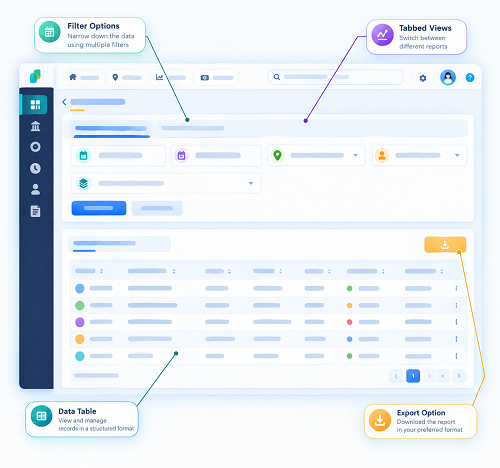
HR managers can review field attendance through a centralized dashboard. They can identify:
- Employees who have checked in
- Employees who have not checked in
- Late arrivals
- Early departures
- Location exceptions
- Missed attendance
- Attendance anomalies
Step 6: Attendance Data Can Feed Payroll
If the attendance platform is integrated with payroll software, verified attendance information can contribute to payroll calculations.
The broader workflow can be:
Geo-Fenced Check-In → Attendance Records → Working Hours → Leave/Overtime → Payroll
This reduces the need for HR teams to manually transfer field attendance data into payroll systems.
3. Why Is Geo-Fenced Attendance Useful for UAE Field Employees?
UAE organizations often have employees working across different branches, project sites, customer locations, and outdoor workplaces.
Geo-fencing can provide HR teams with better visibility into where attendance events occur.
For example, instead of receiving a manually completed timesheet stating that an employee arrived at a project site at 8:00 AM, the employer can use a location-based attendance workflow to verify that the employee was within the approved attendance area when the check-in was submitted.
This can improve the reliability of field attendance records.
4. How Can Geo-Fencing Reduce False Attendance?
Traditional attendance methods can create opportunities for inaccurate reporting. An employee might submit a timesheet manually or ask another person to record attendance on their behalf.
Geo-fenced attendance adds a location verification layer.
Without geo-fencing:
Employee → Manual attendance → HR review
With geo-fencing:
Employee → Mobile authentication → GPS/location check → Attendance record → HR review
This does not automatically eliminate every form of attendance fraud, but it can make unauthorized attendance reporting more difficult.
Employers can also combine geo-fencing with other controls such as employee authentication, device restrictions, facial verification, or approval workflows where appropriate.
5. How Does Geo-Fenced Attendance Help Construction Companies?
Construction companies can have employees distributed across multiple project sites.
A centralized geo-fenced attendance system can allow HR teams to create separate attendance zones for each project.
| Project | Attendance Zone | Employees |
|---|---|---|
| Project A | Defined site boundary | Construction team |
| Project B | Defined site boundary | Engineering team |
| Project C | Defined site boundary | Maintenance team |
When employees arrive at their assigned project, the system can verify whether they are within the permitted attendance area.
This can be particularly useful when employees do not report to a fixed corporate office.
6. What Happens When Employees Work at Multiple Locations?
Field employees may not remain at one location throughout the day.
For example, a service technician might visit:
- Customer A in the morning
- Customer B around noon
- Customer C in the afternoon
An attendance system can be configured to support multiple approved locations where the business process requires it.
HR can assign employees to different sites and monitor attendance events according to their schedules.
This provides a more flexible approach than requiring every employee to check in from a single office location.
7. Can Geo-Fenced Attendance Track Employee Movement?
Geo-fenced attendance should not automatically be treated as continuous employee tracking.
There is an important distinction between location-based attendance verification and continuous location monitoring.
For attendance purposes, an employer may only need to verify that an employee is present at an authorized location when checking in or out. Continuous GPS tracking can involve substantially greater privacy considerations.
Therefore, employers should configure the system according to a legitimate business requirement and applicable UAE privacy and data protection obligations.
Employees should also be informed about how location information is collected, used, protected, and retained.
8. What If GPS Is Inaccurate?
GPS accuracy can vary because of:
- Buildings
- Underground areas
- Tall structures
- Poor mobile connectivity
- Device settings
- Weather and environmental conditions
- Indoor locations
For this reason, HR should avoid designing attendance policies that depend on perfect location accuracy.
A practical system can include an exception process:
GPS verification fails → Employee submits attendance exception → Supervisor verifies → HR approves correction
This provides a backup when legitimate employees cannot complete location verification.
9. What Happens When There Is No Internet Connection?
Field employees may work in locations with poor network coverage.
Some attendance applications can store attendance transactions locally and synchronize them when connectivity becomes available. However, this capability varies between systems and should be confirmed with the software provider.
Organizations should define a backup process for:
- Offline attendance
- Failed synchronization
- Device problems
- GPS errors
- Battery failure
- Missed check-ins
A clear exception process prevents technical problems from automatically becoming attendance or payroll disputes.
10. How Can Geo-Fenced Attendance Integrate With Payroll?
The biggest advantage for HR teams is often the connection between field attendance and payroll.
Once attendance information is verified, it can be processed alongside:
- Working hours
- Leave
- Overtime
- Absence
- Late arrivals
- Early departures
- Shift schedules
Field employee checks in → Location verified → Hours calculated → Overtime reviewed → Payroll processed
This can reduce manual data entry and help HR teams maintain more consistent payroll records.
However, employers should ensure that attendance records are reviewed according to their internal policies before payroll is finalized.
11. What Should UAE Employers Consider Before Implementing Geo-Fenced Attendance?
Before deploying a geo-fenced attendance system, HR teams should establish clear rules.
Define Approved Locations
Create accurate attendance zones for offices, sites, branches, and other authorized workplaces.
Set Appropriate Geo-Fence Sizes
A boundary that is too small may cause legitimate employees to experience failed check-ins. A boundary that is too large may reduce the usefulness of location verification.
Explain the Process to Employees
Employees should understand:
- When location verification occurs
- Why it is required
- What information is collected
- How attendance exceptions are handled
- Who can access attendance information
Protect Location Information
Access to attendance and location-related data should be limited to authorized personnel. Employers should also establish appropriate security, retention, and deletion practices.
Provide an Exception Process
Employees should have a way to report genuine technical or operational problems rather than being automatically marked absent.
12. Benefits of Geo-Fenced Attendance for UAE Field Teams
A well-designed geo-fenced attendance system can help organizations:
- Reduce manual attendance reporting
- Improve field attendance visibility
- Verify attendance at authorized locations
- Support multiple worksites
- Reduce inaccurate location claims
- Improve timesheet management
- Simplify supervisor approvals
- Connect attendance with payroll
- Create better attendance records
- Support distributed workforces
The technology is particularly useful for organizations that cannot rely on traditional office-based attendance systems.
Conclusion
Geo-fenced attendance allows UAE employers to verify field attendance using location-based technology. By creating virtual boundaries around approved workplaces, organizations can make it easier for employees to record attendance from authorized locations while giving HR teams better visibility into field operations.
For the best results, geo-fencing should be combined with clear attendance policies, employee communication, exception handling, appropriate security controls, and payroll integration. Employers should also carefully assess applicable UAE privacy and data protection requirements when collecting and processing location information.
When implemented properly, geo-fenced attendance can provide a practical bridge between field workforce management, attendance tracking, and payroll processing.
InnBuilt Employee Tracking App can pair check-ins with designated site boundaries, helping UAE field managers confirm where a shift began without relying on handwritten site registers.