What Offline Check-In Capabilities Should UAE Businesses Test Before Buying?
What Offline Check-In Capabilities Should UAE Businesses Test Before Buying?
Reliable attendance tracking is essential for UAE businesses managing employees across offices, construction sites, factories, warehouses, customer locations, and remote project sites. Many organizations depend on mobile attendance applications, biometric devices, and cloud-based attendance platforms to record employee working hours. However, these systems may face connectivity challenges when employees work in locations with weak internet signals or temporary network interruptions.
For example, construction employees working at remote project sites may experience difficulty accessing mobile attendance applications. Warehouse employees may encounter network interruptions inside large storage facilities, while field technicians may work in customer locations with limited connectivity. If the attendance system cannot record check-ins during these interruptions, businesses may face missing attendance records, delayed payroll processing, and additional administrative work.
Offline check-in functionality helps address these challenges by allowing employees to record attendance without an active internet connection. The system stores attendance transactions locally and synchronizes them with the central attendance database when connectivity becomes available.
However, not all attendance software handles offline attendance in the same way. Some applications support basic offline check-ins, while others offer secure local storage, timestamp verification, duplicate prevention, and automatic synchronization.
Before purchasing attendance software, UAE employers should test its offline capabilities under realistic working conditions. This guide explains the important offline check-in features businesses should evaluate before selecting an attendance management solution.
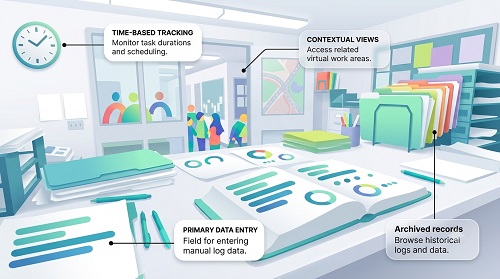
1. Understand How Offline Attendance Tracking Works
Offline attendance tracking allows employees to record their check-in and check-out information even when their devices cannot connect to the internet.
Instead of immediately sending attendance information to a cloud server, the application or attendance device temporarily stores the transaction locally.
Once the internet connection is restored, the system synchronizes the stored records with the central attendance database.
A typical offline attendance process involves the following steps:
- An employee opens the attendance application or uses an offline-enabled biometric terminal.
- The employee completes the required authentication process.
- The system records the check-in or check-out timestamp.
- The attendance transaction is stored securely on the device.
- The system identifies that the transaction has not yet synchronized.
- Once internet connectivity returns, the system transfers the stored attendance information to the central server.
- HR administrators can review the synchronized attendance records.
For UAE businesses, this functionality is particularly important when employees work across multiple project sites, industrial facilities, remote locations, and customer premises.
2. Test Whether Employees Can Check In Without Internet Access
The first capability employers should evaluate is whether employees can complete attendance registration without an active internet connection.
Some attendance applications require continuous internet connectivity to authenticate employees and submit attendance transactions. Others allow employees to record attendance offline and synchronize the information later.
During a product demonstration or pilot test, employers should:
- Disconnect the smartphone from Wi-Fi and mobile data.
- Open the attendance application.
- Attempt an employee check-in.
- Record a check-out transaction.
- Verify whether the application confirms successful local recording.
- Reconnect the internet and check whether the transactions synchronize.
Employers should also verify whether offline functionality works for both check-in and check-out rather than supporting only one transaction type.
For example, a construction company operating across different UAE project locations should ensure workers can record their starting and ending times even when mobile network coverage is temporarily unavailable.
Important evaluation point: The application should clearly indicate whether an attendance transaction has been saved locally or successfully submitted to the central server. Employees should not receive misleading confirmation that a record has synchronized when it is still stored offline.
3. Check Secure Local Storage of Attendance Records
Offline attendance systems temporarily store employee information on mobile devices, biometric terminals, or kiosks before synchronization.
Employers should understand how the software protects this information during periods without internet connectivity.
Important capabilities to evaluate include:
- Encryption of locally stored attendance records.
- Secure storage of employee identification information.
- Protection against unauthorized access.
- Restricted access to locally stored transactions.
- Secure handling of pending synchronization records.
- Automatic removal or controlled retention of temporary records after successful synchronization.
For example, a UAE logistics company may allow drivers to record attendance through company-issued smartphones while travelling between distribution hubs. If devices store attendance records locally, employers should ensure that unauthorized users cannot view or modify the information.
Businesses should also ask vendors what happens if a device is lost, stolen, reset, or replaced before offline transactions are synchronized.
A suitable system should provide documented security controls for protecting pending attendance information.
4. Verify Accurate Timestamp Recording During Offline Check-Ins
Accurate timestamps are essential for calculating working hours, overtime, late arrivals, early departures, and employee attendance.
When an attendance application operates offline, it should record the actual transaction time even if the server cannot be reached.
Employers should test whether the system:
- Records the device's local transaction timestamp.
- Uses the correct UAE time zone where applicable.
- Preserves the original check-in and check-out times.
- Distinguishes transaction time from synchronization time.
- Handles device clock changes appropriately.
- Identifies suspicious or inconsistent timestamp changes.
For example, an employee working a night shift at a warehouse in Dubai may check in at 10:00 PM and check out at 6:00 AM. If the device remains offline during the entire shift, the system should preserve both original transaction times when the records are eventually synchronized.
The system should not replace the original attendance time with the later server synchronization time.
Employers should also ask vendors how the software detects manual changes to device time, time-zone changes, and other situations that could affect attendance accuracy.
5. Test Automatic Synchronization After Internet Connectivity Returns
Automatic synchronization is one of the most important offline attendance capabilities.
When internet connectivity returns, the system should transfer pending attendance records to the central server without requiring employees to manually enter the same information again.
During testing, employers should:
- Record several attendance transactions while offline.
- Restore internet connectivity.
- Observe whether synchronization starts automatically.
- Check whether all pending records reach the central database.
- Compare local transaction timestamps with synchronized records.
- Verify that HR administrators can access the updated information.
Businesses should also evaluate whether the system displays synchronization status.
Useful synchronization statuses include:
- Pending synchronization.
- Synchronization in progress.
- Successfully synchronized.
- Synchronization failed.
- Duplicate transaction detected.
For example, a field maintenance company may have technicians recording attendance at different customer locations throughout the day. Once their mobile devices regain internet connectivity, all pending attendance records should synchronize without requiring manual intervention.
6. Evaluate Duplicate Check-In and Check-Out Prevention
Offline attendance systems may receive repeated transactions when employees tap the check-in button multiple times or when devices attempt to synchronize the same record more than once.
If duplicate transactions are not handled correctly, employee attendance reports may contain incorrect working hours.
Employers should test whether the system can:
- Identify repeated check-in transactions.
- Prevent duplicate check-out entries.
- Detect repeated synchronization attempts.
- Preserve the original attendance transaction.
- Flag conflicting attendance records for review.
- Maintain a clear history of attendance corrections.
For example, an employee working at a manufacturing facility may press the check-in button twice because the application does not immediately display confirmation.
The system should identify whether the second transaction is a duplicate rather than treating both entries as separate attendance events.
Employers should also check how the system handles situations where an employee records attendance offline on one device and then attempts another check-in through a different device.
7. Check Offline GPS and Geo-Fencing Capabilities
GPS-based attendance and geo-fencing are important for UAE businesses managing employees across construction sites, delivery routes, customer locations, and field service operations.
However, GPS-based attendance during offline periods requires additional testing.
Employers should understand which location features remain available without an internet connection and which depend on live server communication.
A mobile device may be able to obtain GPS coordinates without mobile data, but this does not automatically mean that every geo-fencing or location-verification feature will work offline.
During testing, businesses should evaluate:
- Whether the device can capture GPS coordinates offline.
- Whether location information is stored with the attendance transaction.
- Whether the system records the location accuracy or related metadata.
- Whether authorized site boundaries can be evaluated locally.
- Whether the application identifies unavailable or unreliable location data.
- Whether location information synchronizes correctly after connectivity returns.
For example, a construction company managing projects in Abu Dhabi and Sharjah may require employees to check in within approved site boundaries.
Employers should test whether the mobile application can verify the assigned location offline using locally available configuration data.
If live server validation is required, the application should clearly communicate the limitation rather than silently accepting an unverified check-in.
Location monitoring should also follow applicable UAE data protection requirements and the organization's employee privacy policies.
8. Verify Biometric Device Offline Functionality
Businesses using fingerprint or facial recognition attendance terminals should evaluate whether the devices can continue operating without a connection to the central server.
Many biometric terminals can temporarily store attendance transactions in their internal memory.
However, their offline capabilities differ depending on the hardware and software configuration.
Employers should check whether the device supports:
- Local employee authentication.
- Offline fingerprint or facial recognition.
- Internal attendance transaction storage.
- Automatic synchronization after reconnection.
- Duplicate transaction prevention.
- Local employee database management.
- Backup and recovery of pending records.
For example, a UAE manufacturing company may install biometric terminals at factory entrances. If the network connection fails during a shift change, employees should still be able to authenticate themselves and record attendance, provided the device supports offline operation.
Employers should also ask vendors how employee biometric templates are stored, protected, updated, and synchronized.
Not every biometric terminal supports all these functions, so businesses should verify them using the exact hardware model being considered.
9. Test Offline Attendance on Shared Kiosks
Attendance kiosks are commonly used in factories, warehouses, hospitals, and large workplaces where employees share attendance terminals.
If a kiosk loses internet connectivity, it should ideally continue recording authorized attendance transactions locally.
During testing, employers should evaluate:
- Whether employees can continue checking in.
- Whether authentication works without server connectivity.
- Whether the kiosk can store multiple employee transactions.
- Whether it can handle consecutive check-ins during shift changes.
- Whether pending transactions remain available after restarting the kiosk.
- Whether all stored records synchronize after network restoration.
For example, a logistics company operating a large distribution centre in Dubai may have hundreds of employees checking in within a short period.
The kiosk should be capable of handling the expected attendance volume without losing records or creating duplicate transactions.
Businesses should also check the kiosk's local storage capacity and what happens when that capacity is nearly full.
10. Evaluate Offline Attendance for Multiple Shifts
UAE employers across manufacturing, healthcare, hospitality, security, and logistics frequently manage rotating shifts, overnight schedules, and employees working different shift patterns.
Offline attendance software should correctly handle transactions that occur across different dates and shift boundaries.
Consider an employee working from 10:00 PM to 6:00 AM. The employee checks in before midnight and checks out the following morning.
If both transactions are recorded offline, the system should preserve the correct dates and times and associate the transactions with the appropriate shift.
Employers should test whether the software supports:
- Night shifts crossing midnight.
- Rotating shift schedules.
- Split shifts.
- Flexible working schedules.
- Overtime recorded after scheduled shifts.
- Multiple check-in and check-out transactions.
- Delayed synchronization of overnight attendance records.
This is particularly important for UAE businesses that operate around the clock and need accurate working-hour calculations for payroll.
11. Check Data Recovery After Device Restart or Battery Failure
Offline attendance records should remain protected when a mobile device, biometric terminal, or kiosk experiences a technical problem.
For example, a smartphone may run out of battery before it reconnects to the internet. Similarly, a biometric terminal may restart because of a power interruption.
Employers should test how the system handles these situations.
Important questions include:
- Are offline attendance transactions retained after a device restart?
- Does the application recover pending records after reopening?
- Are records protected if the device battery runs out?
- Can a biometric terminal retain stored transactions after a power interruption?
- Is there a backup mechanism for pending attendance data?
- Can administrators identify missing or failed transactions?
- Is there a documented recovery process if a device becomes unusable?
Businesses should ask vendors to demonstrate recovery procedures instead of relying only on product descriptions.
12. Measure Offline Performance During Peak Attendance Periods
A system that handles a few offline transactions may not perform equally well when hundreds of employees check in during a shift change.
UAE factories, warehouses, construction projects, and hospitality businesses should test attendance performance during peak periods.
Employers should evaluate:
| Testing Area | What to Check |
|---|---|
| Transaction capacity | Number of offline check-ins the device can store |
| Authentication speed | Time required for each employee to check in |
| Local storage | Available capacity for pending records |
| Synchronization speed | Time required to upload stored transactions |
| Duplicate prevention | Ability to identify repeated transactions |
| Data accuracy | Whether all original timestamps are preserved |
| System stability | Whether the application or device continues operating under heavy usage |
For example, a factory may have 250 employees reporting for work within a 30-minute period. Employers should test whether biometric terminals or kiosks can handle the attendance volume without creating excessive queues.
They should also verify whether synchronization can take place without affecting new attendance transactions.
13. Compare Offline Check-In Capabilities Across Attendance Technologies
Different attendance technologies offer different levels of offline support.
| Offline Capability | Mobile Apps | Biometric Devices | Kiosks |
|---|---|---|---|
| Check-in without internet | Vendor dependent | Hardware dependent | Hardware dependent |
| Local transaction storage | Yes, if supported | Common on supported models | Vendor dependent |
| Offline identity verification | Vendor dependent | Supported on configured devices | Depends on authentication method |
| Offline GPS capture | Possible with device GPS | Not generally applicable | Not generally applicable |
| Geo-fencing without internet | Requires local support | Not generally applicable | Not generally applicable |
| Automatic synchronization | Vendor dependent | Vendor dependent | Vendor dependent |
| Offline shift handling | Requires local schedule data | Requires local configuration | Requires local configuration |
| Recovery after restart | App dependent | Hardware dependent | Hardware dependent |
| Multi-employee transactions | Device dependent | Device capacity dependent | Device capacity dependent |
Employers should not assume that every system supports offline operations simply because the vendor advertises cloud attendance tracking.
The exact features should be demonstrated using the proposed software, hardware, and deployment configuration.
14. Evaluate Vendor Support and Offline System Limitations
Even a well-designed attendance system may experience synchronization failures, device errors, and unexpected network interruptions.
Therefore, employers should evaluate the vendor's technical support and recovery procedures before purchasing.
Ask vendors the following questions:
- How many attendance transactions can the system store offline?
- How long can the system operate without internet access?
- Does offline functionality require additional licensing?
- Can administrators remotely identify devices with pending transactions?
- What happens if the device is damaged before synchronization?
- How are failed synchronization attempts handled?
- Can attendance records be recovered from backups?
- Does the vendor provide support during implementation and testing?
- Are software updates available for offline devices?
- Are offline capabilities included in the quoted subscription price?
Businesses should also ask vendors to document offline limitations, including features that require a live internet connection.
Conclusion
Offline check-in capabilities are an important consideration for UAE employers purchasing attendance management software, particularly businesses operating across construction sites, warehouses, factories, remote project locations, and customer premises.
Before making a purchasing decision, employers should test whether the system can record attendance without internet connectivity, securely store transactions, preserve accurate timestamps, prevent duplicate entries, and synchronize records automatically when the connection returns.
They should also evaluate offline GPS functionality, biometric authentication, kiosk storage, night-shift handling, device recovery, and payroll integration.
The most suitable attendance solution is one that continues recording reliable employee attendance during network interruptions without compromising data security or payroll accuracy.
By conducting practical offline tests and reviewing vendor limitations before implementation, UAE businesses can reduce attendance disruptions, minimize manual corrections, and maintain more consistent workforce records across all operating locations.
Test what employees and managers see when connectivity drops, and how queued records sync and resolve conflicts. Request an offline demonstration from InnBuilt before choosing a UAE attendance solution.