How Can UAE Employers Handle Check-Ins Outside an Assigned Geo-Fence?
How Can UAE Employers Handle Check-Ins Outside an Assigned Geo-Fence?
Geo-fenced attendance can help UAE employers verify that field employees are checking in from approved workplaces. However, field work is not always predictable. Employees may be sent to another client location, redirected to a different project site, asked to attend an urgent service call, or prevented from checking in because of GPS or connectivity problems.
When an employee attempts to check in outside an assigned geo-fence, the system should not automatically treat the event as misconduct or absence. Instead, employers should establish a clear process for handling legitimate exceptions while maintaining reliable attendance records.
A well-designed process can combine location verification, employee requests, supervisor approval, HR review, and payroll controls.
1. What Does an Outside Geo-Fence Check-In Mean?
An outside geo-fence check-in occurs when an employee attempts to record attendance from a location that is not within the geographic boundary configured for their assigned workplace.
For example, an employee may be assigned to Client Site A, but a supervisor sends them directly to Client Site B. If Site B is not included in the employee's approved attendance locations, the application may reject the check-in or flag it as an exception.
This does not necessarily mean that the employee was absent.
The system may simply be indicating:
Employee location ≠ Assigned attendance location
HR then needs to determine whether the location was authorized.
2. Common Reasons Employees Check In Outside a Geo-Fence
There can be several legitimate reasons.
Temporary Site Assignment
A technician may be reassigned to another customer site for the day.
Emergency Service Call
A field employee may be required to respond to an urgent customer request.
Supervisor Instruction
A manager may direct an employee to report to a different location.
Client-Site Changes
A customer may move the work area, change the access point, or temporarily close part of the premises.
Multiple Work Locations
Some employees naturally work across several customer sites during the same shift.
GPS Inaccuracy
The employee may actually be at the correct location, but the device may report a position outside the configured boundary.
Network or Device Problems
Mobile connectivity, device settings, application errors, or battery issues may interfere with location-based attendance.
3. Do Not Automatically Mark the Employee Absent
An outside geo-fence event should ideally be treated as an exception requiring review, rather than an automatic absence.
For example:
Outside geo-fence → Exception created → Employee provides reason → Supervisor verifies → HR approves/rejects → Attendance finalized
This approach allows employers to distinguish genuine attendance issues from legitimate field-work changes.
It also reduces the risk of incorrect attendance records affecting payroll.
4. Create an Attendance Exception Workflow
UAE employers should establish a standard workflow for location exceptions.
A practical process could include:
Step 1: Employee Attempts to Check In
The employee uses the normal attendance application.
Step 2: System Detects the Location
The application identifies that the employee is outside the assigned geo-fence.
Step 3: System Flags the Event
Instead of simply deleting the attempt, the system records an exception where supported.
Step 4: Employee Provides a Reason
The employee can select or enter a reason such as:
- Supervisor reassignment
- Customer visit
- Emergency service
- Temporary worksite
- GPS problem
- Other approved reason
Step 5: Supervisor Reviews
The supervisor checks whether the employee was authorized to work at the reported location.
Step 6: HR Finalizes the Attendance
If approved, HR can confirm or correct the attendance record according to company policy.
5. Allow Temporary Location Assignments
Field employees may frequently move between client sites.
Rather than repeatedly rejecting valid check-ins, employers can create temporary location assignments when their attendance system supports this feature.
For example:
Employee: Service Technician A
Normal site: Client A
Temporary site: Client B
Date: Monday
Shift: 9:00 AM–6:00 PM
The system can then recognize Client B as an authorized attendance location for that specific period.
This is particularly useful for service companies, maintenance teams, security providers, and project-based organizations.
6. Maintain a List of Approved Client Locations
Businesses with many field employees should maintain a centralized location directory.
A location record can include:
| Field | Example |
|---|---|
| Client | Customer A |
| Site | Dubai Service Centre |
| Address | Verified client address |
| Geo-Fence | Configured boundary |
| Supervisor | Assigned manager |
| Employees | Assigned team |
| Schedule | Applicable shift |
| Status | Active |
When a new customer assignment is created, the location can be added to the system before employees begin working there.
7. Use Multiple Geo-Fences for Mobile Employees
Some employees work at several approved locations during the same day.
For example, a maintenance technician may visit three customer sites.
Instead of assigning only one location, the employer can configure multiple authorized locations where supported.
This creates a workflow such as:
Employee starts at Site A → Travels to Site B → Completes service → Visits Site C
Each attendance event can be associated with an approved workplace where the organization's attendance policy requires location verification.
8. Distinguish Location Errors From Unauthorized Attendance
Not every outside geo-fence event means that the employee intentionally checked in from an unauthorized location.
HR should investigate the circumstances.
For example:
| Situation | Recommended Action |
|---|---|
| Employee sent to another client | Supervisor approval |
| Emergency assignment | Exception approval |
| GPS inaccurate | Verify and correct |
| New worksite not configured | Add location and review |
| Employee intentionally checks in elsewhere | Investigate according to policy |
| Device failure | Use approved backup process |
This makes the attendance process more balanced and practical.
9. Use GPS Accuracy Information Where Available
Some attendance applications provide information about location accuracy.
For example, a device may report that the estimated position is only accurate within a certain range.
This can help HR understand why an employee near the boundary was rejected.
Employers should avoid creating extremely small geo-fences simply to prevent misuse if doing so causes frequent legitimate check-in failures.
The correct boundary should account for the physical environment and expected GPS accuracy.
10. Consider the Physical Environment
GPS performance can vary depending on the workplace.
Potential challenges include:
- Large buildings
- Underground parking
- Indoor work areas
- High-rise structures
- Industrial facilities
- Construction sites
- Dense urban areas
- Poor network connectivity
For this reason, HR teams should test geo-fences at actual employee entry points rather than relying entirely on the location shown on a map.
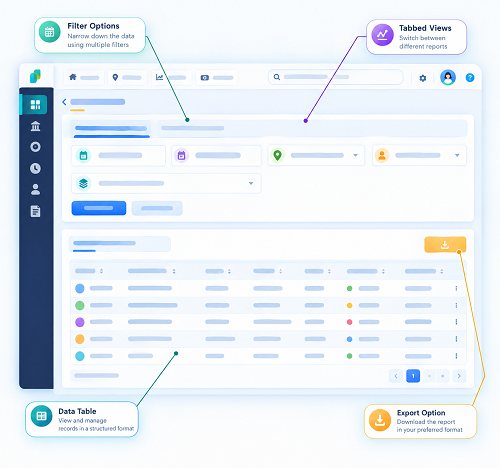
11. Give Supervisors an Approval Dashboard
For organizations with many field employees, manual email-based corrections can become difficult to manage.
An attendance system can provide a dashboard showing:
- Employee name
- Scheduled location
- Actual check-in location
- Check-in time
- Exception reason
- Supervisor
- Approval status
- HR action
This allows managers to review exceptions systematically.
For example:
Pending → Supervisor review → Approved → Payroll-ready
This is much easier to audit than scattered messages and spreadsheets.
12. Keep an Audit Trail
Every attendance correction should have a clear record.
The audit trail can include:
- Original check-in attempt
- Date and time
- Employee
- Assigned location
- Reported location
- Exception reason
- Approving supervisor
- Approval date
- Final attendance status
- Any manual adjustment
Maintaining an appropriate audit trail helps HR investigate disputes and explain attendance corrections.
It can also reduce payroll discrepancies caused by undocumented changes.
13. Connect Approved Exceptions With Payroll
Attendance exceptions can affect payroll when they influence:
- Working hours
- Overtime
- Absence
- Late attendance
- Shift calculations
- Leave balances
For example:
Outside geo-fence → Supervisor approves → Attendance corrected → Working hours calculated → Payroll processed
This prevents HR from manually entering the same correction into multiple systems.
However, payroll teams should still review attendance exceptions according to the organization's payroll approval process before salary processing.
14. Protect Employee Location Information
Geo-fenced attendance involves location-related information.
UAE employers should establish appropriate privacy and security practices when collecting and processing employee location data.
Employers should clearly communicate:
- Why location verification is required
- When location information is collected
- What information is stored
- Who can access it
- How long records are retained
- How employees can report technical problems
Where applicable, employers should assess relevant UAE data protection and privacy obligations before deploying the system.
15. Create Clear Employee Rules
Employees should know what to do when they are outside their assigned geo-fence.
A policy could require employees to:
- Attempt normal check-in.
- Report the location exception.
- Select the appropriate reason.
- Provide supporting information if required.
- Obtain supervisor approval.
- Follow the backup attendance procedure if the application fails.
Clear instructions reduce confusion and prevent employees from repeatedly contacting HR for routine exceptions.
16. Avoid Excessive Manual Corrections
While exceptions are necessary, excessive manual attendance changes can undermine the purpose of geo-fenced attendance.
HR should monitor patterns such as:
- Frequent outside-zone check-ins
- Repeated GPS failures
- The same employees requiring regular corrections
- Multiple sites with unsuitable geo-fences
- Supervisors approving every exception automatically
These patterns may indicate that the system configuration or field-work policy needs adjustment.
For example, if technicians regularly visit a particular client site, that location should probably be added as an approved worksite rather than requiring repeated exceptions.
17. Best Practices for UAE Employers
To manage outside geo-fence check-ins effectively:
- Treat legitimate exceptions separately from absence.
- Maintain accurate client-site information.
- Allow temporary assignments where appropriate.
- Support multiple approved locations for mobile employees.
- Test geo-fences at real entry points.
- Consider GPS accuracy and physical site conditions.
- Give supervisors a structured approval workflow.
- Maintain an appropriate audit trail.
- Connect approved attendance corrections to payroll.
- Protect employee location information.
- Communicate the process clearly to employees.
- Regularly review repeated exceptions.
- Update geo-fences when client locations change.
Conclusion
Field work is dynamic, so employees will occasionally need to check in outside their assigned geo-fence. UAE employers should therefore design attendance systems around controlled exceptions rather than automatic rejection.
A practical process can allow the employee to report the reason, enable the supervisor to verify the assignment, and allow HR to approve the attendance correction. Temporary site assignments and multiple approved locations can further reduce unnecessary exceptions.
When geo-fenced attendance is combined with accurate location configuration, clear policies, exception workflows, audit trails, privacy controls, and payroll integration, UAE businesses can maintain reliable field attendance records while accommodating legitimate changes in employee work locations.
An out-of-zone punch should trigger review, not an automatic assumption. InnBuilt Employee Tracking App can flag location mismatches so UAE supervisors verify the job assignment and employee explanation.