How Can UAE Shift Managers Prevent Overlapping or Unfilled Shifts?
How Can UAE Shift Managers Prevent Overlapping or Unfilled Shifts?
Introduction
Managing employee shifts is a major challenge for UAE businesses that operate across multiple locations, departments, or time zones. Retail stores, hotels, hospitals, restaurants, warehouses, manufacturing facilities, and security companies need the right employees available at the right time to maintain smooth operations.
Two common scheduling problems are overlapping shifts and unfilled shifts. Overlapping shifts occur when employees are scheduled for the same position or working period unnecessarily, while unfilled shifts occur when no employee is available to cover a required time slot. Both problems can increase labour costs, disrupt service delivery, and create additional pressure on managers.
For HR teams and shift managers, preventing these issues requires accurate workforce planning, clear scheduling rules, reliable attendance records, and timely communication. Workforce management software can further reduce errors by identifying scheduling conflicts, monitoring employee availability, and automating shift assignments.
This guide explains how UAE businesses can prevent overlapping or unfilled shifts and improve workforce scheduling.
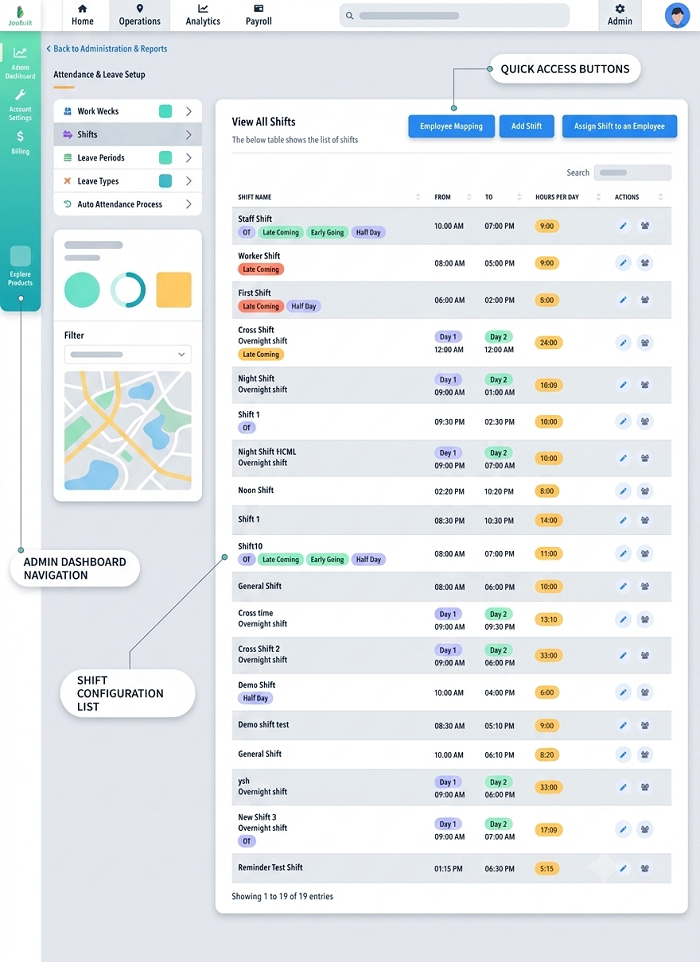
1. Understand Why Shift Scheduling Problems Occur
Before improving a roster, managers should identify the reasons behind scheduling gaps and overlaps.
Common causes include:
- Manual scheduling: Spreadsheets and paper rosters make it difficult to identify conflicts across departments.
- Last-minute leave requests: Unexpected absences can leave critical shifts uncovered.
- Unrecorded shift swaps: Employees may exchange shifts without updating the official roster.
- Incorrect employee availability: Managers may assign shifts to employees who are unavailable.
- Poor demand forecasting: Staffing levels may not match customer traffic or operational requirements.
- Duplicate assignments: An employee may be scheduled at two locations or for overlapping shifts.
- Delayed communication: Employees may not receive updated schedules or replacement instructions in time.
Understanding these causes helps businesses introduce targeted controls rather than relying on managers to resolve scheduling issues manually every day.
2. Create a Centralised Employee Availability Database
A reliable roster starts with accurate employee information. Shift managers should maintain a centralised record of employee availability, job roles, skills, approved leave, and existing assignments.
The database should include:
- Employee name and identification number.
- Department and work location.
- Contracted working pattern.
- Skills, certifications, and role eligibility.
- Available working days and hours.
- Approved leave and planned absences.
- Existing shift assignments.
- Applicable rest periods and working-hour restrictions.
For example, a hotel may require a minimum number of reception employees on every shift. The manager should assign only employees who are available and qualified for reception duties.
Keeping this information in one system reduces the risk of assigning unavailable employees or overlooking critical staffing requirements.
3. Set Minimum Staffing Requirements for Every Shift
Every shift should have a clearly defined staffing requirement. Without this information, managers may schedule too many employees during quiet periods and too few during peak demand.
Businesses can determine staffing levels by reviewing:
- Expected customer traffic.
- Sales volumes or service demand.
- Production targets.
- Required service coverage.
- Employee skills and qualifications.
- Historical attendance and absence patterns.
- Safety and operational requirements.
Example: Retail store shift planning
A retail store may require the following staffing levels:
| Shift | Required employees | Main objective |
|---|---|---|
| Morning | 4 | Opening operations and stock preparation |
| Afternoon | 6 | Higher customer traffic |
| Evening | 5 | Sales coverage and closing activities |
These figures are illustrative. Actual staffing levels should reflect the business's operating requirements.
A scheduling system can compare the required headcount with the employees assigned to each shift. If a shift needs six employees but only four are assigned, the system can flag the two-person shortage before the roster is published.
4. Use Automated Scheduling to Detect Overlapping Shifts
Automated scheduling can help managers identify conflicting assignments before they become operational problems.
A well-configured system should check whether:
- An employee has been assigned to two shifts at the same time.
- Two assignments overlap because of an incorrect start or end time.
- An employee is scheduled at different locations during incompatible periods.
- A shift extends into another assignment.
- A proposed shift conflicts with approved leave.
- The employee's working hours or required rest arrangements may be affected.
For example, an employee may be scheduled from 8:00 a.m. to 4:00 p.m. at one branch and from 3:00 p.m. to 11:00 p.m. at another. The one-hour overlap should trigger a warning before the roster is approved.
Managers should also configure handover periods correctly. In hospitals, hotels, and security operations, two employees may legitimately overlap for a short period to transfer responsibilities. The system should distinguish approved handover time from accidental duplicate scheduling.
5. Build a Backup Plan for Unfilled Shifts
Even a well-planned roster can be disrupted by illness, emergencies, unexpected leave, or employee turnover. Businesses should establish a backup process before these situations occur.
Useful measures include:
- Maintaining a list of eligible backup employees.
- Identifying employees who have voluntarily agreed to be contacted for additional shifts.
- Establishing a clear procedure for reporting absences.
- Setting up a manager escalation process for uncovered shifts.
- Cross-training employees to cover multiple suitable roles.
- Reviewing staffing gaps before each shift begins.
For example, if a warehouse employee reports sick before a night shift, the manager can check the approved backup list and contact a qualified replacement.
Any replacement arrangement should be checked against applicable working-hour, rest, contract, and compensation requirements. Managers should not repeatedly extend employees' working hours simply to fill gaps.
6. Establish Clear Rules for Shift Swaps
Unapproved shift swaps are a common source of overlapping assignments and unexpected absences.
Businesses should require employees to submit shift-swap requests through a designated process. Managers should approve the change only after confirming that the replacement employee is qualified, available, and eligible to work the shift.
A reliable workflow should:
- Record the original shift assignment.
- Identify the employee requesting the swap.
- Verify the replacement employee's availability.
- Check for schedule conflicts and working-hour restrictions.
- Obtain the required manager approval.
- Update the official roster.
- Notify both employees and the relevant supervisor.
The system should retain the original assignment and the approved change for audit purposes.
Employees should be discouraged from arranging informal swaps through messaging apps without updating the official schedule.
7. Monitor Attendance and Absences in Real Time
A published roster does not guarantee that every employee will arrive for the assigned shift. Managers need reliable attendance information to identify no-shows, late arrivals, and early departures.
An integrated attendance system can compare scheduled shifts with actual clock-in and clock-out records.
Useful alerts include:
- An employee has not clocked in within the configured time window.
- A shift is starting with fewer employees than required.
- An employee clocks in outside the assigned schedule.
- A clock-out is missing.
- An employee appears to be assigned to incompatible shifts.
- A shift change has not been approved or recorded.
For example, if a restaurant needs five employees at 6:00 p.m. but only three have arrived, the manager can contact backup staff or reorganise tasks before customer demand increases.
Managers should review alerts promptly and distinguish genuine absences from technical issues, missed clock-ins, or approved schedule changes.
8. Forecast Demand to Avoid Overstaffing and Understaffing
Good scheduling depends on predicting how many employees the business will need.
Managers can analyse historical data to identify recurring demand patterns, including:
- Busy and quiet days.
- Seasonal changes.
- Public holidays.
- Promotional events.
- Customer booking volumes.
- Production cycles.
- Employee absence trends.
A hotel, for example, may need more housekeeping staff during high-occupancy periods, while a warehouse may require additional employees during major sales campaigns.
Forecasting helps managers schedule the right number of employees without assigning unnecessary overlapping shifts. Forecasts should be reviewed when demand changes unexpectedly.
9. Follow UAE Working-Hour and Rest Requirements
Shift managers must ensure that efforts to prevent staffing gaps do not result in non-compliant schedules.
For employees covered by the general UAE private-sector labour law, Article 17 generally sets normal working hours at eight hours per day or 48 hours per week, subject to applicable exceptions and rules for certain sectors and worker categories.
Article 18 addresses rest periods for employees working consecutive hours and provides for the regulation of working hours and breaks in shift-based establishments. Managers should consult the applicable provisions and implementing regulations when designing shift patterns.
Before assigning a replacement shift, managers should verify:
- The employee's existing working hours.
- Required breaks and rest arrangements.
- Applicable overtime rules.
- Contractual working patterns.
- Any special requirements relevant to the employee's role or sector.
The UAE framework contains exceptions for certain categories and circumstances, so employers should not apply a single scheduling rule indiscriminately to every employee.
10. Use Workforce Management Software for Better Control
Workforce management software can bring scheduling, attendance, leave, and payroll information together.
Automated conflict detection
The system flags overlapping assignments, unavailable employees, and shifts that exceed configured scheduling rules.
Shift coverage dashboards
Managers can see which shifts are fully staffed, understaffed, or awaiting approval.
Employee self-service
Employees can view schedules, submit availability, and request shift swaps through a central platform.
Absence notifications
Managers receive alerts about missing clock-ins, unexpected absences, and shifts that need replacement coverage.
Multi-location scheduling
Businesses with several branches can check assignments across locations and reduce the risk of scheduling the same employee in two places at once.
Payroll integration
Approved schedules and actual attendance can be transferred to payroll for review of working hours, overtime, and other applicable pay items.
Software should support managerial decisions rather than replace them. HR teams must validate system settings, review exceptions, and ensure that actual working arrangements comply with applicable rules.
11. Create a Daily Shift Management Checklist
Shift managers can use a simple checklist to prevent scheduling errors.
- Confirm that every shift meets minimum staffing requirements.
- Check for overlapping employee assignments.
- Review approved leave and employee availability.
- Confirm that replacements are qualified and authorised.
- Verify any shift swaps have been recorded.
- Check working-hour and rest-period requirements.
- Review attendance before critical shift start times.
- Resolve uncovered shifts and notify affected employees.
- Record last-minute changes in the official roster.
- Report recurring scheduling issues to HR.
Using the same checklist across departments creates a consistent process and helps managers resolve problems before they affect customers or operations.
Frequently Asked Questions
1. What causes overlapping shifts?
Overlapping shifts can result from duplicate assignments, incorrect shift times, unrecorded swaps, or scheduling employees across multiple locations without checking their existing commitments.
2. How can UAE businesses prevent unfilled shifts?
Businesses can maintain accurate availability records, establish minimum staffing levels, use backup employee lists, automate absence alerts, and require managers to resolve staffing gaps before shifts begin.
3. Can HR software detect overlapping shifts automatically?
Yes. Suitable workforce management software can compare employee assignments and flag conflicting times, duplicate bookings, unavailable employees, and other configured scheduling conflicts.
4. How should managers handle an employee who does not report for a shift?
Managers should follow the absence-reporting procedure, verify whether the absence has been communicated or approved, arrange qualified backup coverage where necessary, and update the official roster. Attendance and any related HR action should be documented consistently.
5. Should employees be allowed to swap shifts directly?
Employees may be allowed to request shift swaps, but businesses should establish an approval process. The replacement must be available, appropriately qualified, and scheduled in accordance with applicable working-hour and rest requirements.
6. How does attendance integration improve shift scheduling?
Attendance integration compares planned schedules with actual clock-in and clock-out records. It helps managers identify no-shows, late arrivals, missing records, and differences that may affect coverage or payroll.
7. How often should shift rosters be reviewed?
Managers should review rosters before publication and monitor critical shifts daily. Businesses with variable demand or frequent absences may benefit from reviewing upcoming schedules more frequently.
Conclusion
Preventing overlapping or unfilled shifts requires accurate employee information, clear staffing requirements, consistent shift-swap procedures, and reliable attendance monitoring. UAE businesses can improve scheduling by forecasting demand, maintaining backup coverage, and checking working-hour requirements before assigning additional shifts.
Workforce management software can make these processes more efficient by detecting conflicts, highlighting staffing shortages, and connecting schedules with attendance and payroll. With clear procedures and proactive monitoring, shift managers can reduce scheduling errors, control labour costs, and maintain reliable business operations.
Roster conflicts can leave a role uncovered or assign someone twice. InnBuilt Shift Management can give UAE managers a clearer view of overlaps, vacancies and staff availability before publishing shifts.