How Can UAE Retail Chains Manage Attendance Across Multiple Stores?
How Can UAE Retail Chains Manage Attendance Across Multiple Stores?
UAE retail chains often operate several stores across Dubai, Abu Dhabi, Sharjah, Ajman, and other Emirates. Employees may work at different branches, cover shifts for absent colleagues, or temporarily move between stores during busy periods. Managing attendance across these locations can become difficult when every branch uses separate registers, spreadsheets, or attendance devices.
A centralized attendance and workforce management system can help retail companies manage employee schedules, store assignments, check-ins, transfers, attendance exceptions, and payroll from one platform.
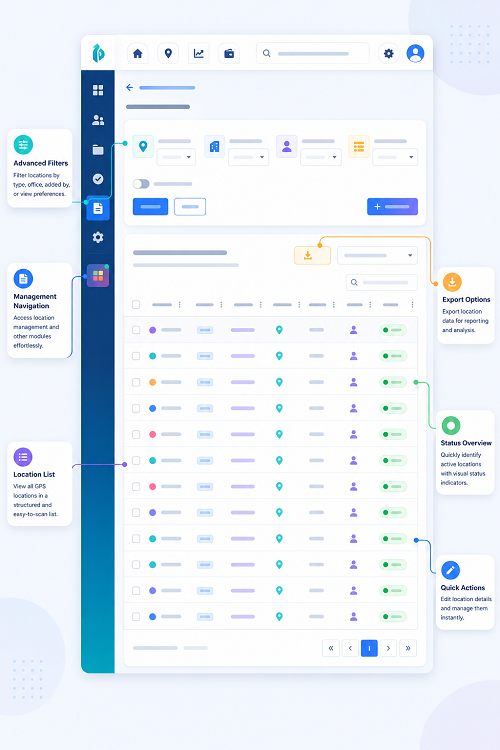
1. Create a Centralized Store Structure
The first step is to create a digital structure for all retail locations.
Each store record can include:
- Store name and code
- Emirate and location
- Store manager
- Department
- Operating hours
- Employee list
- Shift requirements
- Approved attendance location
For example:
Retail Group → Dubai Region → Store DXB-01 → Sales Team
Retail Group → Abu Dhabi Region → Store AUH-03 → Cashier Team
This structure makes it easier for HR and regional managers to view attendance by store.
2. Assign Employees to Their Primary Stores
Each employee should have a clearly defined primary store assignment.
The employee profile can include:
- Employee ID
- Job role
- Department
- Primary store
- Shift pattern
- Reporting manager
- Employment status
If an employee is temporarily assigned to another store, the system can record the temporary assignment separately.
This prevents attendance from being incorrectly attributed to the employee's normal location.
3. Use Digital Check-In and Check-Out
Retail employees generally begin and finish their shifts at a store location.
A digital attendance workflow can record:
Scheduled Shift → Store Arrival → Check-In → Working Hours → Check-Out
Depending on the retail environment, companies can use:
- Biometric attendance
- Store kiosks
- Mobile attendance
- Other approved attendance devices
The appropriate method depends on store size, employee workflow, security requirements, and operational needs.
4. Verify Attendance at the Correct Store
For organizations using mobile attendance, GPS or geo-fenced check-ins can help verify that an employee checked in at the assigned store.
For example, an employee scheduled at a Dubai store can be expected to check in within the approved location around that branch.
However, GPS accuracy may vary because of device settings, network conditions, indoor environments, and building structures. Companies should therefore maintain an exception process for legitimate location discrepancies.
Location information should be used for defined operational purposes rather than as the sole measure of employee performance.
5. Manage Employee Transfers Between Stores
Retail chains frequently move employees between stores to cover staff shortages or changing customer demand.
For example:
Primary Store: Dubai Mall Branch
Temporary Assignment: Marina Branch
The attendance system should allow authorized managers to record the temporary assignment and its effective dates.
This creates a clear record of where the employee was expected to work and where the attendance was recorded.
6. Schedule Employees by Store and Shift
Retail stores may have different operating hours and staffing requirements.
Schedules can be created for:
- Opening shifts
- Day shifts
- Evening shifts
- Closing shifts
- Weekend shifts
- Holiday schedules
- Promotional events
- Inventory-counting shifts
Managers can assign employees based on store requirements, availability, skills, and workload.
7. Monitor Store Staffing Levels
A regional manager may need to know whether every store has enough employees for the current shift.
A centralized dashboard can show:
- Employees scheduled
- Employees checked in
- Employees absent
- Late arrivals
- Employees transferred
- Open positions
- Shift replacements
- Overtime exceptions
For example, if a store requires 15 employees but only 11 have checked in, the manager can investigate the shortage and arrange coverage.
8. Handle Last-Minute Store Replacements
Employee absences can create immediate staffing problems in retail.
A replacement workflow can be:
Employee Absence → Manager Alert → Available Employee Identified → Store Assignment → Check-In → Shift Completed
The system can retain the original assignment and replacement details for future review.
This is particularly useful during weekends, promotions, holidays, and other periods of high customer traffic.
9. Track Attendance by Department
Large stores may have several departments, such as:
- Sales
- Cashier
- Customer service
- Inventory
- Warehouse
- Security
- Administration
Attendance reports can be filtered by the department to identify staffing shortages.
For example, a store may have enough sales employees but not enough cashiers during a busy period. Department-level attendance helps managers respond more accurately.
10. Manage Multiple Shifts and Schedule Changes
Retail schedules can change frequently because of customer demand, promotions, employee leave, or unexpected absences.
A digital system can maintain:
- Original schedule
- Updated schedule
- Shift change
- Employee approval where applicable
- Manager approval
- Actual attendance
Keeping a history of schedule changes helps managers understand why an employee's actual working hours differ from the original schedule.
11. Track Attendance Exceptions
Retail companies can use exception-based dashboards instead of manually reviewing every employee record.
Common exceptions include:
- Missing check-in
- Missing check-out
- Late arrival
- Early departure
- Wrong store check-in
- Duplicate attendance
- Unapproved store transfer
- Unusual working duration
- Attendance correction request
Managers can investigate and approve legitimate exceptions before payroll processing.
12. Support Offline Attendance
Some retail locations may experience temporary connectivity problems.
If the attendance platform supports offline functionality, attendance events can be recorded locally and synchronized when the connection is restored.
A suitable offline process should aim to:
- Preserve the original event time where supported
- Prevent duplicate records
- Identify unsynchronized events
- Synchronize automatically when connectivity returns
- Alert administrators about unresolved records
Actual offline capabilities depend on the attendance software.
13. Connect Store Attendance With Payroll
Centralized attendance can simplify payroll processing for employees working across multiple stores.
A typical workflow is:
Store Schedule → Employee Check-In → Working Hours → Leave/Overtime → Approval → Payroll
HR can review attendance records before payroll is finalized.
If employees work at multiple stores during a pay period, the system can retain the relevant store assignment for each attendance period. This can also support internal labour-cost reporting.
Overtime and attendance adjustments should follow the company's approval procedures and applicable employment requirements rather than being generated automatically from every schedule difference.
14. Compare Store-Wise Attendance
Regional managers can compare attendance patterns across branches.
| Store | Scheduled Staff | Checked In | Late Arrivals | Absences |
|---|---|---|---|---|
| Store A | 25 | 24 | 2 | 1 |
| Store B | 18 | 18 | 1 | 0 |
| Store C | 22 | 19 | 3 | 3 |
Such reports help management identify stores that may require additional staffing, schedule adjustments, or operational support.
15. Track Store-Level Workforce KPIs
Useful KPIs for UAE retail chains include:
- Store attendance rate
- On-time check-in rate
- Absence rate
- Employee turnover
- Overtime hours
- Shift coverage rate
- Store transfer frequency
- Attendance correction rate
- Labour hours per store
- Labour cost per store
- Department staffing coverage
These metrics can help regional managers make better workforce decisions.
16. Protect Employee Attendance and Location Data
A centralized retail attendance system may contain employee identity information, schedules, attendance records, and potentially location data.
Companies should establish appropriate:
- Role-based access
- Data security
- Retention policies
- Audit logs
- Employee transparency
- Vendor controls
- Location-data safeguards
For UAE businesses, applicable UAE privacy and data-protection requirements should be considered when implementing employee monitoring and location-based attendance systems.
Best Practices for UAE Retail Chains
Retail companies can improve multi-store attendance management by following these practices:
- Create a centralized structure for every store and region.
- Assign each employee a primary store.
- Record temporary store transfers digitally.
- Use appropriate attendance devices or mobile check-ins.
- Use location verification where operationally necessary.
- Schedule employees by store, department, and shift.
- Monitor staffing levels across branches.
- Maintain a formal replacement process.
- Track attendance exceptions through manager approvals.
- Support offline attendance where required.
- Connect approved attendance with payroll.
- Compare planned versus actual store staffing.
- Maintain an audit trail for schedule and attendance changes.
- Protect employee and location information.
- Use store-level workforce KPIs to improve staffing decisions.
Conclusion
UAE retail chains can manage attendance across multiple stores more effectively by replacing disconnected branch-level processes with a centralized workforce management system. Digital scheduling, store-based attendance, mobile check-ins, employee transfers, exception management, and payroll integration provide HR and regional managers with a consistent view of the workforce.
A connected workflow can provide visibility from store scheduling → employee assignment → check-in → shift activity → store transfer → check-out → attendance approval → payroll.
With accurate store-level attendance data, retail companies can respond faster to staffing shortages, manage employee transfers more effectively, reduce payroll errors, and improve workforce planning across their UAE branches.
Store managers need both local control and a chain-wide view. InnBuilt Attendance Software can consolidate UAE retail punches by outlet while keeping individual shift exceptions available for review.